
Apraksts
WP-Glideshow now with new, better features! Feature as many posts/pages as you like on any static page you wish. Optionally add an image to every post or page! Order your posts/pages by date or title! Choose from many styling options. Set duration of the slide and choose an effect for the Slideshow! Now including automatic image-resizing with wordpress built-in feature.
What this Slideshow can handle:
- Displays as many posts OR/AND pages as you like
- Sliding effect with Javascript
- Autorotate on/off
- Navigation through Numbers and Back/Forward
- Highly Customizable through Administration Area
- Eye-Catching images/title and post excerpt
- Automatic image resizing using WordPress
- Order by date, title – Sort ASC, DESC
- Add new posts/pages via the edit panel
Ekrānuzņēmumi
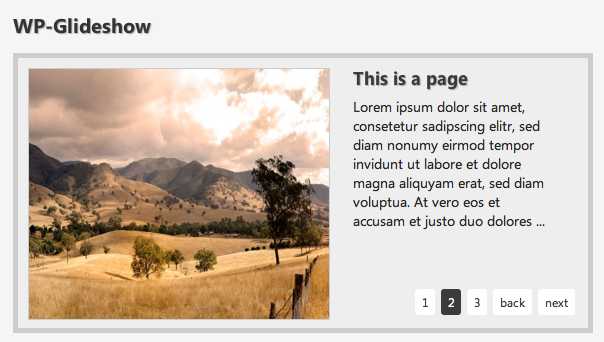
This is how WP Glideshow may look on your Site too. 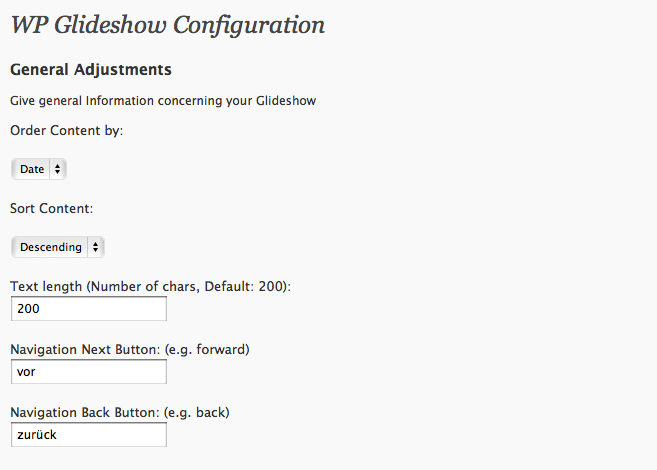
This is what your Administration Section for WP Glideshow will look like. (There are many more options)
Uzstādīšana
- Activate the plugin
- Go to Settings/WP Glideshow and customize the Slideshow to your needs.
- Paste [glider] in any post/page you like or place
<?php include (ABSPATH . '/wp-content/plugins/wp-glideshow/glideshow.php'); ?>in your template file. - Select “Feature in WP-Glideshow” on a page or post you like to show in WP-Glideshow (Edit a page/post – option is right under the editor).
- Upload an image to your post/page and select “use as featured image”.
- If you already have images marked as featured image you should regenerate thumbnails with “regenerate thumbnails plugin”.
BUJ
- Where can I insert WP Glideshow?
-
You can Insert WP Glideshow almost everywhere you want (Pages, posts, template file)
- Where can I edit the Stylesheet?
-
You don’t have to edit the Stylesheet you can make changes directly in your Administration Panel (Settings –> WP Glideshow)
- What is perfect Resolution for the Images?
-
You can choose your own resolution on plugin-settings page. Remember to regenerate thumbnails after changing image sizes.
Atsauksmes
Par šo spraudni nav atsauksmju.
Autori un izstrādātāji
“WP Glideshow” ir atvērtā pirmkoda programmatūra. Šo spraudni ir veidojuši šādi cilvēki.
Līdzdalībnieki
Tulkot “WP Glideshow” savā valodā.
Vai jūs interesē attīstība?
Pārlūkojiet kodu, apmeklējiet SVN krātuvi vai abonējiet attīstības žurnālu, ko izveidojis RSS.
Izmaiņu žurnāls
1.1
- Now supports posts AND pages
- Added automatic thumbnail generation through wordpress built-in functions
- Styles optimized
- More options
- Order/Sort
1.0
- WP Glideshow is available for download