

Apraksts
This zero configuration Plugin adds a Page Break Button to TinyMCE Menu for using the Nextpage-Tag in posts.
Only install and activate. That’s all.
Your Theme must support the Nextpage-Tag.
Ekrānuzņēmumi
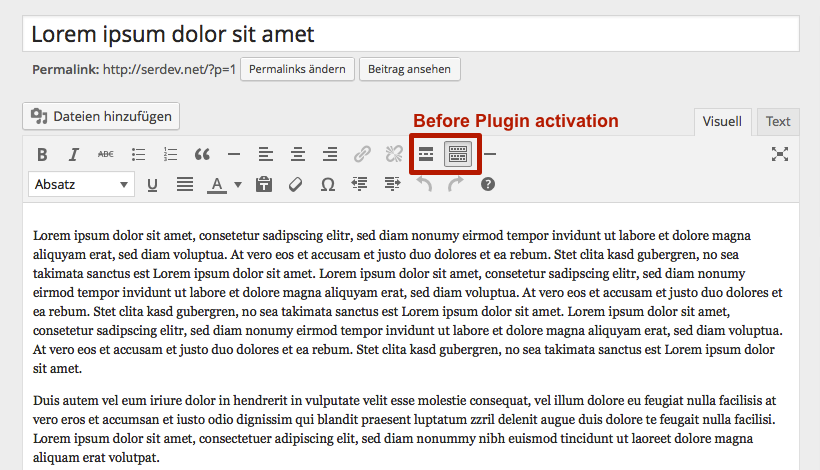
The standard TinyMCE before you have installed and activated the TinyMCE Page Break Button

The standard TinyMCE after you have installed and activated the TinyMCE Page Break Button. You will find the new page brake button in the middle.

Your post without a page break. Now let’s insert one.

Go to your text an insert a page break by pressing the button.

Your post now will have pages 🙂
Uzstādīšana
-
Upload the unziped folder to the /wp-content/plugins/ directory
-or-
install the plugin via WordPress build-in Plugin-Installation-Function. -
Activate the plugin through the ‘Plugins’ menu in WordPress.
BUJ
- Installation Instructions
-
-
Upload the unziped folder to the /wp-content/plugins/ directory
-or-
install the plugin via WordPress build-in Plugin-Installation-Function. -
Activate the plugin through the ‘Plugins’ menu in WordPress.
-
- I’ve insert a page break but it’s not showing
-
Sorry. Your Theme doesn’t support the page break
Atsauksmes
Par šo spraudni nav atsauksmju.
Autori un izstrādātāji
“TinyMCE Page Break Button” ir atvērtā pirmkoda programmatūra. Šo spraudni ir veidojuši šādi cilvēki.
Līdzdalībnieki
Tulkot “TinyMCE Page Break Button” savā valodā.
Vai jūs interesē attīstība?
Pārlūkojiet kodu, apmeklējiet SVN krātuvi vai abonējiet attīstības žurnālu, ko izveidojis RSS.
Izmaiņu žurnāls
1.2.0
Update: February 19, 2018
- Ready for WP 5.0.
1.0.2
Update: July 30, 2016
- Ready for WP 4.6
1.0.1
Update: September 20, 2014
- Prevent Direct Access of PlugIn-File.
1.0.0
Release Date: September 19, 2014
- First Release.