

Apraksts
Customer Support Request and Bug Capture Platform
Enhance the power of your favorite issue tracking tool by reporting visual and actionable issues and reducing bug turnaround time – all of this without leaving your web browser.
Redpen reduces the development and support costs by replacing the long, often mundane process of reporting issues and bugs with a mere single click! With Redpen, you not only save time reporting issues but also provide valuable diagnostic information and visual feedback to help the development team attack the problem. Connect it with your favorite issue-tracking service and boost your software team’s productivity and product quality like never before.
How it Works
Get started for Free
Get started for free. No credit card is required.
Features
Smart Actionable Issues
No more communication fuss. Report visual issues that are actionable.
Redpen allows you to annotate and pinpoint issues anywhere on your web application and report meaningful visual issues.
Record Screen with Voice Comments
Reduce time in explaining the issue with long descriptions or repro steps.
Redpen helps you add your voice comments to the issue while recording the screen. The voice comments are added as the description of the issue created.
Browser Diagnostic Information
Skip the developer-tester back and forth to identify OS, browser and its version, screen size, etc while reporting the issue. Issues reported using Redpen will have all the essential diagnostic information required to not just identify the bugs, but recreate and resolve them as well.
Redpen captures all technical metadata like OS, browser information, etc.
Integrations
Enrich your bug solving and feedback collecting process by integrating the most popular issue tracking software with Redpen.
-
Jira
-
Azure DevOps
Integrate seamlessly and save time to build high-quality products for your customer as it power-ups the process with auto attached rich-diagnostic information.
Easy setup
No code, no hassle. Simply create the Redpen Widget by connecting it to your favorite issue tracking services to get started and install it in your store. Boost your team’s productivity in seconds!
File Issues in Jira using the following Redpen applications/tools:
-
Redpen Widget
-
Redpen browser extensions – Chrome, Edge, Safari, Firefox
-
Desktop Applications – Windows, Mac
-
Other
Get it from Redpen Downloads
Ekrānuzņēmumi
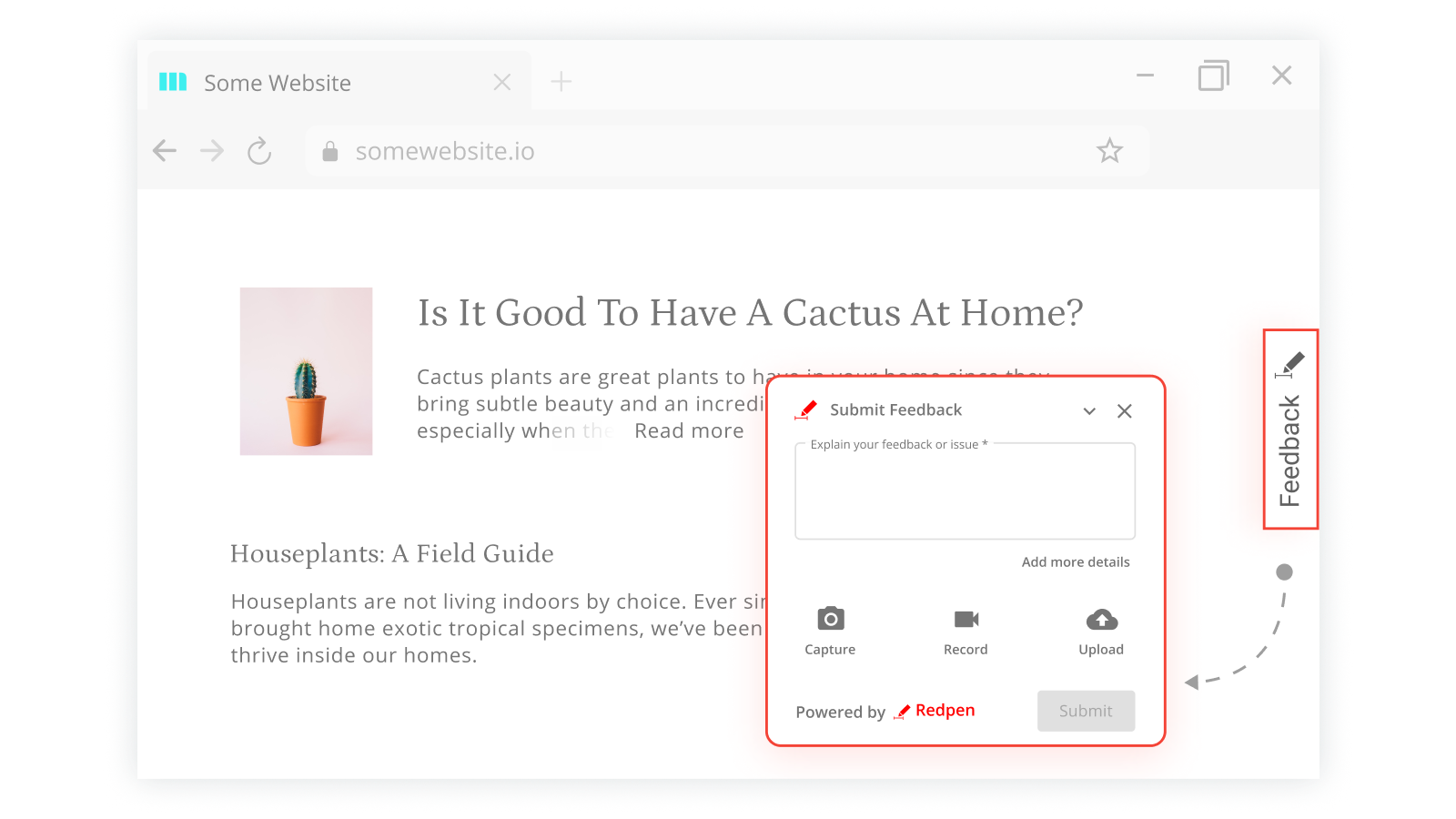
Redpen Widget

Record screen with Voice Comments

Redpen Diagnostics

Configure Redpen Widget

Redpen Widget on the website
Uzstādīšana
INSTALL REDPEN WIDGET FROM WITHIN WORDPRESS
- Visit the plugins page within your dashboard and select ‘Add New’.
- Search for ‘Redpen Widget’.
- Activate Redpen Widget from your Plugins page.
- Go to ‘after activation’ below.
INSTALL REDPEN WIDGET MANUALLY
- Upload the ‘redpen-widget’ folder to the /wp-content/plugins/ directory.
- Activate the Redpen Widget plugin through the ‘Plugins’ menu in WordPress.
- Go to ‘after activation’ below.
AFTER ACTIVATION
- Go through the Redpen Widget configuration wizard and enter Widget ID.
- Click on the Configure button.
Once Configured, reload the website to see the Redpen Widget on the website.
Atsauksmes
Par šo spraudni nav atsauksmju.
Autori un izstrādātāji
“Redpen Widget” ir atvērtā pirmkoda programmatūra. Šo spraudni ir veidojuši šādi cilvēki.
Līdzdalībnieki
Tulkot “Redpen Widget” savā valodā.
Vai jūs interesē attīstība?
Pārlūkojiet kodu, apmeklējiet SVN krātuvi vai abonējiet attīstības žurnālu, ko izveidojis RSS.
Izmaiņu žurnāls
1.1.0
- UI changed.
1.0.0
- Initial release.