
Apraksts
The plugin allows to display PHP errors on the dashboard in a widget.
I’ve wrap Gyrus’s code into a plugin, you can see the original code here:
http://sltaylor.co.uk/blog/wordpress-dashboard-widget-php-errors-log/
Ekrānuzņēmumi
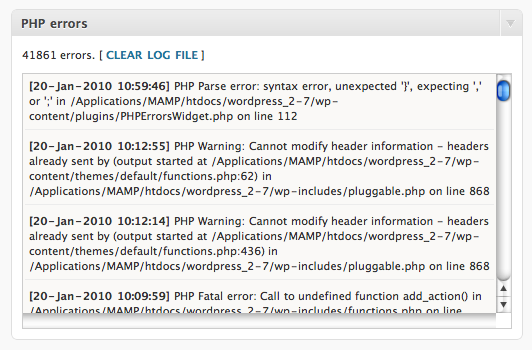
Widget
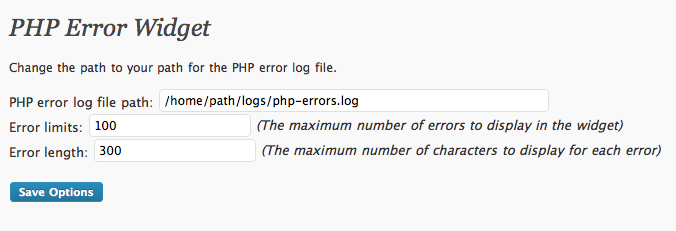
Setting the PHP error log file’s path and other settings
Uzstādīšana
This section describes how to install the plugin and get it working.
- Upload
php-errors-widgetfolder to the/wp-content/plugins/directory - Activate the plugin through the ‘Plugins’ menu in WordPress
- Go to ‘Settings’ on the admin panel and select ‘PHP Errors Widget’
BUJ
- How to set up?
-
Go to admin panel, select ‘Settings’ then ‘PHP Errors Widget’.
Enter your path for the php error log file (ex.: /home/path/logs/php-errors.log).
That’s it.
Atsauksmes
Par šo spraudni nav atsauksmju.
Autori un izstrādātāji
“PHP Errors Widget” ir atvērtā pirmkoda programmatūra. Šo spraudni ir veidojuši šādi cilvēki.
Līdzdalībnieki

Tulkot “PHP Errors Widget” savā valodā.
Vai jūs interesē attīstība?
Pārlūkojiet kodu, apmeklējiet SVN krātuvi vai abonējiet attīstības žurnālu, ko izveidojis RSS.
Izmaiņu žurnāls
0.1
- First release.