

Apraksts
The Media Alt Text Manager plugin enhances the WordPress media library by adding a sortable ‘Alt Text’ column. This feature simplifies managing alternative text for images, thereby improving your site’s accessibility and SEO.
Key Features
- Alt Text Column: Adds a new column to the media library displaying the alt text for each image.
- Sorting by Alt Text Status: Enables sorting of media items based on their alt text status.
- Enhanced Workflow: Streamlines the process of ensuring all images have appropriate alt text.
Ekrānuzņēmumi
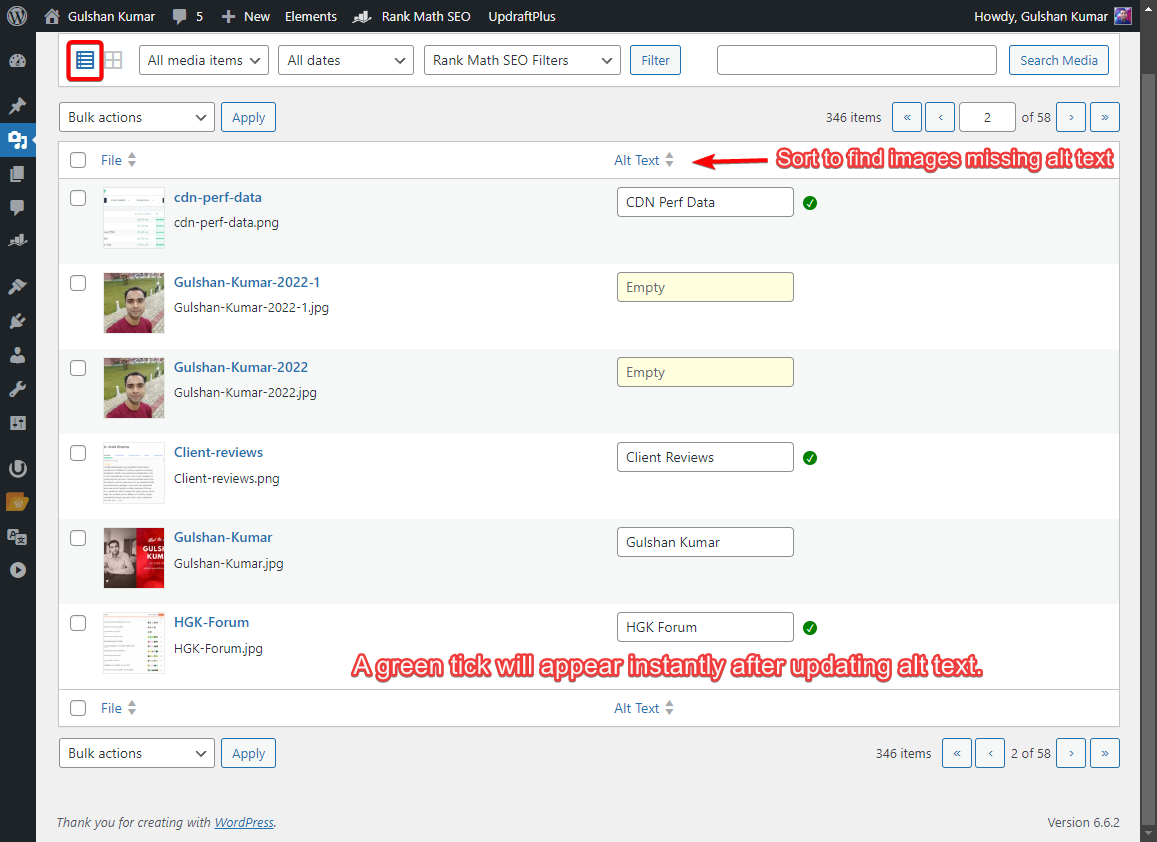
Media library with the new Alt Text column
Uzstādīšana
- Upload the plugin files to the
/wp-content/plugins/media-alt-text-managerdirectory, or install the plugin through the WordPress plugins screen. - Activate the plugin through the ‘Plugins’ screen in WordPress.
- Navigate to your Media Library to start using the plugin.
BUJ
-
Who can use this plugin?
-
Users with the capability to edit posts, typically editors and administrators, can fully access and interact with the alt text management features offered by this plugin. Authors, on the other hand, are limited to setting alt text solely for their own uploaded images.
-
Is this plugin compatible with my theme?
-
Yes, this plugin is compatible with most WordPress themes, as it operates solely within the media library in the admin area.
Atsauksmes
Par šo spraudni nav atsauksmju.
Autori un izstrādātāji
“Media Alt Text Manager” ir atvērtā pirmkoda programmatūra. Šo spraudni ir veidojuši šādi cilvēki.
Līdzdalībnieki
Tulkot “Media Alt Text Manager” savā valodā.
Vai jūs interesē attīstība?
Pārlūkojiet kodu, apmeklējiet SVN krātuvi vai abonējiet attīstības žurnālu, ko izveidojis RSS.
Izmaiņu žurnāls
1.0.2
- Tested with WordPress 6.8.1
1.0.1
- Fixed: Alt text input field now only displays for image media types, preventing confusion for users when editing other media types.
1.0.0
- Initial release