
Apraksts
Tired of manually customizing every wp-login.php page on every website?
Say no more.
Just install and activate FC Login Customizer and let the plugin automagically handle some nice customizations for you!
Core features:
- Automatically display your brand logo on the website’s login page
- Automatically link the logo to the website’s homepage
- Automatically change the hidden H1 title to the website’s name
Most people do not like that the login screen (wp-login.php) contains the WordPress logo and a direct link to wordpress.org.
Clients keep asking to change the logo, SEOs keep asking to change the hidden H1 title, UX Designers keep asking to change the link that wraps the login logo…
With this plugin, you can do all this stuff at once by just installing it!
What’s next
Next update may include the additional features listed below:
- Official support for .svg logos
- HTML markup preview before settings save
- Fine tuning on logo width/height
- Other features based on community requests
Ekrānuzņēmumi
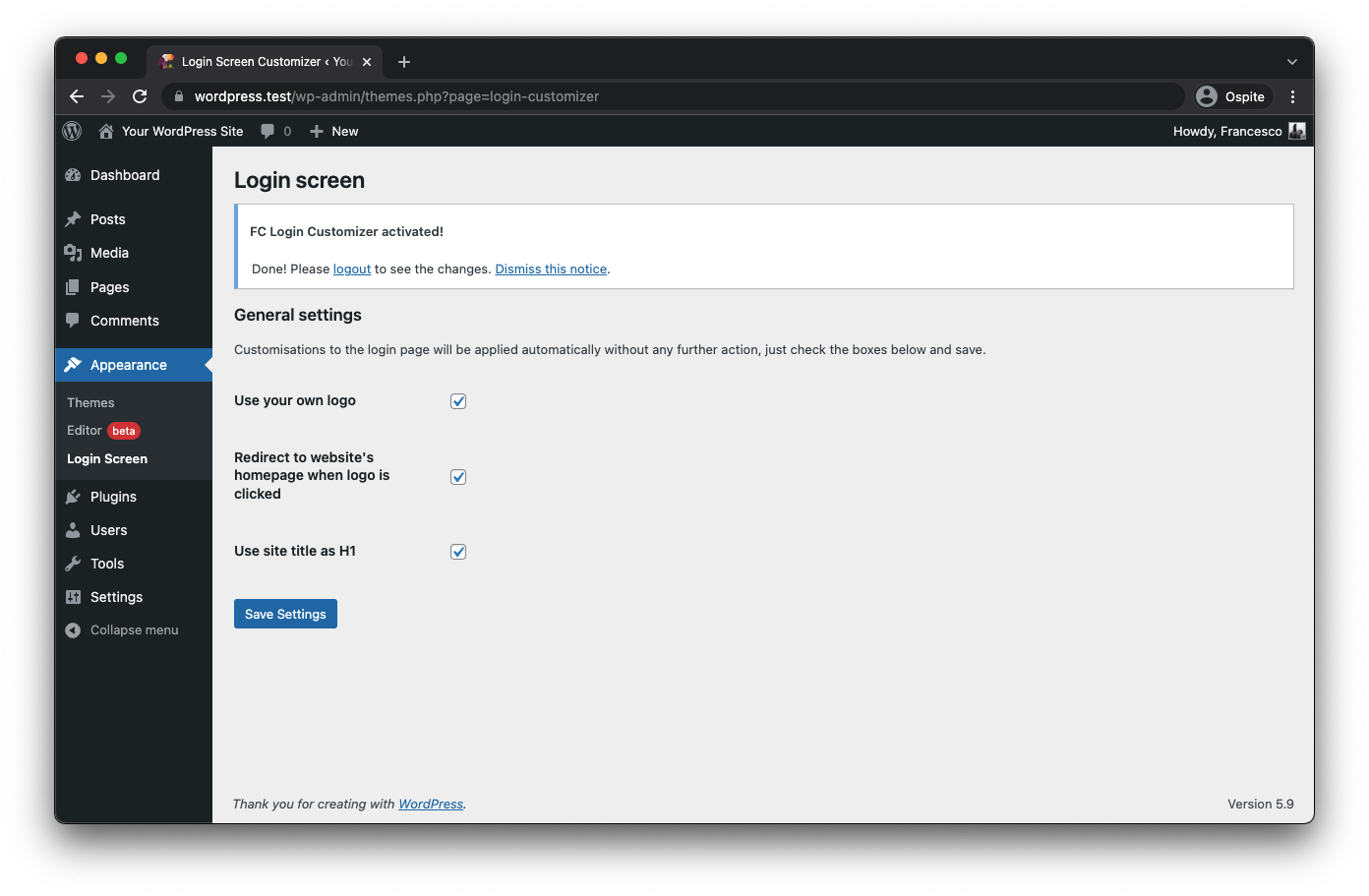
Plugin’s settings page
Uzstādīšana
You can install FC Login Customizer directly from the official repository:
- Go to “Plugins > Add new” from your WordPress installation
- Search for “FC Login Customizer”
- Just click the “Install” button
Or, if you prefer, you can download the plugin and install it through FTP:
- Download the plugin
- Unzip it
- Upload the unzipped folder using your preferred FTP software in the “wp-content/plugins” directory
BUJ
-
How to use the plugin?
-
Just install and activate it.
All of the customizations are automatically done for you. -
Is there any best practice that I should be aware of?
-
For best results, use a logo with transparent background, such as PNG ones.
JPGs images are supported too, but because they must have a background color, this could negatively impact the UI of your login screen.
-
Is there any specific dimension for the logo?
-
The maximum width for the logo is 300px, but you don’t have to worry about that.
Images over 300px width will be scaled automatically to better fit inside the UI. -
Why do I keep seeing the WP logo?
-
You’re probably missing the site logo.
Be sure to set a logo for your website and if you still see the default WordPress logo.Clearing the cache could come in handy in some situations.
-
Can I set an arbitrary logo, link, or H1?
-
No, you can’t.
This goes beyond the scope of this plugin, that is to have those customizations done automatically and without complex setup.
No option is provided to show set up arbitrary values. -
How the plugin works under the hood?
-
Plugin configuration is directly connected with your WordPress settings.
Login logo comes from:
Appearance > Customize > Site Identity > Logo (WP 4.9+)
Or
Appearance > Editor > Header > Site Logo (WP 5.9+)Logo link comes from:
Settings > General > Site Address (URL)Hidden H1 comes from:
Settings > General > Site titleYou could tune in your settings until you reach the desired result.
-
Where to find the plugin’s settings page?
-
You can find the plugin’s settings page under “Appearance > Login screen” inside your WordPress Admin Dashboard.
Check the plugin screenshots below for a visual reference.
If you ever forget where settings are located, just go to “Plugins > Installed” and click the settings link for FC Login Customizer.
-
Is this plugin free to use?
-
Absolutely. This plugin is totally free with no ads or bloatware and always will be.
Atsauksmes
Par šo spraudni nav atsauksmju.
Autori un izstrādātāji
“FC Login Customizer” ir atvērtā pirmkoda programmatūra. Šo spraudni ir veidojuši šādi cilvēki.
Līdzdalībnieki
“FC Login Customizer” ir tulkots lokalizācijā 1. Paldies tulkotājiem par ieguldījumu.
Tulkot “FC Login Customizer” savā valodā.
Vai jūs interesē attīstība?
Pārlūkojiet kodu, apmeklējiet SVN krātuvi vai abonējiet attīstības žurnālu, ko izveidojis RSS.
Izmaiņu žurnāls
1.1.1
- Compatibility check for WordPress 6.4+
1.1.0
- Adds compatibility with WordPress 5.9
- Adds compatibility with PHP 8.0 and PHP 8.1
- Rewrites completely the custom CSS logic to avoid inline style tecnique
- Resizes automatically logo if width exceed the container
- Improves performance
- Corrects some typos
- Adds italian translations
- Fixes some minor warnings
1.0.0
- Initial release