

Description
Mega Database Cleanup is a modern, high-performance cleanup utility built to remove unused, empty, bloated, or orphaned metadata from your WordPress database — safely and automatically.
It includes a smart scanner, preview mode, ACF pattern cleanup, scheduled tasks, and full backup support. Ideal for site owners, developers, agencies, and power users who want a faster & cleaner database without risking important data.
Version 2.0.0 introduces a completely rewritten modular architecture, a real-time Health Dashboard, and targeted cleanup modules for post revisions, trash, spam comments, and expired transients.
Highlights
-
Health Score Dashboard
Real-time visual representation of your database health and performance at a glance. [NEW in 2.0.0] -
Targeted Cleanup Modules
Fast, one-click optimization for Post Revisions, Trashed Content, Spam Comments, and Expired Transients. [NEW in 2.0.0] -
Empty / Unused Meta Scanner
Detects empty, null, serialized-empty, or JSON-empty metadata across Post, User, Term, and Comment tables. -
ACF Cleanup Engine
Automatically identifies patterns used by Advanced Custom Fields to detect orphan entries. -
Safety Vault System
Automatically secures deleted revisions and junk data in a temporary vault for easy recovery. [NEW in 2.0.0] -
Snapshot Management
Create manual snapshots of your metadata before cleanup and restore them whenever needed. [NEW in 2.0.0] -
Real-Time Safe Preview
See exactly what will be deleted before confirming cleanup. -
Backup Before Delete
All removed metadata can be stored in a dedicated backup table / snapshot. -
Scheduled Cleanup (WP-Cron)
Cleanup can run automatically (daily, weekly). -
Retention Rules
Keep the latest N meta rows per meta_key (default: 3). -
Safe & Secure
Full validation, sanitization, and capability checks included. -
One-Click Full Cleanup
Delete unused metadata across the entire database. -
Custom Cleanup Patterns
Add or remove ACF-like patterns (SQL LIKE rules). -
Activation Welcome Popup
On first activation, optionally subscribe to optimization tips and anonymous diagnostic sync. -
Deactivation Feedback
If you deactivate the plugin, an optional feedback popup appears so you can share why.
Who Is This For?
Website Owners
– Improve site performance and reduce database size safely.
Agencies & Developers
– Maintain clean data structures, especially on large sites.
ACF Users
– Automatically remove leftover fields that accumulate over time.
Performance Optimizers
– Speed up queries by removing thousands of useless meta rows.
Why Mega Database Cleanup Is Different
- Designed for large databases
- Uses safe preview mode
- Runs scheduled cleanups automatically
- Creates a backup of every deleted row
- Safety Vault prevents permanent loss of revisions and trashed data
- Preserves the Latest 3 entries for absolute safety
- Uses optimized SQL queries for predictable performance
Privacy Policy
Mega Database Cleanup is committed to transparency regarding user data:
- No external data transmission — No information ever leaves your site.
- Activation popup (optional) — If you enter your email in the welcome popup, it is saved to your site’s
wp_optionstable (mdbcp_subscriber_email). It is never sent to any third-party server. You can skip this step entirely. - Deactivation feedback (optional) — If you submit a deactivation reason, it is saved locally to your site’s
wp_optionstable (mdbcp_deactivation_log). It is never sent externally. You can skip this step entirely. - Database backups — Backup data is stored in a dedicated custom table on your own database server.
Developer Hooks
Filters
mega_db_cleanup_patterns– Modify cleanup patternsmega_db_cleanup_retention_limit– Change default “keep latest N” count
Actions
mega_db_cleanup_before_delete– Fires before deletionmega_db_cleanup_after_delete– Fires after deletion
Credits
Developed with ❤️ by MegaWix Technologies
- Plugin Development: MegaWix Technologies
- Testing & QA: MegaWix Technologies
Support
Need help? Have a question or feature request?
- Website: https://www.megawix.com
- Email: [email protected]
We are committed to providing reliable support and regular updates to ensure this plugin remains compatible with the latest WordPress versions.
Screenshots
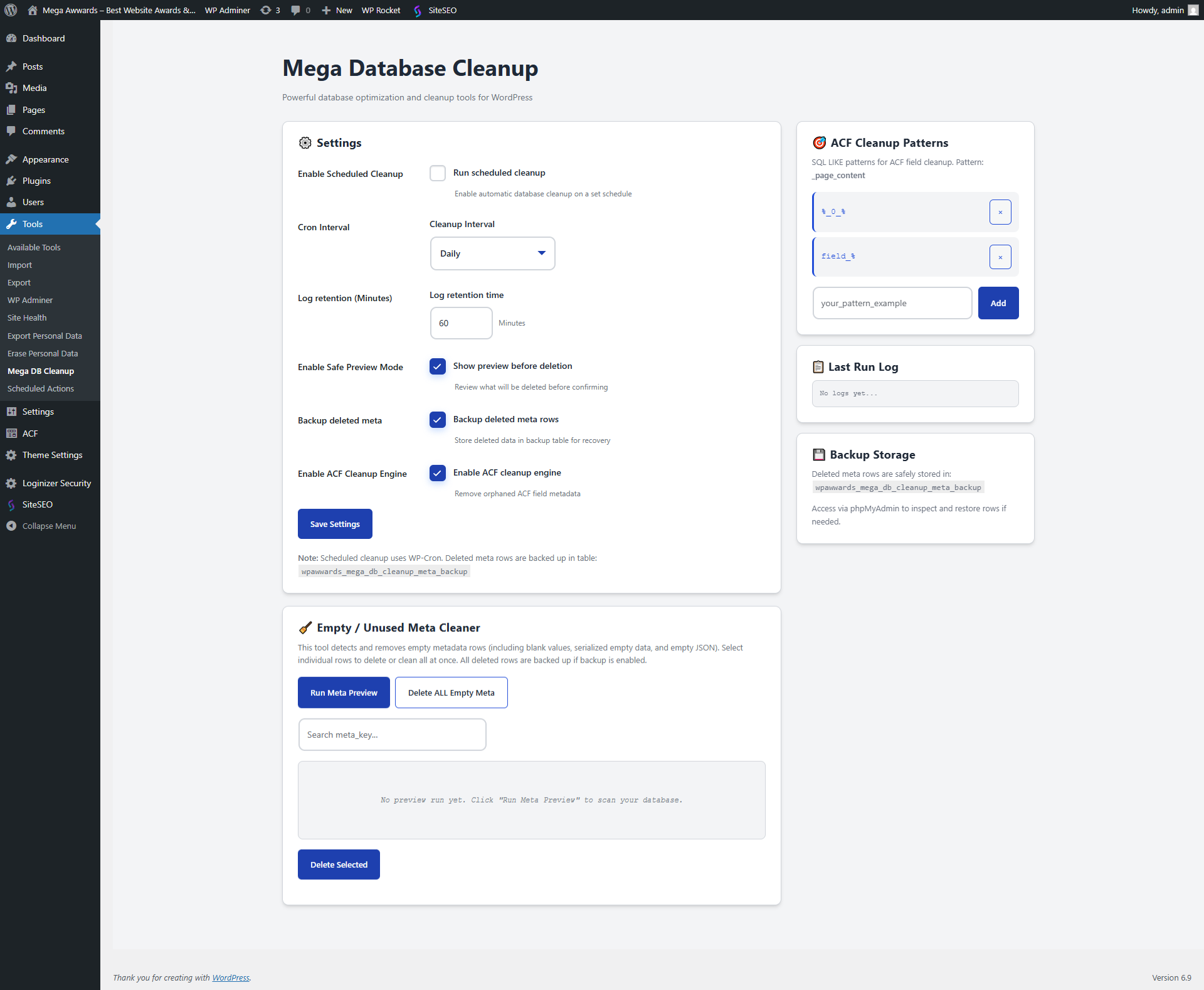
Health Dashboard – Real-time visual metrics 
Cleanup Modules – Quick one-click optimization 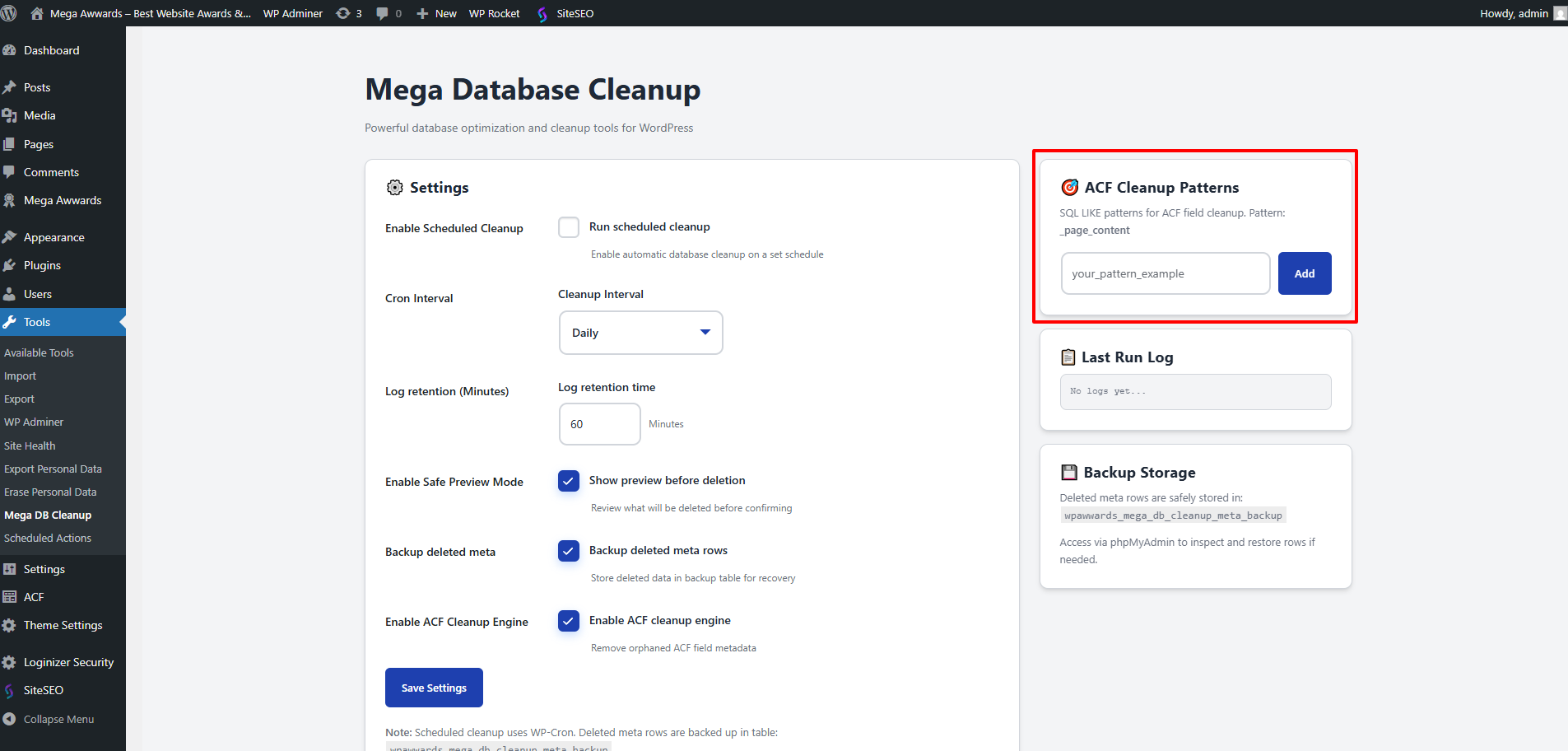
Meta Cleaner – Advanced table scan and filter 
Snapshot Manager – Backup and restore history 
Settings – Task scheduler and patterns 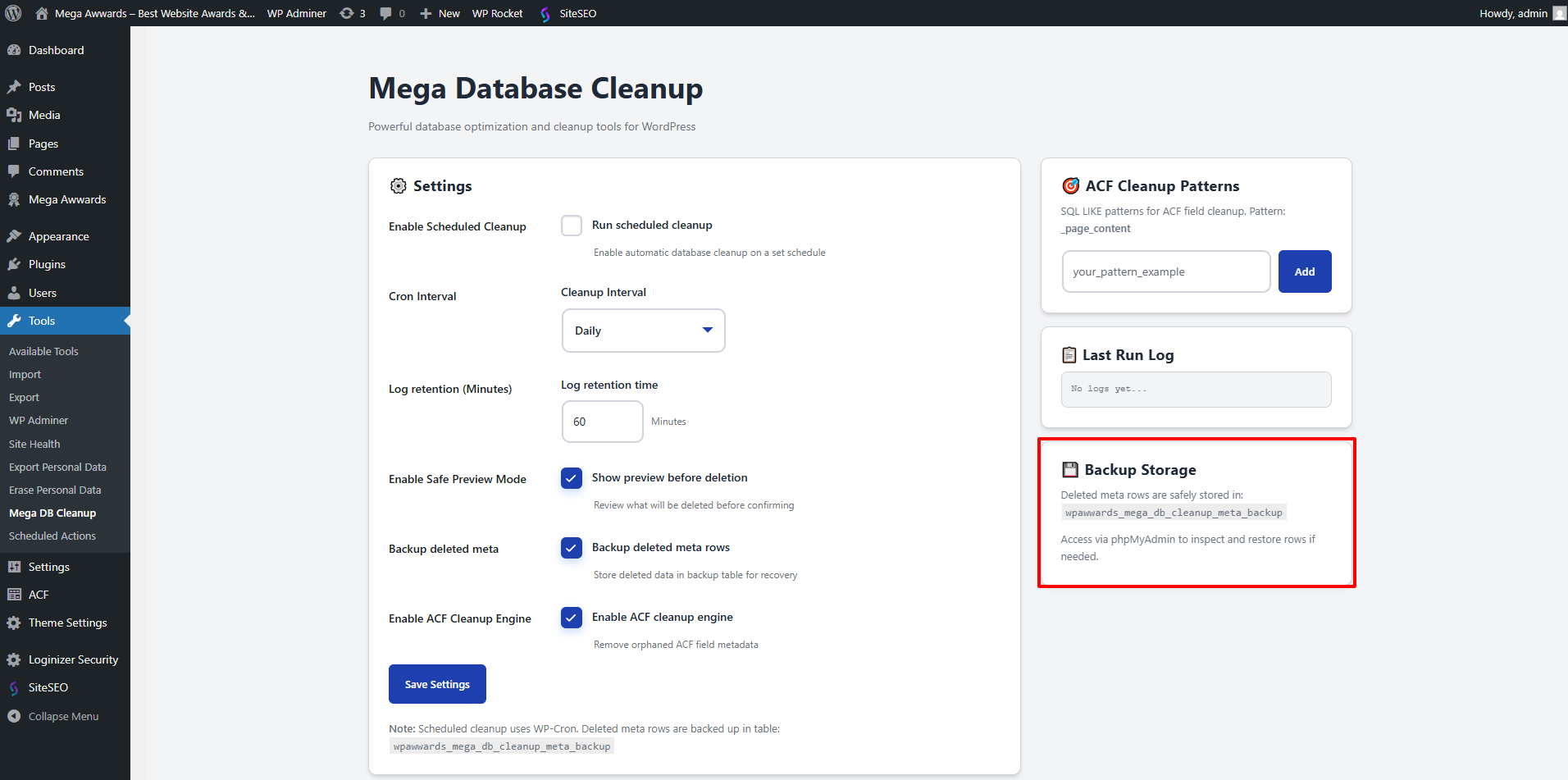
Installation
Automatic Installation
- Log in to WordPress Admin Plugins Add New
- Search for Mega Database Cleanup
- Click Install Now Activate
- Navigate to Mega DB Cleanup in your WordPress sidebar
Manual Installation
- Download the plugin ZIP
- Go to Plugins Add New Upload Plugin
- Select the ZIP and install
- Click Activate Plugin
Initial Setup
- Open Mega DB Cleanup from your WordPress sidebar
- Enable ACF Cleanup (optional)
- Enable Preview Mode (recommended)
- Add patterns if needed
- Enable scheduled cleanup (optional)
- Save changes
You’re ready to analyze or clean your database!
FAQ
-
Does this delete important data?
-
No — the plugin only targets metadata that is clearly empty, unused, or orphaned.
With the new Safety Vault and Snapshot systems, you can restore deleted data at any time. -
Is there a preview mode?
-
Yes. Preview mode allows you to see exactly which meta rows are considered empty before removing anything.
-
Does this support ACF fields?
-
Yes! It includes a dedicated ACF cleanup engine that uses pattern rules to identify real orphan fields.
-
What is the Health Score?
-
It is a percentage-based calculation that tells you how optimized your database is based on the amount of junk data found.
-
What if I delete something by mistake?
-
If backups/snapshots are enabled, deleted metadata is stored in a dedicated table so you can restore it from the plugin dashboard.
-
How safe is the scheduled cleanup?
-
Very safe — it follows the same rules as manual cleanup, including retention rules and backups.
Reviews
There are no reviews for this plugin.
Contributors & Developers
“Mega Database Cleanup” is open source software. The following people have contributed to this plugin.
Contributors
Translate “Mega Database Cleanup” into your language.
Interested in development?
Browse the code, check out the SVN repository, or subscribe to the development log by RSS.
Changelog
2.0.0
- Major Overhaul: Completely redesigned modular class-based architecture.
- New: Health Score Dashboard with real-time database diagnostics.
- New: Support for User, Term, and Comment metadata cleanup.
- New: Targeted cleanup modules for Revisions, Trash, Spam, and Transients.
- New: Safety Vault system to temporary secure deleted data.
- New: Metadata Snapshot system for manual backups and restoration.
- New: Modern tabbed UI with improved user experience.
- Added: Telemetry system for anonymous site optimization diagnostics.
1.1.1
- Fixed: Critical PHP compatibility issue by replacing modern arrow functions with traditional anonymous functions, ensuring support for older server environments.
- Fixed: Resolved a glitch that caused plugin deactivation during the update process due to script execution timeouts on some servers.
- Improved: Better handling of plugin state during version transitions.
1.1.0
- Added optional activation popup: subscribe to plugin update tips (email stored locally only)
- Added deactivation feedback popup: 6 selectable reasons + custom text (stored locally only)
- Plugin now appears as a top-level menu item in the WordPress sidebar
- Quick-access link added to the WordPress admin bar (header)
- All new features are fully WordPress.org compliant
1.0.0 – Initial Release
- Empty meta scanner and preview mode
- ACF orphan cleanup with pattern-based detection
- Scheduled automatic cleanup (hourly/daily/weekly)
- Backup table to store deleted meta rows
- Retention rule: keep latest N entries per meta_key
- One-click delete all empty metadata
- Add/remove ACF patterns
- Inline logs and real-time reports
- Fully optimized SQL cleanup
- Admin UI with jQuery enhancements