

Description
Order Tools for WooCommerce enhances your store management workflow with tools built for store owners, managers, and support teams handling orders manually.
Features
- Assign / Unassign Users Easily
Search for existing customers and attach them to an order — or switch to Guest mode instantly. - Phone Order Gateway
Create orders manually and register phone sales directly from the admin. - Admin Manual Payment Gateway
Allow administrators to process pending or on-hold orders securely through/order-pay. - Custom Email Notifications
Customize subjects and notification flow for pending, completed or pickup orders. - Smart “Local Pickup” Email
Automatically notify customers when their pickup order is ready. - Google Maps link
Adds direct map links in admin order views and order listings. - Additional Admin Utilities
Includes a one-click “Empty Cart” button, a dedicated Company column in orders and user lists (with search support), SKU display in cart, and other workflow enhancements.
Order Security and Privacy
This plugin follows WooCommerce’s standard security practices:
– Guest orders can be paid securely using the order key link sent by email.
– Orders assigned to registered users require login before accessing the payment page.
These safeguards ensure that personal data remains protected according to WooCommerce policies.
HPOS (High-Performance Order Storage)
Fully compatible with WooCommerce HPOS (custom order tables).
All order interactions are handled through WooCommerce official APIs.
License
GPLv2 or later
Screenshots
Assign / unassign users directly from an order. 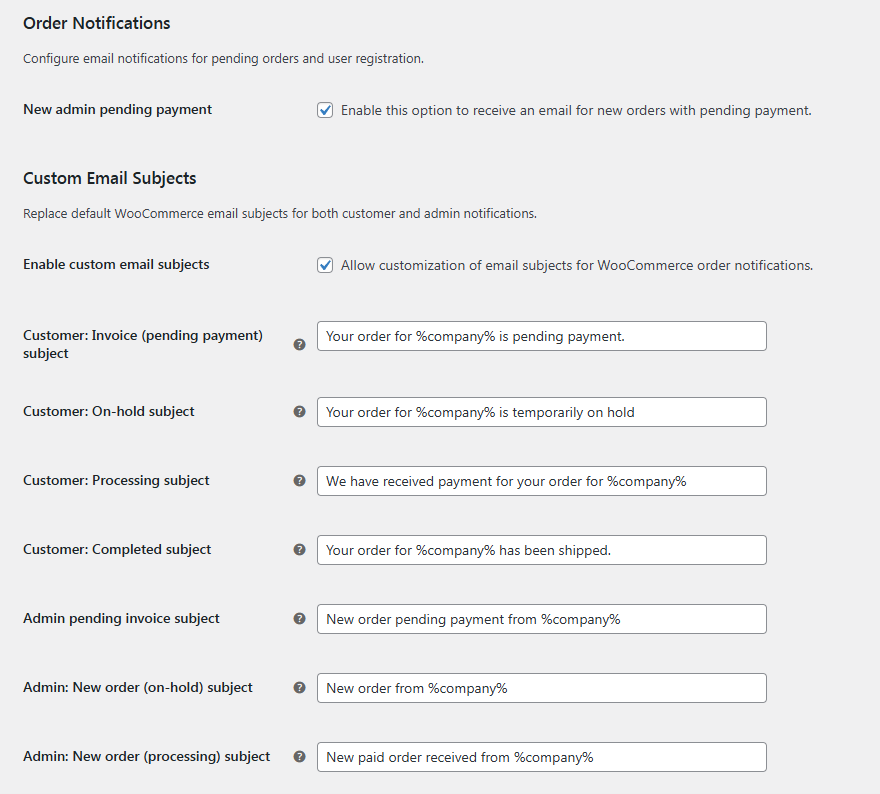
Confirmation popup for guest mode switching. 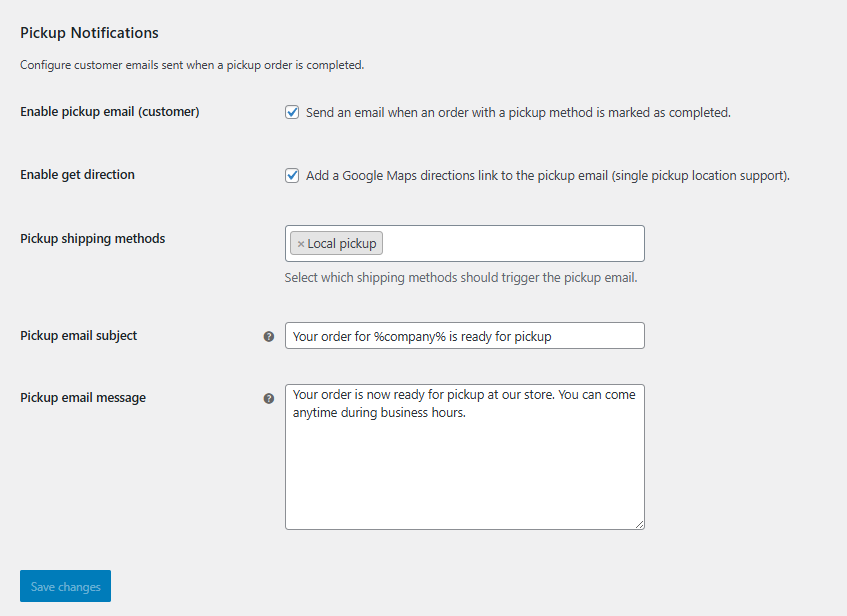
Custom email layout. 
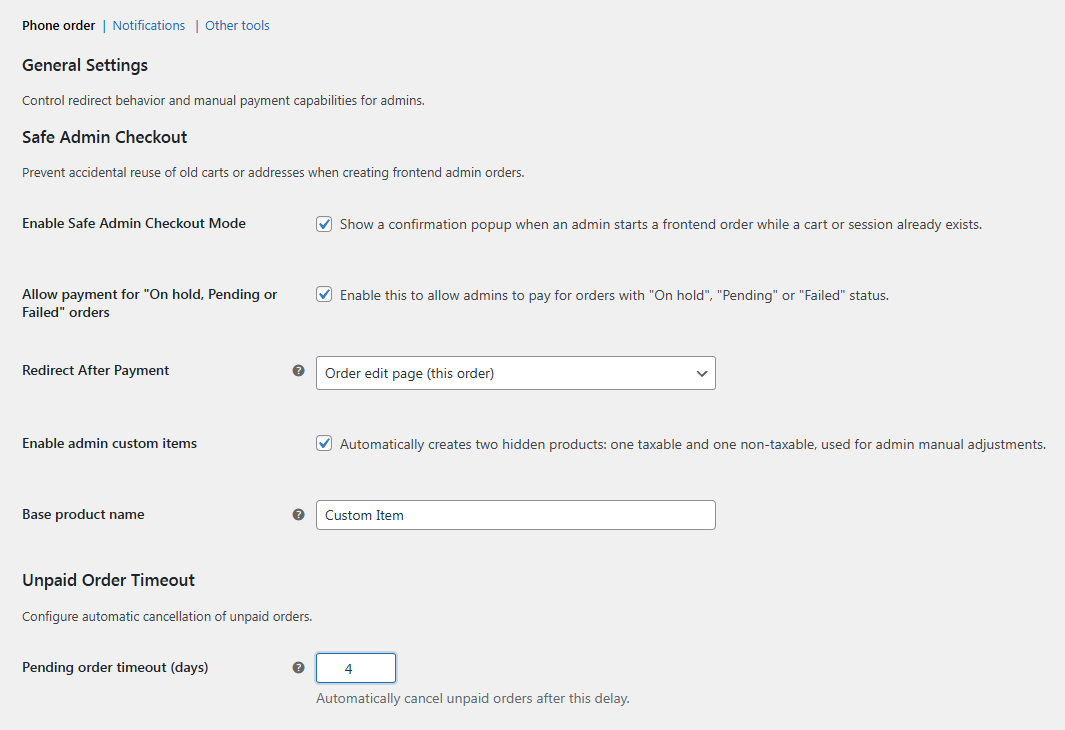
Phone order and manual payment configuration. 
CC-email setup. 
Additional tools settings panel. 


Installation
- Upload the plugin to
/wp-content/plugins/. - Activate the plugin from WordPress.
- Ensure WooCommerce is active.
- Configure settings under WooCommerce Settings Order Tools.
FAQ
-
Can I assign a user after the order is created?
-
Yes! You can search and assign existing customers directly from the order edit screen.
-
What happens when I click “Use as guest”?
-
The assigned user is removed, and the order switches to Guest mode while preserving billing details.
-
Can I manually trigger emails?
-
Yes — all custom email notifications appear under WooCommerce Settings Emails.
-
Is the plugin compatible with HPOS?
-
Yes, full compatibility is provided.
Reviews
There are no reviews for this plugin.
Contributors & Developers
“Order Tools for WooCommerce” is open source software. The following people have contributed to this plugin.
Contributors
“Order Tools for WooCommerce” has been translated into 1 locale. Thank you to the translators for their contributions.
Translate “Order Tools for WooCommerce” into your language.
Interested in development?
Browse the code, check out the SVN repository, or subscribe to the development log by RSS.
Changelog
1.0.0
- Initial public release.