

Aprašymas
Admin Menu Cleaner, formerly known as Wp Admin Menu Wizard, lets you hide the menu items you do not use very often. WordPress is a powerful CMS with a lot of plugins available, but sometimes the admin menu can be bloated bay all the plugins you may use. This plugin helps you hide all the items you don’t use every day by a flick of a toggle switch.
You just need to go to plugin settings page and check all the items you don’t want to see al the time and hit save. After that you just flick the toggle and enjoy an improved workflow and a simplified admin menu.
It’s lightweight and easy to use.
Usage
-
Click the „Menu cleaner” admin menu.
-
Check al the menu items you don’t use every day.
-
Click the Save button at the bottom of the page.
-
Click the toggle switch that is located under the „Menu cleaner” admin menu to hide / show menu items.
Translation
This plugin is translation ready.
Ekrano nuotraukos
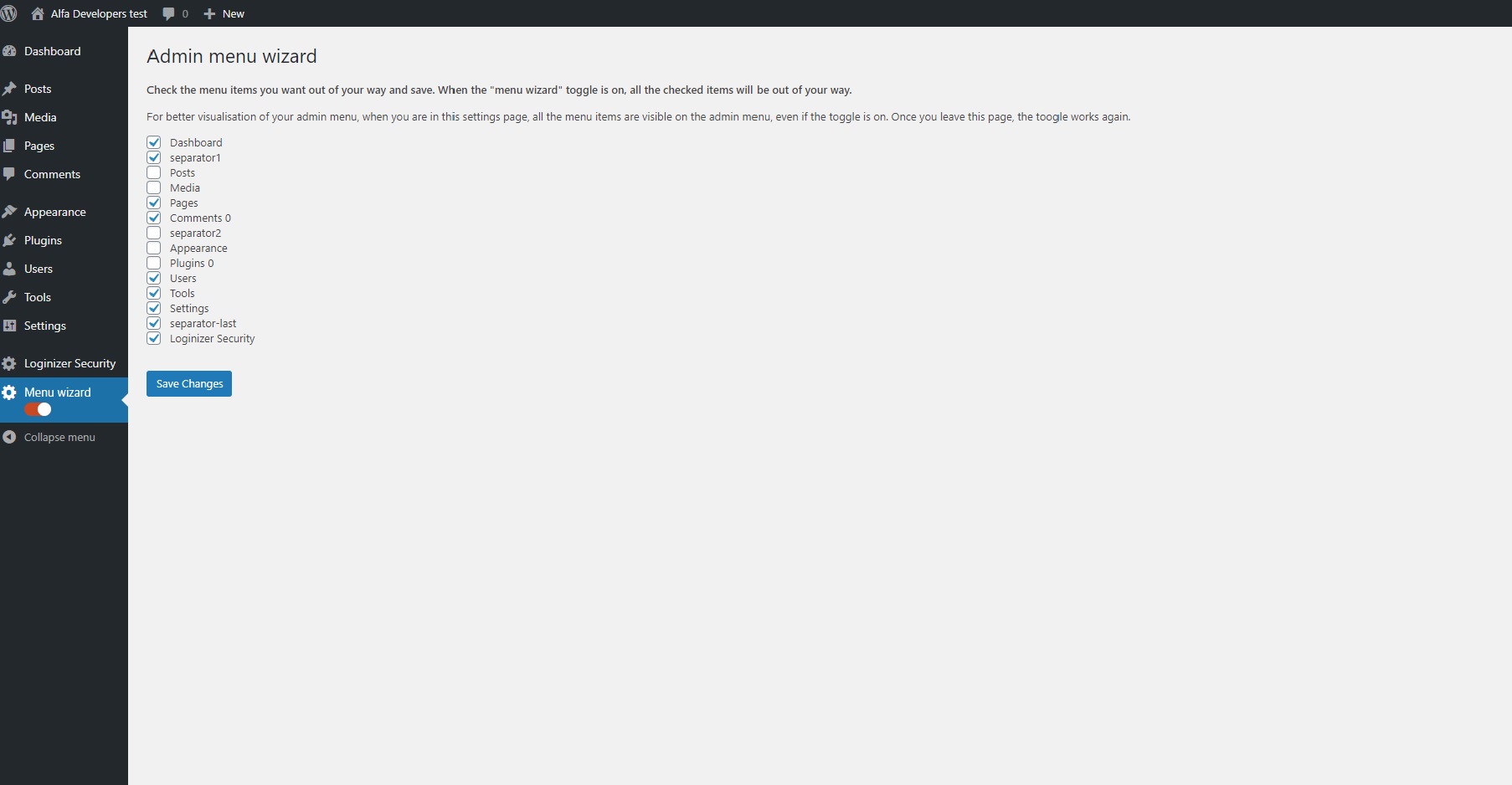
This screenshot shows the Settings page of the plugin, where you select which menu items to hide.
Diegimas
-
Upload „wp-admin-menu-wizard” folder to the „/wp-content/plugins/” directory
-
Activate the plugin through the „Plugins” menu in WordPress
DUK
none.
Atsiliepimai
Įskiepis neturi atsiliepimų.
Programuotojai ir komandos nariai
“Admin Menu Cleaner” yra atviro kodo programa. Prie jos sukūrimo prisidėję žmonės surašyti toliau.
Autoriai
Išverskite “Admin Menu Cleaner” į savo kalbą.
Domina programavimas?
Peržiūrėkite kodą, naršykite SVN repozitorijoje, arba užsiprenumeruokite kodo pakeitimų žurnalą per RSS.
Pakeitimų istorija
=1.1.3=
*Minor code changes
=1.1.2=
*Tested with WordPress 6.5.2
=1.1.1=
*Minor bug fix
=1.1.0=
*Plugin renamed as „Admin Menu Cleaner”
*Some color changes according to WordPress default theme
=1.0.7=
*Tested with WordPress 6.1.1
=1.0.6=
*Bug fix for removing top bar
=1.0.5=
*Tested with WordPress 5.7.2
=1.0.4=
*Tested with WordPress 5.5.1
=1.0.3=
*Tested with WordPress 5.4.2
=1.0.2=
*Corrected class name declaration error on main plugin file
=1.0.1=
*Corrected declaration error on line 50
1.0
- Initial Release