

Aprašymas
Up to 3.3.x, Russian WordPress packages had some CSS fixes to make room for translated strings in the admin menu and other UI elements.
In 3.4 and 3.5, those fixes were merged into core (see #19603 and #20975). However, obsolete language files are not deleted during an automatic update (see #20974). Unfortunately, this causes the admin menu to disappear when directly updating from 3.1.x or an older version to the latest releases from ru.wordpress.org.
The list of obsolete files:
wp-content/languages/ru_RU.php
wp-content/languages/ru_RU.css
wp-content/languages/ru_RU-ie.css
wp-content/languages/ms-ru_RU.css
The best option is just to remove them manually via FTP. If for some reason you can’t do that, you can try this plugin, which restores the admin menu by unhooking ru_accomodate_markup() function and attempts to remove the obsolete files.
After installing and activating the plugin, try deactivating it. If you still see the admin menu, you can safely remove the plugin, its job is done. If you can’t see the admin menu, activate the plugin again.
Ekrano nuotraukos
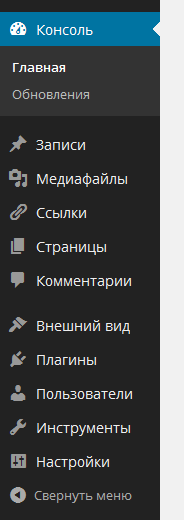
The admin menu.
Diegimas
- Go to /wp-admin/plugin-install.php.
- Enter „Restore Admin Menu” in the search field.
- Install and activate the plugin.
Atsiliepimai
Įskiepis neturi atsiliepimų.
Programuotojai ir komandos nariai
“Restore Admin Menu (ru_RU)” yra atviro kodo programa. Prie jos sukūrimo prisidėję žmonės surašyti toliau.
Autoriai
Išverskite “Restore Admin Menu (ru_RU)” į savo kalbą.
Domina programavimas?
Peržiūrėkite kodą, naršykite SVN repozitorijoje, arba užsiprenumeruokite kodo pakeitimų žurnalą per RSS.
Pakeitimų istorija
0.2
- Account for
ru_extend_menu()function in unofficial builds
0.1
- Initial release