
Aprašymas
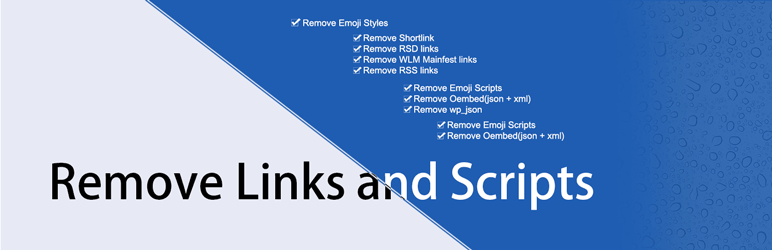
This plugin can remove the links, scripts, styles and some other meta from the wordpress header as listed below:
- shortlink
- rsd_link
- wlwmanifest_link
- feed_links
- emoji_scripts
- wp_embed
- wp_json
- emoji_styles
- generator
- rel_link
All the above headers can be removed from this plugin. You can select them from the settings page.
Make sure to check the settings Page
Thanks for the Support
The support from the users that love Remove Links and Scripts is huge. You can support Remove Links and Scripts future development and help to make it even better by donating or even giving a 5 star rating with a nice message to me 🙂
Donate to Remove Links and Scripts
Bug reports
Bug reports for Remove Links and Scripts are welcomed on GitHub. Please note GitHub is not a support forum, and issues that aren’t properly qualified as bugs will be closed.
Ekrano nuotraukos

You can select the options from the settings page (here).
Diegimas
This process defines you the steps to follow either you are installing through WordPress or Manually from FTP.
From within WordPress
- Visit ‘Plugins > Add New’
- Search for Remove Links and Scripts
- Activate Remove Links and Scripts from your Plugins page.
- Go to „after activation” below.
Manually
- Upload the
remove-links-and-scriptsfolder to the/wp-content/plugins/directory - Activate Remove Links and Scripts through the ‘Plugins’ menu in WordPress
- Go to „after activation” below.
After activation
- Go to the plugin settings page and set up the plugin for your site.
- You’re done!
DUK
- Installation Instructions
-
This process defines you the steps to follow either you are installing through WordPress or Manually from FTP.
From within WordPress
- Visit ‘Plugins > Add New’
- Search for Remove Links and Scripts
- Activate Remove Links and Scripts from your Plugins page.
- Go to „after activation” below.
Manually
- Upload the
remove-links-and-scriptsfolder to the/wp-content/plugins/directory - Activate Remove Links and Scripts through the ‘Plugins’ menu in WordPress
- Go to „after activation” below.
After activation
- Go to the plugin settings page and set up the plugin for your site.
- You’re done!
- Q. Why should I install this plugin?
-
A. Installing this plugin is the easiest way to remove unwanted links, scripts, styles and some other meta from the header.
- Q. May i select the removing items?
-
A. Yes, You can select the items you want to remove.
Atsiliepimai
Įskiepis neturi atsiliepimų.
Programuotojai ir komandos nariai
“Remove Links and Scripts” yra atviro kodo programa. Prie jos sukūrimo prisidėję žmonės surašyti toliau.
Autoriai

Išverskite “Remove Links and Scripts” į savo kalbą.
Domina programavimas?
Peržiūrėkite kodą, naršykite SVN repozitorijoje, arba užsiprenumeruokite kodo pakeitimų žurnalą per RSS.
Pakeitimų istorija
0.2.4
- Update text domain for the translation
0.2.3
- Updated translation code and fixed PHP Notices
0.2.2
- Added uninstall hook
0.2.1
- Added translation Capability and readability
0.2
- Improve the Performance of the Plugin
0.1
- First release on wordpress.org.