

Aprašymas
Oderland SMTP & Postal Mailer is a plugin that allows you to send emails using SMTP or Postal.
Features:
- Send emails via SMTP, Postal API, or PHP mail()
- Multiple mail account support with priority-based failover
- Automatic retry on temporary failures with exponential backoff
- Comprehensive email logging with configurable retention
- Postal webhook integration for delivery status tracking
- Secure credential storage with AES-256 encryption
- Protocol-level SMTP debugging
Services Supported:
- SMTP – Connect to any SMTP server
- Postal – Integration with Postal mail delivery platform
- Local – Fallback to PHP mail() function
Ekrano nuotraukos

Accounts management – Configure multiple mail accounts with priority 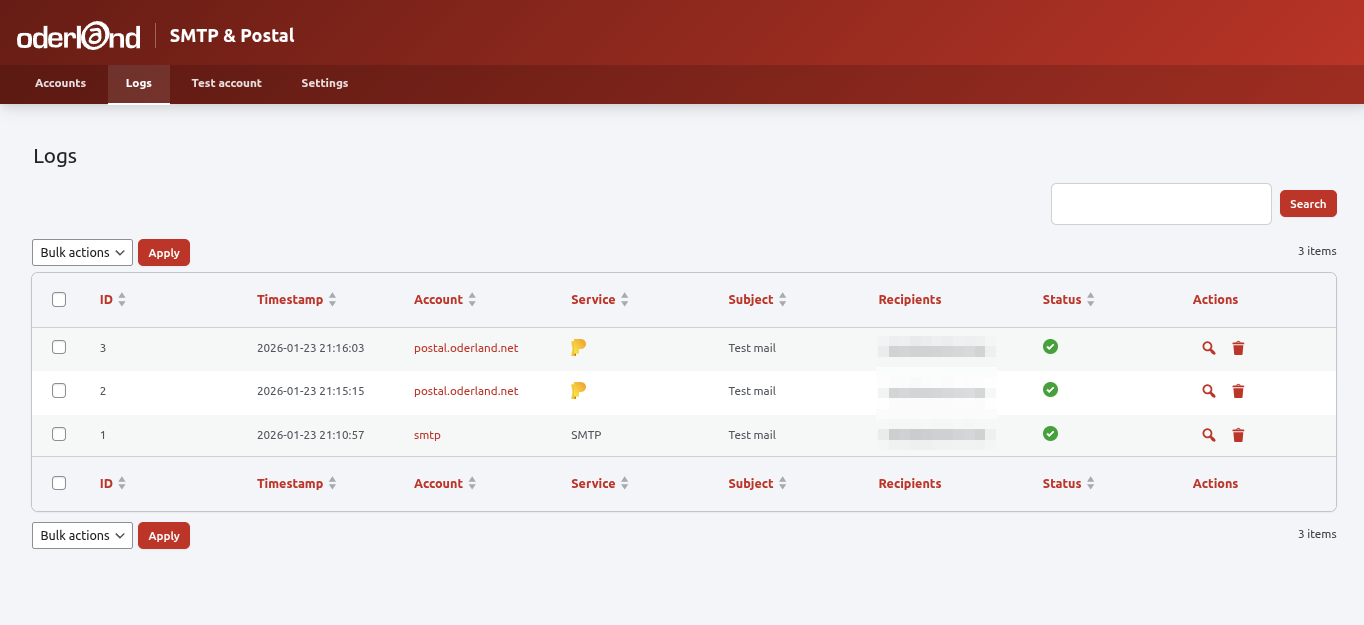
Email logs – View sent emails with delivery status 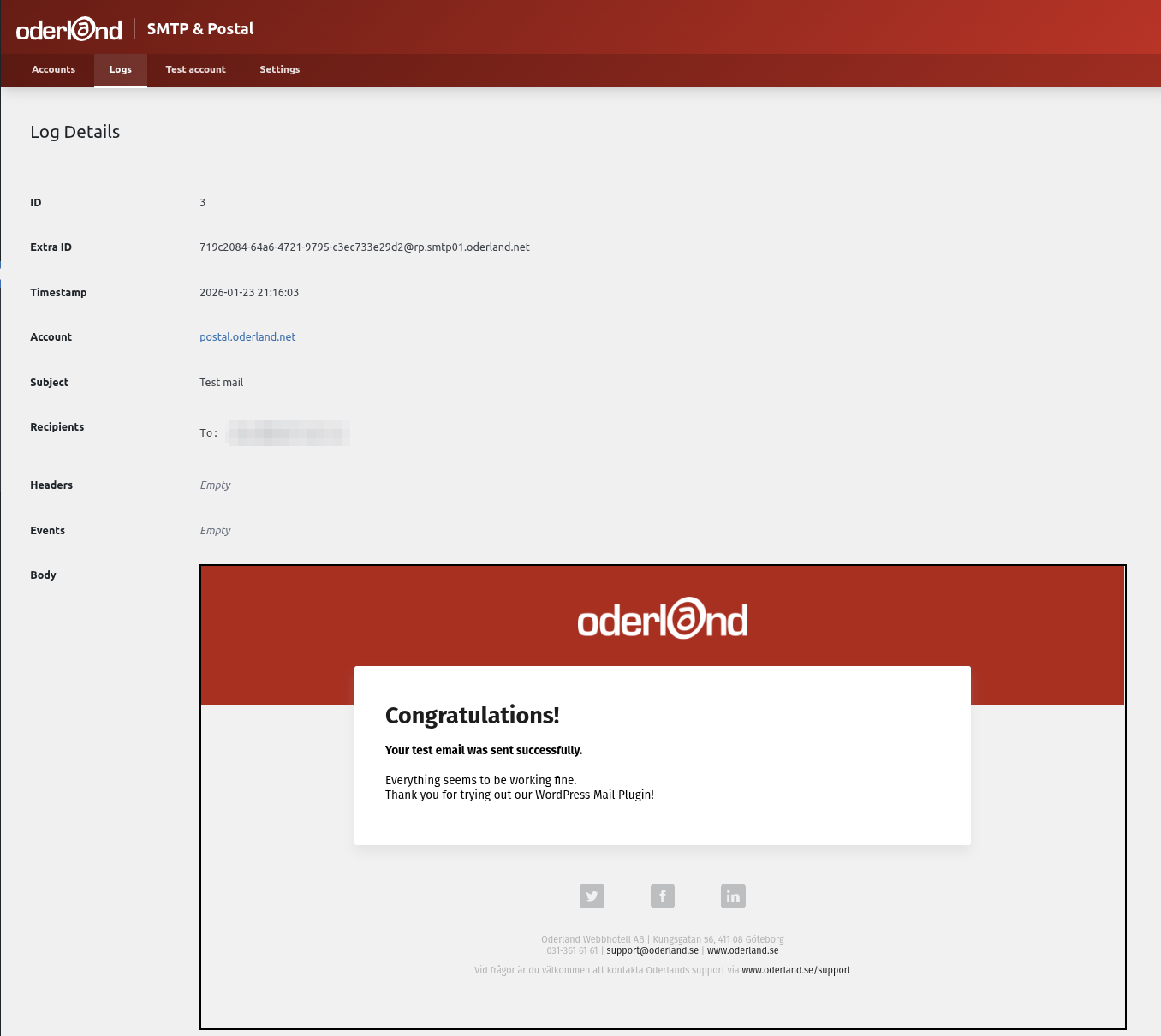
Log details – Inspect individual email details and events 
Settings – Configure logging and failover behavior 
Test email – Send test emails to verify configuration 
Postal settings – Setting up a Postal account
Diegimas
- Upload the
oderland-smtp-postal-mailerfolder to the/wp-content/plugins/directory - Activate the plugin through the ‘Plugins’ menu in WordPress
- Go to Settings > Oderland SMTP & Postal Mailer to configure your mail accounts
- Add at least one mail account (SMTP or Postal)
- Send a test email to verify your configuration
DUK
-
How do I configure SMTP?
-
Go to Settings > Oderland SMTP & Postal Mailer > Accounts and click „Add Account”. Select SMTP as the service type and enter your SMTP server details including host, port, username, and password.
-
How does the failover work?
-
Accounts are tried in priority order (lower number = higher priority). If sending fails with a temporary error, the plugin retries with exponential backoff. If all retries fail, it moves to the next account.
-
What gets logged?
-
By default, the plugin logs email headers, recipients, and subjects. You can optionally enable body logging. Logs are automatically removed after 30 days (configurable).
-
How do I set up Postal webhooks?
-
When you create a Postal account, the plugin generates a webhook URL. Add this URL in your Postal server’s webhook settings to receive delivery status updates.
-
Is my SMTP password secure?
-
Yes. All sensitive credentials (SMTP passwords, API keys) are encrypted using AES-256-CBC before storage.
Atsiliepimai
Įskiepis neturi atsiliepimų.
Programuotojai ir komandos nariai
“Oderland SMTP & Postal Mailer” yra atviro kodo programa. Prie jos sukūrimo prisidėję žmonės surašyti toliau.
Autoriai
Išverskite “Oderland SMTP & Postal Mailer” į savo kalbą.
Domina programavimas?
Peržiūrėkite kodą, naršykite SVN repozitorijoje, arba užsiprenumeruokite kodo pakeitimų žurnalą per RSS.
Pakeitimų istorija
1.1.1
- Fixed missing vendor directory in distribution causing plugin activation failure
1.1.0
- Renamed plugin to „Oderland SMTP & Postal Mailer” for WordPress.org submission
- Added migration for existing users from old plugin name
- Fixed input sanitization issues
- Moved inline scripts to external JavaScript file
- Moved inline styles to CSS file
1.0.0
- First stable release
- Added direct file access protection to all PHP files
- Added settings sanitization for improved security
- Removed deprecated load_plugin_textdomain call
- Updated WordPress compatibility to 6.9
0.1.4
- Consolidated from address fields – removed duplicate address field from Postal service form
- From address now required and validated for SMTP and Postal services
- Added client-side and server-side validation for from address
0.1.3
- Added protocol-level SMTP logging with timing metrics
- Implemented improved failover logic with retry support
- Lowered WordPress requirement from 6.3 to 5.7
0.1.2
- Major overhaul of the plugin
0.1.0
- Initial release