
Aprašymas
This plugin displays the google +1 button in different styles.
-
Display Google +1 button in the posts, pages, single posts or everywhere.
-
Display Google +1 button above the post [‘Top’], below the post [‘Buttom’], both above and below [‘Both’], or floating left side of post [‘Left’].
-
Display Google +1 button in four different sizes (Standard, small, medium and Tall)
-
Display Google +1 button using Template Tag <?php if(function_exists(‘twg_gpo_button’)) twg_gpo_button();?> or Shortcode [twg_gpo_button] at any desired position.
-
Nice Preview in the settings page with a dummy post.
Ekrano nuotraukos
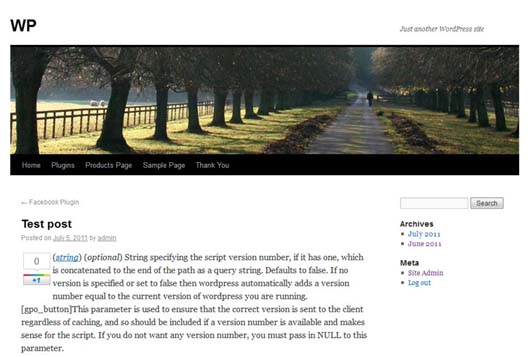
Frontend View 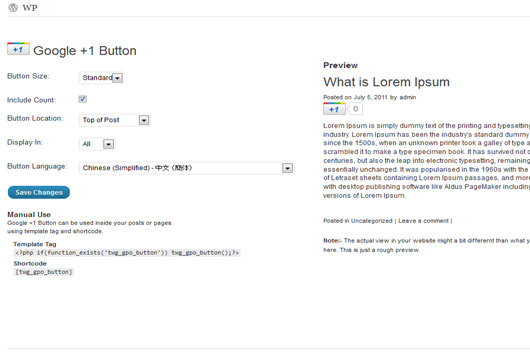
Admin View
Diegimas
Intallation is easy. Install it normally as you do with rest of the plugins
- Download and unzip the plugin .zip.
- Copy the unzipped folder in your Plugins directory under wordpress installation. (wp-content/plugins)
- Activate the plugin through the plugin window in the admin panel.
- Configure the settings through Settings->Google Plusone(+1) Button in the admin panel.
Atsiliepimai
Įskiepis neturi atsiliepimų.
Programuotojai ir komandos nariai
“Google Plusone(+1) Button” yra atviro kodo programa. Prie jos sukūrimo prisidėję žmonės surašyti toliau.
Autoriai
Išverskite “Google Plusone(+1) Button” į savo kalbą.
Domina programavimas?
Peržiūrėkite kodą, naršykite SVN repozitorijoje, arba užsiprenumeruokite kodo pakeitimų žurnalą per RSS.
Pakeitimų istorija
1.0.0
- First Release
1.0.1
- Tested in 3.2
1.2
- Added an option to display the button in different languages supported by google+.
- Fixed a url related issue.