
Aprašymas
Absolutely NO javascript.The stacked styleshow when clicking the current image would revert back to the default image when moving from one image to the next.
So this version uses an entirely different method and has the current image fixed even when clicking elsewhere on the page. Animation in Firefox, Opera, Safari and Chrome.
Ekrano nuotraukos
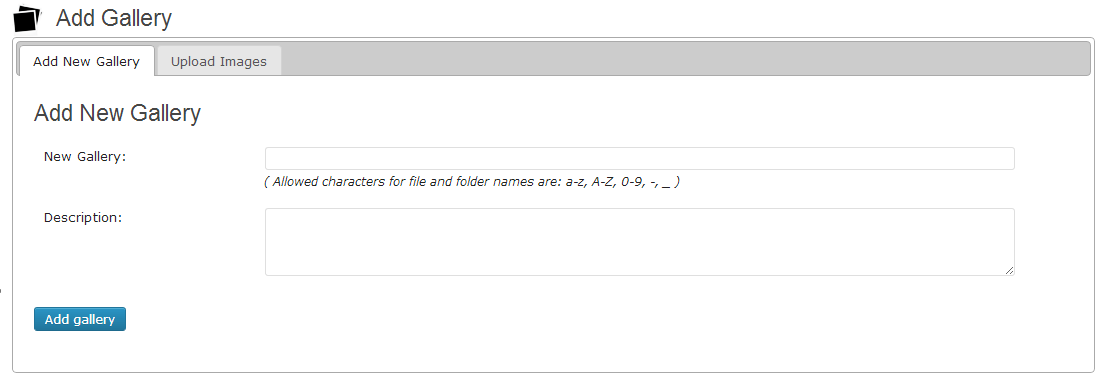
Create Gallery using Add gallery tab

Upload multiple images in selected gallery

Go to your post/page and use TinyMCE button for adding GSS to page/post content.

Gallery Stacked slider Preview
Diegimas
-
Upload the gallery-stacked-slideshow folder to the /wp-content/plugins/ directory.
-
Go to the Plugins page of your WordPress administration area and activate the plugin.
-
Create your Gallery by clicking on Stacked Gallery in your administration menu and selecting Add Gallery. Create a gallery for Gallery stack slider.
-
After create a gallery. upload images for that particular gallery using tab Upload Images
-
Go to your post/page and use TinyMCE button for adding GSS to page/post content.
for demo please click here
Atsiliepimai
Įskiepis neturi atsiliepimų.
Programuotojai ir komandos nariai
“Gallery Stacked Slideshow” yra atviro kodo programa. Prie jos sukūrimo prisidėję žmonės surašyti toliau.
Autoriai
Išverskite “Gallery Stacked Slideshow” į savo kalbą.
Domina programavimas?
Peržiūrėkite kodą, naršykite SVN repozitorijoje, arba užsiprenumeruokite kodo pakeitimų žurnalą per RSS.
Pakeitimų istorija
2.0
change code