

Aprašymas
Custom Auto Featured Image Generator is a powerful tool to automatically create consistent, high-quality featured images for your blog posts. Say goodbye to searching for stock photos or manually designing graphics for every article.
Key Features:
* Automated Generation: Automatically generates a featured image when you publish or update a post.
* Professional Templates: Choose from a variety of pre-designed templates (Business, Tech, Lifestyle, Minimal).
* Live Customizer: Adjust fonts, colors, text alignment, and padding with a real-time preview.
* Brand Integration: Upload your own logo and watermark directly onto the images.
* Gradient & Solid Backgrounds: Use custom colors or gradients if you prefer a simpler look.
* Bulk Generation: (Coming Soon) Retroactively generate images for old posts.
How it Works:
1. Go to the AutoFeatured settings page.
2. Select a template style that fits your brand.
3. Customize the typography and upload your logo.
4. That’s it! New posts will automatically get a featured image generated from the post title.
Ekrano nuotraukos

Overview Dashboard – Quick stats and getting started guide. 
Template Library – Browse professional templates. 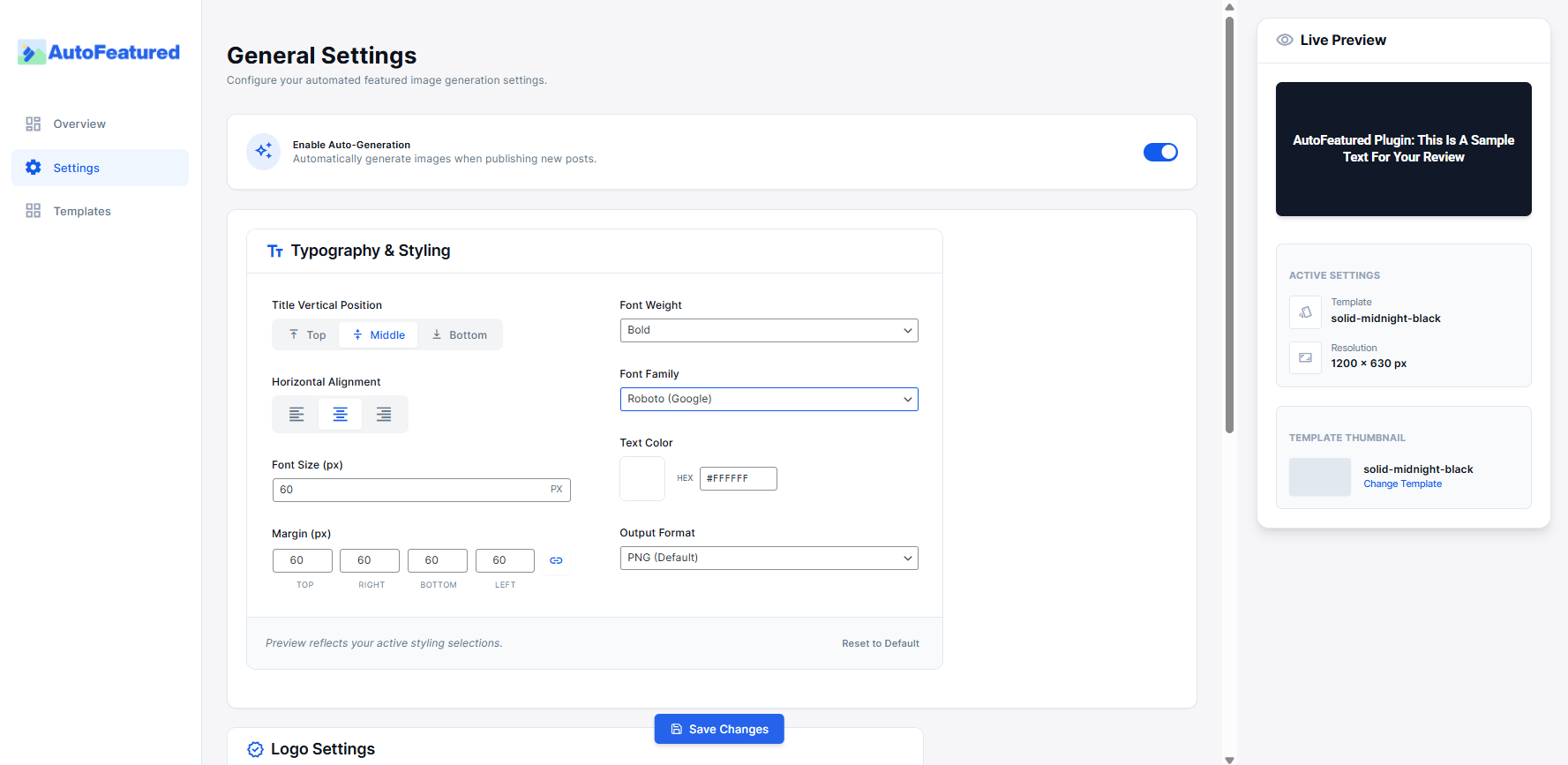
Live Editor – Customize colors, logos, and typography in real-time.
Diegimas
- Upload the
custom-auto-featured-imagefolder to the/wp-content/plugins/directory. - Activate the plugin through the ‘Plugins’ menu in WordPress.
- Navigate to the „AutoFeatured” menu to configure your templates.
DUK
-
Can I use my own fonts?
-
The plugin comes with a selection of popular Google Fonts. Custom font uploads are planned for a future version.
-
Does this work with custom post types?
-
Yes, you can enable generation for any registered public post type in the settings.
Atsiliepimai
Įskiepis neturi atsiliepimų.
Programuotojai ir komandos nariai
“Custom Auto Featured Image” yra atviro kodo programa. Prie jos sukūrimo prisidėję žmonės surašyti toliau.
Autoriai
Išverskite “Custom Auto Featured Image” į savo kalbą.
Domina programavimas?
Peržiūrėkite kodą, naršykite SVN repozitorijoje, arba užsiprenumeruokite kodo pakeitimų žurnalą per RSS.
Pakeitimų istorija
1.0.0
- Initial release on WordPress.org.