

Aprašymas
This GDPR-compliant AI generator creates ALT attributes for your images in the media library, which are important for search engines, and helps to make your website more accessible.
Your images are processed exclusively on a server in the EU (Germany). The data is not used for training purposes.
Custom prompt: Tell the AI your important keywords in the prompt. Prompt length up tp 2.000 characters.
Multilingual: In the prompt, tell the AI which language you need the ALT text in. The AI model supports a wide range of European languages for prompt and text generation.
Supported image formats: jpeg, jpg, png, gif, webp, avif
Get your free API-Key: To provide you with the best professional-quality alt text, the plugin uses a powerful AI model. As this service charges a usage-based fee, various packages are offered in addition to the free version. Get your free API-Key!
External services
This plugin uses external services to generate alt text. Your API key, prompt, and image are first forwarded to the website https://bt-ai.eu.
After the API key has been successfully verified, your image and prompt are forwarded to the AI hosted on server in the EU.
Your data remains under your control and is not used for training purposes.
Since the AI is not accessed directly from your website, no information from your website is passed on to the AI Platform or the AI. After successfully calling up the AI, the generated data is returned to your website via https://bt-ai.eu.
BT-AI.eu: Data Privacy Statement, Terms and Conditions
AI Platform: Data Handling
Ekrano nuotraukos

Example of ALT text generated with AI for a WordPress image 
Plugin settings page with AI prompt and API-key 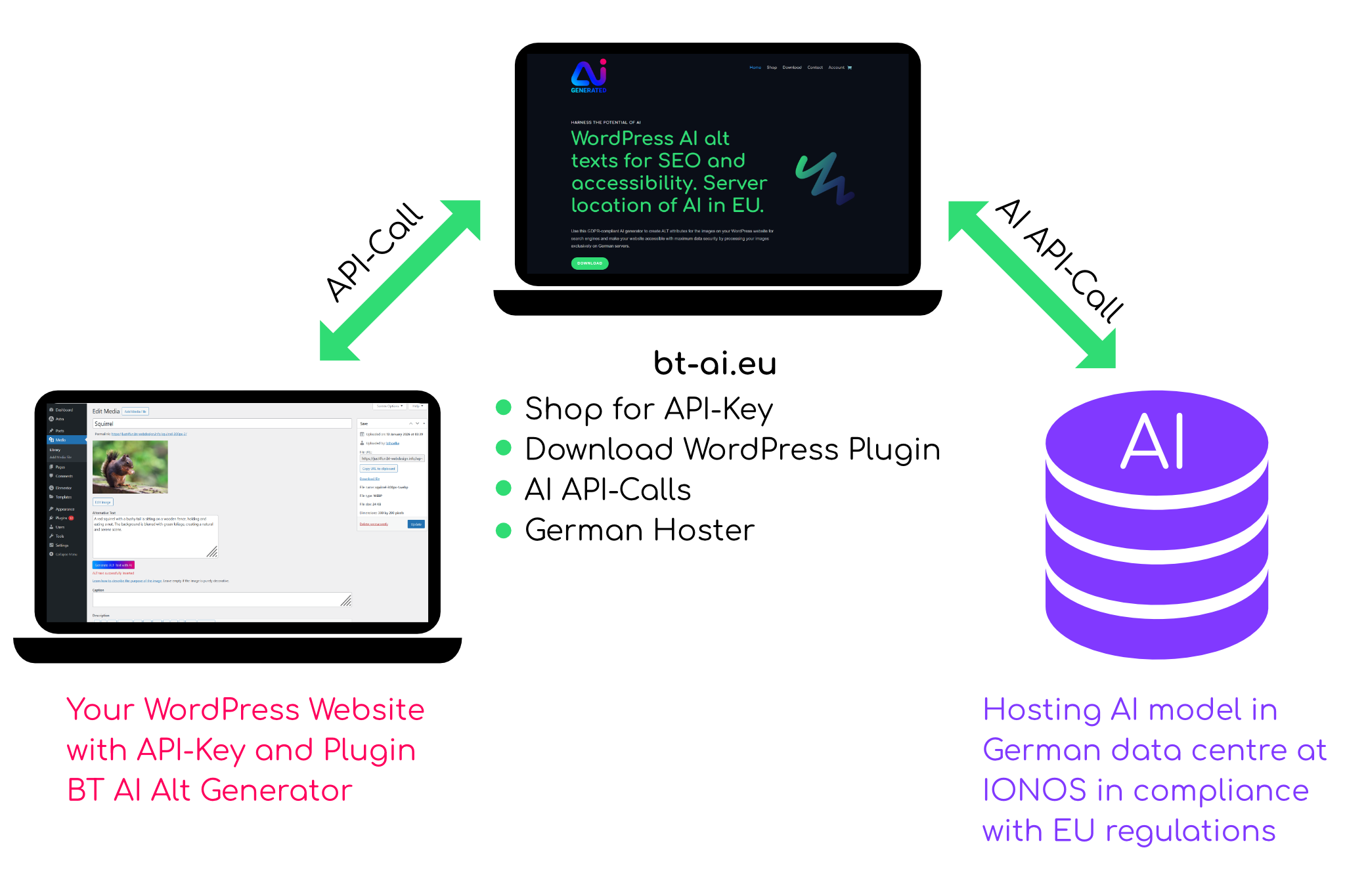
How it works (Plugin – API-Key – AI)
Diegimas
From your WordPress dashboard
- In your WordPress dashboard go to ‘Plugins > Add Plugin’
- Search for ‘BT ALT Text Generator’
- Click on Install Now button, then click on Activate
- Get your free API-Key at https://bt-ai.eu/
- Go to ‘Settings’ > ‘BT AI Alt Text’ and paste your API-Key
Ready to start!
DUK
Further information: How it works for answers to most common questions.
Atsiliepimai
Įskiepis neturi atsiliepimų.
Programuotojai ir komandos nariai
“BT AI Alt Generator” yra atviro kodo programa. Prie jos sukūrimo prisidėję žmonės surašyti toliau.
Autoriai
Išverskite “BT AI Alt Generator” į savo kalbą.
Domina programavimas?
Peržiūrėkite kodą, naršykite SVN repozitorijoje, arba užsiprenumeruokite kodo pakeitimų žurnalą per RSS.
Pakeitimų istorija
1.0.0
Initial version.