
Aprašymas
Add Login Text lets you customize the login screen by adding additional text above the login form. Great for developers working on client sites who want to include support links, bylines, mission statements or MOTD.
Use it for:
- Welcome message
- Copyright statements/credits
- Link to support forum
- Link to your other products
Or maybe you are just a regular guy who wants to put something on the login screen. Put a link to your site or whatever you want to see.
For changing the WP logo on the login screen, use a plugin like https://wordpress.org/plugins/login-logo/ instead.
If you need help with this plugin
If this plugin breaks your site or just flat out does not work, create a thread in the Support forum with a description of the issue. Make sure you are using the latest version of WordPress and the plugin before reporting issues, to be sure that the issue is with the current version and not with an older version where the issue may have already been fixed.
Please do not use the Reviews section to report issues or request new features.
Ekrano nuotraukos
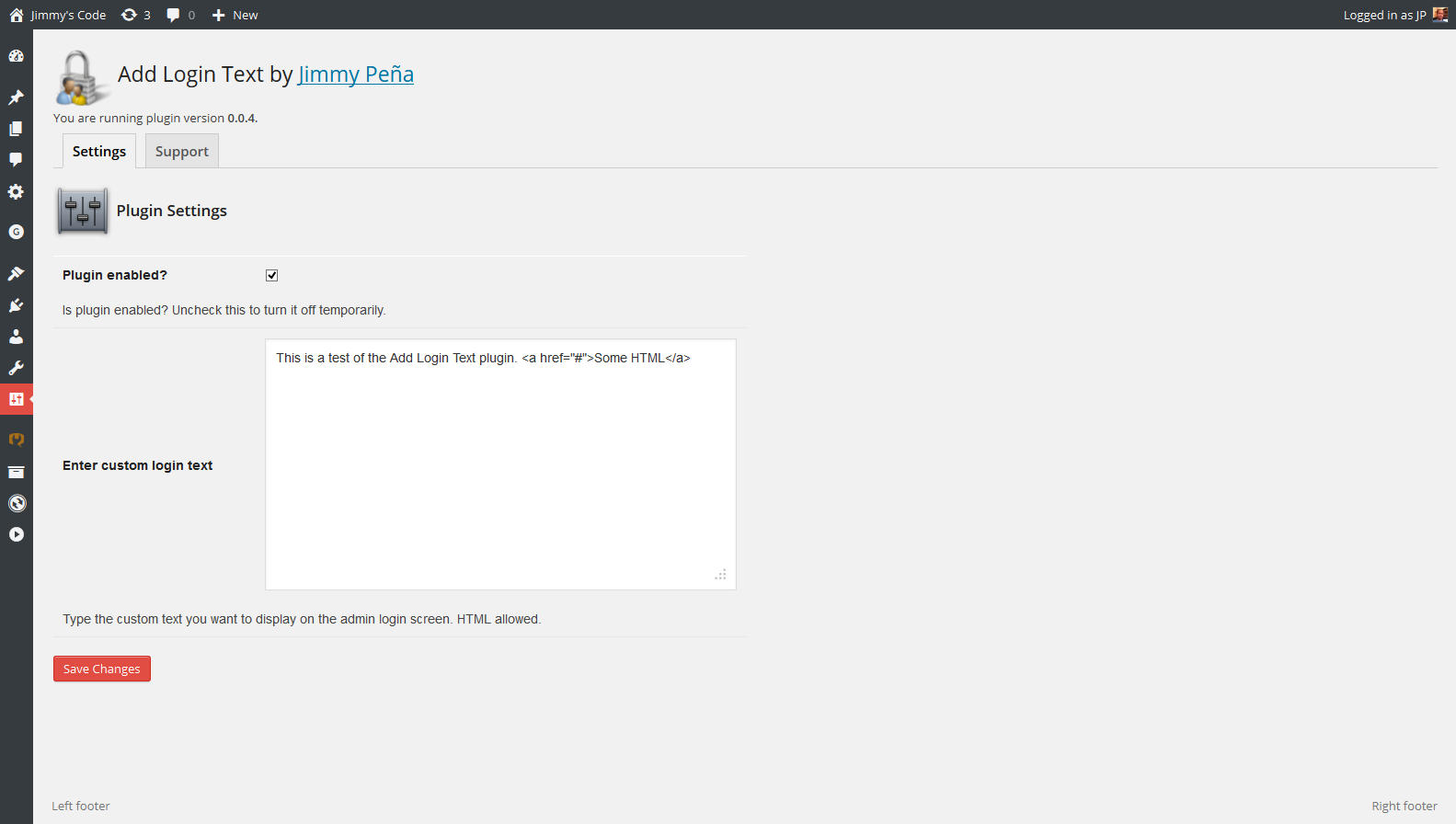
Plugin settings page (note the custom text entered) 
The login screen (the text from the settings page is here)
Diegimas
- Upload plugin file through the WordPress interface.
- Activate the plugin through the ‘Plugins’ menu in WordPress.
- Go to Settings » Add Login Text, configure plugin.
- To test, log out and then go to your login screen, you should see the text there.
DUK
- How do I use the plugin?
-
Go to Settings » Add Login Text and enter the text you want to see on the login screen. Make sure the „enabled” checkbox is checked.
- I entered some text but don’t see anything on the page.
-
Are you using another plugin that is also trying to edit the login screen?
Are you using any CSS that might be hiding parts of the login screen?
Are you caching your admin pages?
- How can I style the output?
-
The output is wrapped in div tags with class name „alt-login-text”. Use this class in your local stylesheet to style the output how you want.
- I don’t want the admin CSS. How do I remove it?
-
Add this to your functions.php:
remove_action('admin_head', 'insert_alt_admin_css');
Atsiliepimai

Programuotojai ir komandos nariai
“Add Login Text” yra atviro kodo programa. Prie jos sukūrimo prisidėję žmonės surašyti toliau.
Autoriai
Išverskite “Add Login Text” į savo kalbą.
Domina programavimas?
Peržiūrėkite kodą, naršykite SVN repozitorijoje, arba užsiprenumeruokite kodo pakeitimų žurnalą per RSS.
Pakeitimų istorija
0.1.0
- confirmed compatibility with WordPess 4.1
0.0.9
- updated .pot file and readme
0.0.8
- updated validation code
0.0.7
- permanent fix for Undefined Index issue
- admin CSS and page updates
0.0.6
- code fix
0.0.5
- code fix
- updated support tab
0.0.4
- code optimizations
- plugin settings page is now tabbed
0.0.3
- fix 2 for wp_kses
0.0.2
- fix for wp_kses
0.0.1
- created
- verified compatibility with WP 3.9