
ຄຳອະທິບາຍ
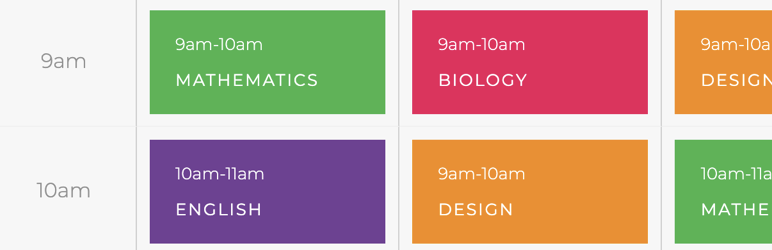
A beautiful and easy customizable set of Gutenberg blocks to create timetable, school calendars, publish lessons online or create timeline or yoga courses.
Set background color
Change featured table layout style
Adjust images, fonts, texts, price and currencies
Wide and narrow layout support
Supports 5 different design layouts
ພາບໜ້າຈໍ

timetable layout variation 1 
timetable layout variation 2
ບລັອກ
ປລັກອິນນີ້ມີ 2 ບລັອກ.
- Kenzap Timetable 1
- Kenzap Timetable 2
ການຕິດຕັ້ງ
This plugin can be installed directly from your site.
- Log in and navigate to Plugins → Add New.
- Type “Kenzap timetable” into the Search and hit Enter.
- Locate the Kenzap timetable plugin in the list of search results and click Install Now.
- Once installed, click the Activate link.
- Go to Pages > Add New > Find timetable block.
- Adjust Container > Max width setting if elements are not displayed properly.
It can also be installed manually.
- Download the Kenzap timetable plugin from WordPress.org.
- Unzip the package and move to your plugins directory.
- Log into WordPress and navigate to the Plugins screen.
- Once installed, click the Activate link.
- Go to Pages > Add New > Find Kenzap c blocks.
- Adjust Container > Max width setting if elements are not displayed properly.
ຄຳຖາມທີ່ພົບເລື້ອຍ
- What is this plugin for?
To list school timetables, create course timelines or educational schedules
ການຣີວິວ
ບໍ່ມີການຣີວິວສຳລັບປລັກອິນນີ້.
ຜູ້ຮ່ວມພັດທະນາ ແລະ ຜູ້ພັດທະນາ
“Kenzap Timetable” ແມ່ນຊອຟແວໂອເພັນຊອດ (Open Source). ບຸກຄົນຕໍ່ໄປນີ້ໄດ້ມີສ່ວນຮ່ວມໃນການພັດທະນາປລັກອິນນີ້.
ຜູ້ຮ່ວມພັດທະນາ
ແປ “Kenzap Timetable” ເປັນພາສາຂອງເຈົ້າ.
ສົນໃຈຮ່ວມພັດທະນາບໍ່?
ເບິ່ງລະຫັດ, ກວດເບິ່ງ ຄັງເກັບ SVN, ຫຼື ຕິດຕາມ ບັນທຶກການພັດທະນາ ຜ່ານ RSS.
ບັນທຶກການປ່ຽນແປງ
v1.0.0
New: Initial release
v1.1.0
New: Typography settings introduced
Update: Stability improvement, crash fix
v1.1.1
Update: vulnerability fix
Update: focus loss during filter editing