

Description
Simplify your website into easy or plain language – supported by AI.
The Plugin Easy Language adds the functionality to simplify and display your pages and posts into easy or plain language. The translation process can be manual or support by an AI-engine.
Automatic simplification with AI
To auto-translate your text, you can use the service (API) from
Requirements
If you want to use SUMM AI, capito or ChatGpt you need an API key for their respective API. Please contact their websites for more information.
Highlights
With capito and SUMM AI it is possible to simplify up to 9000 characters FREE OF CHARGE. An API key is required for Capito.
Features
- Simplify your contents into easy or plain language
- Auto-simplify using the API of SUMM AI, capito or OpenAI (ChatGPT)
- Edit your simplified contents manually
- Add a language switcher by shortcode at any position on your website
- Multisite support
- Own role for users to only simplify texts
Compatible with many page builders
- Avada
- Avia
- Beaver Builder
- Block Editor (Gutenberg)
- Bold Page Builder
- Breakdance Builder
- Brizy
- Classic Editor
- Divi
- Elementor
- Kubio
- Salient
- SeedProd
- SiteOrigin
- Themify
- Visual Composer
- WPBakery
Compatible with multilingual-plugins
- WPML
- Polylang
- Sublanguage
- TranslatePress
Compatible with other plugins
- Advanced Custom Fields (ACF)
- Custom Post Type UI (CPTUI)
The plugin has not been tested with all available plugins. It is expected to be compatible with most of them.
Repository, documentation and reliability
We also provide Shortcodes as documented here.
You find some documentations on this plugin page and in GitHub.
The development repository is on GitHub.
Each release of this plugin will only be published if it fulfills the following conditions:
- PHPStan check for possible bugs
- Compliance with WordPress Coding Standards
- No failures during PHP Compatibility check
Screenshots

Choose your API 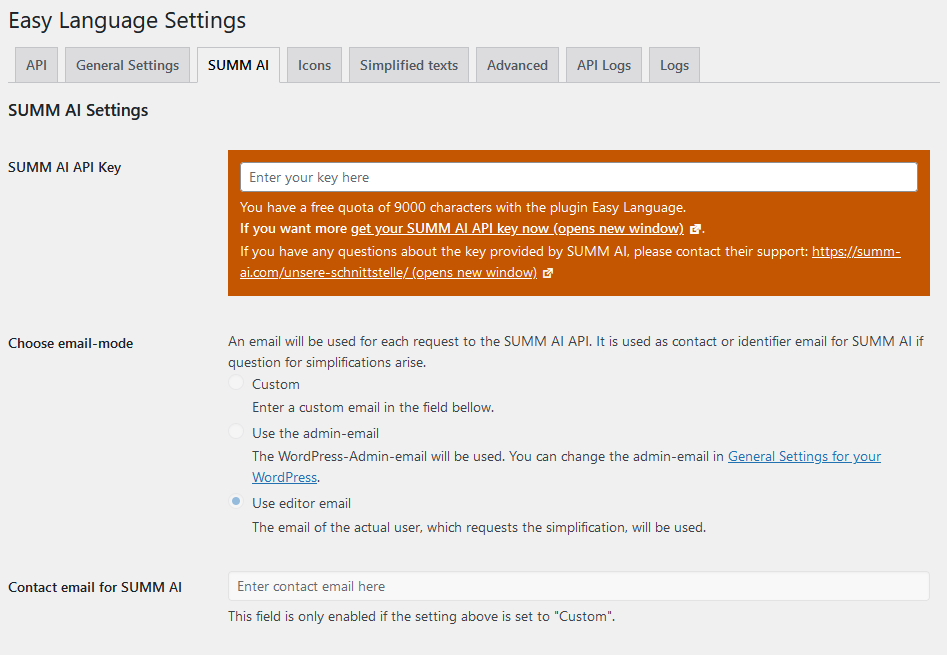
Configure your SUMM AI API Key 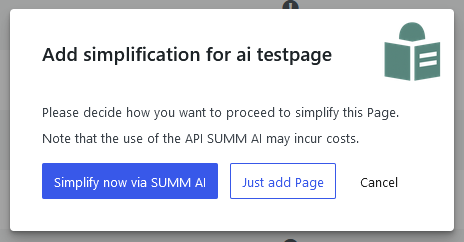
Request simplification of a text
Installation
- Upload “easy-language” to the “/wp-content/plugins/” directory.
- Activate the plugin through the “Plugins” menu in WordPress.
- Go to the plugin settings and choose the API you want to use.
- Start to simplify your website.
Reviews

Contributors & Developers
“Easy Language” is open source software. The following people have contributed to this plugin.
Contributors

“Easy Language” has been translated into 3 locales. Thank you to the translators for their contributions.
Translate “Easy Language” into your language.
Interested in development?
Browse the code, check out the SVN repository, or subscribe to the development log by RSS.
Changelog
3.0.2
- Optimized the rewrite rule for detecting the homepage of a simplified language
- Updated dependencies