
ຄຳອະທິບາຍ
Create a contact page that is easy to maintain, with some special features like fully customizable Google Maps integration and Twitter feed.
- Google Maps
ພາບໜ້າຈໍ

Contact Page settings 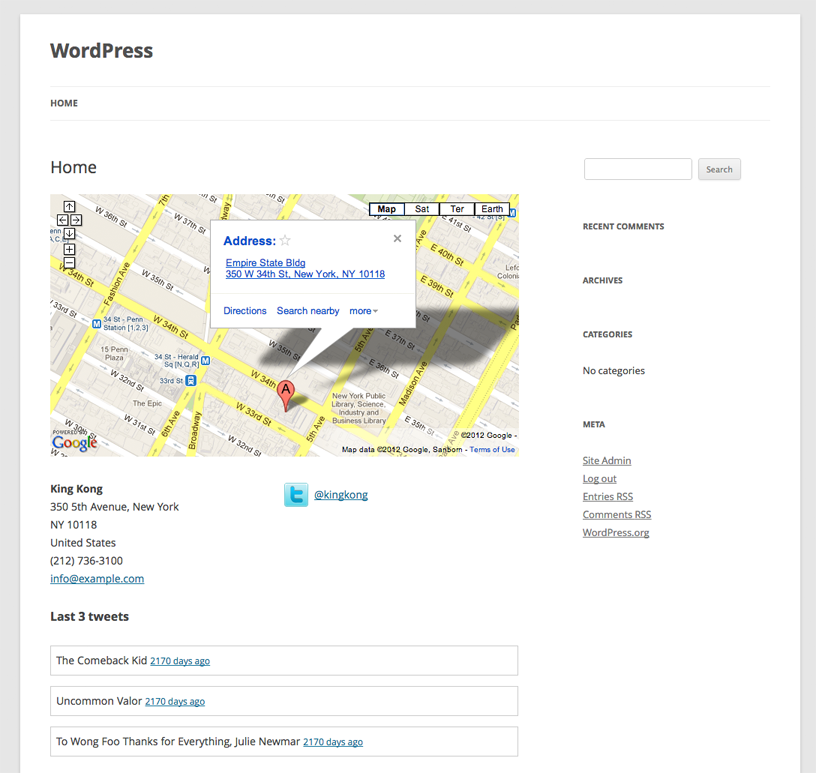
The page that is generated by the plugin
ການຕິດຕັ້ງ
- Place the ‘contact-page’ folder in your ‘/wp-content/plugins/’ directory.
- Activate ‘Contact Page’.
- Go to ‘Settings > Contact Page’ and fill in your contact details.
- Add the shortcode
[contact-page]to any page (or post). - Have a look at your site.
ການຣີວິວ
ບໍ່ມີການຣີວິວສຳລັບປລັກອິນນີ້.
ຜູ້ຮ່ວມພັດທະນາ ແລະ ຜູ້ພັດທະນາ
“Contact Page” ແມ່ນຊອຟແວໂອເພັນຊອດ (Open Source). ບຸກຄົນຕໍ່ໄປນີ້ໄດ້ມີສ່ວນຮ່ວມໃນການພັດທະນາປລັກອິນນີ້.
ຜູ້ຮ່ວມພັດທະນາ
ແປ “Contact Page” ເປັນພາສາຂອງເຈົ້າ.
ສົນໃຈຮ່ວມພັດທະນາບໍ່?
ເບິ່ງລະຫັດ, ກວດເບິ່ງ ຄັງເກັບ SVN, ຫຼື ຕິດຕາມ ບັນທຶກການພັດທະນາ ຜ່ານ RSS.
ບັນທຶກການປ່ຽນແປງ
1.0
- First public release of the plugin.