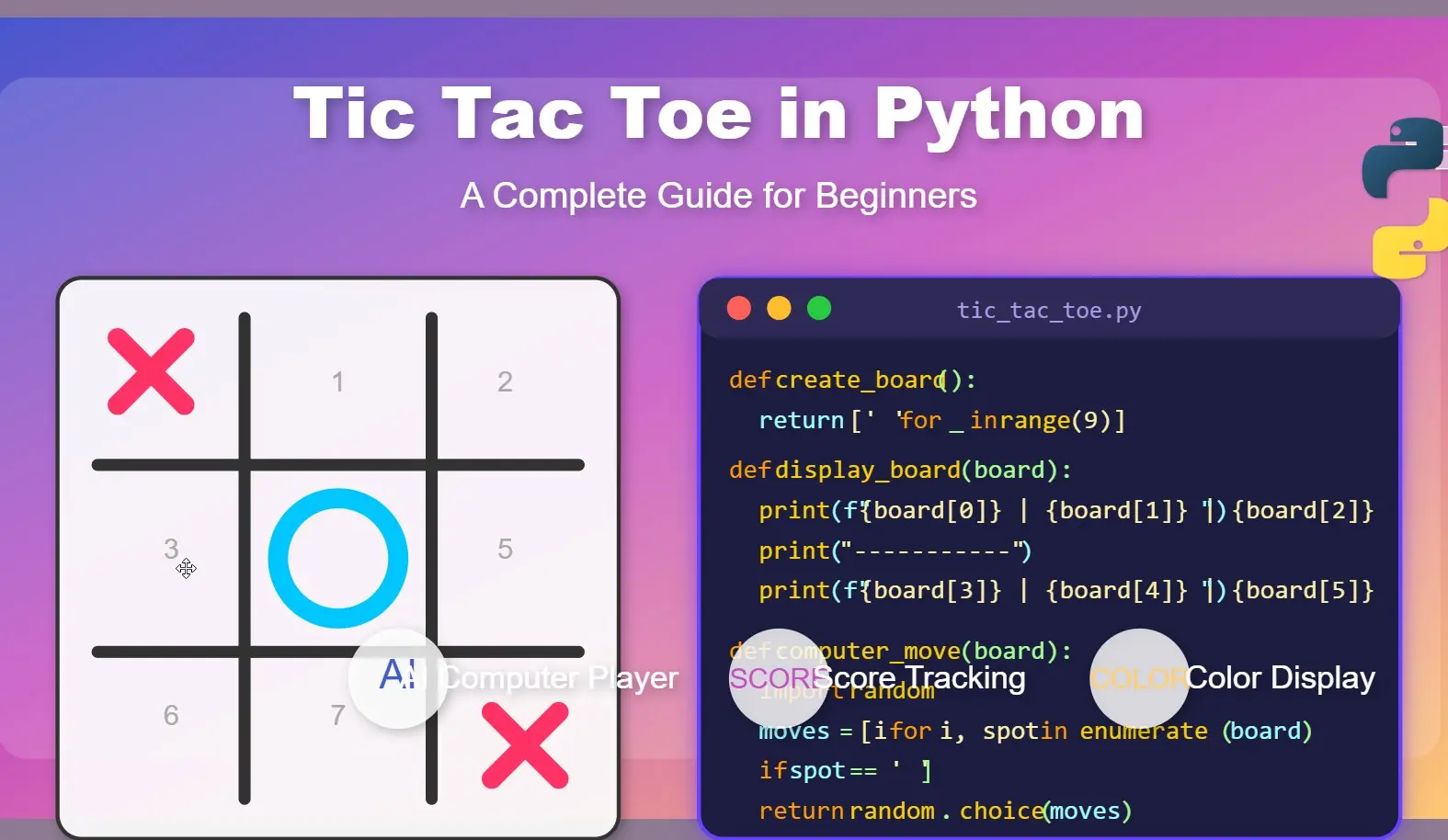
If you’re new to programming and want to create something fun while learning Python, building a Tic Tac Toe game is the perfect project. This classic game requires just a few basic programming concepts, but it delivers a complete, playable result that you can show off to friends and family. Let’s walk through how to create your own Tic Tac Toe game in Python, with code that’s easy to understand even if you’re starting.
Why Tic Tac Toe Is Perfect for Learning Python
Tic Tac Toe gives you the chance to practice several key programming concepts:
- Working with functions
- Using conditional logic
- Handling user input
- Creating simple displays
- Implementing basic game logic
Plus, it’s satisfying to build something you can play with when you’re done!
Setting Up Your Tic Tac Toe Project
To get started, you’ll need Python installed on your computer. If you haven’t installed it yet, visit Python.org and download the latest version.
Once you have Python set up, open your favorite text editor or IDE (like IDLE, VS Code, or PyCharm) and create a new file called. tic_tac_toe.py.
The Basic Structure of Our Tic Tac Toe Game
Before diving into the code, let’s understand what our game needs:
- A game board (we’ll use a simple list)
- A way to display the board
- Functions for player moves
- Logic to check for a win or a draw
- A main game loop
Play our HTML-based Tic Tac Toe game with a 4×4 grid board for more extended play
Let’s break down each component and build it step by step.
Creating the Game Board
First, let’s create the game board using a list. In Tic Tac Toe, we need a 3×3 grid, which we’ll represent using a list with 9 positions:
def create_board():
    return [' ' for _ in range(9)]
This function creates a list with 9 empty spaces, which will represent our board positions from 0 to 8:
 0 | 1 | 2
-----------
 3 | 4 | 5
-----------
 6 | 7 | 8
Displaying the Tic Tac Toe Board
Now, let’s create a function to display our board in a way that looks like a proper Tic Tac Toe grid:
def display_board(board):
    print(f" {board[0]} | {board[1]} | {board[2]} ")
    print("-----------")
    print(f" {board[3]} | {board[4]} | {board[5]} ")
    print("-----------")
    print(f" {board[6]} | {board[7]} | {board[8]} ")
This function takes our board list and formats it to look like a Tic Tac Toe grid using the f-string feature in Python, which makes string formatting easy and readable.
Handling Player Moves
Next, we need a way for players to make their moves. We’ll create a function that:
- Takes input from the player
- Validates that the move is legal
- Updates the board
def make_move(board, position, player):
    if board[position] == ' ':
        board[position] = player
        return True
    return False

def player_move(board, player):
    while True:
        try:
            position = int(input(f"Player {player}, choose a position (0-8): "))
            if position < 0 or position > 8:
                print("Position must be between 0 and 8.")
                continue

            if make_move(board, position, player):
                break
            else:
                print("That position is already taken!")
        except ValueError:
            print("Please enter a number between 0 and 8.")
The make_move function checks if a position is empty before placing a player’s mark. The player_move function handles getting input from the player, validating it, and ensuring they select a valid, empty position.
Checking for a Win or Draw
Now, we need to determine when someone has won or when the game ends in a draw. Here’s how we’ll check for a win:
def check_win(board, player):
    # Check rows
    for i in range(0, 9, 3):
        if board[i] == board[i+1] == board[i+2] == player:
            return True

    # Check columns
    for i in range(3):
        if board[i] == board[i+3] == board[i+6] == player:
            return True

    # Check diagonals
    if board[0] == board[4] == board[8] == player:
        return True
    if board[2] == board[4] == board[6] == player:
        return True

    return False

def check_draw(board):
    return ' ' not in board
The check_win function checks all possible winning combinations – rows, columns, and diagonals. The check_draw function simply checks if there are any empty spaces left on the board.
Creating the Main Game Loop
Finally, let’s put everything together in our main game loop:
def play_single_game():
    board = create_board()
    current_player = 'X'

    print("Welcome to Tic Tac Toe!")
    print("Positions are numbered from 0 to 8, as shown below:")
    print(" 0 | 1 | 2 ")
    print("-----------")
    print(" 3 | 4 | 5 ")
    print("-----------")
    print(" 6 | 7 | 8 ")
    print("\n--- Game Starting ---\n")  # Add a clear separator

    # First move without showing the empty board
    player_move(board, current_player)

    while True:
        # Display board after the first move has been made
        display_board(board)

        if check_win(board, current_player):
            print(f"Player {current_player} wins!")
            break

        if check_draw(board):
            print("Game ends in a draw!")
            break

        # Switch players
        current_player = 'O' if current_player == 'X' else 'X'

        # Get next player's move
        player_move(board, current_player)

    play_again = input("Do you want to play again? (y/n): ")
    if play_again.lower() == 'y':
        play_game()
This function creates a new board, sets the first player to ‘X’, and then enters a loop where players take turns until one of them wins or the game ends in a draw.
The Complete Tic Tac Toe Python Code
Let’s put all these pieces together into our complete game:
def create_board():
    return [' ' for _ in range(9)]

def display_board(board):
    print(f" {board[0]} | {board[1]} | {board[2]} ")
    print("-----------")
    print(f" {board[3]} | {board[4]} | {board[5]} ")
    print("-----------")
    print(f" {board[6]} | {board[7]} | {board[8]} ")

def make_move(board, position, player):
    if board[position] == ' ':
        board[position] = player
        return True
    return False

def player_move(board, player):
    while True:
        try:
            position = int(input(f"Player {player}, choose a position (0-8): "))
            if position < 0 or position > 8:
                print("Position must be between 0 and 8.")
                continue

            if make_move(board, position, player):
                break
            else:
                print("That position is already taken!")
        except ValueError:
            print("Please enter a number between 0 and 8.")

def check_win(board, player):
    # Check rows
    for i in range(0, 9, 3):
        if board[i] == board[i+1] == board[i+2] == player:
            return True

    # Check columns
    for i in range(3):
        if board[i] == board[i+3] == board[i+6] == player:
            return True

    # Check diagonals
    if board[0] == board[4] == board[8] == player:
        return True
    if board[2] == board[4] == board[6] == player:
        return True

    return False

def check_draw(board):
    return ' ' not in board

def play_single_game():
    board = create_board()
    current_player = 'X'

    print("Welcome to Tic Tac Toe!")
    print("Positions are numbered from 0 to 8, as shown below:")
    print(" 0 | 1 | 2 ")
    print("-----------")
    print(" 3 | 4 | 5 ")
    print("-----------")
    print(" 6 | 7 | 8 ")
    print("\n--- Game Starting ---\n")  # Add a clear separator

    # First move without showing the empty board
    player_move(board, current_player)

    while True:
        # Display board after the first move has been made
        display_board(board)

        if check_win(board, current_player):
            print(f"Player {current_player} wins!")
            break

        if check_draw(board):
            print("Game ends in a draw!")
            break

        # Switch players
        current_player = 'O' if current_player == 'X' else 'X'

        # Get next player's move
        player_move(board, current_player)

    play_again = input("Do you want to play again? (y/n): ")
    if play_again.lower() == 'y':
        play_game()

# Start the game
if __name__ == "__main__":
    play_game()
Save this code to your tic_tac_toe.py file and run it by opening a terminal or command prompt, navigating to the file location, and typing:
How to Run the Game
- Open your terminal or command prompt.
- Navigate to the folder where you saved
tic_tac_toe.py. - Run the game with:
python tic_tac_toe.pyYou’ll see the board printed in your terminal, and the game will prompt you to take turns. You can check out the given screenshot to get an idea:
Taking Your Tic Tac Toe Game Further
Once you have the basic game working, here are some ways you could enhance it:
Add a Simple Computer Player
Create a Computer function:
import random

def computer_move(board, computer_player):
    # Get all available positions
    available_positions = [i for i, spot in enumerate(board) if spot == ' ']

    if available_positions:
        # Add a small delay to make it seem like the computer is "thinking"
        print(f"Computer ({computer_player}) is thinking...")
        time.sleep(1)

        # Choose a random position from available positions
        position = random.choice(available_positions)

        print(f"Computer ({computer_player}) chooses position {position}")
        make_move(board, position, computer_player)
    else:
        # This should never happen if check_draw works properly
        print("No available positions!")
After that, call it in the Loop function as shown below:
def play_single_game(vs_computer=False):
    board = create_board()
    current_player = 'X'  # X always starts
    human_player = 'X'    # Human is X by default
    computer_player = 'O' # Computer is O by default

    # If playing vs computer, ask who goes first
    if vs_computer:
        choice = input("Do you want to be X (first) or O (second)? ").upper()
        if choice == 'O':
            human_player = 'O'
            computer_player = 'X'
            current_player = 'X'  # X still starts, but X is the computer

    print("\nWelcome to Tic Tac Toe!")
    print("Positions are numbered from 0 to 8, as shown below:")
    print(" 0 | 1 | 2 ")
    print("-----------")
    print(" 3 | 4 | 5 ")
    print("-----------")
    print(" 6 | 7 | 8 ")
    print("\n--- Game Starting ---\n")

    # First move
    if current_player == human_player or not vs_computer:
        player_move(board, current_player)
    else:
        computer_move(board, current_player)

    while True:
        # Display board after move has been made
        display_colored_board(board)

        if check_win(board, current_player):
            if vs_computer:
                if current_player == human_player:
                    print("You win!")
                else:
                    print("Computer wins!")
            else:
                print(f"Player {current_player} wins!")
            return current_player

        if check_draw(board):
            print("Game ends in a draw!")
            return "Draw"

        # Switch players
        current_player = 'O' if current_player == 'X' else 'X'

        # Get next player's move
        if (vs_computer and current_player == computer_player):
            computer_move(board, current_player)
        else:
            player_move(board, current_player)
Keep Score Across Multiple Games
If you want to display the Score Board to make the game more interactive, add the following code just before the “#Start the game” section.
def play_multiple_games():
    # Initialize scores dictionary
    scores = {'X': 0, 'O': 0, 'Draw': 0}
    playing = True

    print("===== TIC TAC TOE TOURNAMENT =====")

    while playing:
        # Play a single game and get the result
        result = play_single_game()

        # Update scores based on game result
        scores[result] += 1

        # Display current scores
        print("\n----- SCOREBOARD -----")
        print(f"Player X: {scores['X']} wins")
        print(f"Player O: {scores['O']} wins")
        print(f"Draws: {scores['Draw']}")
        print("---------------------\n")

        # Ask if players want to continue
        play_again = input("Do you want to play another game? (y/n): ")
        if play_again.lower() != 'y':
            playing = False

    # Display final results when done playing
    print("\n===== FINAL SCORES =====")
    print(f"Player X: {scores['X']} wins")
    print(f"Player O: {scores['O']} wins")
    print(f"Draws: {scores['Draw']}")
    print("=======================")

    # Announce the winner if there is one
    if scores['X'] > scores['O']:
        print("Player X wins the tournament!")
    elif scores['O'] > scores['X']:
        print("Player O wins the tournament!")
    else:
        print("The tournament ends in a tie!")
After adding the code, replace play_game() with play_multiple_games() in the #Start the game section as shown below. Now save the code and run it.
# Start the game
if __name__ == "__main__":
play_multiple_games() 
Add Color to Your Console Output
Replace the display_board(board) section with the given code, and then also in your main game loop, use display_colored_board(board) instead of display_board(board).
def display_colored_board(board):
    # Create a new board with colored X and O
    colored_board = []
    for spot in board:
        if spot == 'X':
            colored_board.append('\033[91mX\033[0m')  # Red X
        elif spot == 'O':
            colored_board.append('\033[94mO\033[0m')  # Blue O
        else:
            colored_board.append(' ')

    # Display the colored board
    print(f" {colored_board[0]} | {colored_board[1]} | {colored_board[2]} ")
    print("-----------")
    print(f" {colored_board[3]} | {colored_board[4]} | {colored_board[5]} ")
    print("-----------")
    print(f" {colored_board[6]} | {colored_board[7]} | {colored_board[8]} ")
Complete Tic Tac Toe Code along with Score Board, Color, and Computer Player
To make things easy, here is the full code to have a bit advance Tic Tac Toe game using Python code.
import os
import random
import time

# Enable ANSI colors on Windows
if os.name == 'nt':
    os.system('color')

def create_board():
    return [' ' for _ in range(9)]

def display_board(board):
    print(f" {board[0]} | {board[1]} | {board[2]} ")
    print("-----------")
    print(f" {board[3]} | {board[4]} | {board[5]} ")
    print("-----------")
    print(f" {board[6]} | {board[7]} | {board[8]} ")

def display_colored_board(board):
    # Create a new board with colored X and O
    colored_board = []
    for spot in board:
        if spot == 'X':
            colored_board.append('\033[91mX\033[0m')  # Red X
        elif spot == 'O':
            colored_board.append('\033[94mO\033[0m')  # Blue O
        else:
            colored_board.append(' ')

    # Display the colored board
    print(f" {colored_board[0]} | {colored_board[1]} | {colored_board[2]} ")
    print("-----------")
    print(f" {colored_board[3]} | {colored_board[4]} | {colored_board[5]} ")
    print("-----------")
    print(f" {colored_board[6]} | {colored_board[7]} | {colored_board[8]} ")

def make_move(board, position, player):
    if board[position] == ' ':
        board[position] = player
        return True
    return False

def player_move(board, player):
    while True:
        try:
            position = int(input(f"Player {player}, choose a position (0-8): "))
            if position < 0 or position > 8:
                print("Position must be between 0 and 8.")
                continue

            if make_move(board, position, player):
                break
            else:
                print("That position is already taken!")
        except ValueError:
            print("Please enter a number between 0 and 8.")

def computer_move(board, computer_player):
    # Get all available positions
    available_positions = [i for i, spot in enumerate(board) if spot == ' ']

    if available_positions:
        # Add a small delay to make it seem like the computer is "thinking"
        print(f"Computer ({computer_player}) is thinking...")
        time.sleep(1)

        # Choose a random position from available positions
        position = random.choice(available_positions)

        print(f"Computer ({computer_player}) chooses position {position}")
        make_move(board, position, computer_player)
    else:
        # This should never happen if check_draw works properly
        print("No available positions!")

def check_win(board, player):
    # Check rows
    for i in range(0, 9, 3):
        if board[i] == board[i+1] == board[i+2] == player:
            return True

    # Check columns
    for i in range(3):
        if board[i] == board[i+3] == board[i+6] == player:
            return True

    # Check diagonals
    if board[0] == board[4] == board[8] == player:
        return True
    if board[2] == board[4] == board[6] == player:
        return True

    return False

def check_draw(board):
    return ' ' not in board

def play_single_game(vs_computer=False):
    board = create_board()
    current_player = 'X'  # X always starts
    human_player = 'X'    # Human is X by default
    computer_player = 'O' # Computer is O by default

    # If playing vs computer, ask who goes first
    if vs_computer:
        choice = input("Do you want to be X (first) or O (second)? ").upper()
        if choice == 'O':
            human_player = 'O'
            computer_player = 'X'
            current_player = 'X'  # X still starts, but X is the computer

    print("\nWelcome to Tic Tac Toe!")
    print("Positions are numbered from 0 to 8, as shown below:")
    print(" 0 | 1 | 2 ")
    print("-----------")
    print(" 3 | 4 | 5 ")
    print("-----------")
    print(" 6 | 7 | 8 ")
    print("\n--- Game Starting ---\n")

    # First move
    if current_player == human_player or not vs_computer:
        player_move(board, current_player)
    else:
        computer_move(board, current_player)

    while True:
        # Display board after move has been made
        display_colored_board(board)

        if check_win(board, current_player):
            if vs_computer:
                if current_player == human_player:
                    print("You win!")
                else:
                    print("Computer wins!")
            else:
                print(f"Player {current_player} wins!")
            return current_player

        if check_draw(board):
            print("Game ends in a draw!")
            return "Draw"

        # Switch players
        current_player = 'O' if current_player == 'X' else 'X'

        # Get next player's move
        if (vs_computer and current_player == computer_player):
            computer_move(board, current_player)
        else:
            player_move(board, current_player)

def play_multiple_games():
    # Initialize scores dictionary
    scores = {'X': 0, 'O': 0, 'Draw': 0}
    playing = True

    # Ask if playing against computer
    vs_computer = input("Play against computer? (y/n): ").lower() == 'y'

    print("===== TIC TAC TOE TOURNAMENT =====")

    while playing:
        # Play a single game and get the result
        result = play_single_game(vs_computer)

        # Update scores based on game result
        scores[result] += 1

        # Display current scores
        print("\n----- SCOREBOARD -----")
        print(f"Player X: {scores['X']} wins")
        print(f"Player O: {scores['O']} wins")
        print(f"Draws: {scores['Draw']}")
        print("---------------------\n")

        # Ask if players want to continue
        play_again = input("Do you want to play another game? (y/n): ")
        if play_again.lower() != 'y':
            playing = False

    # Display final results when done playing
    print("\n===== FINAL SCORES =====")
    print(f"Player X: {scores['X']} wins")
    print(f"Player O: {scores['O']} wins")
    print(f"Draws: {scores['Draw']}")
    print("=======================")

    # Announce the winner if there is one
    if scores['X'] > scores['O']:
        print("Player X wins the tournament!")
    elif scores['O'] > scores['X']:
        print("Player O wins the tournament!")
    else:
        print("The tournament ends in a tie!")

# Start the game
if __name__ == "__main__":
    play_multiple_games()
Common Beginner Errors When Building Tic Tac Toe in Python
As you work on your game, watch out for these common mistakes:
- List indices start at 0: Remember that Python lists start at index 0, which can be confusing when thinking about a game board.
- Type conversion: Always convert user input to the correct type. Our game converts input to
intfor position selection. - Updating global variables: If you split your functions differently, make sure you’re updating the board properly between functions.
- Edge cases: Make sure to handle invalid inputs and already-filled positions.
- Double board display: In our updated code, we added a clear separator between the instruction board and the actual game, and we don’t display the empty board before the first move. This prevents the confusing double-board display that can happen when running the game.
Why Building Tic Tac Toe in Python is Great for Learning
By creating this simple game, you’ve practiced:
- Working with lists and functions
- Using conditional statements
- Processing user input
- Creating loops
- Implementing game logic
These are fundamental skills that will serve you well as you take on more complex Python projects. Plus, you now have a fun game you can play and modify to your liking!
Conclusion
Building a Tic Tac Toe game in Python is a good way to learn programming fundamentals while creating something enjoyable and interactive. The code we’ve created is straightforward but covers important Python concepts that you’ll use in future projects.
The best way to learn is to experiment with the code – try implementing the enhancements we suggested, or come up with your own improvements. Maybe add a more intelligent computer player using basic AI techniques, or create a graphical interface using a library like Pygame.
Whatever you choose to do next, this Tic Tac Toe project has given you a solid foundation in Python programming concepts and game development basics.