[!success]Callouts插件效果
RT↑,RT↓


之前的插件不知道为啥挂了……自己重新弄了一个~
[!note]由三部分组成
一、前面的是13种Obsidian Callouts,基于始皇帖子~
二、是三个常用表情,我太喜欢用了哈哈哈……(自用的话可以替换或增加代码对应部分)
三、是detials和spoiler常用的两个隐藏和模糊功能,选中文字后直接点即可~
[!abstract]使用方法~
1、浏览器安装油猴插件(具体方法一般为浏览器-扩展-管理扩展-获取扩展,搜索即可安装)
2、打开浏览器插件-篡改猴-添加新脚本-复制代码全部覆盖-保存-刷新页面即可


脚本代码
// ==UserScript==
// @name Discourse Callout 插入工具栏(Linux.do回复工具栏)
// @namespace https://linux.do/
// @version 3.5
// @description 添加 Callout 按钮,并支持 details/spoiler 插入、层级化Callout插入(仅当前行有Callout时换行)- 优化性能和错误处理
// @match https://linux.do/*
// @match https://idcflare.com/*
// @grant none
// ==/UserScript==
(function () {
"use strict";
const CALLOUTS = [
{ type: "note", color: "#4c8df6", icon: "💬" },
{ type: "abstract", color: "#8bd8d1", icon: "📄" },
{ type: "info", color: "#0099ff", icon: "💡" },
{ type: "todo", color: "#5ab1ff", icon: "⭕" },
{ type: "tip", color: "#5dd6c0", icon: "🔥" },
{ type: "success", color: "#55cc88", icon: "✔" },
{ type: "question", color: "#ffb866", icon: "❓" },
{ type: "warning", color: "#ff9933", icon: "⚠" },
{ type: "failure", color: "#ff6666", icon: "❌" },
{ type: "danger", color: "#ff4d4d", icon: "⚡" },
{ type: "bug", color: "#ff6699", icon: "🐞" },
{ type: "example", color: "#aa88ff", icon: "📘" },
{ type: "quote", color: "#aaaaaa", icon: "❝" }
];
const EMOJI_CONFIGS = [
{ text: "😏 眯眼笑", insertText: ":tieba_022:\n" },
{ text: "😳 干瞪眼", insertText: ":distorted_face:\n" },
{ text: "🤪 装蠢", insertText: ":tieba_018:\n" }
];
// 缓存变量
let cachedTextarea = null;
let cacheTime = 0;
let currentObserver = null;
const CACHE_DURATION = 1000; // 1秒缓存
// ====== 缓存的 DOM 查询 ======
function getCachedTextarea() {
const now = Date.now();
if (cachedTextarea && (now - cacheTime) < CACHE_DURATION) {
// 验证元素是否还在 DOM 中
if (document.contains(cachedTextarea)) {
return cachedTextarea;
}
}
cachedTextarea = document.querySelector(".d-editor-input");
cacheTime = now;
return cachedTextarea;
}
// ====== 获取当前光标位置的Callout层级 ======
function getCurrentCalloutLevel(textarea) {
try {
const start = textarea.selectionStart;
const value = textarea.value;
const beforeCursor = value.slice(0, start);
const lines = beforeCursor.split("\n");
const currentLine = lines[lines.length - 1] || "";
const prevLine = lines.length >= 2 ? lines[lines.length - 2] : "";
// 修复正则表达式:正确转义方括号
const calloutRegex = /^(>+)\s*\[!.*\]/;
// 先检查当前行是否有Callout
const currentLineMatch = currentLine.trim().match(calloutRegex);
if (currentLineMatch) {
return currentLineMatch[1].length;
}
// 再检查上一行是否有Callout
const prevLineMatch = prevLine.trim().match(calloutRegex);
if (prevLineMatch) {
return prevLineMatch[1].length;
}
// 没有找到Callout,返回基础层级0
return 0;
} catch (error) {
console.warn('Error getting callout level:', error);
return 0;
}
}
// ====== 检查当前行是否包含Callout ======
function isCurrentLineHasCallout(textarea) {
try {
const start = textarea.selectionStart;
const value = textarea.value;
const beforeCursor = value.slice(0, start);
const lines = beforeCursor.split("\n");
const currentLine = lines[lines.length - 1] || "";
// 修复正则表达式:正确转义方括号
const calloutRegex = /^(>+)\s*\[!.*\]/;
return !!currentLine.trim().match(calloutRegex);
} catch (error) {
console.warn('Error checking current line callout:', error);
return false;
}
}
// ====== 插入 Callout,仅当前行有Callout时换行 ======
function insertCallout(textarea, type) {
try {
const start = textarea.selectionStart;
const end = textarea.selectionEnd;
const value = textarea.value;
const before = value.slice(0, start);
const after = value.slice(end);
// 获取当前层级,新层级=当前层级+1
const currentLevel = getCurrentCalloutLevel(textarea);
const newLevel = currentLevel + 1;
// 生成对应数量的>符号
const gtSymbols = ">".repeat(newLevel);
let insertText = "";
// 仅当当前行包含Callout时,添加换行(避免同一行拼接)
if (isCurrentLineHasCallout(textarea)) {
insertText += "\n";
}
// 插入对应层级的Callout
insertText += `${gtSymbols} [!${type}]\n`;
textarea.value = before + insertText + after;
const pos = before.length + insertText.length;
textarea.selectionStart = textarea.selectionEnd = pos;
textarea.dispatchEvent(new Event("input"));
} catch (error) {
console.warn('Error inserting callout:', error);
}
}
// ====== 通用文本插入函数 ======
function insertText(textarea, text) {
try {
const start = textarea.selectionStart;
const end = textarea.selectionEnd;
const before = textarea.value.slice(0, start);
const after = textarea.value.slice(end);
textarea.value = before + text + after;
const pos = before.length + text.length;
textarea.selectionStart = textarea.selectionEnd = pos;
textarea.dispatchEvent(new Event("input"));
} catch (error) {
console.warn('Error inserting text:', error);
}
}
// ====== details & spoiler 插入 ======
function wrapSelection(textarea, beforeText, afterText, multiLine = false) {
try {
const start = textarea.selectionStart;
const end = textarea.selectionEnd;
const value = textarea.value;
const selected = value.slice(start, end);
let insertText;
let cursorPos;
if (selected.length > 0) {
insertText = beforeText + selected + afterText;
cursorPos = start + insertText.length;
} else {
if (multiLine) {
insertText = beforeText + "\n" + afterText;
cursorPos = start + beforeText.length + 1;
} else {
insertText = beforeText + afterText;
cursorPos = start + beforeText.length;
}
}
textarea.value = value.slice(0, start) + insertText + value.slice(end);
textarea.selectionStart = textarea.selectionEnd = cursorPos;
textarea.dispatchEvent(new Event("input"));
} catch (error) {
console.warn('Error wrapping selection:', error);
}
}
// ====== 通用按钮创建函数 ======
function createButton(config) {
const btn = document.createElement("button");
btn.textContent = config.text;
btn.innerHTML = config.html || config.text;
// 批量设置样式
Object.assign(btn.style, {
display: config.display || "flex",
alignItems: "center",
gap: "4px",
padding: "4px 8px",
borderRadius: "6px",
cursor: "pointer",
fontSize: "12px",
color: config.color || "#fff",
background: config.background,
border: config.border || "none"
});
btn.addEventListener("click", config.onClick);
return btn;
}
// ====== 创建按钮栏 ======
function addToolbar(textarea) {
try {
// 检查是否已经存在工具栏(全局检查)
if (document.querySelector(".callout-toolbar")) return;
// 双重检查:确保 textarea 没有被标记
if (textarea.dataset.calloutAdded) return;
// 检查 parentNode 是否存在
if (!textarea.parentNode) {
console.warn('Textarea parentNode is null');
return;
}
textarea.dataset.calloutAdded = "true";
const bar = document.createElement("div");
bar.className = "callout-toolbar"; // 添加类名便于查找和删除
bar.dataset.toolbarId = "discourse-callout-toolbar"; // 唯一标识
bar.style.margin = "6px 0";
bar.style.display = "flex";
bar.style.flexWrap = "wrap";
bar.style.gap = "6px";
// === Callout 按钮 ===
CALLOUTS.forEach(({ type, color, icon }) => {
const btn = createButton({
html: `${icon} ${type}`,
background: color,
border: `1px solid ${color}99`,
onClick: () => insertCallout(textarea, type)
});
bar.appendChild(btn);
});
// === Emoji 按钮 ===
EMOJI_CONFIGS.forEach(config => {
const btn = createButton({
text: config.text,
background: "#777",
color: "white",
onClick: () => insertText(textarea, config.insertText)
});
bar.appendChild(btn);
});
// === details 按钮 ===
const detailsBtn = createButton({
text: "📂 details",
background: "#666",
color: "white",
onClick: () => wrapSelection(
textarea,
`[details="别点我"]`,
`\n[/details]`,
true
)
});
bar.appendChild(detailsBtn);
// === spoiler 按钮 ===
const spoilerBtn = createButton({
text: "🙈 spoiler",
background: "#444",
color: "white",
onClick: () => wrapSelection(textarea, `[spoiler]`, `[/spoiler]`)
});
bar.appendChild(spoilerBtn);
textarea.parentNode.insertBefore(bar, textarea);
} catch (error) {
console.warn('Error adding toolbar:', error);
}
}
// ====== 移除工具栏 ======
function removeToolbar() {
try {
// 移除所有工具栏实例
const toolbars = document.querySelectorAll(".callout-toolbar");
toolbars.forEach(toolbar => toolbar.remove());
// 清除所有 textarea 的标记
const textareas = document.querySelectorAll(".d-editor-input");
textareas.forEach(textarea => {
delete textarea.dataset.calloutAdded;
});
} catch (error) {
console.warn('Error removing toolbar:', error);
}
}
// ====== 检查是否为 markdown 模式 ======
function isMarkdownMode() {
try {
// Discourse 编辑器检查方法
const editorContainer = document.querySelector(".d-editor");
if (!editorContainer) return false;
// 检查是否有 ProseMirror 编辑器(富文本模式)
const proseMirror = editorContainer.querySelector(".ProseMirror");
if (proseMirror && proseMirror.offsetParent !== null) {
return false; // 富文本模式
}
// 检查 textarea 是否可见(markdown 模式)
const textarea = editorContainer.querySelector(".d-editor-input");
if (textarea && textarea.offsetParent !== null) {
return true; // markdown 模式
}
return false;
} catch (error) {
console.warn('Error checking markdown mode:', error);
return false;
}
}
// ====== 管理工具栏显示/隐藏 ======
function manageToolbar() {
try {
const textarea = getCachedTextarea();
if (!textarea) {
removeToolbar();
return;
}
if (isMarkdownMode()) {
// markdown 模式:添加工具栏
addToolbar(textarea);
} else {
// 富文本模式:移除工具栏
removeToolbar();
}
} catch (error) {
console.warn('Callout toolbar error:', error);
// 发生错误时清理状态
removeToolbar();
}
}
// ====== 防抖函数 ======
function debounce(func, wait) {
let timeout;
return function executedFunction(...args) {
const later = () => {
clearTimeout(timeout);
func(...args);
};
clearTimeout(timeout);
timeout = setTimeout(later, wait);
};
}
// ====== 侦测编辑器变化 ======
const debouncedManageToolbar = debounce(() => {
// 清除缓存,强制重新查询
cachedTextarea = null;
cacheTime = 0;
manageToolbar();
}, 100);
function setupObserver() {
try {
// 清理现有观察器
if (currentObserver) {
currentObserver.disconnect();
}
currentObserver = new MutationObserver((mutations) => {
let shouldUpdate = false;
mutations.forEach(mutation => {
// 检查是否有编辑器相关的变化
if (mutation.type === 'childList') {
const addedNodes = Array.from(mutation.addedNodes);
const removedNodes = Array.from(mutation.removedNodes);
if (addedNodes.some(node =>
node.nodeType === 1 &&
(node.matches?.('.d-editor, .d-editor-input, .ProseMirror') ||
node.querySelector?.('.d-editor, .d-editor-input, .ProseMirror'))
)) {
shouldUpdate = true;
}
if (removedNodes.some(node =>
node.nodeType === 1 &&
(node.matches?.('.d-editor, .d-editor-input, .ProseMirror') ||
node.querySelector?.('.d-editor, .d-editor-input, .ProseMirror'))
)) {
shouldUpdate = true;
}
}
if (mutation.type === 'attributes' &&
mutation.target.matches?.('.d-editor, .d-editor-input, .ProseMirror')) {
shouldUpdate = true;
}
});
if (shouldUpdate) {
debouncedManageToolbar();
}
});
currentObserver.observe(document.body, {
childList: true,
subtree: true,
attributes: true,
attributeFilter: ['class', 'style', 'hidden']
});
} catch (error) {
console.warn('Error setting up observer:', error);
}
}
// ====== 资源清理机制 ======
function cleanup() {
try {
if (currentObserver) {
currentObserver.disconnect();
currentObserver = null;
}
removeToolbar();
cachedTextarea = null;
cacheTime = 0;
} catch (error) {
console.warn('Error during cleanup:', error);
}
}
// ====== 监听点击事件(切换编辑器按钮) ======
document.addEventListener('click', (e) => {
try {
// 检查是否点击了编辑器相关按钮
const target = e.target.closest('button, .btn');
if (target && target.closest('.d-editor')) {
// 清除缓存,延迟执行,等待 DOM 更新
cachedTextarea = null;
cacheTime = 0;
setTimeout(() => {
manageToolbar();
}, 150);
}
} catch (error) {
console.warn('Error handling click event:', error);
}
});
// ====== 页面卸载时清理 ======
window.addEventListener('beforeunload', cleanup);
// ====== SPA 路由变化监听 ======
if (window.history && window.history.pushState) {
const originalPushState = window.history.pushState;
window.history.pushState = function(...args) {
cleanup();
const result = originalPushState.apply(this, args);
// 路由变化后重新初始化
setTimeout(() => {
setupObserver();
manageToolbar();
}, 300);
return result;
};
}
// ====== 初始化 ======
function initialize() {
try {
setupObserver();
manageToolbar();
} catch (error) {
console.warn('Error during initialization:', error);
}
}
// 页面加载完成后初始化
if (document.readyState === 'loading') {
document.addEventListener('DOMContentLoaded', () => {
setTimeout(initialize, 100);
});
} else {
setTimeout(initialize, 100);
}
})();
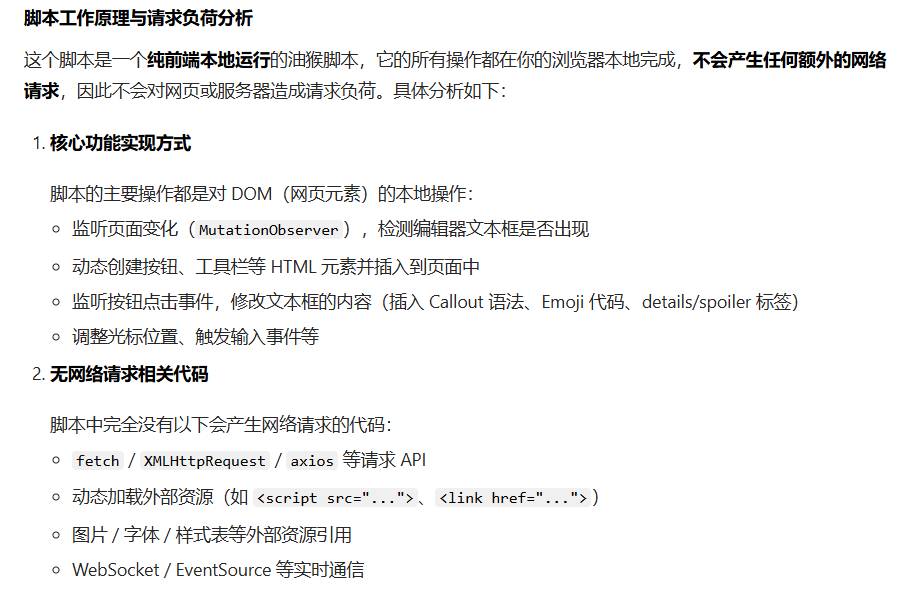
规矩我懂的~可不能对始皇192G裸金属服务器造成负担

[!danger]-安全性评估~
这样应该安全吧兄弟们!?!?