
CursiveKit
Create pasteable cursive text or export words in 36 handwriting fonts as PNG or SVG, with no sign-up and browser-based conversion.
Visit
About CursiveKit
CursiveKit turns typed words into either Unicode cursive characters for copying into apps or images set in real handwriting fonts. The distinction matters: copied characters remain text, while image exports suit invitations, logos, cards, and print. The browser tool is free to use without an account and supports up to 2,000 characters.
For a social bio or chat, use Copy text and enable the “Pastes anywhere” filter to avoid styles that may render as boxes on some devices. For design work, Image offers 36 fonts across signature, classic cursive, everyday handwriting, and bold brush groups. You can adjust size from 48 to 200 px, choose ink color, set a transparent background, and copy or download PNG and SVG. Conversion runs on the user’s device; the product says entered text is not sent to a styling server. Unicode output has practical limits: numbers do not convert, accents stay plain, and some styles may not display consistently.
Features of CursiveKit
- Copy Unicode cursive text or render it as a handwriting-font image.
- Export as PNG or SVG, or copy an image where the browser allows.
- Choose from 36 fonts in four groups; adjust size, color, and transparency.
- Browser-based conversion, no account, and a 2,000-character limit.
Use Cases of CursiveKit
- Add stylized words to social bios, chats, or captions with Copy text.
- Create invitation, card, or print artwork with PNG output.
- Use SVG lettering in design or cutting workflows.
- Compare font groups for a signature, casual note, or bold graphic.
Frequently Asked Questions
Will copied cursive work in every app?
Not always. Some Unicode styles may appear as boxes on older phones or TVs; the “Pastes anywhere” filter selects styles checked against common free fonts.
Can I convert numbers or accented letters?
The Copy text option does not convert numbers, and accents such as é or ñ remain plain. Image output can include accents when the selected font supports them.
Is my text uploaded?
CursiveKit says conversion happens in your browser and the words entered are not sent to a styling server.
Pricing of CursiveKit
Free to use with no sign-up.
Similar to CursiveKit

NarraScout
NarraScout supports script revisions with source-linked evidence, brief checks, and word and timing budgets for creators and writers.

Verla
Verla helps college students create assignments from rubrics, check AI signals, and refine drafts with academic references in view.
Cardify
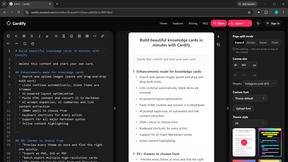
Cardify makes knowledge cards from Markdown, with live theme previews and batch downloads for study, teaching, and sharing.


TypeFire
TypeFire is a shortcut-driven Mac and Chrome toolkit for snippets, searchable clipboard history and Markdown notes kept in your own files.

Riff
Riff is a free Chrome, Brave, and Edge extension for local AI chat and drafting social replies and posts in your own voice.

MD to Text
Strip Markdown to plain text locally in your browser, with file upload and download for developer workflows.

Clever AI Humanizer
Clever AI Humanizer refines AI-assisted copy for tone and clarity, with two styles, three supported languages, and optional text history.