

وەسف
By using Woocommerce infobox rotator, it allows you to add simple info box in wooocommerce Single product page under add to cart , no need to edit theme and woocommerce plugin!
List of Position where you can add your InfoBox
- woocommerce after add to cart form
more comming in next release
Plugin Features
*Quick to set up
*Add info box text ( up to three text)
*Add icon to each text
*change text color and size
*change icon size
*change info box text and icon direction
*change animations (only two animation for now , more to come)
*FontAwesom 5.13.0
Have a look at the plugin’s website.
Got a bug or suggestion?
- Contact author (please DO NOT use this form for support requests)
سکرین شۆتەکان

Setting page. 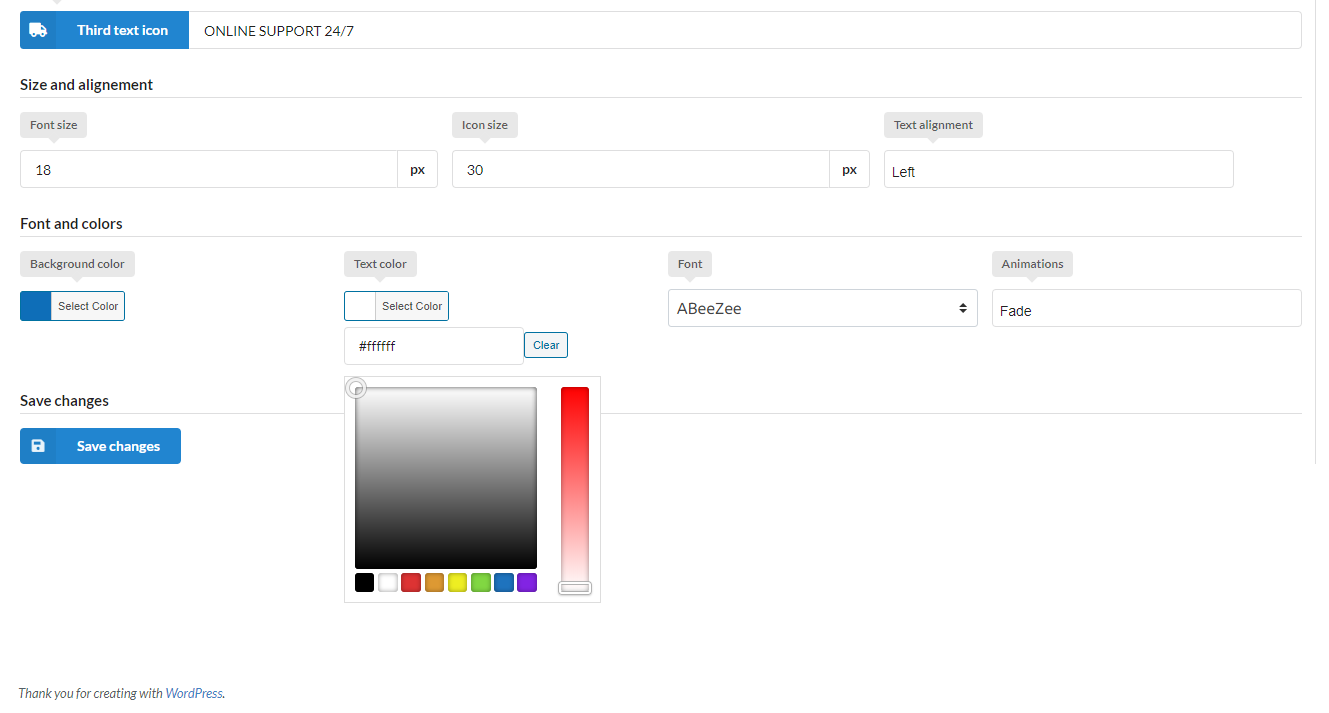
Setting page. 
Position demo.
دامەزراندن
Extract the zip file and just drop the contents in the wp-content/plugins/ directory of your WordPress installation and then activate the Plugin from Plugins page.
After active plugin go to Woocommerce->Info box rotator
پێداچوونەوەکان
هیچ پێداچوونەوەیەک نەنووسراوە بۆ ئەم پێوەکراوە.
بەشداربووان و گەشەپێدەران
“Wpfox Infobox rotator” نەرمەواڵەیەکی سەرچاوە کراوەیە. ئەم کەسانەی خوارەوە بەشدارییان تێدا کردووە.
بەشداربووان
“Wpfox Infobox rotator” وەربگێڕە بۆ زمانەکەی خۆت.
دەتەوێت بەشداربیت لە گەشەپێدان؟
گەڕان لە کۆدەکەدا بکە، سەیری تەمارگەی (SVN) بکە، یان بەشداربە لە ڕووداوتۆماری گەشەپێدان لە ڕێگەی (RSS).
ڕووداوتۆمارگەریی گۆڕین
1.0.1
- Initial release
=1.0.2 =
* Some bug fixes
1.0.3
- Fixed small bugs