
وەسف
WP Settings plugin helps you manage WordPress site by displaying useful site inforamtion such wordpress settings ,database details,installed plugins,and theme. You can generate Database Backup Script which could be used for restoring database and site migration.There are many settings which should be configured properly and WP Settings plugin will help you see all the useful settings from a single location.You can view server settings(such as PHP version),DB details and plugins information such as active & inactive plugins.It helps you identify which tables are heavily used in your WordPress site so you can optimize tables.
Features
-
View WordPress settings such as version and url.
-
MySQL details such as version and database.
-
Generate clean, SQL-compatible database backup scripts for safekeeping or migration.
-
View Server details such as Apache version.
-
View PHP settings.
-
View installed Plugins.
-
Easily manage and export your WordPress settings.
سکرین شۆتەکان

WP Settingsis accessible via settings menu.
Some useful settings 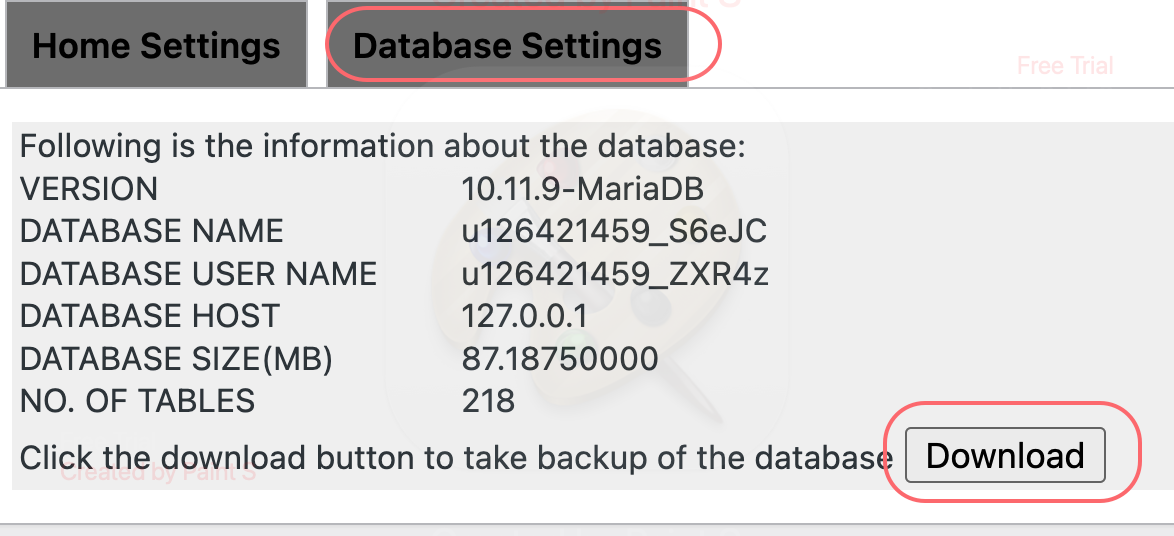
Generate database backup script
دامەزراندن
- Download via Plugins – Add New.You can also download wp-settings.zip and upload it to the
/wp-content/pluginsdirectory - Activate the
WP Settingsplugin. - View different details related to Themes,Php,MySQL in menu
WP Settings - Generate script for creating database backup
پێداچوونەوەکان
هیچ پێداچوونەوەیەک نەنووسراوە بۆ ئەم پێوەکراوە.
بەشداربووان و گەشەپێدەران
“WP Settings:WordPress Settings and Database Backup” نەرمەواڵەیەکی سەرچاوە کراوەیە. ئەم کەسانەی خوارەوە بەشدارییان تێدا کردووە.
بەشداربووان
“WP Settings:WordPress Settings and Database Backup” وەربگێڕە بۆ زمانەکەی خۆت.
دەتەوێت بەشداربیت لە گەشەپێدان؟
گەڕان لە کۆدەکەدا بکە، سەیری تەمارگەی (SVN) بکە، یان بەشداربە لە ڕووداوتۆماری گەشەپێدان لە ڕێگەی (RSS).