
وەسف
Post Status Scheduler allows for scheduling of post status changes, category/tag adding or removing and
removing of postmeta on any given date or time. It can be activated on any post type and shows
up on the post edit screen in the publish section. From version 1.0.0 it has a feature for sending
an email notification to the post author on the scheduled update.
Shortcodes
- [pss_scheduled_time post_id=””] can be used to get the post’s scheduled date and time.
Filters
Scheduled Update:
* post_status_scheduler_before_execution
* post_status_scheduler_after_execution
Email Notification ( version 1.0.0 ):
* post_status_scheduler_email_notification_recipient_email
* post_status_scheduler_email_notification_subject
* post_status_scheduler_email_notification_date
* post_status_scheduler_email_notification_body
سکرین شۆتەکان
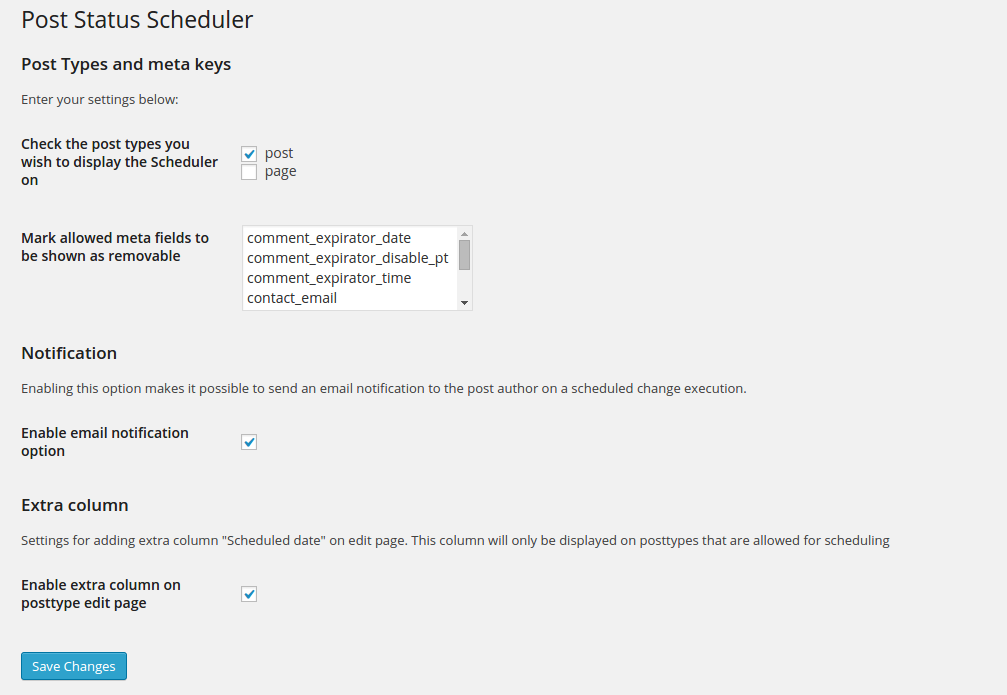
Settings page. 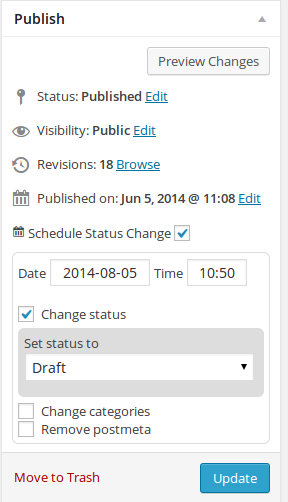
Edit page with no options activated. 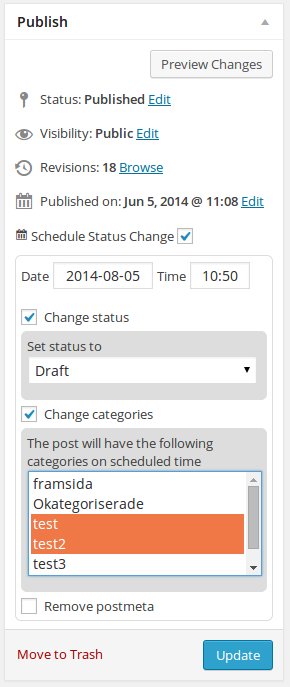
Edit page without post meta option activated. 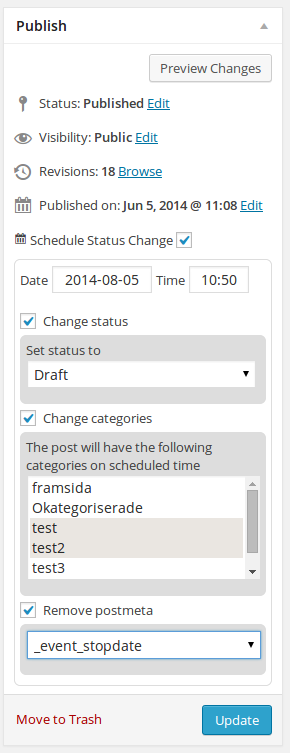
Edit page with post meta option activated. 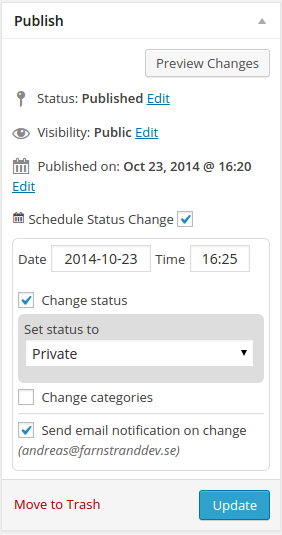
Edit page with email notification option.
دامەزراندن
- Upload
post-status-schedulerfolder to the/wp-content/plugins/directory - Activate the plugin through the ‘Plugins’ menu in WordPress
- Configure the Post Status Scheduler in Settings > Post Status Scheduler menu.
پهد
- Installation Instructions
-
- Upload
post-status-schedulerfolder to the/wp-content/plugins/directory - Activate the plugin through the ‘Plugins’ menu in WordPress
- Configure the Post Status Scheduler in Settings > Post Status Scheduler menu.
- Upload
پێداچوونەوەکان

بەشداربووان و گەشەپێدەران
“Post Status Scheduler” نەرمەواڵەیەکی سەرچاوە کراوەیە. ئەم کەسانەی خوارەوە بەشدارییان تێدا کردووە.
بەشداربووان
“Post Status Scheduler” وەرگێڕدراوە بۆ 1 زمان. سوپاسی وەرگێڕەکان دەکەین بۆ بەشداریکردنیان.
“Post Status Scheduler” وەربگێڕە بۆ زمانەکەی خۆت.
دەتەوێت بەشداربیت لە گەشەپێدان؟
گەڕان لە کۆدەکەدا بکە، سەیری تەمارگەی (SVN) بکە، یان بەشداربە لە ڕووداوتۆماری گەشەپێدان لە ڕێگەی (RSS).
ڕووداوتۆمارگەریی گۆڕین
1.3.1
- Bugfix for language translation.
1.3.0
- New feature to schedule sticky posts or schedule unsticking of post.
1.2.11
- Fixed bug on when creating new posts and no previous post object exists.
- Fix so loading of jquery ui is managed through https.
1.2.9
- Fixed bug where previous scheduled time was not fetched properly
- Fixed bug where if no tag taxonomies where found, tags from other taxonomies where showed in dropdown. This was on custom post types.
1.2.7
- Add option on settings page to show just tags or categories when scheduling.
- Add optgroups for categories and tags in dropdown.
- Fixed bug where email and extra column option where always checked on the first save.
1.0.5
- Bugfix to make the make it possible to chose month even though there are multiple datepickers on the same page.
1.0.4
- Both tags and categories are now changed correctly. Previously tags were changed to their id and not the name.
- Changing categories and tags now work on custom posttypes. There seems to have been a bug here before even though not reported.
1.0.2
- Fixed to use the correct textdomain. Translations should now work correctly.
1.0.1
- Fixed bug where, in settings, you could only choose public post types to show scheduler on (Reported on Github).
1.0.0
- New feature for sending email notification to post author when executing a scheduled update.
- New feature makes it possible to show/remove the “Scheduled date” column on posttype edit page.
- Code cleanup.
0.3.0
- Rewritten plugin to support setting multiple categories on scheduled time. I have tried to make sure that it will still work with previously scheduled changes in previous versions of the plugin.
- A little bit of code clean up and refactoring.
0.2.1
- Added shortcode for getting the date and time for the scheduled post change
0.1.1
- Removed unnecessary assets folder.
0.1
- Initial version