

وەسف
Monetag is a platform for monetization of desktop, mobile web and in-app audiences, remnant ad inventory, and social traffic with access to worldwide advertisers.
At Monetag, we offer a variety of high revenue-oriented tools including MultiTag, OnClick Popunder, Vignette Banners, Push Notification, In-Page Push, Interstitial and SmartLink.
Our official WordPress Plugin offers five top-performing ad formats – Onclick, Vignette banners, Push Notifications, In-Page Push, Interstitials. SmartLinks can be integrated manually.
Monetag plugin enables WordPress site owners to increase revenue from their sites or blogs easily. You can start monetizing your audience in a few easy steps:
- Sign-up for a Publisher account.
- Create an ad zone in your Monetag Publisher account.
- Install & activate the plugin in your WP admin panel (click “connect to Monetag SSP”)
- Click the “Update zone list” button to get the active ad zones from your account.
- If you have more than one ad tag, all your ad zones will be loaded automatically and can be found inside the plugin grouped by ad format type (in the dropdown menu).
- Select the zones you want to enable from the list, tick the checkbox “Allow ads on all pages” and then click the “Save Changes” button. Don’t forget – you need to choose the zone for each ad format you want to use on your website.
If you have any questions or need support, please contact us by email
[email protected]
WHY MONETAG?
Monetag is the favorite monetization platform for publishers worldwide and there are many reasons for this:
There are many reasons to earn easily with us:
- Worldwide coverage (100% of your traffic can be monetized)
- Clean & safe ads. All ads are manually moderated 24/7. No virus, malware, or obscene content
- No Advanced Code-Editing Skills Required
- Solutions for mobile web SDK & APK
- A wide range of integration methods (API, XML, Smartlink)
- We provide you with an Adblock bypass solution
- The easiest payouts in the industry (minimum withdrawal $5)
As a Monetag publisher, you can make money not only from your website, but also from your mobile apps, online games, widgets, social groups, software, or just sending any other kind of traffic.
Choose from a wide range of ad formats to find a balance between high revenues and protecting your users’ experience.
Onclick Ads (Popunder) – a monetization powerhouse and one of our top-performing ad formats in terms of revenue. These full-tab ads are user-initiated and appear in the new browser tab, allowing you to monetize every visitor. It is fully compatible with banners & AdSense.
Vignette banners – a remarkably effective native banner that includes a small header and description, plus “Close” and CTA buttons. This format shows exceptional performance on every platform & OS
Push Notifications – exclusive monetization solutions suitable for any website. User-friendly and fully compliant with Google Adsense. These browser notifications take completely no space on your website, bring instant per-subscription revenue (CPS), and perfectly complement other ad formats.
With In-Page Push, you can monetize traffic from any GEO, device, or platform, including iOS and Mac OS. In-Page Push ads are displayed exactly when the user is browsing the site, which means they will 100% see it.
Interstitial – fast-loading, skippable ad units displayed before or after specific website pages. These ads are perfect for additional monetization as they can be easily customized and offer high CTR.
SmartLink – monetize any traffic type with special URLs designed to take visitors to the most relevant offers automatically. The best solution for paid (pop), redirect, 404 traffic, toolbar, expired domains, etc.
سکرین شۆتەکان

Easily integrate & manage your site monetization solutions from WordPress dashboard. 
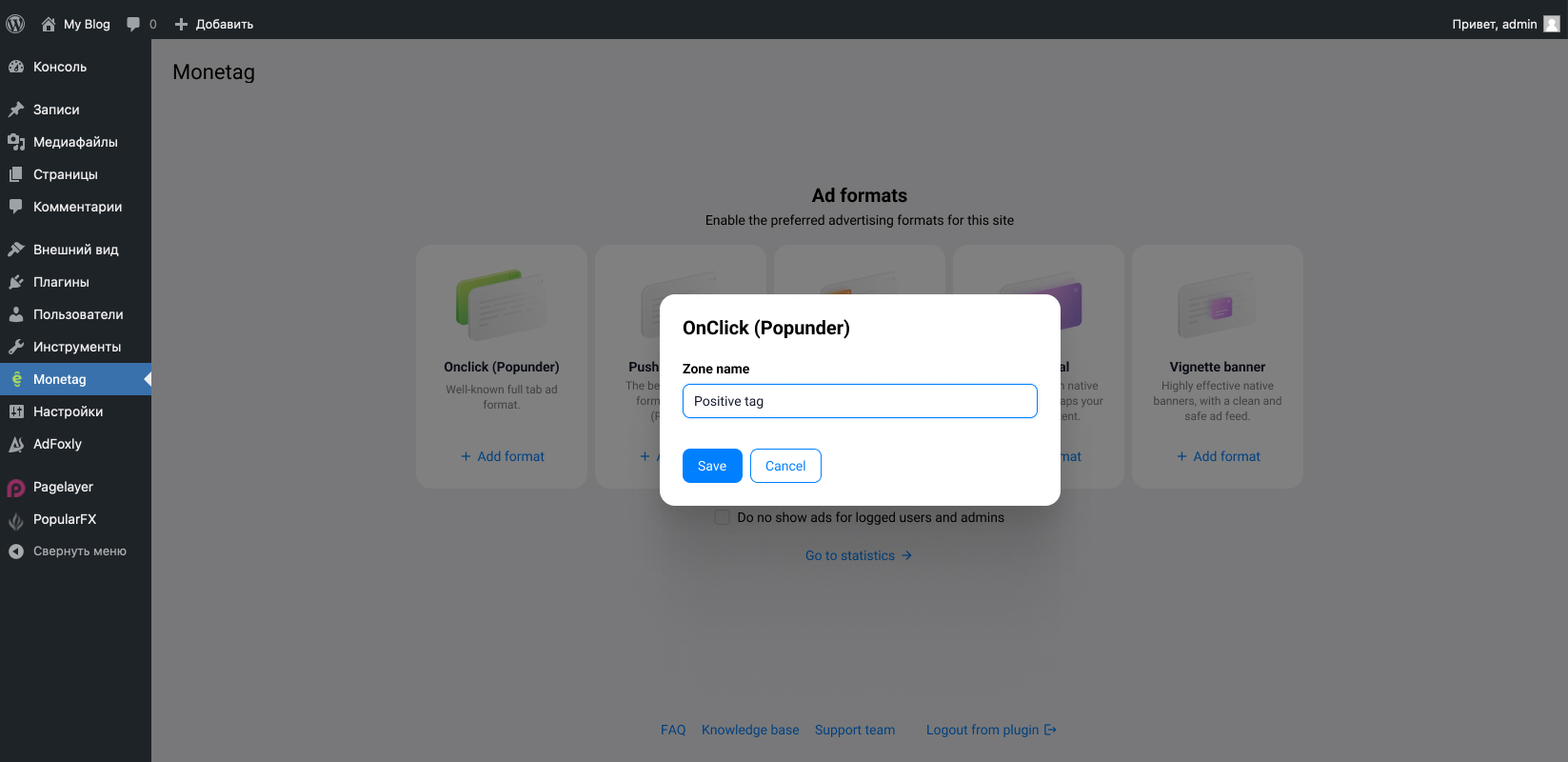


دامەزراندن
- Sign up for a Publisher account.
- Create an ad zone in your Monetag account.
- Install & Sign up. Activate the plugin in your WP admin panel (click “connect to Monetag SSP”).
- If you have more than one ad tag, all your ad zones will be loaded automatically and can be found inside the plugin grouped by ad format type (in the dropdown menu).
- Select the zones you want to enable from the list, tick the checkbox “Allow ads on all pages” and then click the “Save Changes” button. Don’t forget – you need to choose the zone for each ad format you want to use on your website.
If you have any questions or need support, please contact us by email [email protected]
پهد
-
Where can I find my Zone ID?
-
Find your Zone IDs, log in to your publisher account, click on Sites, and choose a website you want to display ads for. Zone IDs are located in the column “ID.” If you don’t have Ad Zones yet, create them by clicking the “Add Zone” button.
-
What are your traffic and website requirements?
-
With a few rare exceptions, we accept all sites regardless of traffic volume. However, we do not accept websites containing adult content, malware, or any other content that violates our Terms and Conditions.
-
How to earn more with us?
-
Revenue depends on your site traffic, its amount, and its quality. Some of the most important factors are audience GEOs, the share of mobile visitors, traffic sources, the number of page views per visitor, etc.
Increase your traffic, try different ad formats, and you can be sure to get the best CPM rates in the industry.
Also, try our Referral Program. All you need to do to enjoy some extra income is refer all your friends, and automatically get 5% of their profit.
More insights about extra monetization with Monetag you can find in our official blog.
پێداچوونەوەکان


بەشداربووان و گەشەپێدەران
“Monetag Official Plugin” نەرمەواڵەیەکی سەرچاوە کراوەیە. ئەم کەسانەی خوارەوە بەشدارییان تێدا کردووە.
بەشداربووان

“Monetag Official Plugin” وەربگێڕە بۆ زمانەکەی خۆت.
دەتەوێت بەشداربیت لە گەشەپێدان؟
گەڕان لە کۆدەکەدا بکە، سەیری تەمارگەی (SVN) بکە، یان بەشداربە لە ڕووداوتۆماری گەشەپێدان لە ڕێگەی (RSS).
ڕووداوتۆمارگەریی گۆڕین
1.1.3
- Minor enhancements to ensure compatibility with future updates
1.1.2
- Fix session closing before making any HTTP requests
1.1.1
- Site verification improvements
1.1.0
- Fix site verification via plugin
- Implement plugin uninstall options cleanup
- Refactoring plugin specified options
- Fix footer links
1.0.6
- Fix
verificationscreen behavior
1.0.4
- Add
Check verificationbutton on verification page
1.0.3
- Fix. Add missing verification page
1.0.2
- Fix
README.txt. Add banners and screenshots
1.0.1
- Update
README.txt
1.0.0
- First release