

설명
A widget that allows your site to call in the RSS feeds from jpost.com (The Jerusalem Post)
스크린샷
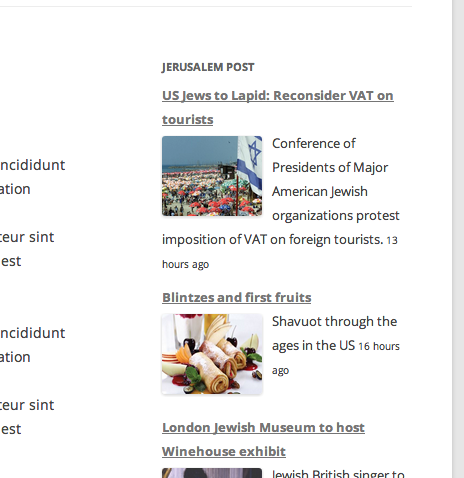
Just a sample of what the feed looks like in the 2012 Theme 
This shows you the widget on the backend
설치
- Unzip and upload the plugin into the plugins directory and then activate it.
- Go to the Widgets and drag the jPost bar into a sidebar.
- Make sure you put the Foursquare Feed’s URL.
- Add some CSS to you liking.
FAQ
- Why did you write this plugin?
-
I had a client that needed the feed to show up on their site. I am in no way employed or even involved with The Jerusalem Post. Nor did they ask me to write this plugin.
- Why does the feed have duplicate entries?
-
That is a good question. All my plugin does is get the feed and displays it, the front page RSS feed has duplicate content sometimes because some articles will appear on home page in multiple sections.
- Why do some of the posts dated in the future?
-
Again, good question. jpost.com’s timestamps from the feed are often off, and it isn’t a simple timezone issue. Israel is 6 or 7 hours ahead of me, and I have seen timestamps that are 24 hours ahead of the real time. Maybe they schedule new posts in the future on the site and they don’t have a filter on the RSS feed and it calls in future posts. :/
후기
이 플러그인에 대한 평가가 없습니다.
기여자 & 개발자

변경이력
1.0.1
- Adds UL tags for more correct CSS
1.0.0
- 초기 릴리즈