

설명
NO RECOMENDADO, Andreani hoy esta pidiendo minimo 300 envios mensuales para darte credenciales REST API. Por lo tanto recomendamos OCA o Correo Argentino. Con este plugin vas a poder obtener costos de envio para WooCommerce utilizando la API publica de Andreani.
Instalacion
- Install the WooCommerce Andreani Shipping – Plugin.
- Activate the plugin.
- Go to the WooCommerce Settings Page.
- Access Shipping Tab.
- Select “Shipping Zones” and Add Andreani.
- Check the Enable/Disable Checkbox.
- Enter the settings that you would like you to use.
- Enter the dimensions of the products, (Andreani uses this to determine suitability of products).
Future Plans
Nothing yet.
스크린샷

backend setup. 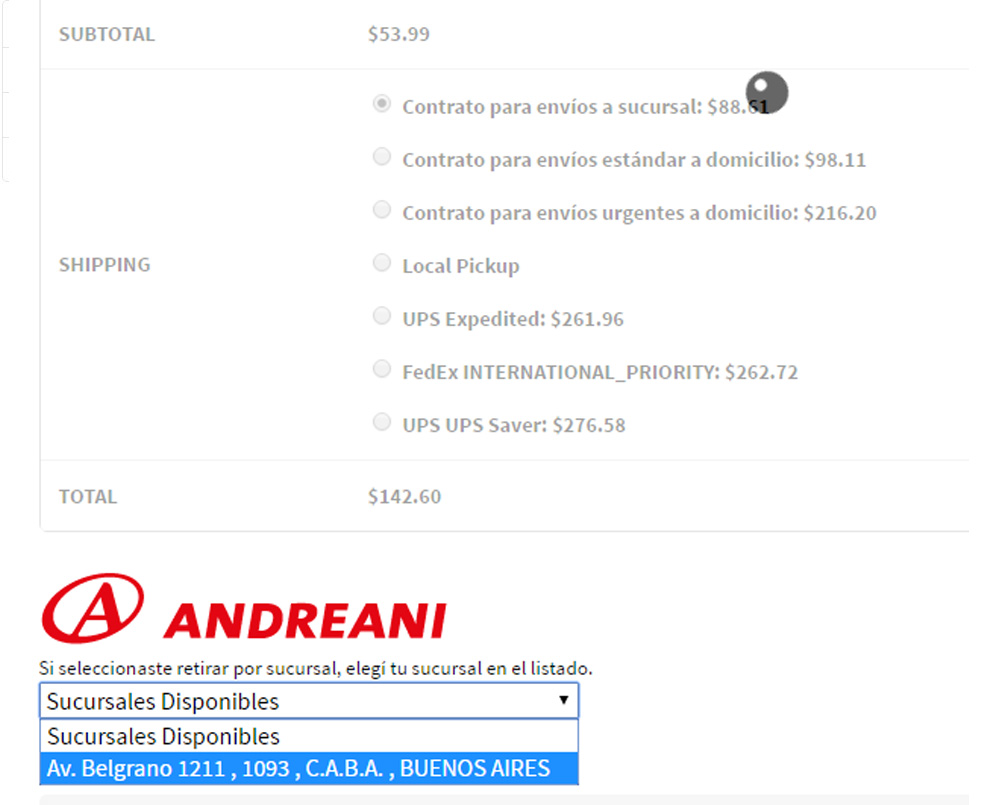
rates at cart
FAQ
Q. –
A. –
-
0.1
-
- Initial Commit
-
2.0.204
-
- COMPATIBILIDAD CON WOO 7.6
-
2.0.2
-
- COMPATIBILIDAD CON WOO 5.9
-
2.0.1
-
- COMPATIBILIDAD CON WOO 5.6
- COMPATIBILIDAD CON MODALIDAD REST (SOAP va a quedar deprecado) para credenciales que terminen “_gla” adquirir plugin premium
-
2.0
-
- COMPATIBILIDAD CON WOO 5.1
- COMPATIBILIDAD CON MODALIDAD REST (SOAP va a quedar deprecado)
후기

2024년 2월 20일
Funciona muy bien! El plugin no funcionaba porque tenía las credenciales incorrectas y de soporte supieron decirme al instante cual era la solución.

2023년 5월 19일
Funciona excelente, y excelente atención del servicio técnico!

2022년 10월 26일
Funciona OK! El plugin no funcionaba correctamente al instalarlo, pero el soporte técnico respondió súper rápido y eficiente!

2022년 4월 5일
El plugin devuelve costos de envio de forma correcta. Para generar etiquetas la version premium funciona sin problemas.

2020년 10월 6일
No aclaran que hay que tener más de 250 envíos en andreani con una misma cuenta para poder utilizar el plugin, consultas a wanderlust y no te responden. Super pedantes, no lo recomiendo

2020년 3월 17일
El plugin anda perfecto, es fácil de usar y el programador esta muy atento al soporte
Gracias!
기여자 & 개발자
“Wanderlust – Integración para Andreani y WooCommerce”(은)는 오픈 소스 소프트웨어입니다. 다음의 사람들이 이 플러그인에 기여하였습니다.
기여자