

설명
The #1 Plugin to Customize the WordPress Dashboard!
Ultimate Dashboard allows you to create a custom WordPress dashboard for you and your clients.
Replace the default WordPress dashboard widgets with your own and give the WordPress dashboard a more meaningful use.
Ultimate Dashboard is a clean & lightweight plugin that was made to optimize the user experience for clients inside the WordPress admin area.
Customize the WordPress Dashboard today!
❌ Remove dashboard widgets
Remove all or individual default WordPress widgets with just a click.
➕ Create your own widgets
Create icon, text & HTML widgets to create a customized client dashboard and send your customer to the key areas of their website – or anywhere else!
🎨 Login Customizer
White label the WordPress login area. Completely customize the WordPress login screen & apply your own branding with the power & live-preview capabilities of the WordPress customizer.
️ Login Redirect
The Login Redirect featur allows you to change the WordPress login URL, hide the /wp-admin/ URL for non logged-in users and redirect users after login on a per-role basis.
🖌️ Add Custom CSS
- Add custom CSS to only the WordPress dashboard
- Add custom CSS to the entire WordPress admin area
- Add custom CSS to the WordPress login screen with a live preview inside the WordPress customizer
📋 Create Custom Admin Pages
Create custom Top-Level & Sub-Menu pages using HTML, CSS or the default WordPress WISIWYG Editor and add them anywhere to the WordPress admin menu.
✨ More Features
- Change the WordPress welcome panel content
- Change the WordPress “Howdy” text
- Set a custom WordPress dashboard headline
- Remove WordPress admin bar for specific user roles
- Remove “Help” tab
- Remove “Screen Options” tab
- Customize the WordPress footer & version text
- Export/import dashboard widgets & settings
For even more features, check out Ultimate Dashboard PRO.
🏆 Ultimate Dashboard PRO
- Remove 3rd party widgets
- Restrict dashboard widgets & admin pages to specific users or user roles
- Fully white label & rebrand WordPress
- Advanced Login Customizer features
- Create Custom Admin Pages with Elementor, Beaver Builder & Brizy
- Create video widgets
- Create contact form widgets
- WordPress multisite support
- Dark Mode
- Admin Menu Editor
- Admin Bar Editor
Learn more about Ultimate Dashboard PRO
What’s next?
If you like Ultimate Dashboard, make sure to check out our other products:
- Page Builder Framework – A fast & minimalistic WordPress theme designed for the new WordPress era.
- Better Admin Bar – The plugin to make your clients enjoy WordPress. It replaces the default admin bar to provide the best possible user experience when editing & navigating a website.
스크린샷

Icon Widget Dashboard 
Text & Icon Widget with Tooltips 
Login Customizer – Example 1 
Login Customizer – Example 2 
White Label Settings 
Custom Admin Page 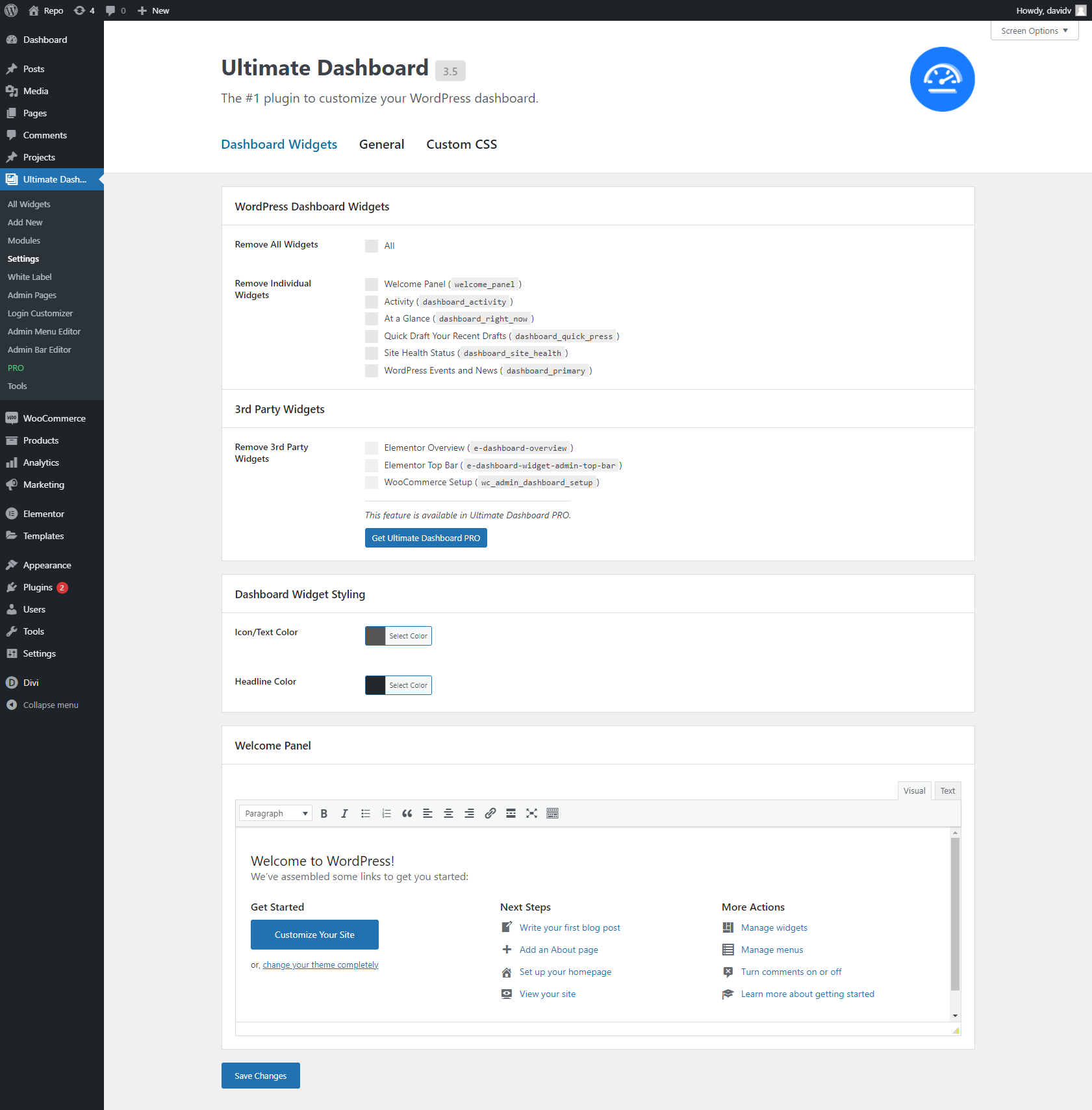
Widget Settings 
Login Redirect Settings 
General Settings 
Custom CSS Settings 
Modules Screen
설치
- Download the ultimate-dashboard.zip file to your computer.
- Unzip the file.
- Upload the
ultimate-dashboardfolder to your/wp-content/plugins/directory. - Activate the plugin through the Plugins menu in WordPress.
To access the settings page navigate to Settings > Ultimate Dashboard through your WordPress menu.
To create new Dashboard Widgets, navigate to Dashboard > Dashboard Widgets through wour WordPress menu.
FAQ
-
Does this plugin work on my WordPress multisite installation?
-
For multisite support & more check out Ultimate Dashboard PRO
후기


기여자 & 개발자
“Ultimate Dashboard – Custom WordPress Dashboard”(은)는 오픈 소스 소프트웨어입니다. 다음의 사람들이 이 플러그인에 기여하였습니다.
기여자
변경이력
3.8.12 | November 08, 2025
- Update BFCM deal details
3.8.11 | October 30, 2025
- Fixed: Backwards compatibility with Ultimate Dashboard PRO
3.8.10 | October 27, 2025
- Fixed: Removed a MailerLite API key that was mistakenly included in the plugin package
- Fixed: PHP notice in WordPress 6.7 related to early translation loading — text domains are now loaded at the proper hook
- Improved: Added additional data sanitization and proper output escaping throughout the plugin
3.8.9 | June 05, 2025
- Tweak: Allow shortcode in HTML widget
- Tested up to WordPress 6.8
3.8.8 | March 15, 2025
- Fixed: Issue where relative path URLs were broken in icon widgets
- Fixed: Security vulnerability (CVE-2025-2276) that allowed users with limited capabilities to enable/disable modules via AJAX
- Fixed: Security vulnerability that allowed users with limited capabilities to access AJAX across modules
3.8.7 | March 12, 2025
- Fixed: Issue where links weren’t saved in text widgets
3.8.6 | March 3, 2025
- Fixed: XSS vulnerabilities in the edit widget and edit admin page screens
- Tweak: Additional security enhancements
3.8.5 | November 22, 2024
- Fixed: BFCM notice wasn’t dismissible
3.8.4 | November 15, 2024
- Tested up to WordPress 6.7
- Fixed: Issue where custom login page logo won’t show after the release of WordPress 6.7
3.8.3 | September 30, 2024
- New: Onboarding Wizard
- New: Hide admin bar for specific user roles
3.8.2 | August 14, 2024
- Tested up to WordPress 6.6
3.8.1 | July 24, 2024
- Fixed: Fatal error in the WordPress admin area if “Howdy”-text was changed due to recent WordPress core update (6.1.1)
3.8 | June 19, 2024
- New: Dark Mode (PRO)
- New: Move sub-menu items across top-level menu items in the Admin Menu Editor (PRO)
- Tweak: Overall improvements to the Admin Menu Editor (PRO)
- Tweak: Overall UI/UX improvements
- Fixed: Performance issues related to the Admin Menu Editor
3.7.14 | May 10, 2024
- Tested up to WordPress 6.5
3.7.13 | January 09, 2024
- Fixed: “Add New” text in the WordPress admin menu for adding new widgets & admin pages
3.7.12 | December 30, 2023
- Fixed: Minor security issue
3.7.11 | December 11, 2023
- Fixed: Minor security issue
3.7.10 | November 22, 2023
- Fixed: Bug where BFCM notice was not dismissible
3.7.9 | November 22, 2023
- Update BFCM deal details
3.7.8 | November 07, 2023
- Minor security tweaks
3.7.7 | August 27, 2023
- Tested up to WordPress 6.3
3.7.6 | May 21, 2023
- Tweak: Minor security fix
3.7.5 | May 11, 2023
- Tweak: Improve export/import functionality
- Tweak: Allow source tag in HTML widget
- Fixed: Fatal error with Google SiteKit
3.7.4 | February 07, 2023
- Tweak: Updated logo
3.7.3 | January 30, 2023
- Tweak: Wording
3.7.2 | December 05, 2022
- Fixed: Issue with password protected pages & login redirect feature
3.7.1.5 | October 04, 2022
- Minor tweaks & improvements
3.7.1.4 | July 20, 2022
- Tweak: Wording
3.7.1.3 | July 19, 2022
- Tweak: Open link in a new tab
3.7.1.2 | July 16, 2022
- Fixed: Wording
3.7.1.1 | July 1, 2022
- Minor tweaks
3.7.1 | July 1, 2022
- New: Field to replace the block editor logo (Ultimate Dashboard PRO)
3.7 | June 15, 2022
- New: Improved Login Customizer with features such as Background Image, Background Overlay, Form Box Shadow, etc.
- Fixed: Issues when configuring Admin Menu Editor for specific users
3.6.3 | May 13, 2022
- Tweak: Further improved Admin Menu Editor functionality
3.6.2 | May 10, 2022
- Fixed: Some menu items didn’t appear in the Admin Menu Editor (for instance Yoast SEO)
- Fixed: Admin Menu Editor & Admin Bar Editor are not responsive
3.6.1 | May 04, 2022
- Tweak: Changed plugin header information, updated images & footer links
- Fixed: Some sub-menu items won’t loade in the Admin Menu Editor, for instance in the WooCommerce Analytics section. If you still don’t see certain menu or sub-menu items appear, please try resetting the Admin Menu Editor for all or specific user roles.
3.6 | April 25, 2022
- New: Allow rendering shortcodes in the WordPress welcome panel
- New: Allow rendering shortcodes in the Ultimate Dashboard widget titles
- New: Refactored import/export functionality to allow for more granular control when exporting settings
- New: Placeholder tags to display information dynamically in widgets & welcome panel
- Tweak: Rewrite URL’s when exporting & importing settings to a different WordPress install
- Fixed: PHP Warning: Undefined array key “path” (https://wordpress.org/support/topic/php-message-php-warning-undefined-array-key-path/)
- Fixed: Build Admin Menu Editor only when a specific role is clicked instead of loading them all at once (in a row). This was causing performance issues & was interpreted as a security issue by some installs.
- Fixed: Reliability & accuracy of the Admin Menu Editor has been improved
3.5.3 | March 02, 2022
- New: Added support for WordPress’ new language switcher on login screen
- Updated description
3.5.2 | February 03, 2022
- Tested up to 5.9
- Tweak: Updated texts
- Fixed: Fatal error in WordPress’ tools section
- Fixed: Content of Custom CSS fields on settings page appear empty until clicked
3.5.1 | November 11, 2021
- Tweak: Updated admin notice
3.5 | August 16, 2021
- New: Change WordPress’ Howdy text
- New: Change WordPress login URL
- New: Redirect yoursite.com/wp-admin/ for non logged-in users
- New: Login Redirect feature
- Tweak: Show review notice only to admins
- Tweak: New tabbed layout on Settings page
- Fixed: Some 3rd party menu items did not appear in the Admin Menu Editor
- Fixed: Some 3rd party menu items did not appear in the Admin Bar Editor
- Fixed: Only load FontAwesome in the WordPress admin if an admin page exists
- Fixed: Settings link on the plugin screen links to non-existent page
- Fixed: Remove data on uninstall on multisite installations
3.4.1 | July 26, 2021
- Fixed: Welcome panel cannot be removed
3.4 | June 22, 2021
- New: Advanced White Label settings
3.3.4 | June 8, 2021
- New: WordPress admin body classes (udb-user-{nicename}, udb-role-{current-user-role})
- New: Settings to change the WordPress welcome panel
3.3.3 | June 1, 2021
- New: Remember Users/Roles tab when saving in Admin Menu Editor (PRO)
- Other minor tweaks & improvements
3.3.2 | May 22, 2021
- New: Add separators to your admin menu with the Admin Menu Editor (PRO)
- Tweak: Remove Theme Options tab from custom Admin Pages
- Fixed: Some sub menu items can’t be removed with the Admin Menu Editor (PRO)
- Fixed: Conflict with 3rd party plugins where not all roles were loaded in the Admin Menu Editor (PRO)
- Fixed: On multisites, all menu items are shown no matter what role is selected (PRO)
3.3.1 | May 18, 2021
- New: TablePress support for Admin Menu Editor (PRO)
- New: Admin notice that kindly asks you to leave a review
- Tweak: Pave the way to implement Brizy support for Custom Admin Pages (PRO)
3.3 | April 13, 2021
- New: Admin Bar Editor (PRO)
- New: Add custom CSS to the WordPress login screen
- Fixed: Cannot redeclare retrieve_password (Fatal error)
- Fixed: Export/import issue with user roles (dashboard widgets & admin pages)
- Fixed: Export/import functionality for “Modules” were missing
- Fixed: All widgets were active/inactive after import, even though if they were active/inactive on the original website
3.2.1 | March 04, 2021
- Fixed: Module switcher no longer working
3.2 | March 04, 2021
- New: Improved & cleaned up admin & settings page design
- New: Admin Menu Editor – Change the admin menu for specific user roles (PRO)
- New: Admin Menu Editor – Add custom menu items to the WordPress admin menu (PRO)
- Tweak: Admin Menu Editor – Changed sub menu name from Admin Menu to Admin Menu Editor to be more precise
- Fixed: Widget & admin page user roles are not imported properly (PRO)
- Fixed: Login Customizer – Border color styling
- Fixed: Admin Menu Editor – Rare case where the admin menu was broken after using the Admin Menu Editor feature (PRO)
- Fixed: Login Customizer – Box-width setting doesn’t work (PRO)
3.1.3 | December 20, 2020
- Tweak: Improved “Modules” feature
- Tweak: Improved “Login Customizer” CSS output
- Fixed: Admin email verification screen styling
3.1.2 | December 09, 2020
- Fixed: Wrong plugin dir for PRO plugin updater
3.1.1 | December 09, 2020
- Fixed: Broken plugin updater in PRO add-on
3.1 | December 09, 2020
- WordPress 5.6 compatibility
- New: Modules screen to turn on/off features
- Tweak: Updated & improved settings page UI
3.0 | October 27, 2020
- Rewritten the plugin from the ground up
- New: Enable/disable widgets on the “All Widgets” screen
- New: Updated to FontAwesome 5
- New: Improved icon picker
- Fixed: Admin Pages export/import functionality
- Other tweaks & improvements
2.8.3 | August 11, 2020
- Fixed: WordPress 5.5 compatibility
2.8.1 | March 4, 2020
- Fixed: CSS sanitization
2.8 | March 4, 2020
- New: Create admin pages & sub-pages
- Minor tweaks & improvements
2.7.2 | April 17, 2020
- New: Use {home_url} inside login customizer logo URL to dynamically fetch the site URL
- New: Filter (udb_login_customizer) to disable the Login Customizer feature entirely
- New: Filter (udb_login_logo) to change the login logo image. That will allow you to change the logo without having to upload it to your or your clients website
- Minor tweaks & improvements
- Fixed: HTML widget wouldn’t save
2.7.1 | April 4, 2020
- Tweak: We found a better way to implement the login customizer feature and were able to remove the auto-generated page.
2.7 | April 1, 2020
- New: Login Customizer
- New: Widget Color Settings
- New: Change Footer & Version Text
- New: HTML Widget
- New: Added support for Health Status widget
- Fixed: contextual_help_list deprecated notice
- Fixed: Long tooltips overlap icon widgets
2.6 | February 18, 2020
- New: Change dashboard headline
- New: Add custom admin CSS
- New: Remove “Help” tab
- New: Remove “Screen Options” tab
- New: Remove admin bar from the frontend
2.5.1 | January 3, 2020
- Fixed: Text decoration issue
2.5 | September 27, 2019
- Maintenance Release
2.4 | April 30, 2019
- New: Text Widgets
- New: Tooltips for Icon Widgets
- New: Import/Export Widgets & Settings
- New: Custom Dashboard CSS field
- New: Improved UX/UI
2.3.1 | January 28, 2019
- Tweak: cleaned up codebase
- Fixed: internationalization
2.3 | November 30, 2018
- Tweak: set required PHP version to 5.6
- Tweak: tested up to 5.0
- Tweak: highlighted pro link
- Fixed: internationalization
2.2 | August 1, 2018
- Tweak: Updated Settings Page UI
- Tweak: Updated Links & Descriptions under Widgets -> PRO
2.1.1 | 05/31/2018
- Fixed: Number of Dashboard Widgets is limited by the “Reading” settings under Appearance -> Reading
2.1 | 03/18/2018
- Maintenance release
- Added: Action Link
- Tweak: save deactivated dashboard widgets in a single array
- Fixed: wrong hook used to remove dashboard widgets
2.0.1 | 11-17-2017
- Minor Tweaks & Improvements
2.0 | 11-14-2017
- Rewritten the plugin from ground up
- Ultimate Dashboard now has its own, top-level menu in the WordPress Dashboard
- Tweak: metabox styling
- Tweak: embedded font-awesome instead of loading it from an external source
- Tweak: removed roboto as default font
- Tweak: minor security tweaks
1.3.1 | 10-28-2016
- Updated: Plugin Header & options page sidebar
1.3 | 10-06-2016
- Added: filter/search functionality for dashboard icons (Dashicons & Font-Awesome)
1.2.1 | 08-21-2016
- Fixed: The Plugin Generated xxx Characters of Unexpected Output During Activation message
1.2 | 08-21-2016
- Removed: Ultimate Dashboard PRO notification
- Added: Sidebar to Ultimate Dashboard options page
- Added: Custom Post Type columns (icon, link target)
- Tweak: Default plugin language is now english
- Added: German translation
1.1 | 07-20-2016
- Removed the limit of 5 dashboard widgets
1.0.3 | 07-07-2016
- Added: all WordPress Dashicons
- Tweak: new font for Dashboard Widgets (Roboto)
- Tweak: Added an accordion to sort icon groups
1.0.2 | 07-05-2016
- Moved the Ultimate Dashboard CPT from the main menu to Dashboard > Dashboard Widgets
- Added better descriptions while creating a Dashboard Widget for absolute and relative urls
1.0.1
Removed a bug that only allowed to create 1 Dashboard Widget.
1.0
Initial Release