
설명
tinyFeedback help you collect feedback in a manner that in unobtrusive and flexible for your visitors, while still having many powerful, configurable features.
When activated on your website, a tab is inserted with a short message and two options, positive and negative. When the user selects either option, the counter value for the corresponding page is increased. If the negative option is selected, a lightbox form appears querying the visitor for more information.
Optionally, a cookie can be set so that the visitor will not see the same request again after leaving feedback.
All texts displayed can be configured through the administration panel, and there are several visual appearances (styles) to choose from.
In addition to the above, tinyFeedback offers functionality to bind the activity to Google Analytics event tracking, and filter the form input through Akismet to avoid spam. For the advanced user, the CSS- and jQuery-injection can be disabled and performed manually instead, for optimization purposes.
For more information and a live demonstration, please visit the plugin homepage.
스크린샷
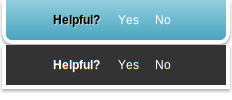
The two currently available feedback tabs; normally placed to the left edge of the screen. 
The default negative feedback form. 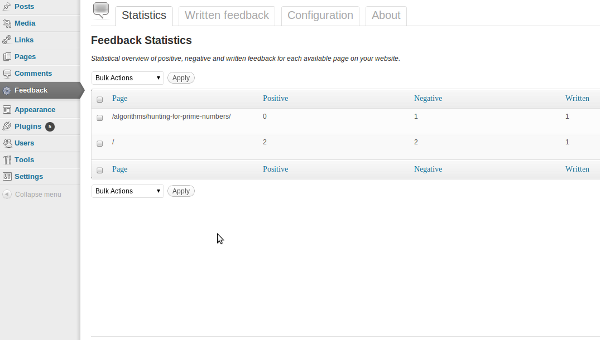
Statistics overview in administration panel. 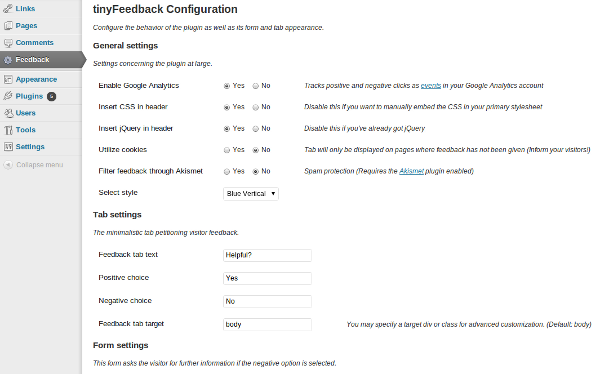
tinyFeedback configuration options.
설치
Installing tinyFeedback is very easy. All you need to do is:
- Upload the tinyFeedback directory to
/wp-content/plugins/ - Activate the plugin through the ‘Plugins’ menu in the WordPress administration
- Go to the ‘Feedback’ menu option and configure the plugin to your liking
후기
이 플러그인에 대한 평가가 없습니다.
기여자 & 개발자

변경이력
1.5
- Added error-handling on installation
- Implemented database versioning and wpDelta – the installation issue should now be properly resolved
- tinyMCE re-implemented WordPress 3.3-style
1.4.1
- Minor update regarding default configuration
1.4
- Apostrophes and quote marks are now correctly handled in text content
- Silent index files added to directories to avoid exposing files on insecure server configurations
- JavaScript- and CSS-files minified
1.3
- Malfunctioning bulk action code corrected
- jQuery option removed; wp_enqueue_script handles the inclusion
- Installed database tables are now removed on plugin uninstall
- A dark style has been added
1.2
- TinyMCE corrected – No longer breaks wpdialogs in WP 3.2.1
1.1
- Installation bug remedied – Name mismatch
1.0
- First release