
설명
Synoptic Stream is a plugin that automatically forwards newly published WordPress posts to your Synoptic stream. It uses the Synoptic API to send post data to your stream whenever a new post is published on your WordPress site.
Features
- Forwards new WordPress posts to Synoptic streams
- Configurable API key and stream ID
- Activity log to track forwarded posts
Requirements
- WordPress 5.0 or higher
- PHP 7.2 or higher
- Active Synoptic account with API access
Configuration
After installation, you need to configure the plugin with your Synoptic API credentials:
- Get your Synoptic API key (UUIDv4 format) from your Synoptic account
- Find your Synoptic stream ID (ULID format) from the stream URL on Synoptic
- Enter these values in the plugin settings page
External Services
This plugin connects to the Synoptic API to forward your WordPress posts to your Synoptic streams.
Data Transmission
The following data is sent to the Synoptic API (https://api.synoptic.com/graphql) when a post is published:
* Post title
* Post excerpt
* Post permalink
This data is sent only when a new post is published or when an existing post is updated to published status, and only if you have configured your API key and stream ID.
Terms of Service and Privacy
The Synoptic service is provided by Synoptic, Inc:
* Terms of Service: https://synoptic.com/terms
* Privacy Policy: https://synoptic.com/policy
스크린샷

The plugin settings page where you configure your Synoptic API credentials. 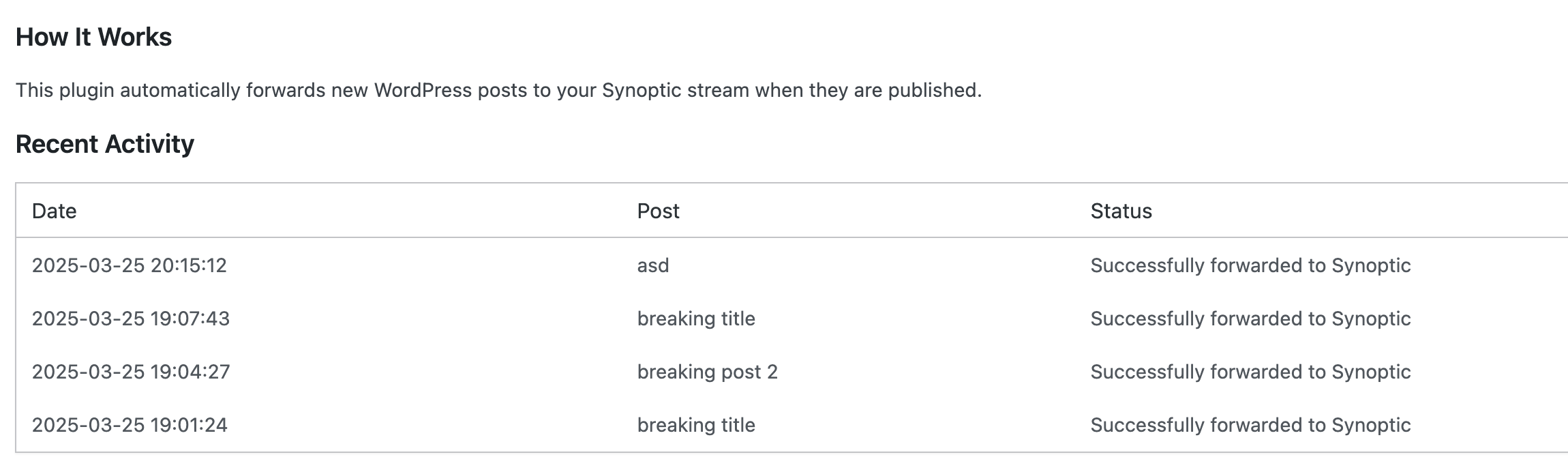
Activity log showing recent post forwarding history.
설치
- Upload the
synoptic-stream.zipfile to the/wp-content/plugins/directory or navigate to Plugins > Add New Plugin > Upload Plugin and select thesynoptic-stream.zipfile - Activate the plugin through the ‘Plugins’ menu in WordPress
- Go to the “Synoptic Stream” menu item and configure your Synoptic API key and stream ID
FAQ
-
How does the plugin work?
-
When a new WordPress post is published, the plugin:
1. Detects the new post publication event
2. Formats the post title, excerpt, and link into a structured message
3. Sends this data to the Synoptic API using the Synoptic API endpoint
4. Logs the result in the activity log -
Can I customize the format of the forwarded content?
-
The current version sends a standard format with the post title, excerpt, and link. Future versions may include customization options.
-
Does it work with custom post types?
-
The current version only forwards standard WordPress posts. Support for custom post types may be added in future releases.
후기
이 플러그인에 대한 평가가 없습니다.
기여자 & 개발자

변경이력
0.0.1
- Initial release
0.0.2
- Fixes issue with post_excerpt being send instead of post_content
0.0.3
- Add markdown conversion to the post content and small fixes
0.0.4
- Fix newlines formatting in the post content
- Support tags