
설명
This plugin allows content (Slideshows and Story Boards) hosted on Queensberry Workspace to be integrated into your blog.
By importing HTML on the fly from Workspace into a blog post the need for, and limitations of, iFrames is removed.
No configuration is required, and use is as simple as including a short code in your post like this [ws_gallery type=’slideshow’ eventid=’x’ id=’a’] or [ws_gallery type=’storyboard’ eventid=’x’ id=’a’]
When using the Workspace “Blog It” feature these tags will be included automatically in the published post.
Your blog readers will then see a perfectly formatted slide show of all your images hosted in that Collection on Workspace.
WordPress do not normally like plugins that call data from remote sites, so we need to be clear about how this works. Your images are hosted on Queensberry Workspace and this plugin talks to Workspace to request the HTML, CSS and Javascript needed to display your images in a slideshow or story board. This HTML etc is then embedded in your blog post as it is sent to your readers computer.
No code is executed on your blog other than to request the required information and no images are stored on your blog. There is no need to configure the plugin.
스크린샷

This is Queensberry Workspace 
This is an example of how you setup your blog post 
This is an example of a slide show displayed 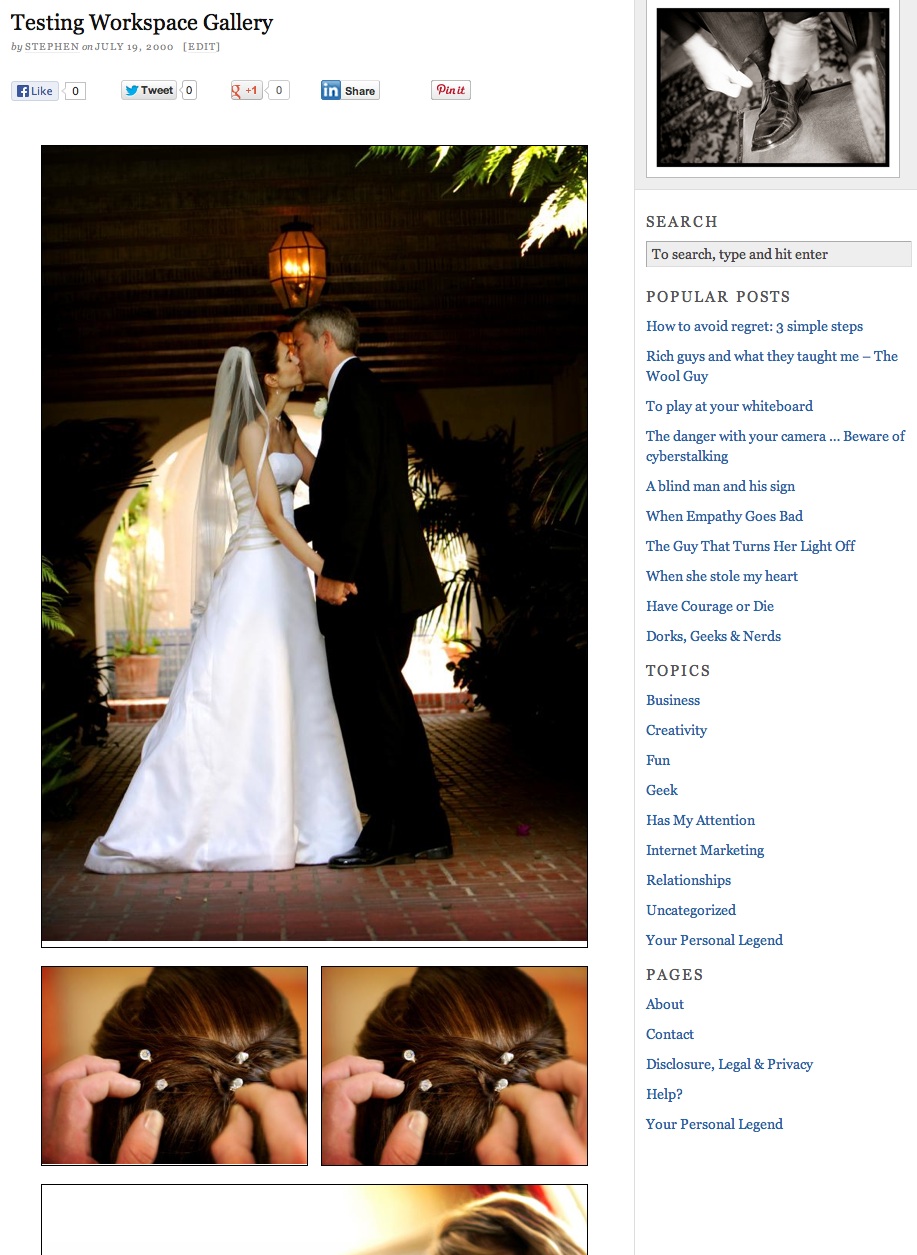
This is an example of a story board displayed
설치
- Upload
plugin-name.phpto the/wp-content/plugins/directory - Activate the plugin through the ‘Plugins’ menu in WordPress
- Place [ws_gallery type=’slideshow’ eventid=’x’ id=’a’] or [ws_gallery type=’storyboard’ eventid=’x’ id=’a’] with the event id and collection or storyboard id updated to the one you want to publish.
FAQ
- Why can’t I find an admin panel for this plugin
-
There is nothing to configure other than the short codes included in the post
- Where can I get support
-
The Queensberry Support Page
- Can I use this plugin with other photo hosting sites or slideshow creation software
-
No, it is only for including your Workspace collections and storyboards in your blog.
- How does this work?
-
WordPress do not normally like plugins that call data from remote sites, so we need to be clear about how this works. Your images are hosted on Queensberry Workspace and this plugin talks to Workspace to request the HTML, CSS and Javascript needed to display your images in a slideshow or story board. This HTML etc is then embedded in your blog post as it is sent to your readers computer.
No code is executed on your blog other than to request the required information and no images are stored on your blog. There is no need to configure the plugin.
후기
이 플러그인에 대한 평가가 없습니다.
기여자 & 개발자
“Queensberry Workspace Blog Interface”(은)는 오픈 소스 소프트웨어입니다. 다음의 사람들이 이 플러그인에 기여하였습니다.
기여자
자국어로 “Queensberry Workspace Blog Interface”(을)를 번역하세요.
개발에 관심이 있으십니까?
변경이력
1.0
This is version one
1.01
Changed URL from Development environment to live.
1.02
Updated readme.txt and screenshots. And removed redundant code. Now uses iframe when curl isn’t installed.