

설명
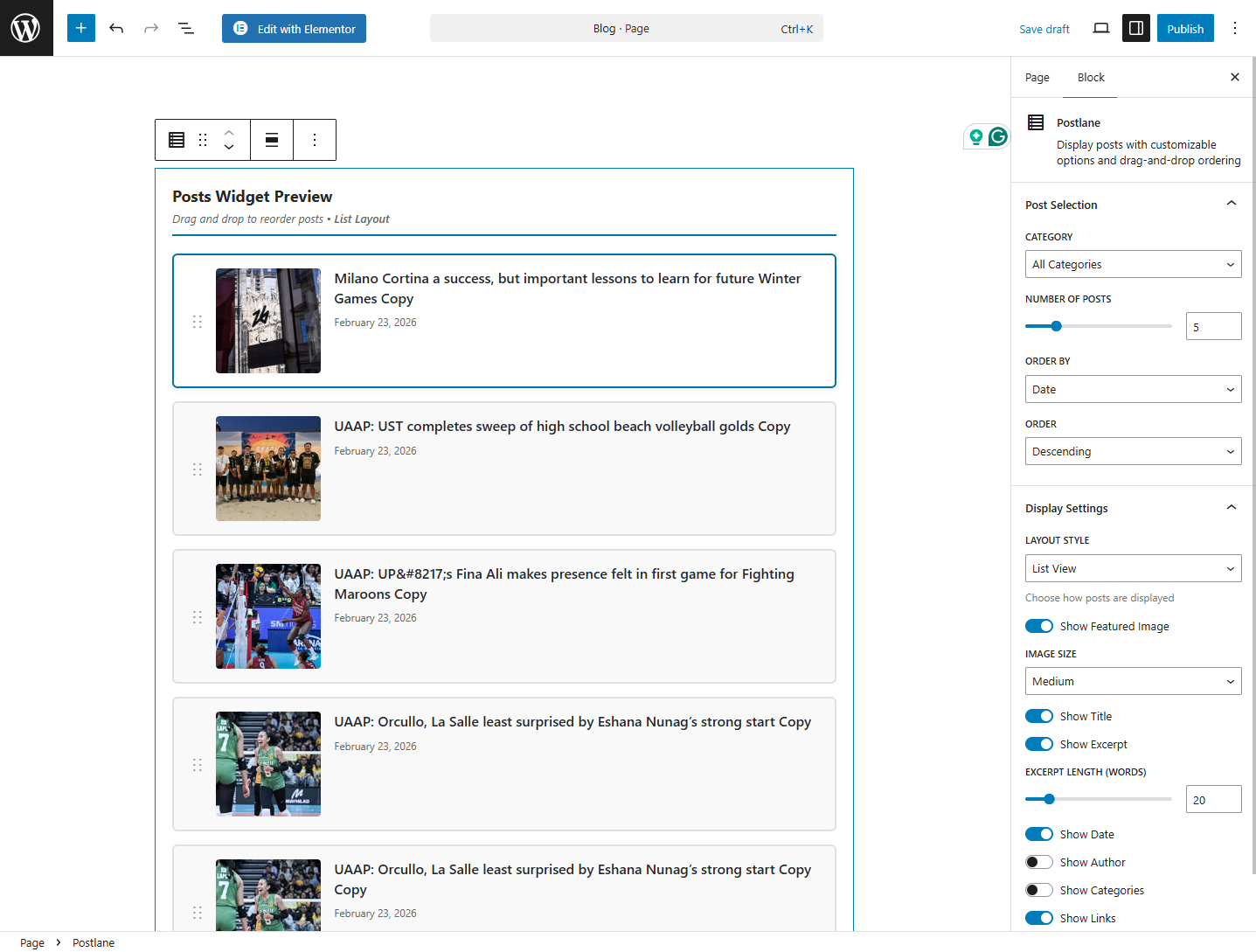
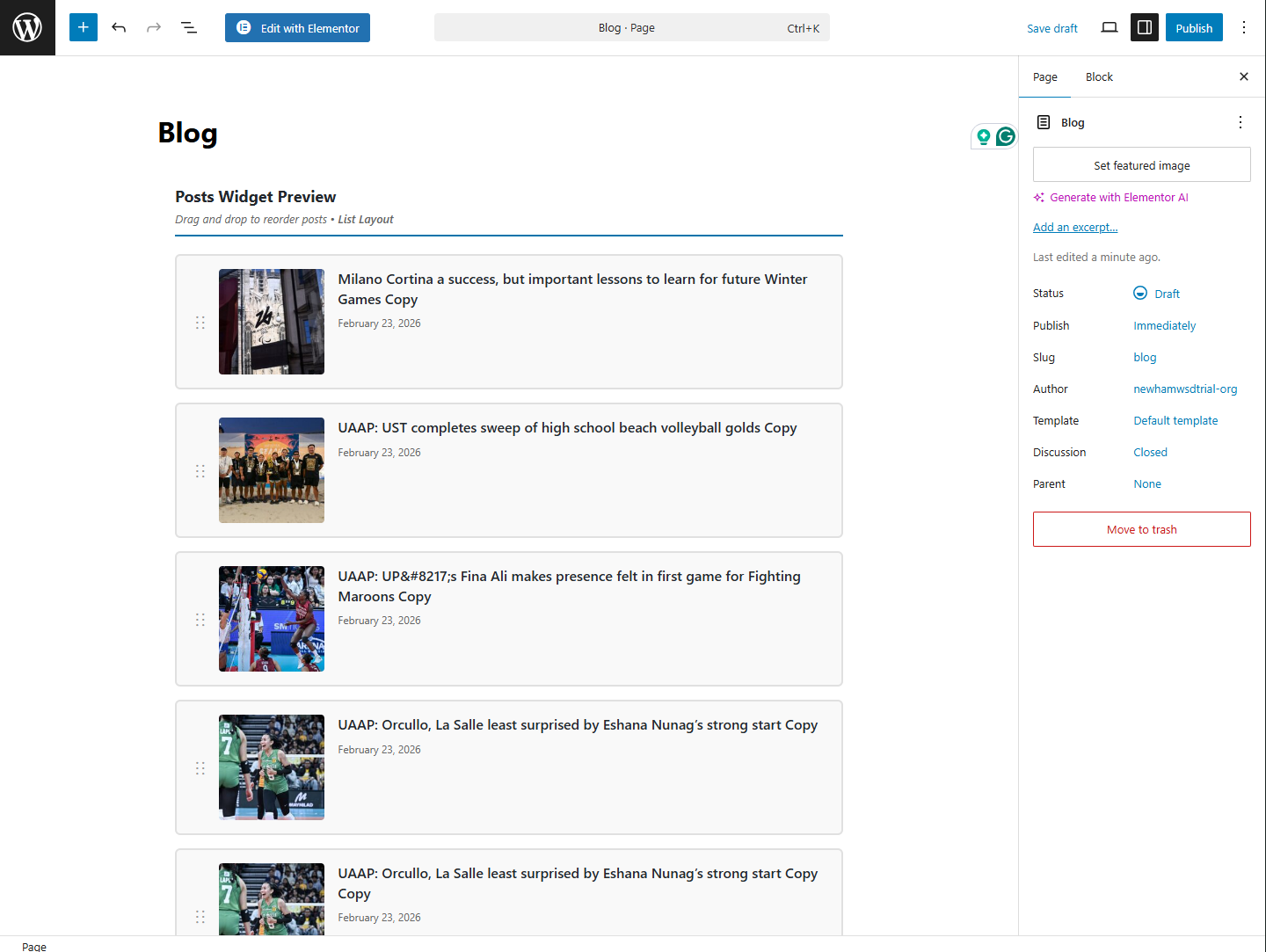
Postlane adds a powerful Gutenberg block that lets you display your WordPress posts anywhere on your site — in a clean list or a responsive grid. You control the layout, the content, and even the order of posts using a simple drag-and-drop interface right inside the editor.
Whether you’re building a blog homepage, a news section, or a portfolio, Postlane gives you everything you need without writing a single line of code.
Key Features
- Grid and List Layouts — Choose between list view or grid view with 2, 3, or 4 columns
- Drag & Drop Reordering — Reorder posts visually in the editor; custom order is saved and shown on the frontend
- Category Filtering — Show posts from a specific category or display all posts
- Post Count Control — Display anywhere from 1 to 20 posts
- Sort Options — Order posts by date, title, or randomly
- Toggle Display Elements — Show or hide featured images, titles, excerpts, dates, authors, and category labels
- Excerpt Length Control — Adjust excerpt word count between 5 and 100 words
- Multiple Image Sizes — Choose from thumbnail, medium, large, or full image sizes
- Fully Responsive — Layouts adapt automatically for desktop, tablet, and mobile
- Lightweight — No jQuery, no external dependencies, minimal resource usage
How It Works
After activating the plugin, open any post or page in the block editor. Search for “Postlane” in the block inserter and add it to your content. Use the sidebar settings panel to configure the layout, filters, and display options. Optionally drag and drop posts in the editor preview to set a custom display order. Save and publish — your post feed is live.
Privacy
Postlane does not collect any personal data, does not set cookies, and makes no external HTTP requests. It is fully compliant with GDPR and similar privacy regulations.
스크린샷



블록
이 플러그인은 1개의 블록을 제공합니다.
- Postlane
설치
Automatic Installation
- Log in to your WordPress admin dashboard
- Go to Plugins > Add New
- Search for Postlane
- Click Install Now, then click Activate
- Open any post or page in the block editor and search for the Postlane block
Manual Installation
- Download the plugin ZIP file
- Go to Plugins > Add New > Upload Plugin in your WordPress dashboard
- Upload the ZIP file and click Install Now
- Click Activate Plugin
Requirements
- WordPress 5.8 or higher
- PHP 7.4 or higher
- A theme that supports the block editor (Gutenberg)
FAQ
-
Does this plugin work with my theme?
-
Yes. Postlane works with any WordPress theme that supports the block editor (WordPress 5.0 and above).
-
Can I display posts from a specific category?
-
Yes. Use the Category dropdown in the block settings panel to filter posts by any category on your site.
-
Can I show multiple Postlane blocks on one page?
-
Yes. You can add as many Postlane blocks as you need on a single page, each with its own settings.
-
Can I manually set the order of posts?
-
Yes. Drag and drop the posts in the editor preview to reorder them. The custom order will be reflected on the frontend. Click “Reset Custom Order” in the block settings to revert to default sorting.
-
Can I control how long the excerpt is?
-
Yes. Use the Excerpt Length slider in the Display Settings panel to set a word count between 5 and 100 words.
-
Does it support custom post types?
-
Currently Postlane supports standard WordPress posts. Support for custom post types is planned for a future release.
-
Is the plugin translation ready?
-
Yes. Postlane is fully internationalized and ready to be translated into any language using standard WordPress translation tools.
-
Where do I report a bug or request a feature?
-
Please use the WordPress.org support forum to report bugs or submit feature requests.
후기

기여자 & 개발자

변경이력
1.0.0
- Initial release
- Grid layout with 2, 3, and 4 column options
- List layout
- Drag and drop post reordering
- Category filtering
- Post count control (1–20 posts)
- Sort by date, title, or random
- Toggle featured images, titles, excerpts, dates, authors, and category labels
- Adjustable excerpt length
- Multiple image size options
- Fully responsive design
- REST API integration for editor preview
- No jQuery dependency