

설명
PistonUI is a powerful all-in-one Elementor addons plugin that gives you 25+ beautifully crafted widgets and tools to build stunning WordPress websites faster. Every widget is lightweight, SEO friendly, and designed for performance. No coding required.
Useful Links
Browse our growing collection of free widgets or upgrade to premium for access to advanced widgets, template management, and pre-built designs. Each widget provides extensive customization options to control every aspect of your design.
Plugin Features
-
Widget Library – 25+ high-quality Elementor widgets covering hero sections, interactive elements, media, content, and WooCommerce.
-
Template Management System – Complete template system with Header, Footer, Popup, Checkout, and Single Post/Product templates with display conditions.
-
WooCommerce Integration – Dedicated WooCommerce widgets for product grids, sliders, masonry layouts, category showcases, and quick cart.
-
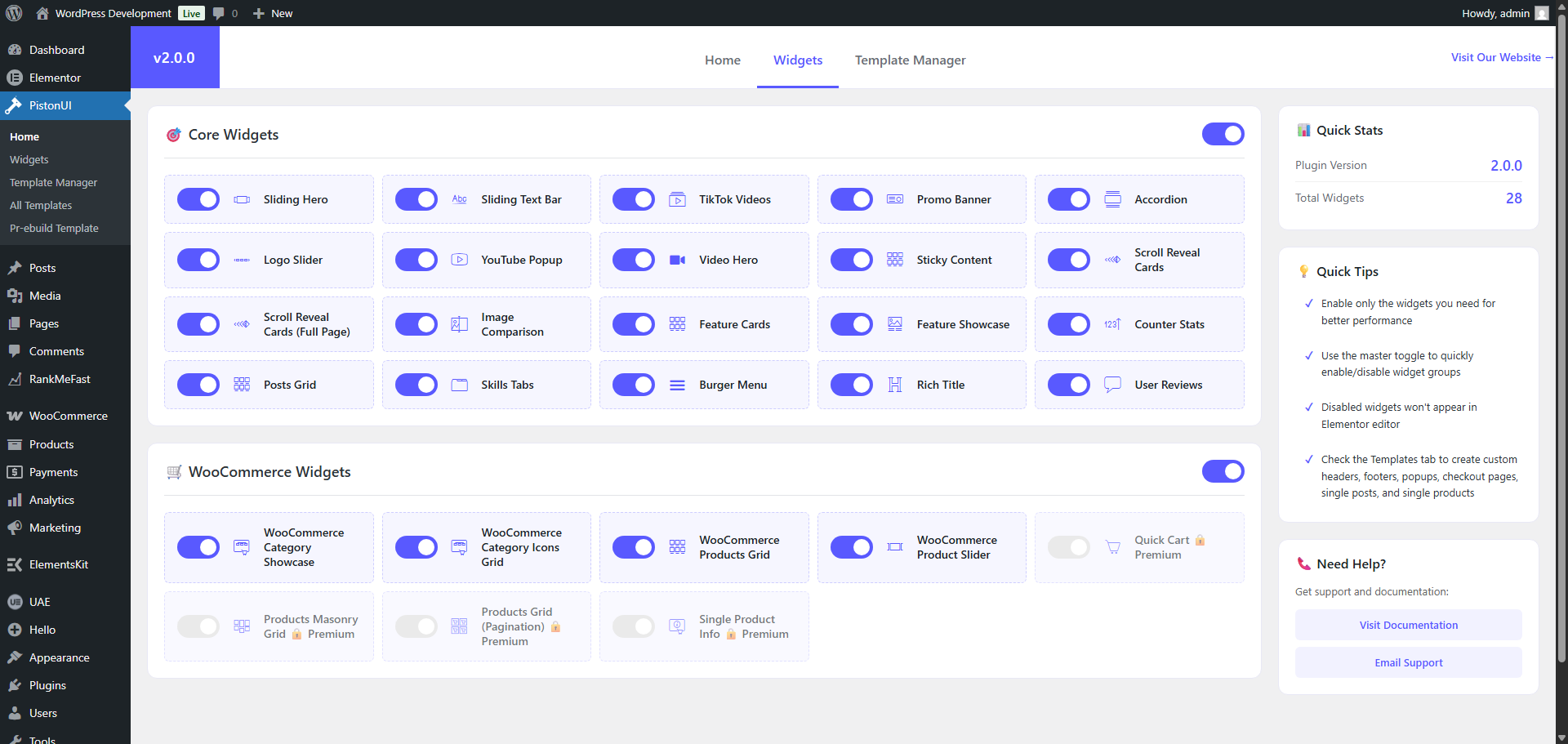
Widget Dashboard – Full control panel to enable/disable individual widgets, manage vendor assets, and optimize performance.
-
Pre-built Templates – Ready-to-use template designs for quick website setup (Premium).
-
Premium Features – Advanced widgets and tools for professional websites with premium activation controls.
Hero & Banner Widgets for Elementor
-
Sliding Hero (Free) – Full-width hero slider with multiple headings, descriptions, CTA buttons, and customizable overlay effects.
-
Video Hero (Free) – Full-width hero section with background video support, image background fallback, and overlay content.
-
Promo Banner (Free) – Eye-catching promotional banners with flexible image positioning and customization options.
Interactive Content Widgets for Elementor
-
Accordion (Free) – Interactive FAQ/accordion with custom icons and smooth CSS-based animations.
-
Sticky Content (Free) – Two-column layout with JavaScript-powered smart sticky behavior and responsive controls.
-
Image Comparison (Free) – Before/after image comparison with draggable handle for visual comparisons.
-
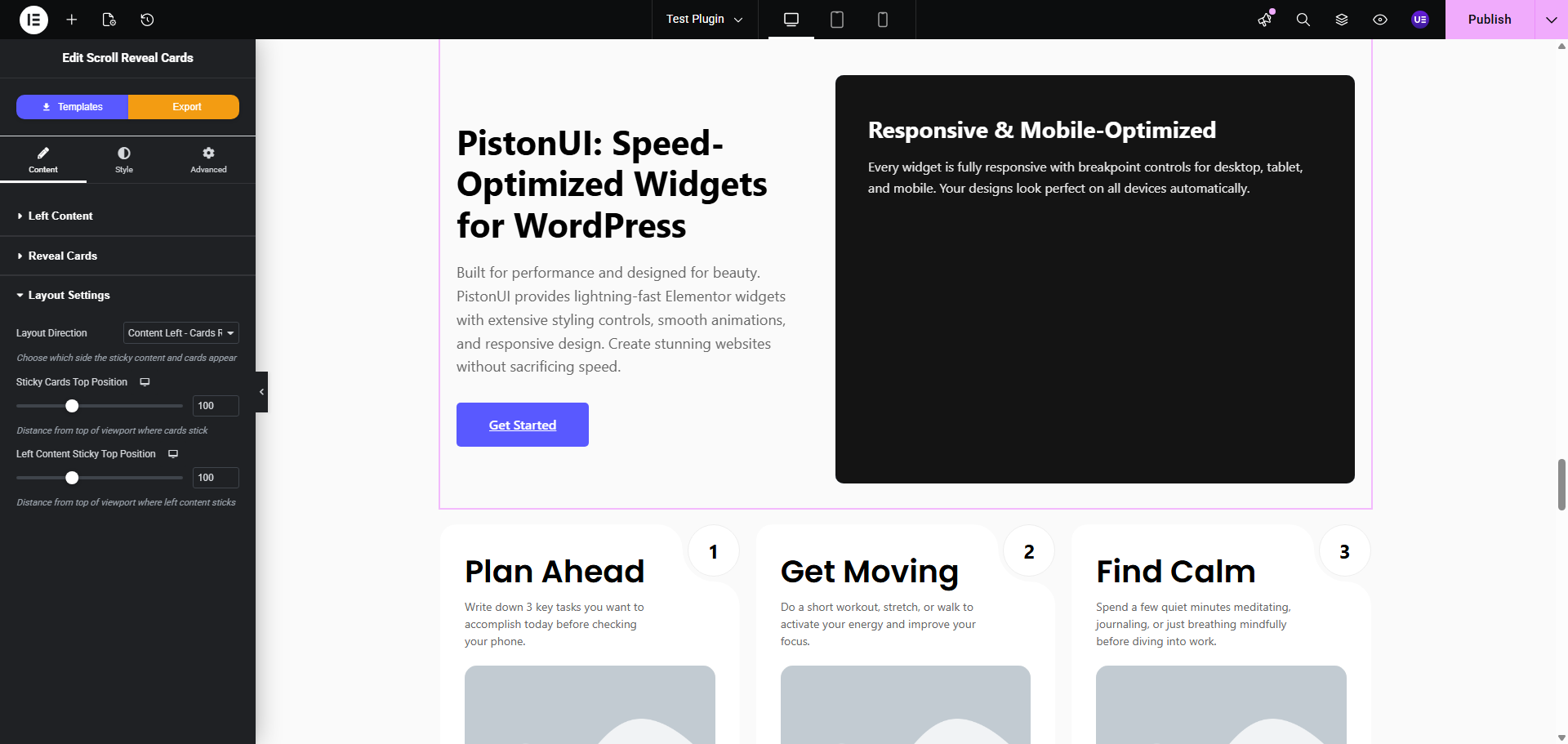
Scroll Reveal Cards (Free) – Cards that animate and reveal on scroll with customizable effects.
-
Full Page Scroll Reveal Cards (Free) – Full-page scroll-triggered card animations with advanced timing controls.
-
Skills Tabs (Free) – Tabbed interface for displaying skills, services, or features with progress bars and descriptions.
-
Rich Title (Free) – Advanced title builder with inline text styling (highlight/underline), images, videos, and line breaks.
-
Feature Showcase (Free) – Left/right image positioning with subtitle, title, description, list items, and CTA button.
-
User Reviews (Free) – Customer testimonials and reviews display with rating stars and flexible layouts.
-
Burger Menu (Free) – Mobile-friendly hamburger menu with WordPress menu integration and smooth animations.
Media & Display Widgets for Elementor
-
TikTok Videos (Free) – Display TikTok videos in a responsive carousel or gallery grid with customizable items per screen size.
-
YouTube Popup (Free) – Play YouTube videos in a lightweight modal with optional thumbnail and ripple animation.
-
Logo Slider (Free) – Responsive carousel for displaying partner/client logos with Owl Carousel integration.
-
Sliding Text Bar (Free) – Animated marquee/ticker with customizable speed, direction, rotation, and full-width options.
Content Display Widgets for Elementor
-
Posts Grid (Free) – Flexible recent posts grid with taxonomy filters and layout controls.
-
Feature Cards (Free) – Showcase features or services in a responsive card grid with icons and descriptions.
-
Counter Stats (Free) – Animated counter statistics with customizable icons, numbers, and labels.
WooCommerce Widgets for Elementor
-
Category Showcase (Free) – Display WooCommerce product categories with custom images, titles, and product counts.
-
Category Icons Grid (Free) – Grid layout for category icons with hover effects and custom styling.
-
Products Grid (Free) – Showcase products in a responsive grid with sorting, filtering, and discount badge options.
-
Products Masonry Grid (Free) – Advanced masonry layout for products with perfect gap control and responsive design.
-
Products Grid Pagination (Free) – Products grid with built-in pagination controls and AJAX loading.
-
Product Slider (Free) – Dynamic product carousel with configurable columns and responsive breakpoints.
-
Quick Cart (Premium) – Hover-activated cart dropdown with AJAX updates and WooCommerce integration.
-
Single Product (Premium) – Enhanced single product display with advanced customization options.
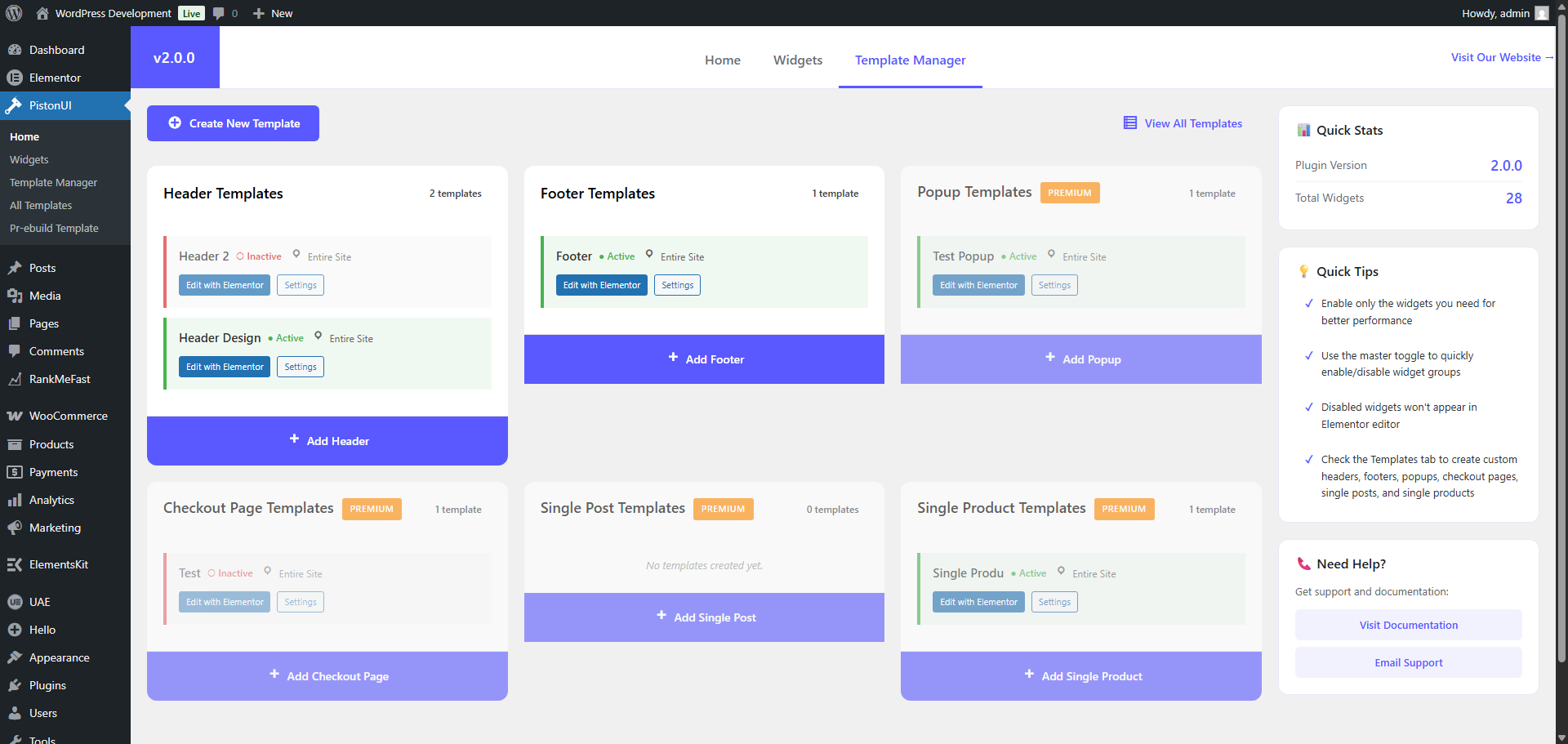
Template Management System
PistonUI includes a complete template management system that lets you design and control every part of your website with Elementor.
- Header Templates – Replace theme headers with custom Elementor designs.
- Footer Templates – Custom footer templates with full theme override.
- Popup Templates (Premium) – Custom popup designs for specific pages.
- Checkout Templates (Premium) – WooCommerce checkout page customization.
- Single Post Templates (Premium) – Custom layouts for individual blog posts.
- Single Product Templates (Premium) – Custom layouts for WooCommerce products.
- Display Conditions – Control where templates appear: entire site, specific pages, posts, categories, homepage, or archive pages.
Why Choose PistonUI?
- Lightweight & Fast – Optimized for performance with on-demand asset loading. No bloat.
- SEO Friendly – Clean, semantic HTML output that search engines love.
- Fully Responsive – Every widget adapts perfectly to desktop, tablet, and mobile.
- Easy to Use – Intuitive Elementor controls with real-time preview. No coding needed.
- Developer Friendly – Namespaced PHP classes, hooks, filters, and WordPress coding standards compliant.
- Widget Dashboard – Enable/disable individual widgets to keep Elementor clean and your site fast.
- Regular Updates – Actively maintained with new widgets and features added regularly.
External Services
TikTok oEmbed
- What: The TikTok Videos widget may request oEmbed data from TikTok to retrieve a video thumbnail.
- When: When a TikTok video is added without a custom thumbnail, at render time the server requests TikTok’s oEmbed endpoint to fetch metadata/thumbnail.
- Data sent: The TikTok video URL you provide in the widget is sent to TikTok’s oEmbed endpoint. The request originates from your server.
- Purpose: To automatically display a thumbnail image for the TikTok link.
- Terms: https://www.tiktok.com/legal/terms-of-service?lang=en
- Privacy: https://www.tiktok.com/legal/page/eea/privacy-policy/en
스크린샷
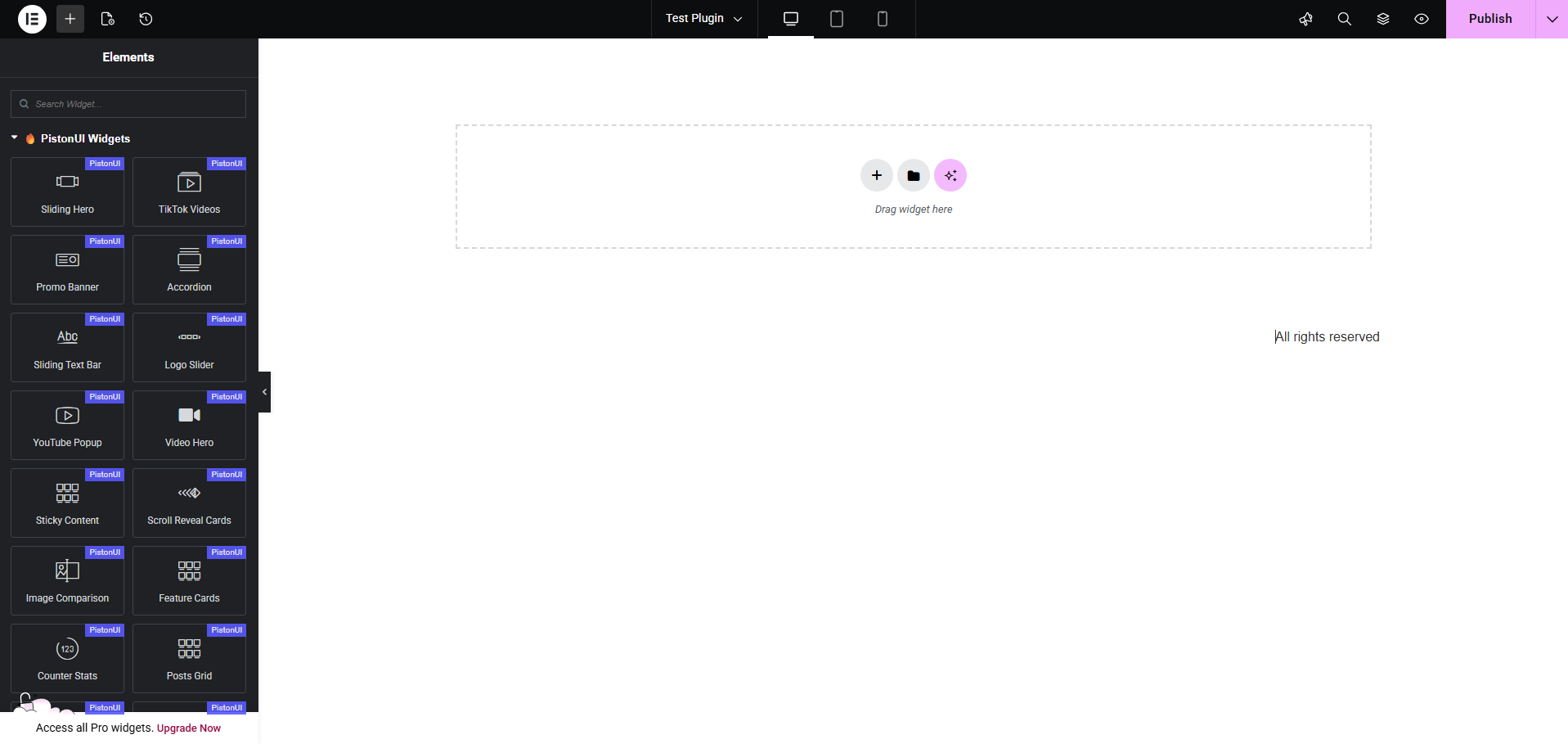
Sliding Hero widget in action 
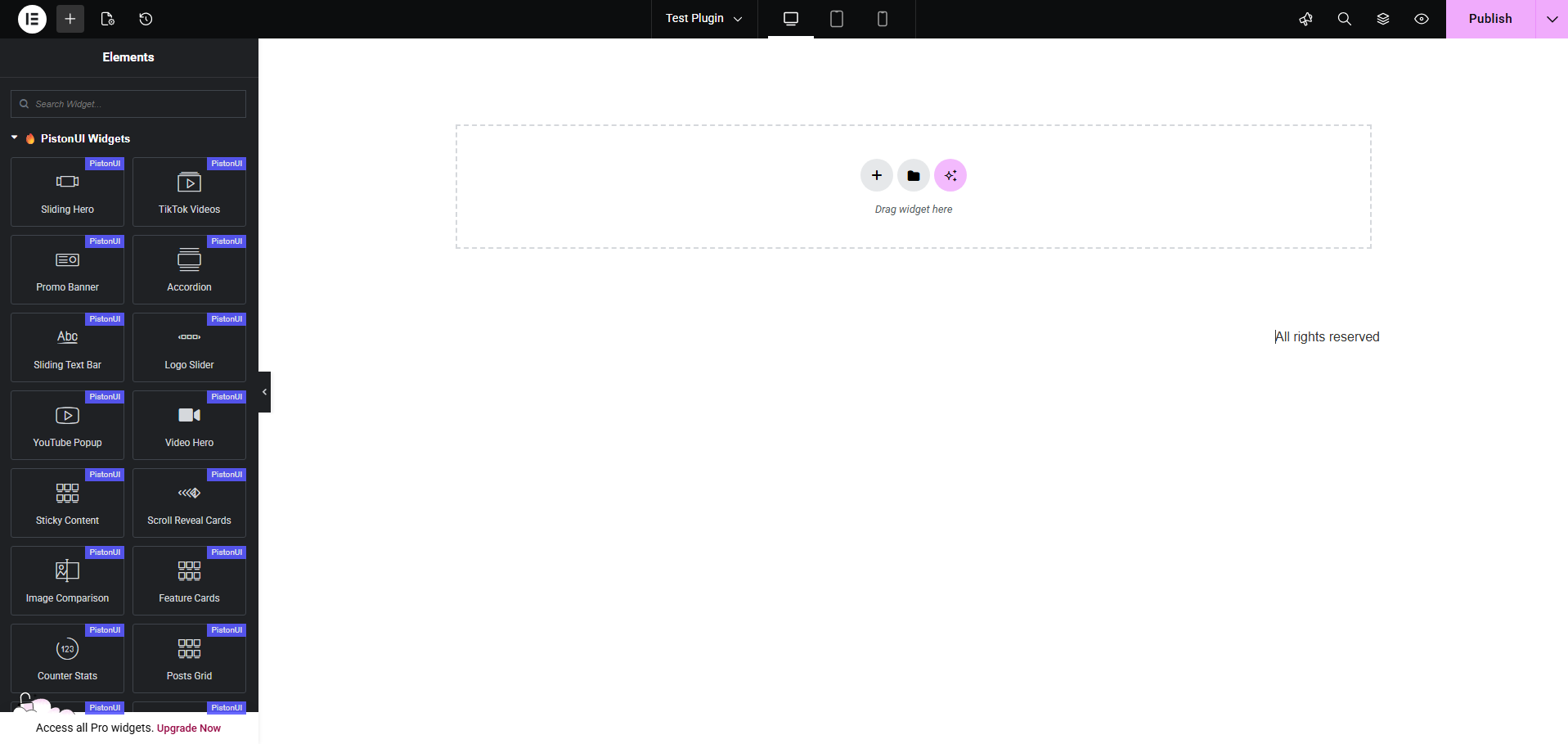
WooCommerce Category Grid 
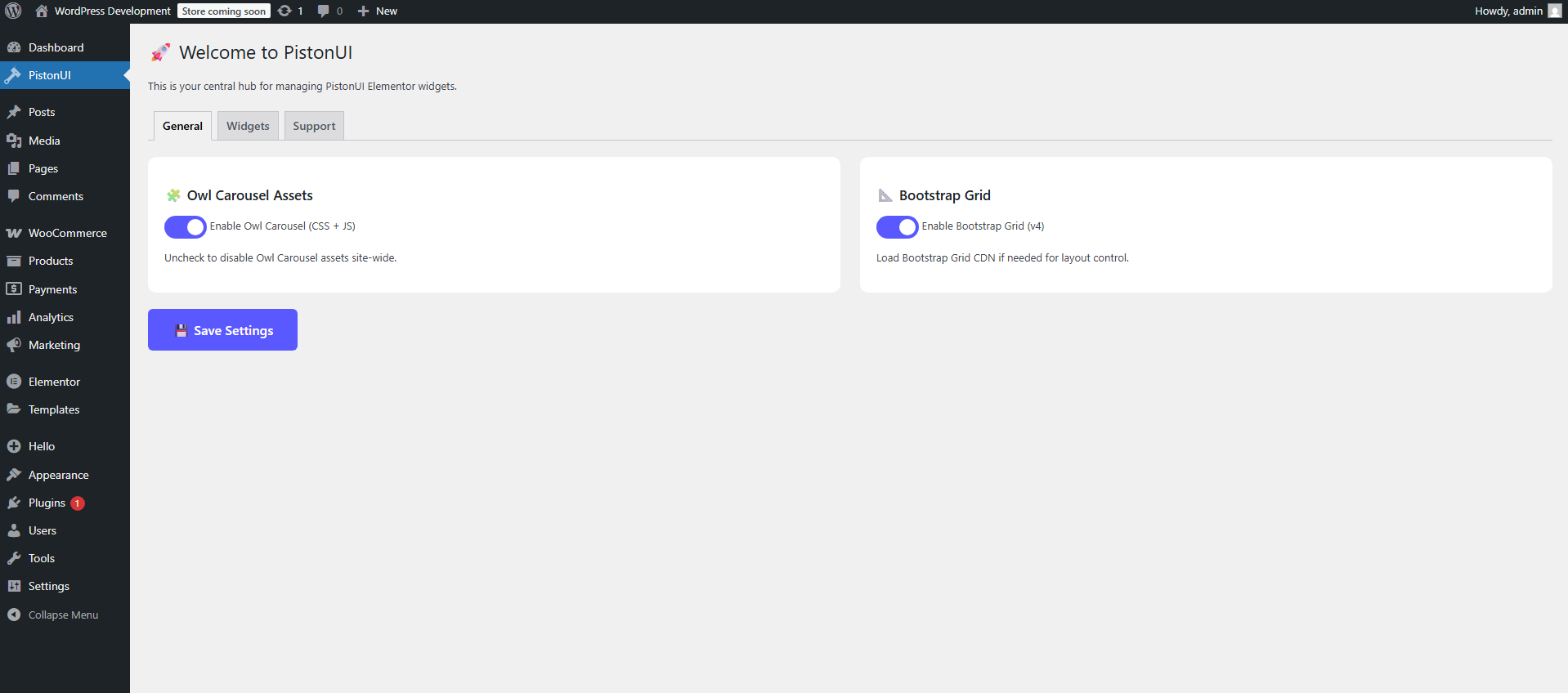
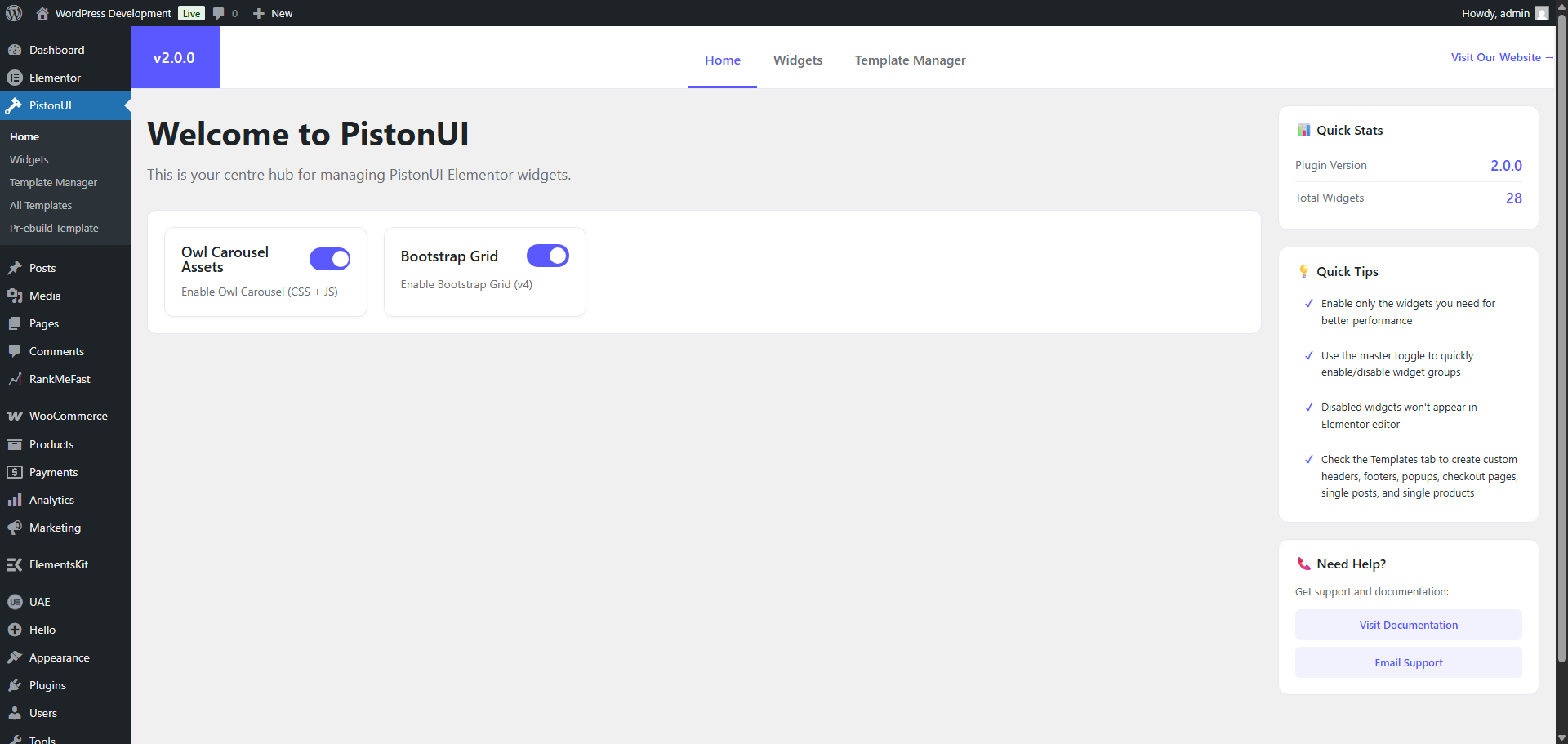
Admin dashboard settings 
설치
Note: This plugin works with Elementor. Make sure you have Elementor installed.
- Upload the plugin folder to the
/wp-content/plugins/pistonuidirectory, or install the plugin through the WordPress plugins screen directly. - Activate the plugin through the ‘Plugins’ screen in WordPress.
- Navigate to PistonUI in the WordPress admin menu to configure widgets and settings.
- Open Elementor and find widgets under the “PistonUI Widgets” category.
For WooCommerce widgets, make sure WooCommerce is installed and activated.
FAQ
-
Can I use the plugin without Elementor?
-
No. PistonUI is an addon for Elementor and requires Elementor to be installed and activated.
-
Does the plugin work with any theme?
-
Yes! PistonUI works with any theme where Elementor works. The template system includes override capabilities for headers and footers across all themes.
-
Do I need Elementor Pro?
-
No, PistonUI works perfectly with Elementor Free. All widgets are fully functional without Elementor Pro.
-
Does it work without WooCommerce?
-
Yes! All core widgets (20+ widgets) work without WooCommerce. WooCommerce-specific widgets only appear when WooCommerce is installed and activated.
-
How do I enable or disable widgets?
-
Navigate to PistonUI in your WordPress admin menu and go to the Widgets tab. Each widget has an individual toggle switch. Disable widgets you don’t need to keep your Elementor panel clean and optimize performance.
-
Can I customize the widgets?
-
Absolutely! Every widget includes comprehensive style controls for typography, colors, spacing, borders, backgrounds, hover effects, and more. All widgets support responsive design with device-specific options.
-
Will this slow down my site?
-
No. PistonUI is built for performance. Widgets load assets only when used, vendor libraries (Owl Carousel, Bootstrap Grid) can be toggled on/off, and the code is optimized for speed.
-
Can I request a new widget?
-
Yes! We actively develop new widgets based on community feedback. Visit our support page to submit your suggestions.
-
Do I need to know code to use PistonUI?
-
No coding knowledge is required. All widgets are drag-and-drop with intuitive Elementor controls. However, developers can extend functionality using hooks and filters.
-
Is PistonUI secure?
-
Yes. PistonUI follows WordPress security best practices including nonce verification, input sanitization, output escaping, and capability checks. The plugin is regularly audited for security compliance.
후기
이 플러그인에 대한 평가가 없습니다.
기여자 & 개발자
“PistonUI Addons for Elementor – Powerful & Lightweight SEO Friendly Widgets”(은)는 오픈 소스 소프트웨어입니다. 다음의 사람들이 이 플러그인에 기여하였습니다.
기여자
변경이력
2.0.3
- Fix: Scroll Reveal Cards widget breaking Elementor sections due to non-existent script dependency
- Fix: Removed invalid script handle reference that caused widget render failure
2.0.2
- TikTok Videos Widget – Major update with new features:
- New: Display Mode switcher – Slider (Owl Carousel) or Gallery Grid layout
- New: Gallery Grid mode with responsive columns (1-8) and gap control
- New: Gallery Bulk Import – select multiple images at once and apply to repeater items
- New: Item Height control with responsive slider (px and vh units)
- New: Image Size selector (Thumbnail, Medium, Medium Large, Large, Full) for performance optimization
- New: Navigation Arrows show/hide toggle with SVG chevron icons
- New: Pagination Dots toggle for slider mode
- New: Autoplay toggle with configurable speed (500-10000ms)
- New: Infinite Loop toggle for slider mode
- New: Slider Gap control between items
- New: Style Tab – Item border radius (dimensions), hover effects (none/scale/brightness/shadow)
- New: Style Tab – Navigation arrow color, background color, and arrow size controls
- Improved: Slider uses data-owl-config JSON attribute for cleaner initialization
- Improved: Inline script initializes Owl Carousel per widget instance
- Improved: Items without URL render image without anchor tag
- Improved: Complete SCSS rewrite with shared card styles, slider mode, and gallery grid mode
- Sticky Content Widget – Smooth scroll fix:
- Fix: Width flash when switching to fixed positioning
- Fix: Smooth lerp interpolation (alpha 0.12) for left/width transitions
- Fix: Bottom behavior – switches to absolute positioning so content scrolls away naturally
- Improved: Three scroll zones (before/during/after) with proper state management
- Improved: Subtle translateY motion effect during sticky state
- Improved: Complete readme.txt rewrite with professional plugin page structure
- Improved: Categorized widget listings with individual demo links and Free/Premium labels
- Improved: Numbered plugin features section with links to demos and documentation
- Improved: Expanded FAQ section with 10 comprehensive questions and answers
- Improved: Added “Why Choose PistonUI?” section highlighting key benefits
- Improved: Template Management System section with clear Free/Premium distinctions
- Improved: Installation instructions with Elementor and WooCommerce links
- Updated: Short description optimized for WordPress.org plugin search
- Updated: Widget demo URL (https://pistonui.com/widgets/)
- Updated: Documentation URL (https://pistonui.com/docs/)
- Updated: Stable tag to 2.0.2
2.0.1
- Enhanced: Setup wizard with sequential plugin installation to prevent conflicts
- Enhanced: One-at-a-time installation prevents simultaneous downloads causing timeouts
- Security: Fixed all WordPress coding standards warnings for nonce verification
- Security: Added wp_unslash() before sanitization across all input handling
- Security: Removed debug error_log() statements from production code
- Improved: Better error handling and UI state management during plugin installation
- Improved: Added phpcs ignore comments for intentional slow queries and WooCommerce hooks
- Documentation: Added widget gallery link (https://pistonui.com/widgets/)
- Documentation: Added comprehensive docs link (https://pistonui.com/docs/)
2.0.0
- MAJOR RELEASE – Premium Architecture & Advanced Features
- New: Premium Features System with activation controls and premium-only widgets
- New: Feature Showcase widget – Left/right image positioning with comprehensive content sections
- New: User Reviews widget – Customer testimonials display with rating stars and flexible layouts
- New: Full Page Scroll Reveal Cards widget – Advanced scroll-triggered animations
- New: Products Masonry Grid widget – Perfect masonry layout with gap control and responsive design
- New: Products Grid Pagination widget – Built-in pagination with AJAX loading
- New: Quick Cart widget (Premium) – Hover-activated cart dropdown with AJAX updates
- New: Single Product widget (Premium) – Enhanced product display with advanced customization
- New: Burger Menu widget – Mobile hamburger menu with WordPress menu integration
- Improved: Template Management System v2.0 with Elementor Canvas auto-set and better rendering
- Improved: Admin Dashboard Modern UI v2.0 with highlight colors, card layouts, and responsive design
- Improved: Accordion widget v1.1 with CSS-based smooth animations (no jQuery slideUp/slideDown)
- Improved: Sticky Content widget v1.3 with smooth scroll fix and better positioning logic
- Improved: Products Masonry Grid v1.4 with complete layout fixes and reliable CSS application
- Improved: Rich Title widget with repeater-based content builder for mixing text, images, and videos
- Improved: YouTube Popup widget with ripple effects and modal functionality
- Enhanced: Premium template types (Popup, Checkout, Single Post, Single Product) with restrictions
- Enhanced: Pre-build templates system with premium access controls
- Enhanced: Widget management with premium locks and status indicators
- Enhanced: SCSS architecture with individual widget stylesheets
- Security: Fixed WordPress.WP.AlternativeFunctions violations – replaced rand() with wp_rand(), unlink() with wp_delete_file(), strip_tags() with wp_strip_all_tags()
- Security: Fixed WordPress.Security.ValidatedSanitizedInput violations – added wp_unslash() for proper input sanitization
- Security: Fixed WordPress.Security.EscapeOutput violations – properly escaped all output using esc_html(), esc_attr(), wp_kses_post()
- Security: Added direct file access protection to notice.php and premium/premium-activation.php with ABSPATH checks
- Enhanced: All icon HTML output now properly escaped while preserving necessary markup
- Enhanced: All CSS output from wp_strip_all_tags() properly escaped
- Enhanced: Paginate links and product category lists properly sanitized
- Fix: Template CSS issues and Elementor Canvas default template setting
- Fix: JavaScript execution in Elementor for Quick Cart and other interactive widgets
- Fix: Masonry grid card sizes and gap control on frontend
- Fix: Smooth scroll behavior and width flash prevention in Sticky Content
- Improved: Code quality and WordPress.org plugin repository compliance
- Improved: Better security practices across all widget files
1.3.7
- New: Added Image Background support for Video Hero widget
1.3.5
- Security: Fixed OutputNotEscaped warning in Burger Menu widget
- Security: Replaced wp_redirect with wp_safe_redirect for better security
- Standards: Fixed variable prefixing in uninstall.php
- Compatibility: Updated “Tested up to” version to 6.9
1.3.3
- New: Burger Menu Widget with WordPress menu integration
- New: Smooth transitions and overlay for mobile menu
- Improved: Responsive design controls
1.3.2
- Fix: Frontend CSS loading issues on non-Elementor pages
- Fix: jQuery definition errors in admin
- Fix: PHP 8.2+ compatibility (dynamic properties)
- Fix: WordPress 6.4+ deprecation warnings
- Improved: Admin dashboard performance and styling
1.3.1
- New: Header/Footer override system
- Improved: Better theme compatibility (hiding default headers/footers)
- New: Body classes for custom template states
1.3.0
- New: Template Management System
- New: Custom Post Type for templates with display conditions
- New: Elementor Integration for template design
- New: Admin interface for managing templates
1.2.4
- Fix: Scroll Reveal Cards widget – Critical fix for live WordPress servers (inline script now executes properly)
- Fix: Changed from wp_add_inline_script to inline script tag to ensure JavaScript runs on frontend
- Fix: Added proper script dependency registration for widget
- Fix: Improved DOM ready detection for better compatibility
- Improved: SCSS opacity transition for smoother card reveal animation
1.2.3
- Fix: Scroll Reveal Cards widget – Critical JavaScript scoping issue that caused layout breaking on live sites
- Fix: JavaScript now properly scoped to widget instance using unique widget ID to prevent conflicts
- Fix: Replaced inline script tag with wp_add_inline_script for better WordPress compatibility
- Fix: Changed from ES6 arrow functions to ES5 for broader browser compatibility
1.2.2
- Fix: Scroll Reveal Cards widget – Corrected HTML structure for button anchor tag to ensure proper validation
- Improved: Code quality – Scanned and verified all 21 widgets for HTML structure integrity
1.2.1
- Fix: Dashboard “Activate All” toggle now properly activates all 16 core widgets (was missing 6 widgets in JavaScript array)
- Fix: WordPress coding standards compliance – All output properly escaped for security
- Fix: Replaced deprecated file functions with WordPress filesystem API (WP_Filesystem)
- Fix: Added missing translators comment for internationalization
- Improved: Code quality and WordPress.org plugin repository compliance
1.2.0
- New: Skills Tabs widget – Tabbed interface with progress bars, icons, and descriptions for showcasing skills or services
- New: Rich Title widget – Advanced title builder with inline text styling (highlight/underline), images, videos, and line breaks
- New: Scroll Reveal Cards widget – Animated cards that reveal on scroll with customizable effects
- New: Feature Cards widget – Responsive card grid for displaying features with icons, titles, and descriptions
- New: Counter Stats widget – Animated counter statistics with icons and customizable styling
- New: Video Hero widget – Full-width hero section with background video support
- Improved: Dashboard widget management with better organization and master toggles
- Improved: Overall performance optimizations and code structure
- Enhanced: Better responsive controls across all widgets
- Note: Template import/export feature temporarily disabled for WordPress.org submission
1.1.0
- New: YouTube Popup widget with modal video player, custom thumbnail, ripple effect, and ESC/overlay close
- New: Sticky Content widget with smart scroll detection (before/during/after zones), mobile auto-disable, and width/gap controls
- New: Image Comparison widget for before/after visuals with a draggable handle
- New: Posts Grid widget for listing recent posts with query and layout controls
- Improved: Accordion animations rebuilt with pure CSS transitions for perfectly synchronized open/close
- Improved: Elementor editor compatibility and asset registration
- Fix: Minor UI/UX issues and stability improvements
1.0.2
- Improved: Smart dependency notice – Now shows only missing plugin buttons (Elementor/WooCommerce)
- Improved: Dependency notice can be permanently dismissed by clicking close button
- Improved: Notice is hidden completely when both Elementor and WooCommerce are installed
- Enhanced: Better user experience with conditional plugin installation prompts
1.0.1
- Added: Sliding Text Bar widget – Animated marquee/ticker with customizable direction, speed, rotation, and styling
- Added: Logo Slider widget – Responsive logo carousel with Owl Carousel support
- Improved: Widget management and dashboard controls
1.0.0
- Initial release to WordPress.org