
설명
EN | RU
Adds realistic typewriter animation to paragraphs with sequential display/erase effect. Now with awesome cyberpunk matrix-style effects!Adds a typewriter effect with sequential output and erasing of paragraphs. Now with cyberpunk matrix effects!
How the code works
- Splits content into paragraphs via advanced HTML parsing
- Uses recursive JavaScript:
– Typing speed: 30-80ms/character (randomized)
– Pause before erasing: 2000ms
– Erase speed: 10ms/character
3. CSS animation of the blinking cursor with cyberpunk effects
4. Checking for initialization to avoid conflicts
5. NEW: Matrix-style cyberpunk effects with digital rain
New Features
- Green matrix text with neon glow
- Digital rain background effect
- Random glitch effects
- Three intensity levels
- Full customization
Translations
- English (default)
- Russian (ru_RU) – complete
How It Works Technically
- Splits content into paragraphs using advanced HTML parsing
- Uses JavaScript recursion with dynamic timeouts:
- Type speed: 30-80ms/character (randomized)
- Pause before erase: 2000ms
- Erase speed: 10ms/character
- Pure CSS blinking cursor animation with cyberpunk glow
- Conflict-free initialization check
- NEW: Cyberpunk matrix effects with digital rain and glitch animations
New Cyberpunk Features
- Green matrix-style text with neon glow
- Digital rain background effect
- Random glitch animations
- Three intensity levels (Subtle, Medium, Strong)
- Fully customizable colors and effects
Credits
Developed by Sergey_Vladimirovich with coding assistance from DeepSeek Chat AI.
Thanks
Developed by Sergey Vladimirovich with technical support from DeepSeek Chat AI.
Privacy
This plugin does not collect any user data. All processing happens locally in the browser.
Translations
Available translations:
– English (default)
– Russian (ru_RU) – complete
Translators can contribute via WordPress translation platform.
스크린샷

Animation in progress 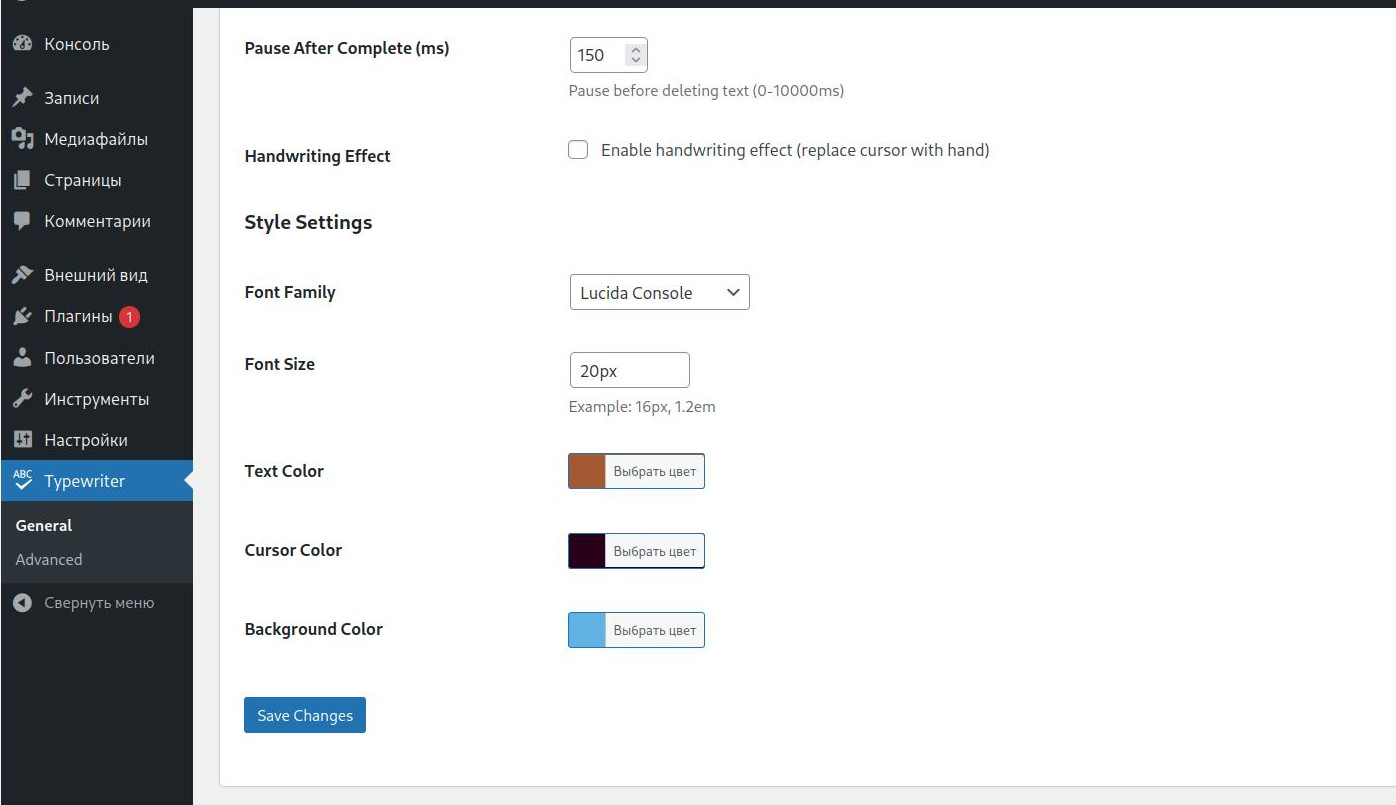
Settings panel 
Cyberpunk matrix effect demo 
Different intensity levels 
설치
- Install via WordPress admin panel
- Activate the plugin
- Configure in Settings Paragraph Typewriter
- Enable cyberpunk effects in style settings1. Install via WordPress admin panel
- Activate the plugin
- Configure in “Settings Typewriter Effect”
- Enable cyberpunk effects in style settings
FAQ
-
How to change animation speed?
-
Use
ptw_speedfilter in child theme. -
Does it work with Gutenberg?
-
Yes, compatible with classic and block editors.
-
How to enable cyberpunk effects?
-
Go to Settings Typewriter Effect Style Settings and enable “Cyberpunk Effect”
후기

기여자 & 개발자

자국어로 “Paragraph Typewriter Effect”(을)를 번역하세요.
개발에 관심이 있으십니까?
변경이력
1.1.6
Final check and testing of effects selection in frontend
= 1.1.5=
Updating init_user_settings() to work with guests
1.1.4
Adding an AJAX handler
1.1.3
Updating enqueue_assets()
1.1.2
Add CSS for the switch
1.1.1
Add a visible switch on the frontend.
1.1
Add effect selection in plugin settings.
1.0.9
*Fixed horizontal plugin settings menu
1.0.7
- NEW: Integrated Matrix Effect plugin with cyberpunk style animations
- NEW: Added digital rain background effect
- NEW: Green matrix-style text with neon glow
- NEW: Random glitch animations
- NEW: Three intensity levels (Subtle, Medium, Strong)
- NEW: Separate settings tab for Matrix Effect configuration
- NEW: Support for multiple text domains (paragraph-typewriter-effect + matrix-effect)
- FIX: Removed unnecessary padding from Matrix Effect containers
- FIX: Properly escaped output in HTML structure
- FIX: Added missing wp_unslash() for security compliance
- FIX: Resolved PHPCS text domain mismatch warnings
- SECURITY: Enhanced input validation and sanitization
- LANGUAGES: Added Russian translation support for Matrix Effect
- COMPATIBILITY: Full integration without breaking existing functionality
1.0.6
- NEW: Added cyberpunk matrix-style effects
- NEW: Digital rain background animation
- NEW: Glitch effect randomization
- NEW: Three intensity levels for effects
- NEW: Enhanced HTML content parsing
- SECURITY: Improved AJAX handling with nonce verification
- SECURITY: Proper input sanitization and validation
- PERFORMANCE: Optimized rendering with requestAnimationFrame
- FIX: Fixed HTML tag handling in typewriter animation
- FIX: Resolved PHPCS security warnings
1.0.5
- Added handwriting cursor effect
- Improved admin interface
- Enhanced compatibility
1.0
- Initial release
= 1.0.6 =
* NEW: Added cyberpunk matrix effects
* NEW: Digital rain animation
* NEW: Glitch effects
* NEW: Three intensity levels
* SECURITY: Improved security and validation
* PERFORMANCE: Optimization and fixes
1.0.5
- Added hand cursor effect
- Improved admin panel
1.0.1
- First stable version
- Gutenberg support
- Speed settings via filters