

설명
Notification Blocker gives you full control over WordPress admin notices. Whether you want to block all notifications with a single toggle or manage notices individually, this plugin has you covered — all with a clean, user-friendly interface.
Key Features
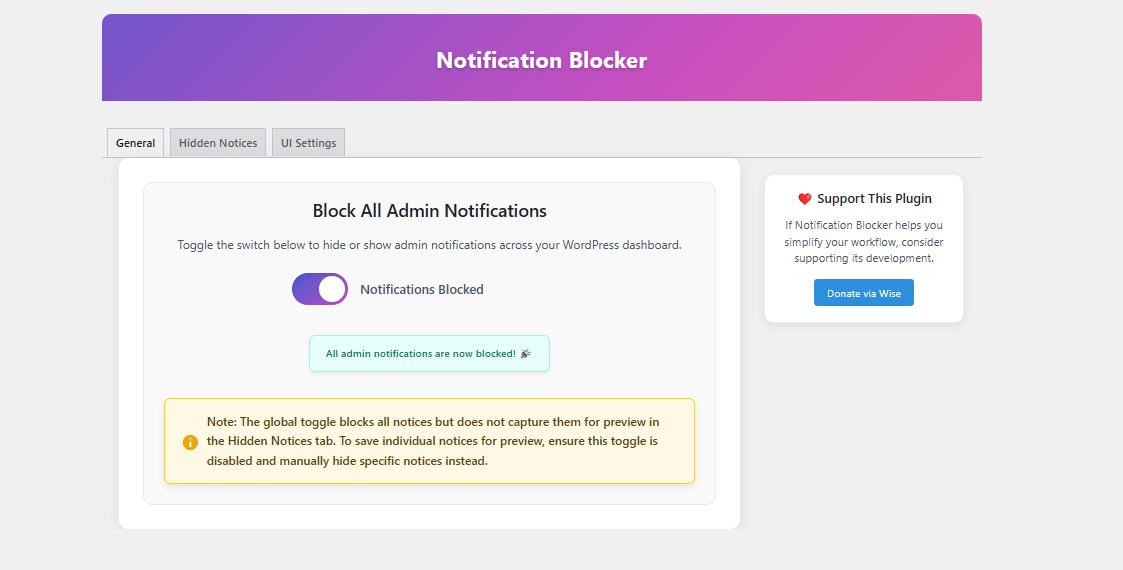
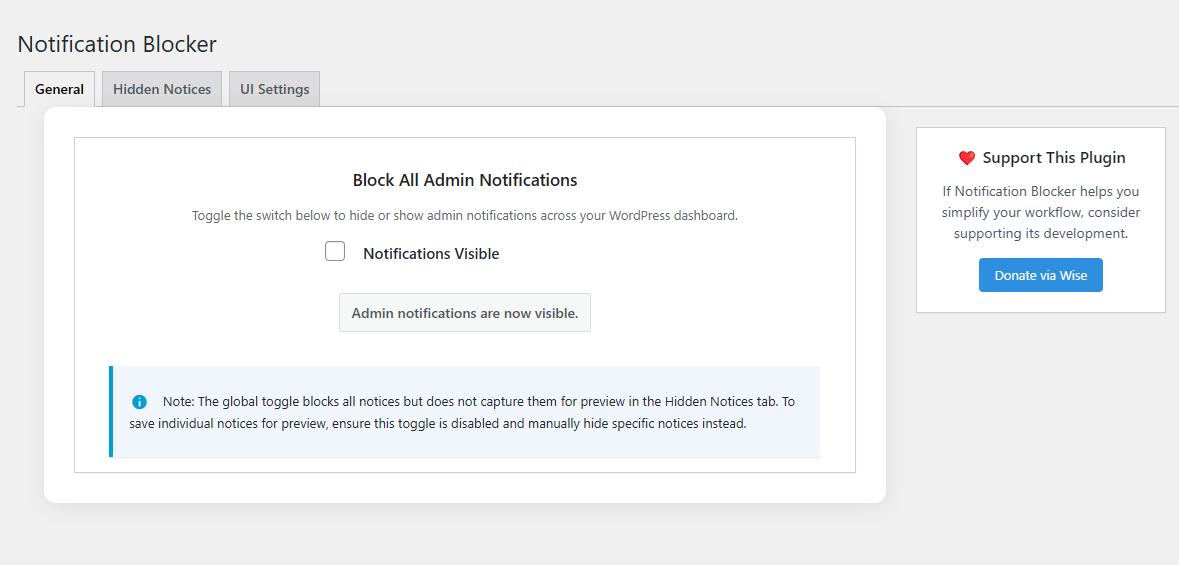
- Global Toggle – Block all admin notifications instantly with a single switch.
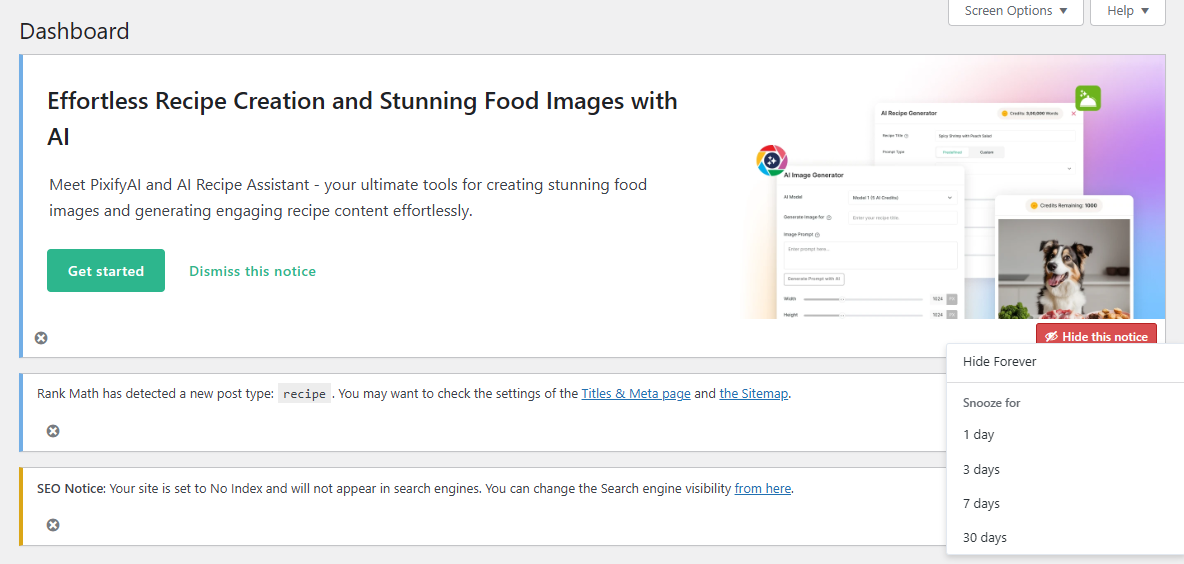
- Individual Notice Management – Hide or snooze notices with customizable timeframes (1, 3, 7, or 30 days).
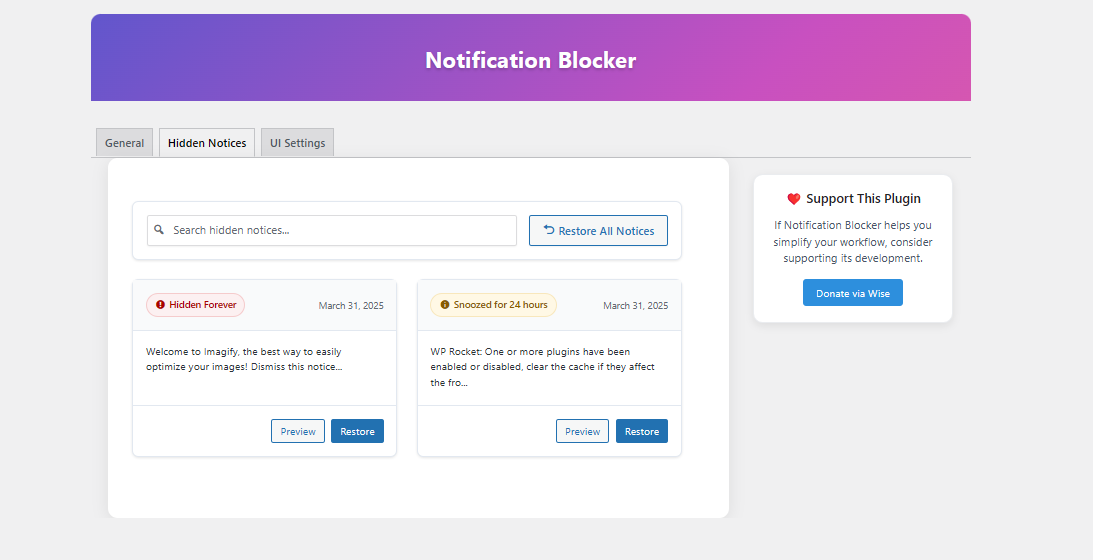
- Hidden Notices Dashboard – View, search, and restore hidden notifications at any time.
- Preview Hidden Notices – Easily check what was hidden without restoring it.
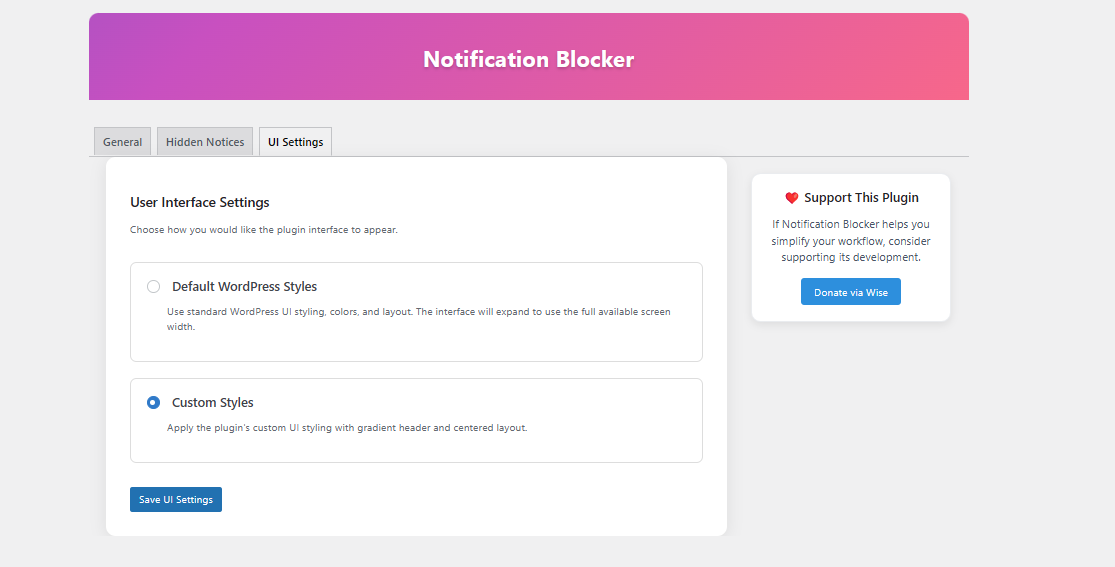
- Flexible UI Options – Choose between WordPress default UI style or custom styled interface.
- Mobile-Friendly Design – Fully responsive layout that works on all device sizes.
- No Performance Impact – Lightweight implementation that won’t slow down your admin area.
- Multisite Compatible – Works perfectly in WordPress multisite environments.
How It Works
- Visit the plugin’s settings at Settings > Notification Blocker.
- Use the global toggle to hide/show all admin notifications.
- Or hide/snooze individual notices as they appear on your dashboard.
- Use the Hidden Notices tab to manage all your hidden notifications.
- Customize the UI appearance in the UI Settings tab.
Who Needs This Plugin?
- Site Administrators – Clean up cluttered dashboards and focus on what matters.
- Developers – Hide non-essential notices during development.
- Client Sites – Create a cleaner admin experience for your clients.
- Multisite Managers – Maintain a consistent admin experience across all sites.
License Notice
This plugin is available for free but is not open source. The codebase is proprietary and protected by copyright. You may use the plugin on your websites, but modification, distribution, or resale of the code is prohibited.
스크린샷
설치
- Upload the
notification-blockerfolder to the/wp-content/plugins/directory. - Activate the plugin through the ‘Plugins’ menu in WordPress.
- Go to Settings > Notification Blocker to configure and start using the plugin.
FAQ
-
Will this block all types of admin notices?
-
Yes — the plugin intercepts WordPress admin notices regardless of their source (core, plugins or themes).
-
What happens to notices after I hide them?
-
They are stored in the Hidden Notices tab where you can preview, restore, or keep them hidden.
-
Can I temporarily hide a notice?
-
Yes! Use the snooze option to hide notices for a specific time period (1, 3, 7, or 30 days).
-
No, once hidden, notices stay hidden until you manually restore them.
-
Does the plugin impact front-end performance?
-
Not at all. Notification Blocker only works within the WordPress admin area and has no effect on your site’s front-end.
-
Can I choose how the plugin’s interface looks?
-
Yes, there’s a UI Settings tab that lets you choose between WordPress default styles or a custom UI.
후기


기여자 & 개발자

변경이력
1.1.0
- Added per-notice hide and snooze functionality
- Added modal preview for hidden notices
- Added full search & filter system for hidden notices
- Improved responsive layout and mobile styling
- Multiple bug fixes, UI and performance improvements
- Added UI Settings tab with choice between WordPress default or custom styled interface
1.0.0
- Initial release