콘텐츠로 바로가기
WordPress.org

한국어

  • 테마
  • 플러그인
  • 소식
  • 지원
    • 문서
    • 포럼
  • About
  • 워드프레스 소개
    • WordPress 6.9
    • 워드프레스 6.8
    • 워드프레스와 40% 웹을 위한 여정
    • 워드프레스 번역 핸드북
  • 워드프레스 한국팀
  • 워드프레스 받기
워드프레스 받기
WordPress.org

Plugin Directory

Kcaptcha

  • 플러그인 제출하기
  • 내 즐겨찾기
  • 로그인
  • 플러그인 제출하기
  • 내 즐겨찾기
  • 로그인

이 플러그인은 최근 3개의 주요 워드프레스 출시와 시험 되지 않았습니다. 워드프레스의 좀 더 최근 버전으로 이용할 때 더 이상 관리되지 않고 지원되지 않고 호환성 문제가 있을 수 있습니다.

Kcaptcha

작성자: Ksolves – Emerging Ahead Always
다운로드
  • 세부사항
  • 평가
  • 설치
  • 개발
지원

설명

Kcaptcha plugin is the perfect security plugin for your wordpress website forms that protects your website from spam bots. Kcaptcha allows you to implement security captcha anywhere in website’s form. It is very easy for humans and hard for robots. Kcaptcha is designed to recognise the difference between a bot and human and sometimes even malicious software to provide the security to the system. This captcha can be used for login, registration,password recovery, comments and contact forms.If you want to prevent the entry of bots into your website, then you must start using Kcaptcha as it is the smartest way to stop it.

Like WordPress, Kcaptcha is, and always will be free. We’ll continue supporting and developing it for many years to come. It’ll only get better from here. If you are facing any issue or challenges please contact us and help us making it better and rich in features.

We offer free support

Features

Add captcha to:

Registration form

Login form

Reset password form

Comments form

Easy for humans and hard for robots

스크린샷

  • screenshot-1.png shows Kcaptcha plugin activated in plugin list
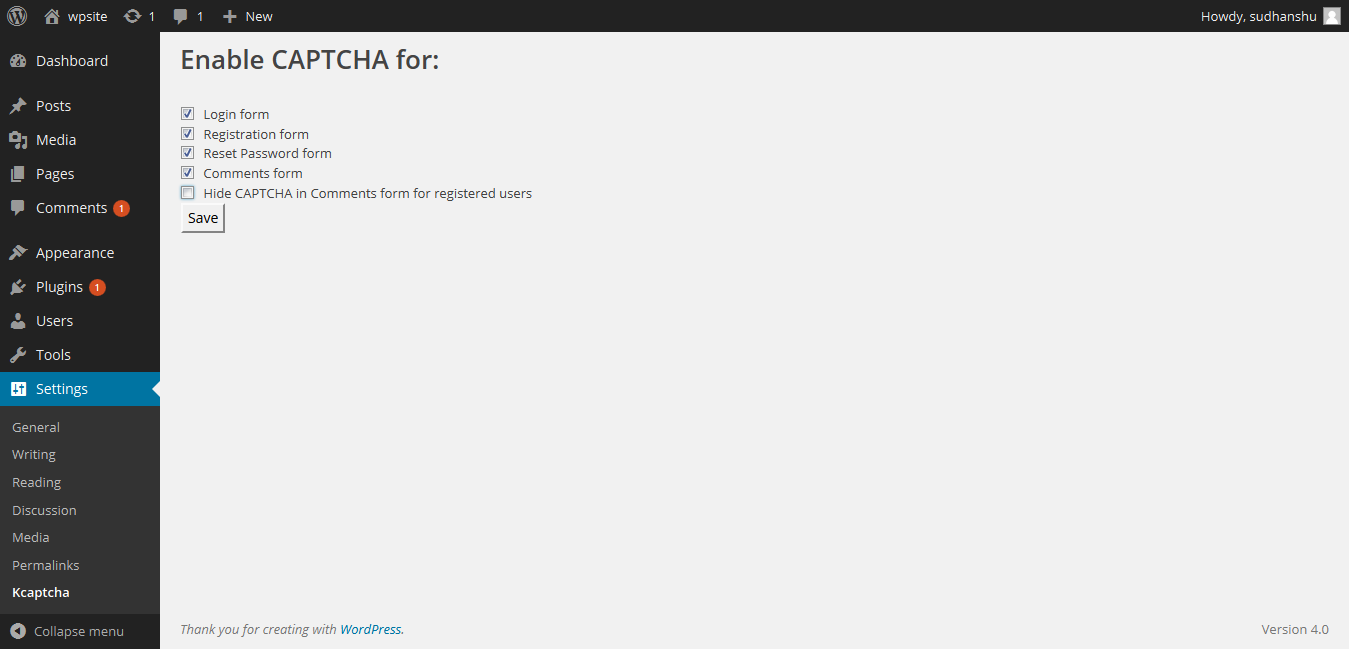
  • screenshot-2.png shows Kcaptcha plugin setting page
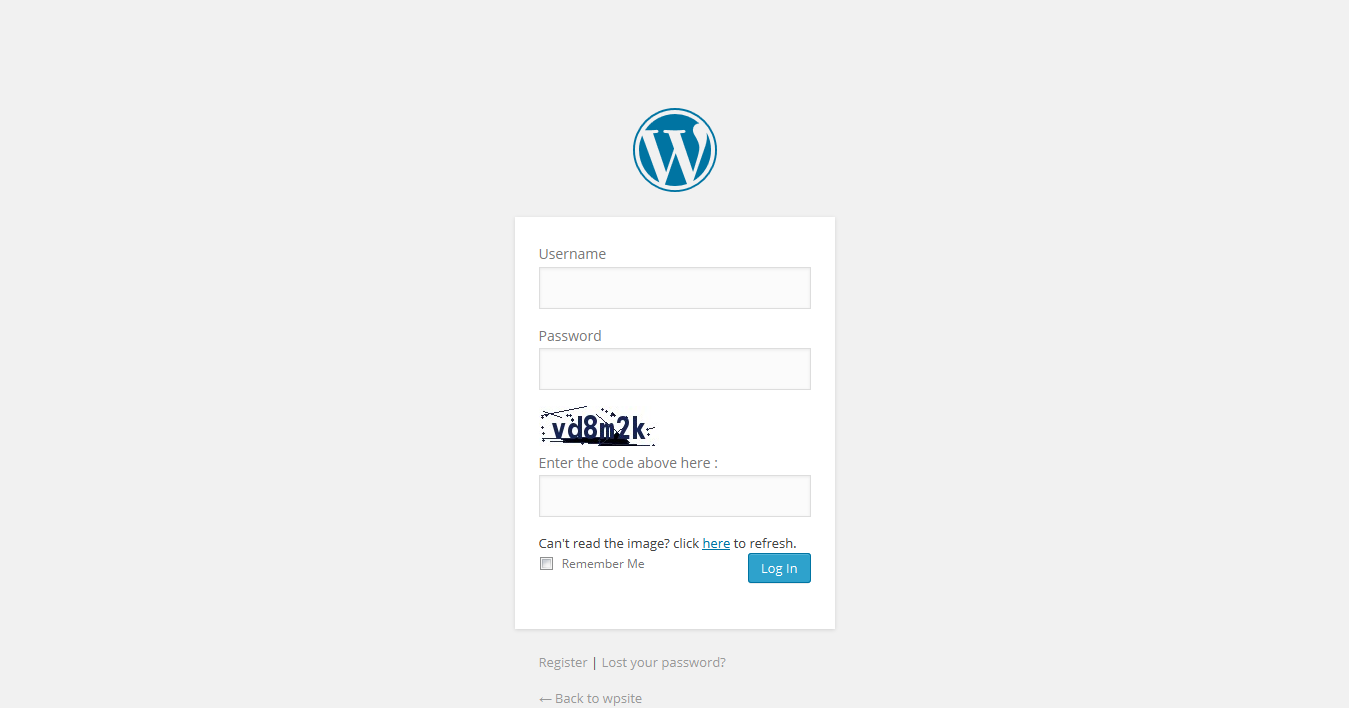
  • screenshot-3.png shows captcha added to login form.
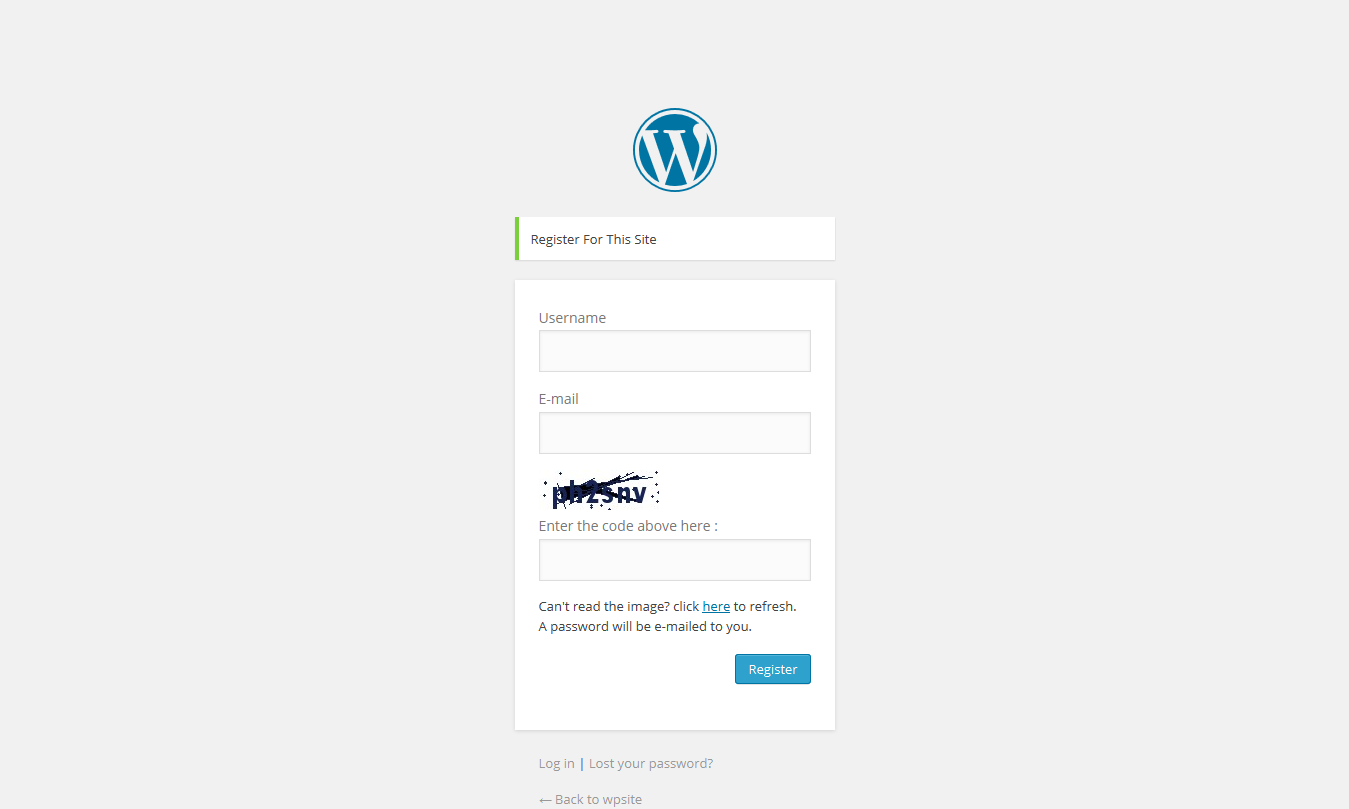
  • screenshot-4.png shows captcha added to Register form.

  • screenshot-5.png shows captcha added to comment.

  • screenshot-6.png shows captcha added to lost password form.

설치

Extract the zip file and just drop the contents in the wp-content/plugins/ directory of your WordPress installation and then activate the Plugin from Plugins page. In setting of this plugin you can find checkboxes. Save this entry.

Add a shortcode [addKcaptcha] below a form. 

For validation you have to call validateKCaptcha() function.


FAQ

how to use this captcha Just on the checkbox on setting page.

후기

Easy to use and very effective!

praphullpriyadarshi 2016년 9월 15일
Easy to use and very effective!
모든 1 평가 읽기

기여자 & 개발자

“Kcaptcha”(은)는 오픈 소스 소프트웨어입니다. 다음의 사람들이 이 플러그인에 기여하였습니다.

기여자
  • Ksolves – Emerging Ahead Always

자국어로 “Kcaptcha”(을)를 번역하세요.

개발에 관심이 있으십니까?

코드 탐색하기는, SVN 저장소를 확인하시거나, 개발 기록을 RSS로 구독하세요.

변경이력

1.0.1

  • Bug fixes and updates for wordpress 4.6.1.

1.0.0

  • it is a simple implementation to place a captcha.

기초

  • 버전 1.0.1
  • 최근 업데이트: 9년 전
  • 활성화된 설치 20+
  • 워드프레스 버전 3.1 또는 그 이상
  • 다음까지 시험됨: 4.6.30
  • 언어
    English (US)
  • 태그:
    anti-spamcaptcha plugincomment captchaform captchalogin captcharegistration captcha
  • 고급 보기

평점

별 5점 만점에 5점.
  • 1/5-별점 후기 별 5개 1
  • 0/4-별점 후기 별 4개 0
  • 0/3-별점 후기 별 3개 0
  • 0/2-별점 후기 별 2개 0
  • 0/1-별점 후기 별 1개 0

리뷰 추가하기

모든 리뷰 보기

기여자

  • Ksolves – Emerging Ahead Always

지원

할 말 있으신가요? 도움이 필요하신가요?

지원 포럼 보기

기부

이 플러그인이 발전하도록 도우시겠습니까?

이 플러그인에 기부하기

  • 소개
  • 뉴스
  • 호스팅
  • 개인정보
  • 쇼케이스
  • 테마
  • 플러그인
  • 패턴
  • 배우기
  • 지원
  • 개발자 도구
  • WordPress.tv ↗
  • 참여하기
  • 이벤트
  • 기부하기 ↗
  • 미래를 위한 5가지
  • WordPress.com ↗
  • Matt ↗
  • bbPress ↗
  • BuddyPress ↗
WordPress.org
WordPress.org

한국어

  • X(이전 트위터) 계정 방문하기
  • 블루스카이 계정 방문하기
  • 마스토돈 계정 방문하기
  • 스레드 계정 방문하기
  • 페이스북 페이지 방문하기
  • 인스타그램 계정 방문하기
  • LinkedIn 계정 방문하기
  • 틱톡 계정 방문하기
  • 유튜브 채널 방문하기
  • 텀블러 계정 방문하기
코드는 詩다
The WordPress® trademark is the intellectual property of the WordPress Foundation. WordPress® is not the same thing as WP Engine®. Since October 2024, WordPress.org’s creator Matt Mullenweg is a defendant in a legal action from WP Engine®. The WordPress Hosting page does not recommend WP Engine®.