

설명
Fluent Forms는 고급이면서 가벼운 연락처 폼 빌더입니다
Fluent Forms는 모든 강력한 기능을 제공하는 궁극의 사용자 친화적이고 맞춤형 드래그 앤 드롭 WP 연락처 폼 플러그인입니다. 초보자와 고급 사용자 모두에게 완벽한 노코드 폼 빌더입니다.
데모 | 사용자 가이드 | 유튜브 동영상 튜토리얼 | 지원 받기 | 공식 페이스북 커뮤니티 | 공식 Fluent Forms 커뮤니티
간단한 연락처 폼부터 고급 결제, 퀴즈 또는 계산기 폼까지, Fluent Forms는 거의 모든 요구를 충족할 수 있습니다.
무료 버전에서 사용 가능한 강력한 기능
- 드래그 앤 드롭 빌더
- 스마트 조건부 논리
- 대화형 폼
- Built-in AI Form Builder
- 25개 이상의 즉시 사용 가능한 입력 필드
- 구텐베르크 폼 스타일러
- 재사용 가능한 양식 템플릿
- Accept Payments with Stripe*
- 리포팅 대시보드*
- Adjustable multi-column form layout
- reCAPTCHA, hCaptcha 등을 이용한 스팸 보호
- 이메일 알림
- 양식 일정 및 제한
- 양식 내보내기/가져오기
- CSV/Excel/ODS/JSON 형식으로 항목 내보내기
- Filter entries & Form Finder
- Undo/redo & Form Edit history
- Role manager
- Form analytics & Visual data report
- 입력 필드의 기본값 설정 또는 URL 매개변수에서 채우기
- 맞춤 CSS 및 JS
- 특수 요구가 있는 사용자를 위한 완전 반응형 및 접근성 지원
- Migrate from WPForms, Contact Form 7, Gravity Forms, Ninja Forms & Caldera Forms
Features available in the Pro version
- 55개 이상의 입력 필드
- 결제
- 숫자 계산
- 다단계 양식
- 고급 양식 스타일러
- 퀴즈 및 설문 조사 모듈
- Inventory management
- 동적 필드
- 보고서 모듈
- Advanced search filter
- 폼 항목 가져오기
- Admin approval
- 조건부 확인 메시지
- 이중 옵트인
- 고급 폼 검증
- Auto-delete entries
- 랜딩 페이지
- 지리 위치 제공자
- SMS 알림
- 조건부 이메일 라우팅
- User registration
- 고급 게시물/CPT 생성
- 주소 자동 완성
- 60개 이상의 서드파티 통합 (그리고 Zapier를 통해 더 많은 통합 가능)
Super Fast Contact Forms
Fluent Forms는 속도에 최적화되어 표준 양식의 결합된 CSS와 JS가 30KB 미만으로 사이트 성능에 최소한으로만 영향을 줍니다. 이는 300KB가 넘는 자산을 불러오는 대부분의 폼 빌더보다 훨씬 빠릅니다. 가장 빠른 온라인 폼을 빠르게 구축하세요.
드래그 앤 드롭 연락처 양식 빌더
Our drag-and-drop form builder allows you to easily create any form you can imagine in a few minutes without writing any code.
입력 필드
무료 버전에서 사용 가능
- 이름 필드
- 간단한 텍스트
- 마스크 입력
- 텍스트 영역
- 주소 필드
- 국가 목록
- 숫자 필드
- 드롭다운
- Radio Field
- 체크박스
- 객관식
- 웹사이트 URL
- 시간 및 날짜
- 커스텀 HTML
- 숨겨진 필드
- 섹션 구분
- reCAPTCHA
- hCaptcha
- 턴스타일
- 이용 약관
- GDPR Agreement
- 비밀번호 필드
- 사용자 정의 제출 버튼
- One/Two/Three/Four/Five/Six Column Container
- Payment Item
- Subscription
- 사용자 지정 결제 금액
- 상품 수량
- 결제 방법
- 결제 요약
프로 버전에서 사용 가능
- 이미지 업로드
- 파일 업로드
- Phone/Mobile
- 쇼트코드
- 액션 훅
- 폼 단계
- 평점
- Checkable Grid
- Range Slider
- Net Promoter Score
- Dynamic Field
- Chained Select
- Color Picker
- 반복 필드
- Post/CPT Selection
- Rich Text Input
- Save & Resume
- Quiz Score
- 쿠폰
- Post Title
- Post Content
- Post Excerpt
- 대표 이미지
- Post Update
- Post Taxonomy Fields (Categories, Tags, Formats)
- Container Repeater
- 아코디언/탭
구텐베르크 폼 스타일러
구텐베르크 인터페이스에서 양식의 색상, 타이포그래피, 간격 및 테두리를 직접 사용자 정의하세요. 더 이상 편집자들 사이를 왔다갔다하거나 CSS 선택자를 찾을 필요 없이, 페이지를 만드는 바로 그곳에서 양식을 스타일링하세요.
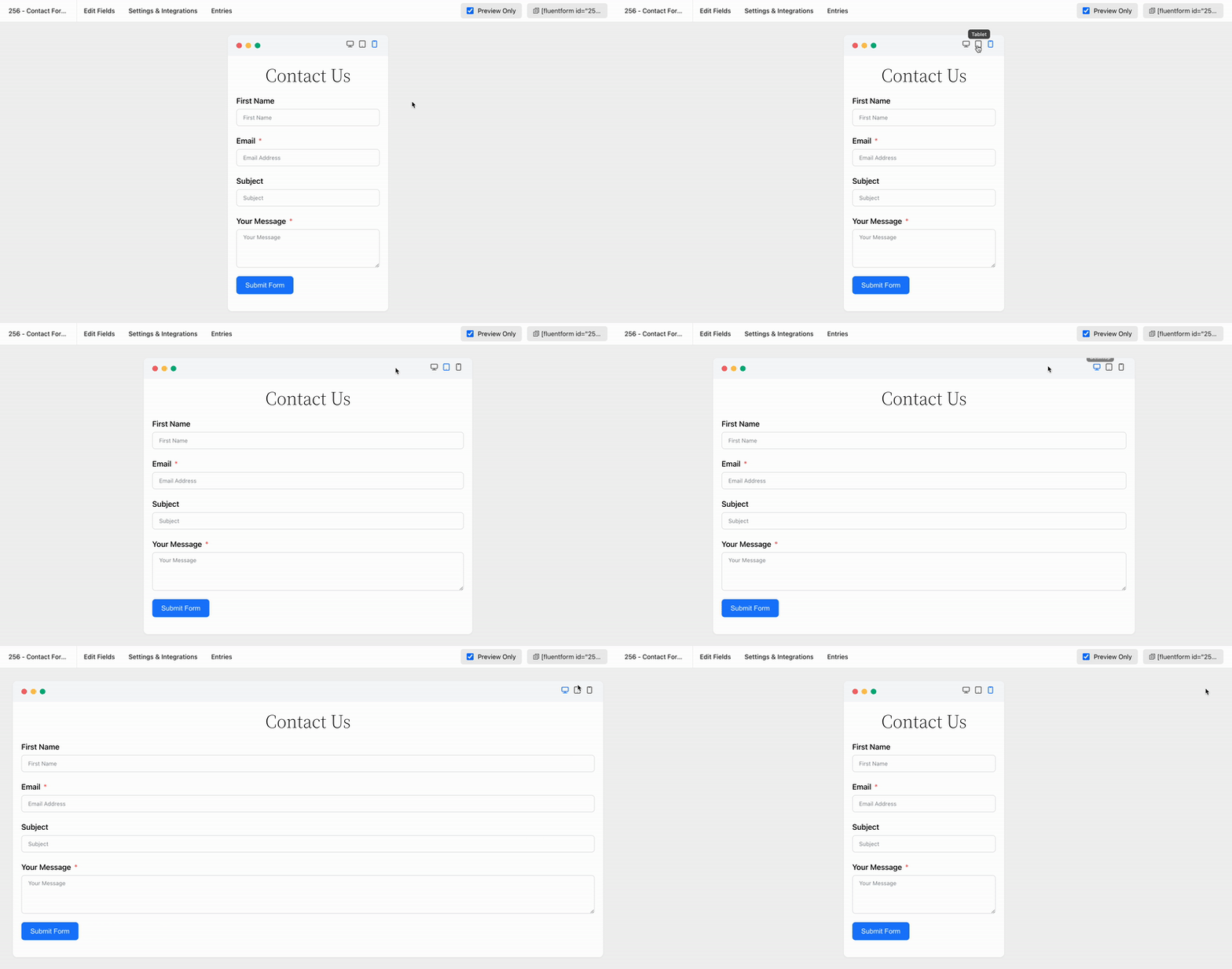
완전한 모바일 반응형 폼
Fluent Forms는 모든 디스플레이 크기의 기기를 만족시키도록 개발되었습니다. 추가 번거로움 없이 모든 기기에서 폼을 표시하세요.
재사용 가능한 폼 템플릿
반복 작업을 멈추세요. Fluent Forms는 원클릭으로 미리 제작된 양식을 제공하여 빠르게 수정하고 시간을 절약할 수 있습니다. 빠른 양식 구축을 위해 다음을 포함한 수십 가지 유용한 템플릿을 제공합니다:
* 문의 양식
* 지원 양식
* 이벤트 회원가입 양식
* 판매자 문의 양식
* 환자 접수 양식
* 자원봉사자 신청 양식
* 견적 요청 양식
* 학술대회 제안 양식
* 버그 신고 양식
* 설문조사 양식
* 친구에게 알리기 양식
* 내 디렉터리 정보 양식
* 휴가 요청 양식
* 입학 신청 양식
* 대출 신청 양식
* 채용 공고 양식
* 웹사이트 피드백 양식
* 댓글 & 평점 양식
* 사용자 회원가입 양식 (Pro)
* 기부 양식 (Pro)
* 결제 양식 (Pro)
* 구독 결제 양식 (Pro)
대화형 양식
Fluent Forms는 다양한 양식 작성에 탁월하며, 특히 대화형 양식이 돋보입니다. 전통적인 양식과 달리 한 번에 한 질문씩 제시되어 산만함을 줄이고 완료율을 높입니다. 또한 여러 레이아웃 및 공유 옵션(직접 URL, 숏코드, HTML 임베드 등)을 제공합니다.
대화형 양식 데모 보기
Fluent Forms Pro는 고급 대화형 양식을 제공합니다. 사용자들은 스크롤과 키 입력으로 질문을 이동할 수 있으며 글꼴, 색상, 배경을 사용자 정의하여 브랜드에 맞게 조정할 수 있습니다.
AI Form Builder
Free AI 양식 빌더에게 인사하세요! Fluent Forms AI 양식 빌더는 양식 작성 과정을 단순화하고 가속화합니다. 필요한 내용을 설명하면 모든 필요한 필드를 포함한 효과적인 양식을 생성합니다.
Accept Payments with Stripe
Fluent Forms 6.0은 이제 무료 사용자에게 결제 필드를 제공하여 이벤트, 기부 또는 판매에 대해 1.9%의 거래 수수료로 Stripe 결제를 허용합니다. 반복 결제는 구독 필드를 통해서도 포함됩니다. Pro는 1.9% 수수료를 제거하여 Stripe의 수수료만 남깁니다.
Fluent Forms 보고서 모듈
Fluent Forms 리포트 모듈은 개요(Overview), 결제(Payment), 제출(Submissions)의 세 섹션을 통해 강력한 데이터 기반 인사이트를 제공합니다. 무료 버전에는 제출/결제 요약, 양식 순위, API 로그 및 상세 차트와 같은 기본 분석이 포함되어 있습니다. Pro 버전은 부분 입력 비율, 국가별 제출 데이터 및 구독(subscription) 분석과 같은 고급 리포팅을 잠금(잠금) 해제합니다.
내장 데이터 시각화 도구
Fluent Forms는 파이, 막대 또는 표 형식 차트로 양식 제출을 쉽게 분석할 수 있게 해줍니다. 폼 또는 퀴즈 빌더로서 데이터 분석을 단순화하여 설문 조사 또는 설문조사에 대한 실시간 그래픽 결과를 제공합니다.
Email Notification
Get notified every time someone submits a form and also send a confirmation email to the one who fills out the form. To make it more advanced, you can use conditional email notifications to send emails when certain conditions are met.
다중 열 양식 레이아웃
Stack input fields in multiple columns and make the long, boring form appear compact and smart. This will lead to a lower form abandonment rate. There are six types of column containers to choose from.
조건부 논리
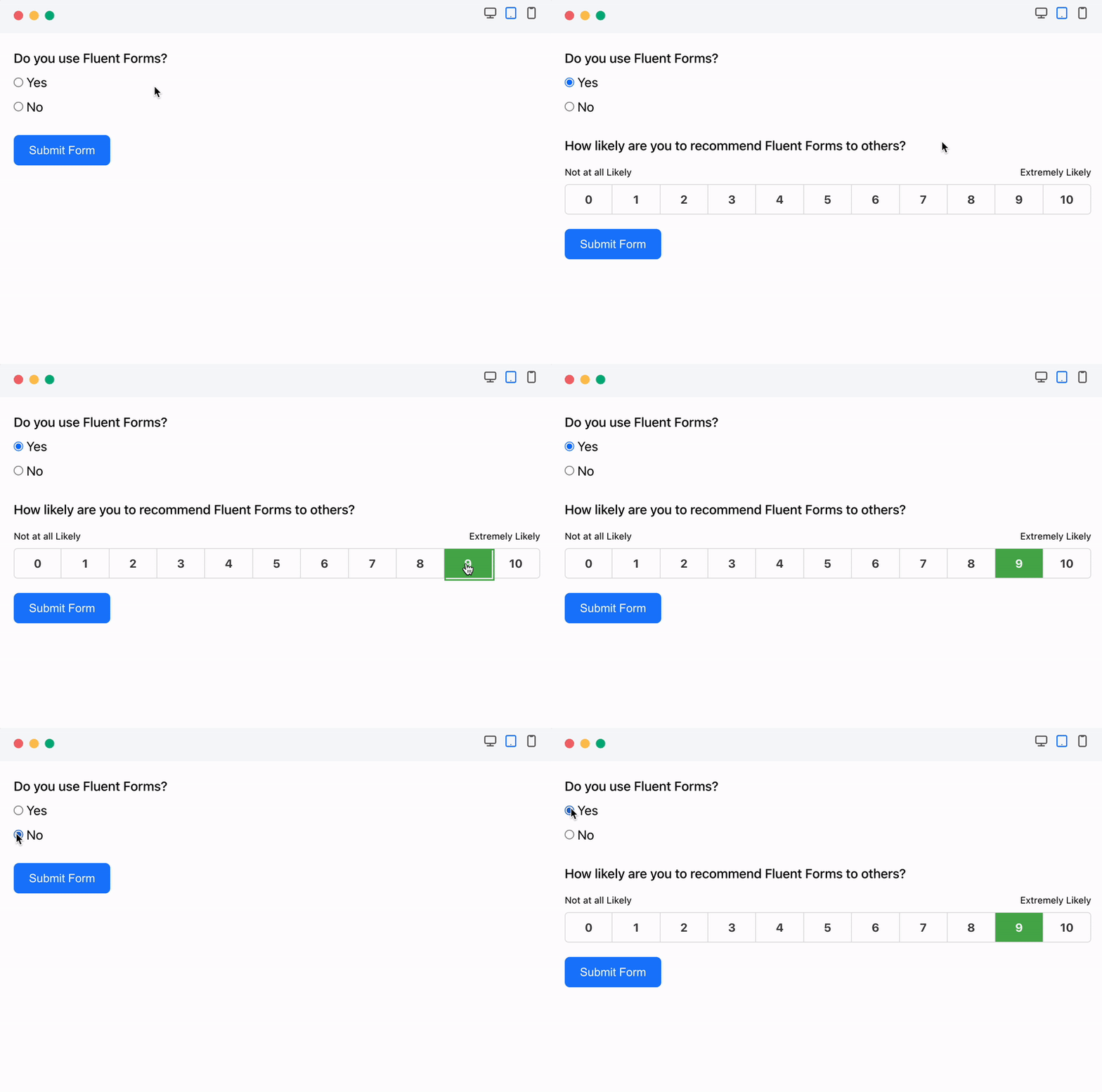
사용자 행동에 따라 폼 필드를 표시 또는 숨기기 위해 조건부 논리를 사용하여 불필요한 혼잡을 방지하세요. 사용자는 필드를 선택하고 규칙(예: 같음, 초과, 포함)을 정의하여 여러 조건 그룹을 설정할 수 있습니다. 조건부 논리는 자동 이메일 알림 및 제출 조건에 따른 서로 다른 확인 메시지 표시도 허용합니다.
고급 폼 계산을 위한 계산기
Fluent Forms의 숫자 필드는 자동차 대출, BMI, 주택 담보 대출 또는 세금 계산기와 같은 스마트 계산기를 손쉽게 생성할 수 있도록 활성화합니다. 이러한 숫자 입력에 대해 최소값과 최대값을 설정하여 허용 범위를 정의할 수 있습니다.
폼 제출로 PDF 파일 생성
제출한 항목에서 PDF 생성하기 및 사용자가 PDF 파일을 다운로드하거나 이메일로 보낼 수 있도록 하세요. 이 기능을 사용하여 인보이스를 생성하거나, 보고서를 작성하거나, 주문 요약을 제공할 수 있습니다.
조건부 확인
Fluent Forms Pro는 특정 조건을 충족하는 사용자에게 맞춤 확인 메시지를 보낼 수 있습니다.
Advanced Form Styler
Fluent Forms Pro의 Advanced Form Styler는 전환율을 높이기 위한 쉬운 문의 양식(문의 양식) 맞춤화를 제공합니다. 색상, 글꼴, 박스 그림자, 테두리, 여백(마진) 및 패딩을 조정하세요. 이전 양식에서 스타일을 빠르게 가져올 수도 있습니다.
퀴즈 및 설문조사 만들기
Fluent Forms Pro는 다목적 도구로, 문의 양식이자 강력한 퀴즈 빌더 역할을 합니다. 퀴즈 플러그인으로서 재미있는 퀴즈, 성격 검사 및 상식 퀴즈를 만들 수 있으며 질문마다 점수를 부여할 수 있습니다. 사용자는 제출 직후 또는 이메일을 통해 자신의 성과를 확인할 수 있습니다. 또한 설문 조사를 실행하고 결과를 표시하는 것도 지원합니다.
결제 양식
Fluent Forms Pro는 문의 양식을 비롯해 결제, 상품 주문 및 기부 양식을 만드는 강력한 솔루션입니다. PayPal, Stripe, Razorpay, Paddle, Square, Paystack, Mollie 및 Authorize.net과 같은 인기 결제 게이트웨이와의 통합을 통해 신용카드 결제를 손쉽게 수락합니다.
원클릭 마이그레이터
If you are already using Contact Form 7, WPForms, Caldera Forms, Ninja Forms or Gravity Forms and looking to move to Fluent Forms, you can do this with a single click.
Fluent Forms CLI
Fluent Forms는 그래픽 사용자 인터페이스 없이도 양식을 관리할 수 있는 강력한 명령줄 인터페이스(CLI)를 제공합니다. 이 CLI 도구를 통해 사용자는 양식 생성, 관리, 데이터 가져오기/내보내기, 제출 추적 및 설정 구성 등을 손쉽게 수행할 수 있습니다.
Enhanced Email Routing & Automation
쿼리 문자열을 사용해 방문자 정보를 미리 채우고 이메일 라우팅, 자동 응답 및 조건을 통해 양식을 지정된 팀으로 전달하여 사이트 효율성을 향상시킵니다.
Integrations and Add-ons Available in the Free Version
- FluentCRM
- Fluent Support“는 그대로 유지됩니다.
- FluentBoards
- FluentSMTP
- 닌자 테이블
- FluentBooking
- WP 소셜 닌자
- Fluent Forms PDF 생성기
- 메일침프
- 슬랙
- Mautic
- 메일포엣
프로 버전에서 사용 가능한 통합 기능
- ActiveCampaign
- AffiliateWP
- Airtable
- amoCRM
- Automizy”는 고유명사로 그대로 표기하는 것이 일반적입니다: Automizy
브랜딩 목적 등으로 한글 음역이 필요하면 다음을 추천합니다: 오토마이지
- Brevo(구 SendInBlue)
- 버디보스
- 캠페인 모니터
- ChatGPT
- CleverReach
- ClickSend
- 컨스턴트 컨택트
- Kit(구 ConvertKit)
- Discord
- 드립
- 요지
- GetResponse
- Google 지도
- Google 스프레드시트
- HubSpot
- iContact
- Insightly — 인사이트리
- MailerLite
- Mailjet
- 메일스터
- Mollie”는 고유명사로, 그대로 “몰리”로 표기하는 것이 일반적입니다.
- MooSend
- 노션
- OnePageCRM
- 노
- 페이팔
- Paystack
- Pipedrive
- Platformly
- 레이저페이
- Salesflare
- 세일즈포스
- SendFox
- Square”은 문맥에 따라 여러 의미가 있습니다. 적절한 한국어 번역을 선택하세요:
– 네모, 정사각형 (도형)
– 광장 (공공장소)
– 제곱 (수학: x²)
– 제곱하다 (동사: to square)
– 어색한 사람, 구식인 사람 — 촌스럽다, 구식이다 (속어)원하시는 의미를 알려주시면 가장 적절한 번역을 제공하겠습니다.
- Stripe” (스트라이프)
- 텔레그램
- 트렐로
- Twilo”는 고유명사로 보입니다. 번역하지 않고 그대로 표기하는 것이 일반적입니다: Twilo
(필요하면 한국어 발음 표기: 트와일로)
- 사용자 등록
- 웹후크
- Zapier” -> “재피어
- Zoho CRM
- Authorize.net
문서 및 비디오 튜토리얼 확인하기
Fluent Forms has detailed step-by-step documentation. Some essential documentations are provided below:
- Fluent Forms 시작하기
- 양식 제출 확인 메시지 설정
- Fluent Forms 플러그인에서 이메일 알림 설정하기
- 양식 제출 시 이메일 알림 전송
- Fluent Forms에서 제출된 항목(엔트리) 관리하기
- 워드프레스 양식에서 사용 가능한 필드 유형
- 조건부 논리로 양식 설정하기
- 워드프레스 폼 예약 및 제한 기능
- Fluent Forms의 글로벌 인벤토리 관리자
- 사용 가능한 모든 CRM 및 마케팅 도구 통합 모듈
Fluent Forms에 대한 사용자 평가
환상적인 플러그인 폼!
저는 Forminator Pro (WPMU Dev)와 Piotnet Forms를 포함해 여러 프리미엄(및 무료) 워드프레스 폼 플러그인을 써봤습니다. 하지만 제가 가장 좋아하는 것은 Fluent Forms로 돌아왔습니다. 가볍고 사용하기 쉽습니다!
– 작성자 @jeremywardkcc최고의 폼 플러그인, 수준 높은 지원
지금까지 사용해본 폼 플러그인 중 가장 가벼운 플러그인입니다(기본 CF7는 제게는 충분치 않습니다). 뛰어난 성능, 훌륭한 UI, 다양한 기능, 그리고 무엇보다 놀라운 개발/지원 팀!!!
플러그인은 거의 매주 개선되며 사용자 의견을 잘 듣습니다 🙂
– 작성자 @yankiara에이전시 소유주 / 웹 디자이너
Fluent forms는 맞춤 설정과 결제 수단 추가와 같은 고급 기능 및 애드온을 제공하는 훌륭한 문의 양식 플러그인입니다. 웹 디자이너/에이전시 소유주로서 wpmanageninja는 제 많은 소프트웨어의 기본 선택입니다. 소프트웨어도 훌륭하지만, 저를 계속 돌아오게 하는 것은 그들의 지원입니다. 벽에 몰렸을 때 그들이 도와줄 것이라고 믿을 수 있습니다.
– 작성자 @nickyeager123456강력한 폼 플러그인
Fluent Forms는 매우 직관적이고 사용하기 쉬운 폼 플러그인입니다. 저는 웹사이트 제작 전문가가 아니었지만 매우 쉽게 사용하는 법을 배웠습니다. 공식 사이트에 있는 문서가 매우 유용해서 어떻게 해야 할지 의문이 생길 때 많은 도움이 됩니다. Pro는 훨씬 더 좋고, 필요하다면 그만한 가치가 있는 몇 가지 기능을 포함하고 있습니다. 평생 라이선스도 좋은 거래입니다. 감사합니다.
– 작성자 @francksdl훌륭한 지원
훌륭한 고객 서비스. 저는 Fluent Forms와 Fluent CRM 둘 다 프로 버전을 사용하고 있는데, 성능도 우수하고 지원도 훌륭합니다. 적극 추천합니다.
– 작성자 @facua1무료 버전에는 보통 프리미엄 플러그인에서만 있는 옵션이 있습니다
이건 환상적인 이메일 폼입니다. 빠르고(매우 가볍고), 사용하기 쉬우며, 지원도 훌륭합니다. 게다가 무료 버전에도 보통 프리미엄 이메일 폼에서만 있는 옵션들이 있습니다. 다른 폼을 찾느라 시간 낭비하지 마세요. 저는 “딱 맞는” 폼을 찾느라 셀 수 없이 많은 시간을 썼고, 이 폼이 바로 그 폼입니다. 의심할 여지없이.
– 작성자 @nevrsmer
Fluent Forms 소셜 미디어 팔로우
X/Twitter | 페이스북 | 유튜브 | 인스타그램 | LinkedIn | 공식 Fluent Forms 커뮤니티
Other Plugins By WPManageNinja Team
- Fluent Forms PDF 생성기 애드온
- FluentCRM의 WordPress용 이메일 마케팅, 뉴스레터, 이메일 자동화 및 CRM 플러그인
- 닌자 테이블 – WordPress를 위한 최고의 WP 데이터 테이블 플러그인
- Fluent Support – WordPress 도움말 데스크 및 고객 지원 티켓 플러그인
- FluentSMTP – 워드프레스용 가장 진보된 SMTP, SES 플러그인
- Paymattic의 간편 결제 기부 및 구독 플러그인 – WP를 위한 최고의 결제 플러그인
- WP 소셜 닌자 – WordPress를 위한 최고의 소셜 피드, 리뷰 플러그인 (구글 리뷰, 사진 피드, 채팅 등)
- FluentBooking – 궁극의 WordPress 스케줄링 플러그인
- FluentBoards – 프로젝트 관리, 작업 관리, 목표 추적, 칸반 보드 및 팀 협업
- FluentCommunity – 풀페이로드 소셜 네트워크, 커뮤니티 및 LMS
- FluentCart: 워드프레스와 함께하는 전자상거래의 새 시대 — 더 빠르고, 더 가볍고, 더 단순한 장바구니
스크린샷

편집기가 포함된 폼 빌더 
폼 미리보기 
폼 설정 
이메일 알림 설정 
입력 목록 
입력 세부 정보 
Data Reporting 
Advanced Form Editor 
Form Integration Manager 
All Submission Chart by Date 
Asset Loading Comparison with Other Plugins 


블록
이 플러그인은 1개의 블록을 제공합니다.
- Fluentfom Guten Block
설치
이 섹션에서는 플러그인을 설치하고 작동시키는 방법을 설명합니다.
- 플러그인 파일을
/wp-content/plugins/fluentform디렉터리에 업로드하거나, 워드프레스 플러그인 화면을 통해 직접 설치하세요. - 워드프레스의 \’플러그인\’ 화면을 통해 플러그인을 활성화하세요.
- 플러그인을 구성하려면
Fluent Forms->Global Settings화면을 사용하세요. - 플러그인을 활성화하고 설치하는 원하는 사용자 흐름에 맞게 지침을 작성하세요. 설명 목적상 필요한 단계도 포함하세요.
FAQ
-
Fluent Forms를 사용하려면 코딩 기술이 필요합니까?
-
아니요, 아름다운 양식을 만들기 위해 사전 프로그래밍 지식이 필요하지 않습니다. 강력한 드래그 앤 드롭 기능으로 간단하거나 복잡한 양식을 모두 만들 수 있습니다.
-
Fluent Forms가 내 웹사이트를 느리게 하나요?
-
Absolutely not. We build Fluent Forms very carefully and maintained WP standards as well as we only load styles / scripts in the pages where you will use the Fluent Forms. Fluent Forms is faster than any form builder plugin. Fluent Forms only load less than 30KB css and js combined.
-
양식을 만들 때 조건부 논리를 사용할 수 있나요?
-
네, 강력한 조건부 논리 패널을 사용하면 모든 유형의 복잡한 양식을 만들 수 있습니다. 하나 또는 여러 개의 조건부 논리를 어떤 필드에든 추가할 수 있으며 완벽하게 작동합니다.
-
다중 열 양식을 만들 수 있나요?
-
네, 2열 또는 3열 컨테이너를 사용하여 양식을 만들 수 있습니다.
-
양식 제출 데이터를 내보내기/가져오기 할 수 있나요?
-
Yes, you can export your data in CSV, Excel, ODS, JSON format. You can also import in pro version.
-
Can I migrate from WPForms?
-
Yes. You can use Migrator feature of Fluent Forms to migrate from WPForms. To do so, just go to Fluent Forms -> Tools -> Migrator and you will find a section for the WPForms. Click the Import Form button to migrate your forms. To import the entries, click the Import Entries button.
-
Can I migrate from Gravity Forms?
-
Yes. You can use Migrator feature of Fluent Forms to migrate from Gravity Forms. To do so, just go to Fluent Forms -> Tools -> Migrator and you will find a section for Gravity Forms. Click the Import Form button to migrate your forms. To import the entries, click the Import Entries button.
-
Can I migrate from Ninja Forms?
-
Yes. You can use Migrator feature of Fluent Forms to migrate from Ninja Forms. To do so, just go to Fluent Forms -> Tools -> Migrator and you will find a section for Ninja Forms. Click the Import Form button to migrate your forms. To import the entries, click the Import Entries button.
-
버그를 신고하고 싶은데, 어디에 신고하나요?
-
전체 소스 코드는 github에서 확인하실 수 있습니다. 자유롭게 포크하고 풀 리퀘스트를 보내거나 버그를 신고해 주세요. 공식 지원은 wpmanageninja.com/support-tickets의 지원 스레드에서 받으실 수 있습니다.
후기


기여자 & 개발자
“Fluent Forms – 사용자 정의 가능한 문의 양식, 설문 조사, 퀴즈 및 대화형 양식 제작 도구”(은)는 오픈 소스 소프트웨어입니다. 다음의 사람들이 이 플러그인에 기여하였습니다.
기여자


변경이력
6.2.4 (Date: May 25, 2026)
- Fixes conversational form pretty URLs rendering
- Fixes Pretty URL toggle not persisting when disabled
- Fixes multi-step form submit visibility and step-skip logic
- Adds a notice when the Fluent Forms REST endpoints are unreachable so the empty form and entry lists after an upgrade are easier to diagnose
6.2.3 (Date: May 21, 2026)
- Adds option group support for Dropdown and Multi-select fields
- Adds pinned column support in the entries table
- Adds new icon presets, SVG icon support, and active/inactive color options for the Ratings field
- Adds search to the form switcher in entries
- Improves keyboard navigation in the entries table
- Improves accessibility for fixed columns and action buttons in entries
- Fixes conditional logic settings not showing for custom fields in the editor
- Fixes conditional logic not-equal check when the target field has no value
- Fixes Name field layout when a sub-field has no label
- Fixes text and list formatting differences between the editor and preview
- Fixes AI form builder losing field hints for non-English prompts
- Fixes missing submission date in Excel exports
- Fixes garbled export filenames for forms with non-Latin titles
- Fixes form import breaking confirmation and notification settings
- Fixes the Find feature missing forms inside page builder popups
- Fixes entries not sorting by actual submission date
- Fixes form import corrupting custom CSS and JavaScript code
- Fixes visual artifacts in the collapsed form settings sidebar
- Fixes Global Settings sidebar collapse toggle not working on desktop
- Fixes the Excel export option incorrectly labeled as xlsv
- Fixes entry Next and Previous navigation breaking on sites that use a custom database table prefix
- Fixes fatal error when a Textarea field receives an array value during submission processing
- Fixes multi-word Google Fonts not loading in conversational forms
- Fixes textdomain_just_in_time notice on WordPress 6.7 and later, including WP Staging staging environments
- Fixes several strings that could not be translated on non-English admin sites
- Fixes the Entries page label showing garbled text on German-language sites
- Fixes confirmation redirect URL losing query-string values with encoded characters
6.2.2 (Date: April 23, 2026)
- Adds subscription field support in payment calculations
- Fix raw cookie values for smartcodes
- Hardens email attachment path resolution to keep notification attachments inside allowed paths
- Hardens predefined form payload handling and confirmation validation
- Improves compatibility for legacy predefined field option validation
- Improves form-scoped access for submission collection and print endpoints
- Tightens allowed-forms scope handling for form managers
- Ensures form settings are normalized before use
- Fix integration activecampaign issue
- Preserves post feed draft values on resume
- Respects user locale in the form editor
- Improves ACL permission checks and helper coverage for delegated and full-access flows
- Hardens form HTML sanitization by blocking event handlers and escaping permission message shortcode output
- Improve global integration settings access restriction and protects payment filters AJAX metadata endpoint
- Sanitizes form step settings while preserving safe HTML in step button text
- Improves entry export to honor submission info selection
- Improves multisite site setup until initialization
- Improves long entry content previews
6.2.1 (Date: April 15, 2026)
- Hardens form-scoped permissions across legacy AJAX and REST actions
- Adds opt-in legacy HMAC fallback for pre-6.2.0 encrypted tokens to ease upgrade compatibility
- Adds filter hooks for honeypot, Akismet, and CAPTCHA spam/failed messages
- Adds database indexes to the form_analytics table for faster reporting queries
- Adds mbstring fallback for server without the extension
- Improves frontend submission reliability by falling back to the form instance AJAX URL when global vars are missing
- Fixes public PDF download support for legacy links
- Fixes draft submissions table support in entry export
- Fixes entries search ACL issue
- Fixes All Entries page localStorage persistence
- Fixes character-limit validation showing the configured message instead of a raw field name
- Fixes numeric validation so numeric-looking text is no longer treated as a number
- Fixes WPML addon activation failing with an Invalid plugin error
6.2.0 (Date: April 01, 2026)
- Upgrades internal framework for better performance and PHP 8.4 support
- Improves Stripe payment confirmation security
- Improves data export security
- Improves database query performance for reports
- Adds filter hook for conversational form extra inputs
- Fixes textarea line breaks not displaying correctly in entries
- Improves overall plugin security and stability
- Dev: Upgrade Guide for developers
6.1.21 (Date: March 17, 2026)
- 구독 결제의 bill_times를 자동 계산하기 위해 구독 종료일을 추가합니다
- Stripe SCA 결제 확인 엔드포인트를 사기 및 서비스 거부(DoS) 공격으로부터 강화함
- SCA 결제 확인에서 위조 가능한 form_id를 수정하여 잘못된 Stripe API 키가 선택되는 문제를 해결함
- 무단 결제 확정을 방지하기 위해 거래 상태 검증(의도된 상태)을 추가합니다
- Stripe가 결제를 확인한 후 결제 금액을 검증합니다
- MailChimp 관심 그룹 엔드포인트에서 누락된 권한 검사 수정
- Logger 및 Submission 쿼리에서 비정제된 sort_by 파라미터를 수정함
6.1.20 (Date: March 04, 2026)
- 다수 수량 항목에서 센트가 사라지는 Stripe 쿠폰 할인 반올림 문제 수정
- 단계(form) 저장 및 재개 기능 수정됨
6.1.19 (Date: February 25, 2026)
- 폐기 예정된 클래스에 대한 하위 호환성 추가
6.1.18 (Date: February 25, 2026)
- 파일 삭제 엔드포인트 보안 개선
- 모든 리포트 데이터 엔드포인트에 입력 정화를 추가합니다
- 결제 영수증 숏코드 요청 파라미터에 대한 정제(입력값 검증) 기능을 추가합니다
- 필드 고유성 검증에서 SQL LIKE 와일드카드 인젝션을 방지합니다
- 게시물 유형 쿼리에서 혼합된 SQL 이스케이프 패턴을 수정합니다
6.1.17 (Date: February 3, 2026)
- 첫 번째 옵션이 선택될 때 결제 요약에 대화형 양식 구독 요금제가 표시되지 않는 문제 수정
- 새로 고침 후 커스텀 JS가 사라지는 문제 수정
- 버튼 스타일을 사용하는 라디오 버튼에서 대화형 양식의 “Other 옵션” 필드가 나타나지 않는 문제 수정
6.1.16 (Date: January 30, 2026)
- 대화형 폼에서 입력 이미지 문제 수정
- 양식 항목 내보내기 문제 수정
6.1.15 (Date: January 29, 2026)
- 폼 스타일 기본 옵션을 추가합니다. 이 옵션은 폼 스타일러(프로) 지원이 있는 모든 새 폼에 자동으로 적용됩니다.
- 기본값 스타일을 가져온 양식에 적용하는 옵션 추가
- textarea, URL 및 password 필드에 접두사/접미사 옵션을 추가합니다
- 숫자 및 마스크 입력에 대해 모바일 키보드 타입 옵션을 추가합니다
- 확인된 플러그인 제안 페이지 추가
- AI 양식 빌더 보안 향상
- Choices.js 드롭다운으로 멀티셀렉트 접근성 향상
- 폼 기록에서 폼 제목 생성 개선
- 폼 저장 UX 개선됨
6.1.14 (Date: January 15, 2026)
- 숫자 필드 관련 문제 수정됨
- Elementor 폼 위젯에 폼 편집 버튼을 추가합니다
6.1.13 (Date: January 14, 2026)
- 숫자 입력 및 마스크 입력 필드에 대한 모바일 키보드 타입 옵션을 추가합니다
- Elementor 위젯의 폼 스타일 템플릿에 ‘테마 상속’ 옵션 추가
- WPML에 대한 문자열 번역 지원을 추가합니다
- 최신 ISO 3166-1 alpha-2 목록에 따라 국가 이름을 개선합니다.
- 결제 설정에서 비즈니스 로고 업로드 문제를 수정합니다.
- 대화형 폼에서 Dynamic SmartCode가 작동하지 않는 문제 수정
6.1.12 (Date: December 26, 2025)
- 조건 및 범위 슬라이더 필드의 지연 문제 수정
- 상위 성과 폼 보고서 수 수정
- 이미지 관련 Fixes 버튼 스타일 ‘Other 옵션’ 입력 문제
- 확인 메시지의 보안 및 정화(입력 정제)를 개선합니다.
6.1.11 (Date: December 4, 2025)
- 유효하지 않은 JSON이 표시되는 저장 문제를 수정합니다
- 고급 검증에서 정규식의 기본 동작을 수정함
6.1.10 (Date: December 2, 2025)
- 전역 설정 저장 문제 수정
- 대화형 양식에서 다른 옵션 지원
- 조건이 많은 경우 폼 제출 지연 문제 수정
6.1.8 (Date: November 28, 2025)
- 클라이언트 IP 감지 개선됨
- 정화 처리 및 보안 향상
6.1.7 (Date: November 21, 2025)
- 폼 편집기용 자동저장 기능 전역 설정 추가
- 결제 숏코드의 버튼 문제 수정
- 폼 스케줄의 날짜 시간대 문제 수정
6.1.6 (Date: November 12, 2025)
- 블록 CSS 문제 수정
- 대화형 폼 단축코드 경고 수정
6.1.5 (Date: November 12, 2025)
- 구텐베르크 블록 양식 스타일 사용자화 추가
- 대화형 폼 편집기 단축코드 지원 추가
- 폼 AI 생성(베타)에서 사용자 정의 CSS/JS 지원을 추가합니다
- 이름 속성(Name Attribute) 변경 시 항목 데이터 손실을 방지하기 위한 경고 메시지 추가
- 권한 관리자 선택에 드롭다운을 추가합니다
- 대화형 폼에서 서명 필드 지원 추가(서명 애드온용)
- 더 나은 호환성을 위해 내보내기 라이브러리를 OpenSpout으로 업데이트합니다
- 액션 스케줄러 라이브러리를 최신 버전으로 업데이트합니다
- 최적화된 인덱스로 데이터베이스 쿼리 성능을 향상시킵니다.
- 스크린 리더에 대한 접근성 개선을 향상시킵니다
- 번역을 개선합니다
- 블록 테마에서 디자인 미리보기 색상 처리 개선
- 플러그인 보안 및 플러그인 점검 권고로부터의 이스케이프를 개선합니다
- Elementor 팝업 내부에서 결제 양식 제출 실패 문제를 수정합니다
- 사용자 정의 스타일 CSS 백틱 삽입 문제 수정
- 국가 이름을 ‘Turkey’에서 ‘Türkiye’로 수정합니다
- 비영어권 언어에서 {user.meta.meta_key} 숏코드(메타) 수정
- 영구 대화상자 문제로 인한 고급 필터 UX 수정
- 항목 가져오기/내보내기 시 텍스트 영역 줄바꿈 수정
- 라디오/셀렉트 필드에서 레이블 대신 옵션 값이 표시되던 항목(Entries) 테이블을 수정합니다
- 조건부 로직 사용 시 수량 필드 기본값(기본값)이 작동하지 않는 문제 수정
6.1.4 (Date: September 23, 2025)
– 언어 파일을 업데이트합니다
6.1.3 (Date: September 23, 2025)
– Fluent Forms가 추가되었을 때 Elementor 백엔드 편집기(편집기)가 작동하지 않는 문제 수정
– Elementor 팝업에서 객관식 필드(다중 선택)가 작동하지 않는 문제 수정
– 보고서 페이지(UI)가 RTL에서 올바르게 표시되지 않는 문제 수정
– 대화형 폼에서 전역 자동 로드 CAPTCHA가 활성화된 경우 Stripe 결제 오류 수정
– 대화형 폼 전화 필드가 국제 표준 전체 형식의 숫자를 반환하도록 수정
– 사용자 지정 사용자 메타 필드(메타)가 채워지지 않는 문제 수정
– 전화 필드 검색 입력 스타일 높이 수정
– 결제 수단 폼이 비어 있을 때 이메일(이메일) 알림 트리거되는 문제 수정
– 확인 메시지의 PDF 다운로드 링크 수정
– Excel 내보내기에서 PHP 8 호환성 문제 수정
– 대화형 폼의 범위 슬라이더(슬라이더)로 인해 잘못된 진행률 백분율이 표시되는 문제 수정
6.1.2 (Date: August 29, 2025)
– 국가 제한을 위한 iplocation 서비스 변경
– 구독 결제 번역 문제 수정
6.1.1 (Date: August 27, 2025)
– 보고서 모듈 추가
– 대화형 양식 스크롤 맨 위로 옵션 추가
– 결제 요약 항목에 닫기 버튼 추가
– 편집기에서 입력 필드 삭제를 위한 키보드 단축키 추가
– 대화형 양식의 약관에서 동의하지 않음 버튼 숨기기 추가
– 양식 편집기 필드 보기에서 주입 가능한 커스텀 Vue 컴포넌트 추가
– 마지막 선택 필드를 기억하여 내보내기 항목 필드 개선
– IP 감지 개선
– 캡차 설정 삭제 일관성 개선
– 양식 API 빈 제목 조회 문제 수정
– 빈 양식이 있는 WPForm 마이그레이터 수정
– 라디오 필드 커스터마이제이션 UI 기본값 선택 문제 수정
– 지원 섹션에서 동영상 재생 문제 수정
– CleanTalk/Akismet 보호로 인해 스팸 양식이 두 번 제출되는 문제 수정
– 통합 페이지 사이드바 메뉴 재로드 시 선택 표시 문제 수정
– 대화형 양식 GDPR 체크박스 구현 문제 수정
– 전역 설정과 양식별 설정이 다를 때 발생하는 캡차 충돌 문제 수정
– 대화형 양식의 제출 후 숨기기 옵션 설정 문제 수정
– 약관 필드 미수락 시 유효성 검사 오류 메시지 수정
– 대화형 양식 설정에서 사용하지 않는 양식 초기화 버튼 제거
– 결제 숏코드에서 ‘Offline’ 대신 ‘Test’로 표시되던 결제 수단 문제 수정
– 대화형 양식에서 다중 주소 필드 자동완성 문제 수정
– 라디오/체크박스 선택 상태에서 키보드로 Enter 눌러 제출되는 문제 수정
– 항목 차트 날짜 범위 필터링 문제 수정
– 워드프레스 스튜디오 환경에서 데이터베이스 생성 오류 수정
– 키워드 제한의 후행 쉼표로 인해 모든 제출이 잘못 차단되던 문제 수정
– 검색 파라미터가 있는 성공 메시지의 링크를 WP 텍스트 편집기 정화기가 제거하던 문제 수정
– 사용자 프로필별 숏코드를 사용할 때 발생하는 unserialize의 객체 주입 취약점 문제 수정
6.1.0. (Date: August 26, 2025)
– Fluent Forms 보고서 모듈 추가
– 대화형 폼 상단으로 스크롤 옵션 추가
– 편집기에서 입력 필드 삭제 키보드 단축키 추가
– 마지막으로 선택한 필드를 기억하여 항목 내보내기 필드 개선
– IP 감지 개선
– 설정 삭제 알림 일관성 개선
– 폼 API 빈 제목 조회 문제 수정
– 빈 폼이 있는 WPForm 마이그레이터 문제 수정
– 라디오 필드 커스터마이제이션 UI 기본값 선택 문제 수정
– 지원 섹션 동영상 재생 문제 수정
– CleanTalk/Akismet 보호로 인한 스팸 폼 이중 제출 문제 수정
– 통합 페이지 사이드바 메뉴 재시작 시 선택 표시 문제 수정
– 대화형 폼 GDPR 체크박스 구현 문제 수정
– 전역 설정과 폼별 설정이 다를 때 캡차 충돌 문제 수정
– 대화형 폼 제출 후 숨기기 옵션 설정 문제 수정
– 약관(용어) 필드 미수락 시 유효성 검사 오류 메시지 문제 수정
– 작동하지 않는 대화형 폼의 폼 리셋 버튼 제거
– 결제 숏코드에서 결제 수단 ‘Offline’ 대신 ‘Test’로 표시되는 문제 수정
– 대화형 폼에서 다중 주소 필드 자동완성 문제 수정
– 키보드로 라디오/체크박스 선택 시 Enter 키 제출 문제 수정
– 항목 차트 날짜 범위 필터링 문제 수정
– 워드프레스 스튜디오 환경에서의 데이터베이스 생성 오류 수정
– 모든 제출을 잘못 차단하던 키워드 제한의 후행 쉼표 문제 수정
– 검색 파라미터가 있는 성공 메시지의 링크를 WP 텍스트 편집기 정리기가 제거하던 문제 수정
– 사용자 프로필 특정 숏코드 사용 시 unserialize 관련 객체 주입 취약점 문제 수정
– 결제 요약 항목 닫기 버튼 추가
6.0.4 (Date: May 29, 2025)
– 시각적 보고서에서 넷 프로모터 점수 필드의 0(영) 값 수정
– 제출물의 다중 선택 값(쉼표 포함) 수정
– 툴팁/도움말 메시지 수정
– 회화형 폼 주소 필드 기본값 메타 스마트 코드 수정
– 회화형 폼 섹션 분리 이미지 레이아웃 위치 수정
– 워드프레스 서브디렉터리에서 이메일 첨부파일 누락 문제 수정
– URL 파라미터로 사전 입력된 회화형 폼 이름 및 주소 필드 수정
– IPInfo 액세스 키 제공 시 키워드 기반 제한 수정
– 회화형 폼 보이지 않는 턴스타일 자동 로드 수정
– 결제 상태가 결제로 변경된 후 이메일 알림/통합 전송 수정
– WP Rocket 호환성 관련 턴스타일 수정
– 허니팟 조건 검사 개선
– Multilingual Forms for Fluent Forms with WPML 애드온을 통한 WPML 번역 지원 추가
…