

설명
This plugin is no longer maintained and has been discontinued.
We recommend switching to SliderFuture — the new, faster, and more powerful slider for Gutenberg, built by the same team.
👉 Get the new SliderFuture – available now on WordPress.org!
Visit us
Visit SliderFuture to explore the next generation of slider plugins.
Powered by
BubiBlock Slider was created by Franchi Design. We use the following open source software:
스크린샷

BubiBlock Slider Make Slider with unique Layout 
BubiBlock Slider Image and Text 
BubiBlock Slider Transitions 
Adding BubiBlock Slider 
Settings BubiBlock Slider 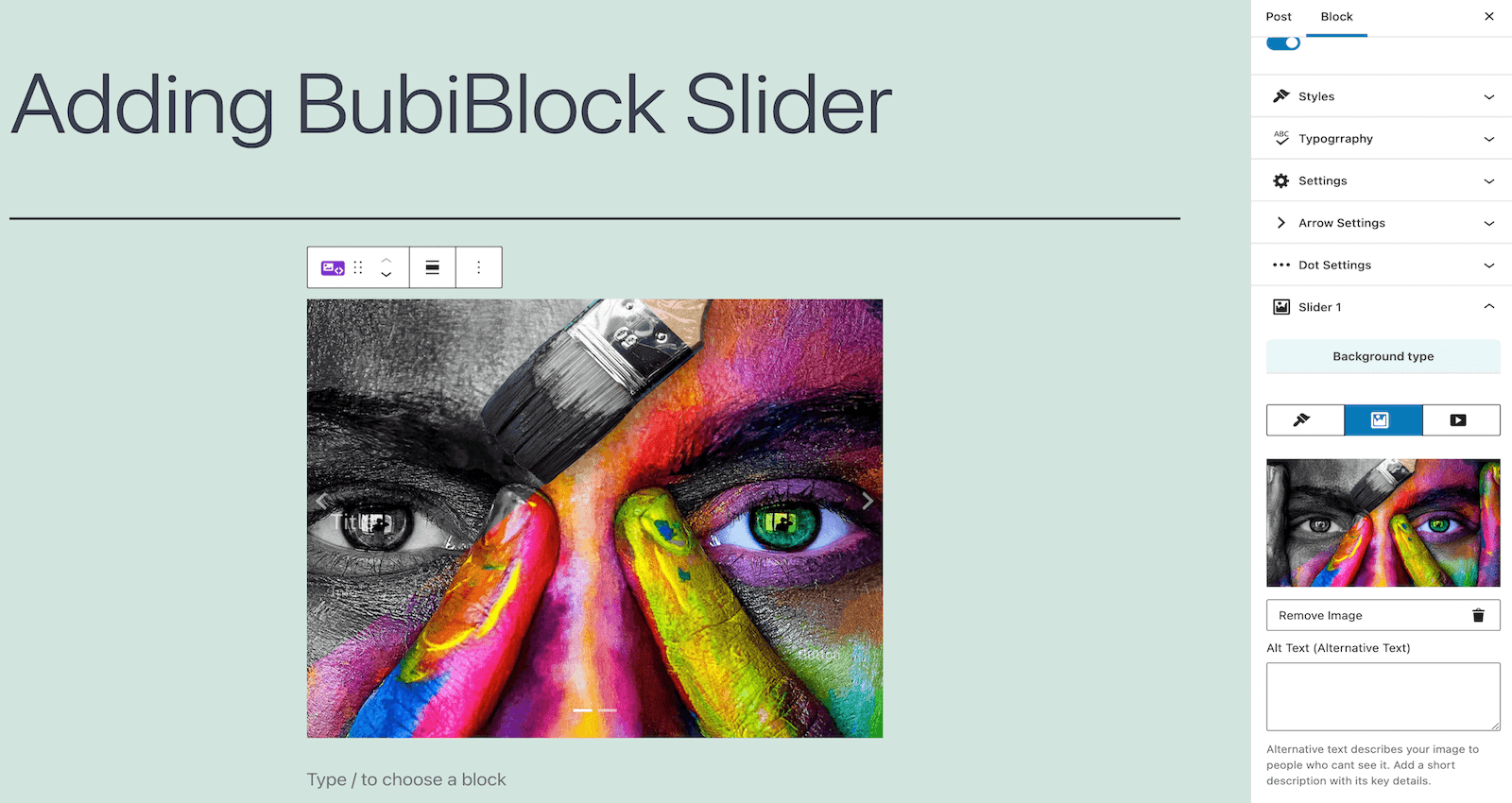
BubiBlock Slider add Image in background 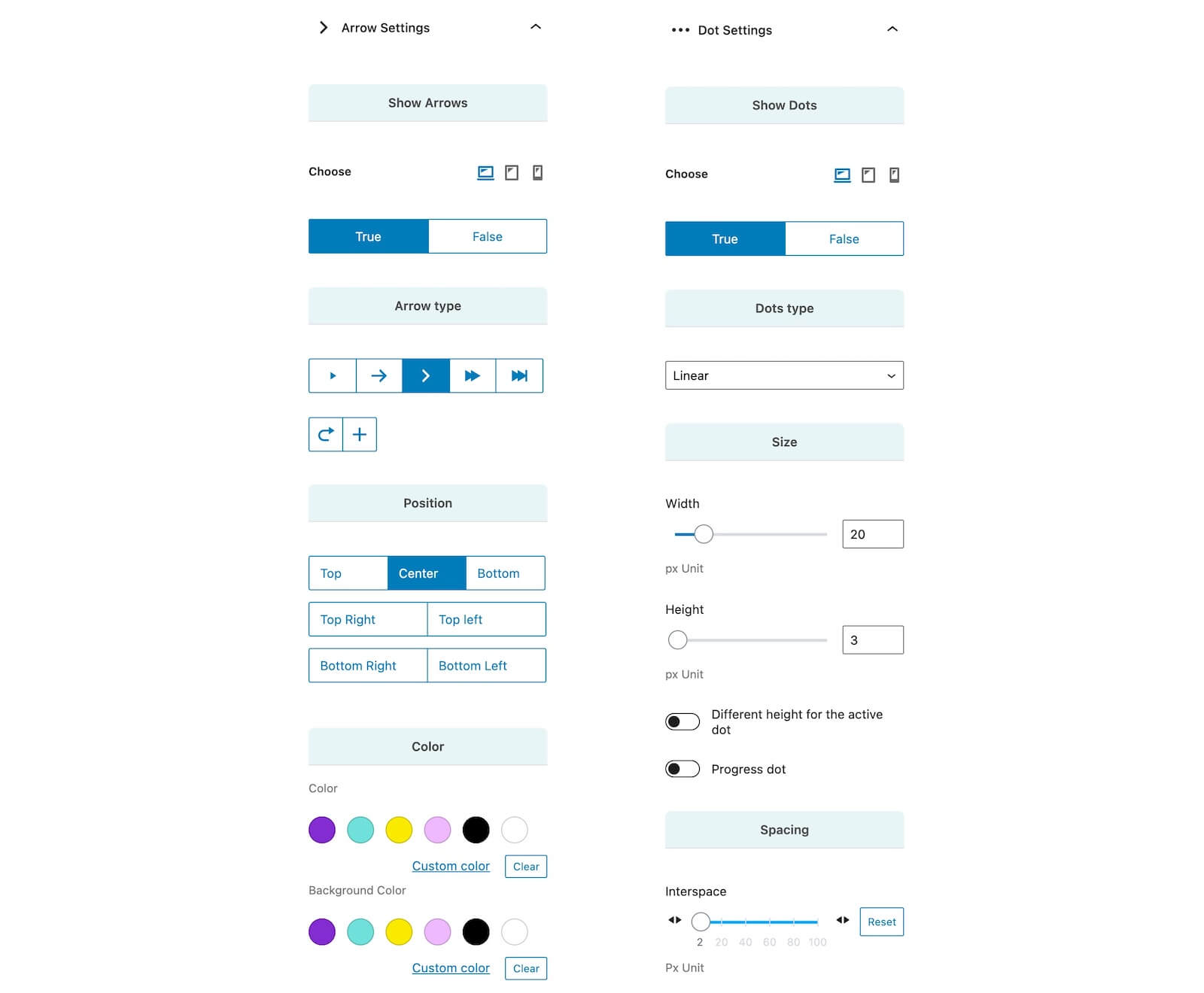
BubiBlock Slider settings Arrow and Dot
설치
- Go to the Plugins Menu in WordPress
- Search for “BubiBlock Slider”
- Click “Install”
- Activate the BubiBlock Slider
- Done!

기여자 & 개발자

변경이력
2.6.0
- This plugin is no longer maintained.
- It has been officially replaced by SliderFuture – Download it now on WordPress.org.
2.5.0
- This plugin was in the process of being discontinued.
- It was being replaced by SliderFuture – Download the Beta.
2.4.0
- Fixed responsive mode compatibility in Editor.
- Improved controls design in Editor.
- Improved Dashboard.
2.3.0
- Fixed handle for library calls.
- Added review request for the plugin.
1.0.5
- Plugin file bug fixed.
1.0.4
- Flip Effect bug fixed.
- Fixed background color bug.
1.0.3
- Removed an unnecessary string in the plugin.php file.
1.0.2
- Fixed test value on the latest version of WordPress.
1.0.1
- Added comments.
- Updated readme file for Plugin Name.
- Fixed file locations.
1.0.0
- First version.