

설명
Please be noted that this plugin uses third party service ( Google Map ).
b-Locator can :
– Add location ( long, lat, and details ).
– Filter the location by categories.
– Search specific location.
– Set center of the map.
– Set the zoom level.
– Set the height of the map.
– Modify default map pointer/marker.
– Modify default map theme.
– Enable/Disable the draggable function of the map.
– Enable/Disable double click zoom.
– Enable/Disable zoom control.
– Enable/Disable scrollwheel for zooming on the map.
– Enable/Disable street view.
스크린샷

assets/screenshot-1 
assets/screenshot-2 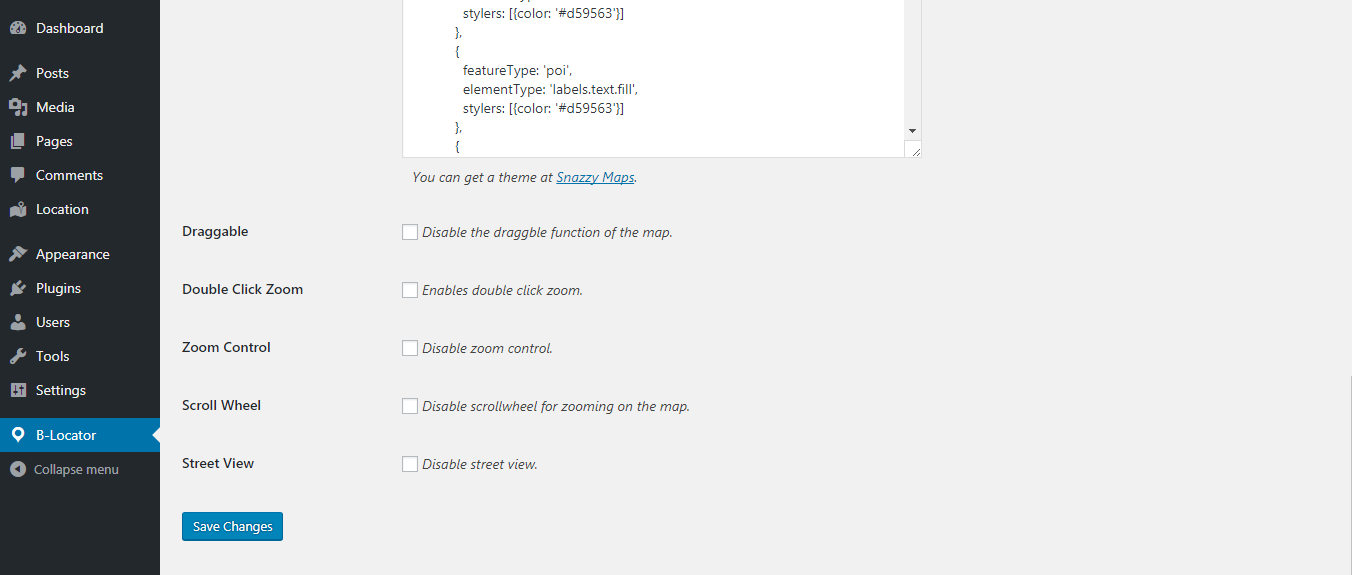
assets/screenshot-3 
assets/screenshot-4 
assets/screenshot-5 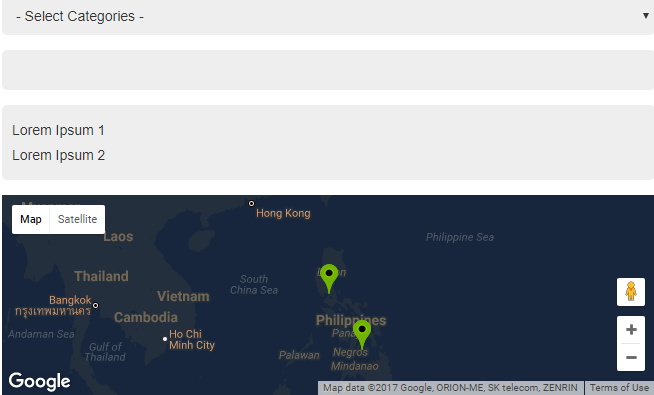
assets/screenshot-6 
assets/screenshot-7
설치
- Download the b-Locator plugin then paste it the plugin directory or download it via plugin menu of admin’s backend.
- Activate the plugin.
- Configure the settings in b-Locator menu.
- Add location in Custom Post Type Location.
- Use the shortcode [b-locator] to show the list of locations
- use the shortcode [b-locator-map] to show the map
FAQ
- Installation Instructions
-
- Download the b-Locator plugin then paste it the plugin directory or download it via plugin menu of admin’s backend.
- Activate the plugin.
- Configure the settings in b-Locator menu.
- Add location in Custom Post Type Location.
- Use the shortcode [b-locator] to show the list of locations
- use the shortcode [b-locator-map] to show the map
- Why there are two shortcodes that you need to use?
-
To place them wherever you want. Sample at the top you want to place the list of locations and at the bottom the google map.
후기
이 플러그인에 대한 평가가 없습니다.
기여자 & 개발자

변경이력
1.0.1 ( 10/11/2017 )
- Fix the bug in details of location and you can now insert HTML tag.
- Fix the error in uploading custom map pointer.
- Add “No Location Found” in searching location if there is not found.
- Make b-Locator compatible in latest version of WordPress which is 4.8.2.