
ವಿವರಣೆ
Stop losing 30-50% of your WooCommerce conversions to iOS restrictions and ad blockers. PixelFlow is the no-code solution for implementing Meta’s Conversions API on WooCommerce – so your ads finally get the data they need to optimize.
- No more missing sales or conversions in Facebook ads manager
- See every single event and where it came from down to the campaign, adset and ad
- No for developers, Google Tags Manager or expensive solution
Why PixelFlow?
Most server-side tracking solutions are built for developers or enterprise teams. They require complex setups, expensive consultants, or per-event pricing that spirals out of control.
PixelFlow is different:
- No developer needed — install plugin, click enable and you’re DONE.
- Unlimited event tracking — flat monthly pricing, no per-event fees or surprise charges
- Set up in minutes — not days or weeks
What You Get
- Recover lost conversions that browser-based tracking misses
- Improve Event Match Quality scores for better ad targeting and lower CPAs
- Track WooCommerce events automatically — Add to Cart, Checkout, Purchase
- Real-time event monitoring — see exactly what’s being sent to Meta
- Works alongside your existing Pixel — CAPI supplements browser tracking, it doesn’t replace it. PixelFlow automatically loads both your pixel & CAPI for you for perfect event. deduplication and more coverage.
Why Server-Side Tracking Matters
Since iOS 14, Meta’s browser-based Pixel misses up to half your conversions. Ad blockers make it worse. When Meta doesn’t receive your conversion data, it can’t optimize your campaigns — so you pay more for worse results.
PixelFlow sends events directly from your server to Meta, bypassing ad blockers and privacy restrictions entirely. Your ads get complete data. Your ROAS improves.
Built for WooCommerce
When WooCommerce is active, PixelFlow automatically tracks:
- Add to Cart — with product name, price, and quantity
- Initiate Checkout — captures cart totals
- Purchase — full order data including revenue
No manual setup. No custom code. Works instantly.
Additional options:
- Exclude free products from tracking
- Exclude admins and specific user roles
- Control which events fire and when
Not Using WooCommerce? We’ve Got You Covered.
Running a WordPress site without an online store? PixelFlow works for you too without the need for a plugin. Learn more at PixelFlow
Privacy Policy
PixelFlow integrates with Meta’s Conversions API to track customer actions on your website (when configured). This may include:
- Page views
- Product interactions
- Purchase events
- Form submissions
All data is processed according to Meta’s privacy policies and your local privacy regulations. Please ensure you have appropriate user consent mechanisms in place if required by law (e.g., GDPR, CCPA).
For more information:
* PixelFlow Privacy Policy
* Meta Business Tools
Additional Information
Links:
* PixelFlow Website
* Documentation
* Event Classes Reference
* Support
Requirements:
* WordPress 5.0 or higher
* PHP 7.4 or higher
* WooCommerce 4.0+ (optional, for e-commerce features)
Developer Resources:
* The plugin is developer-friendly with filters and hooks
* Custom event tracking can be implemented using PixelFlow classes
* Compatible with custom WooCommerce themes
* GitHub Repository – feel free to contribute or report issues
Screenshots
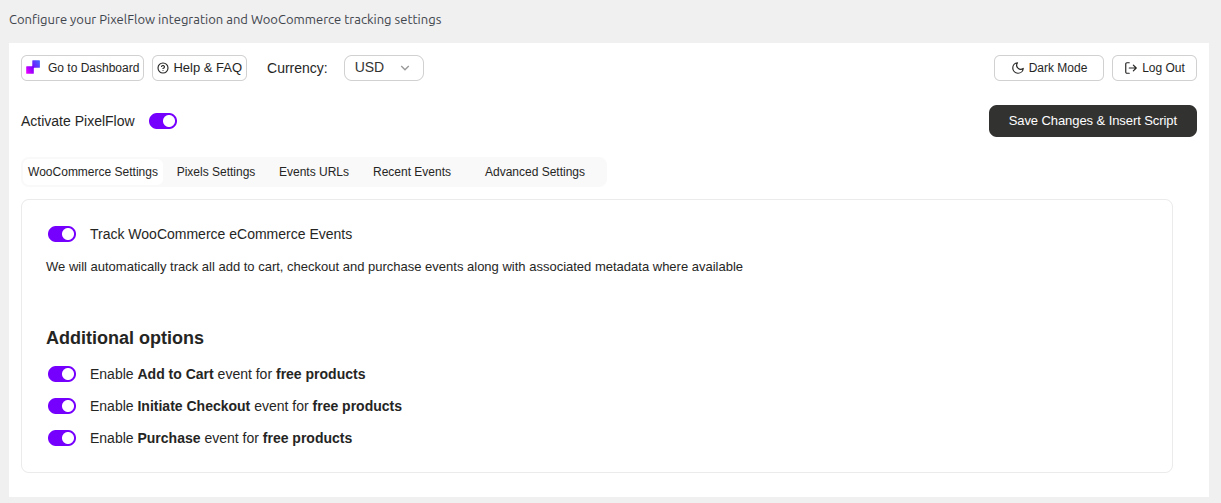
WooCommerce integration settings 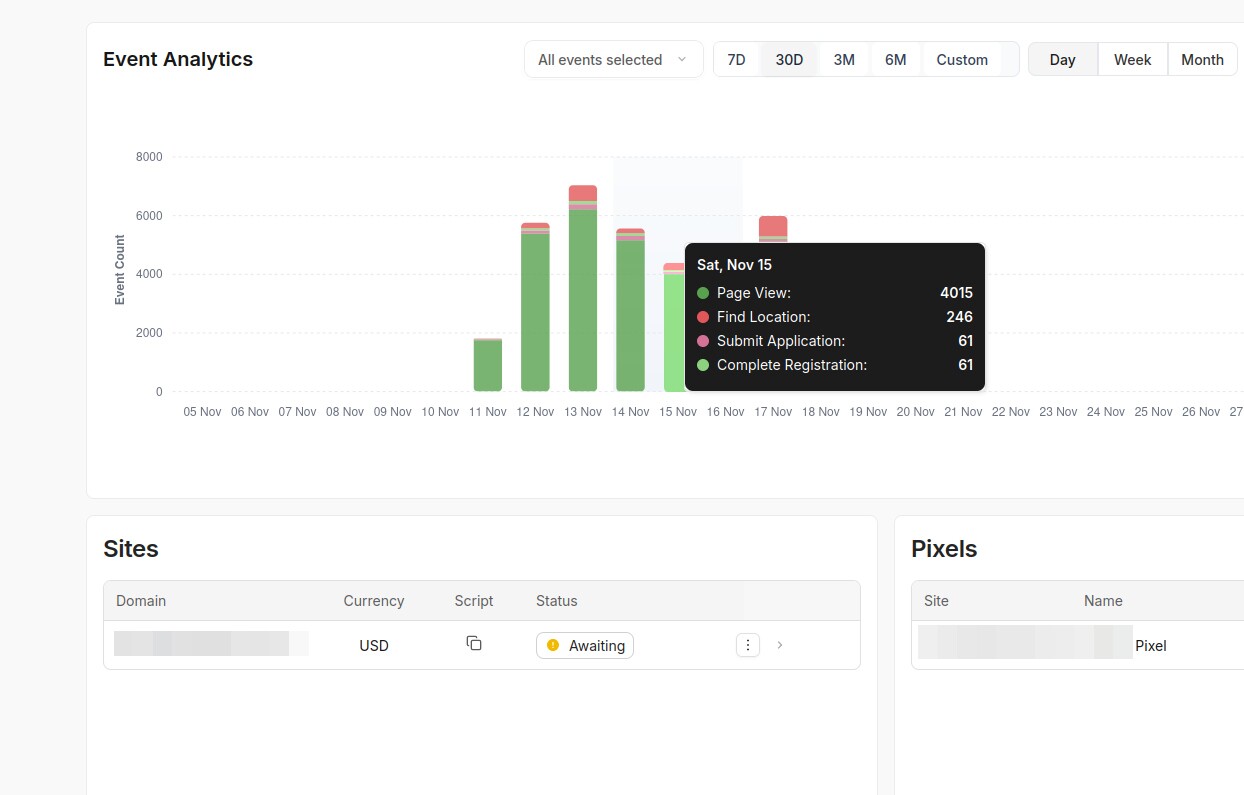
Analytics received in the Pixelflow dashboard 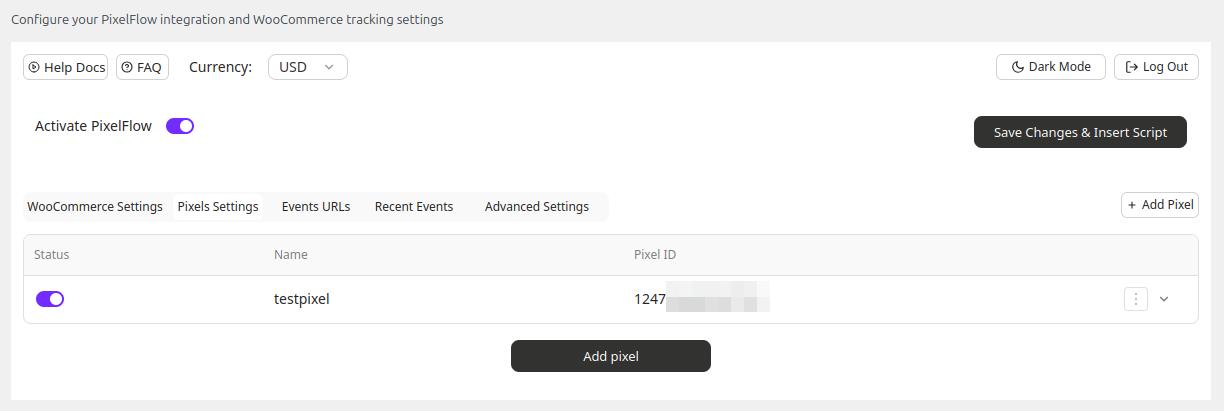
Pixels Settings 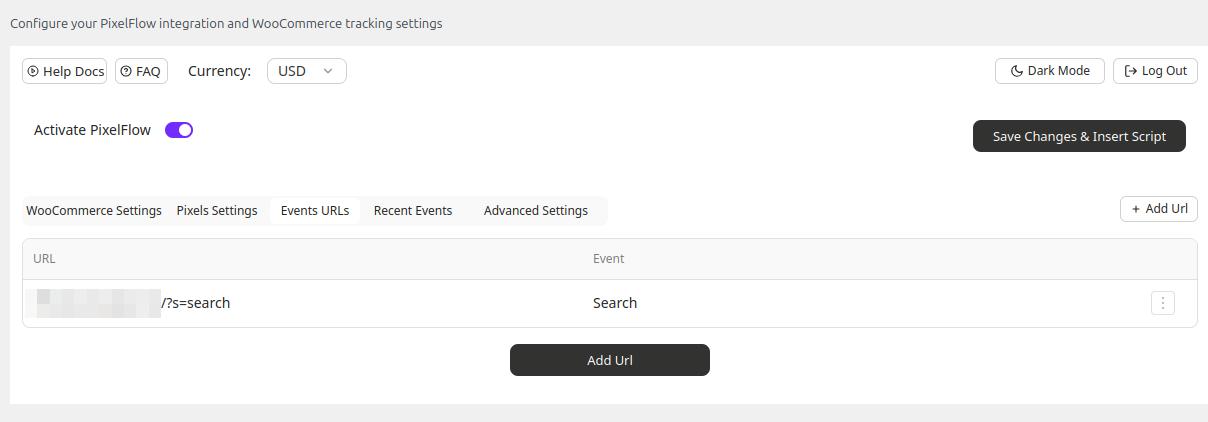
Events Urls Settings 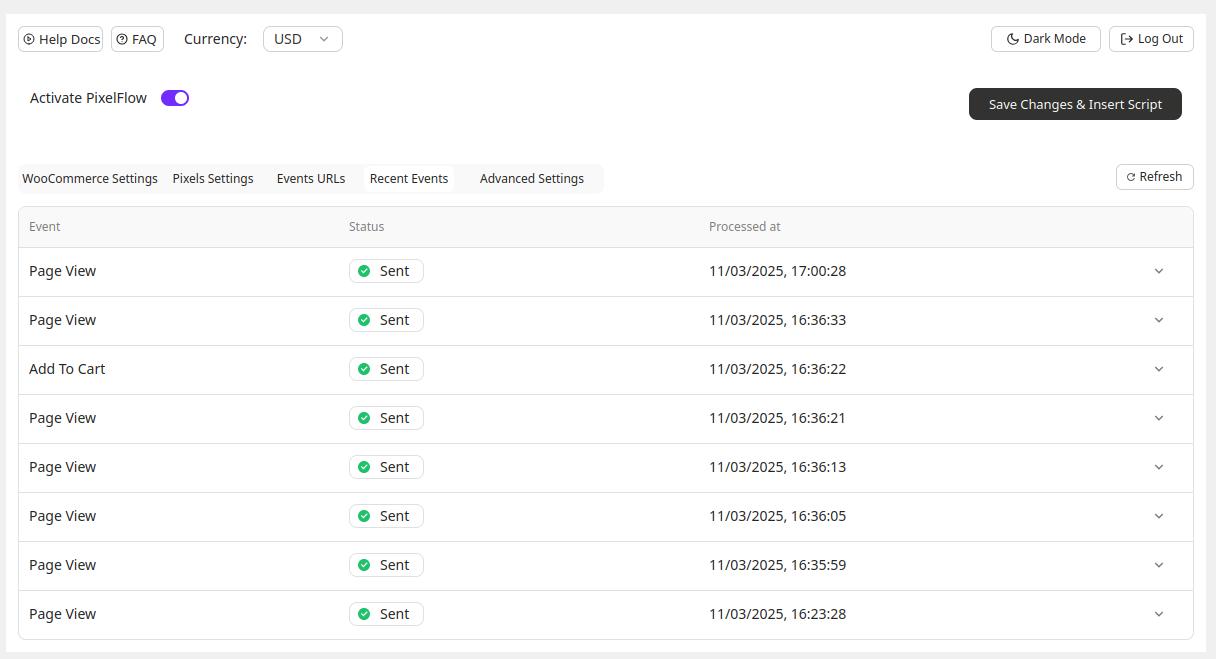
Recent Events 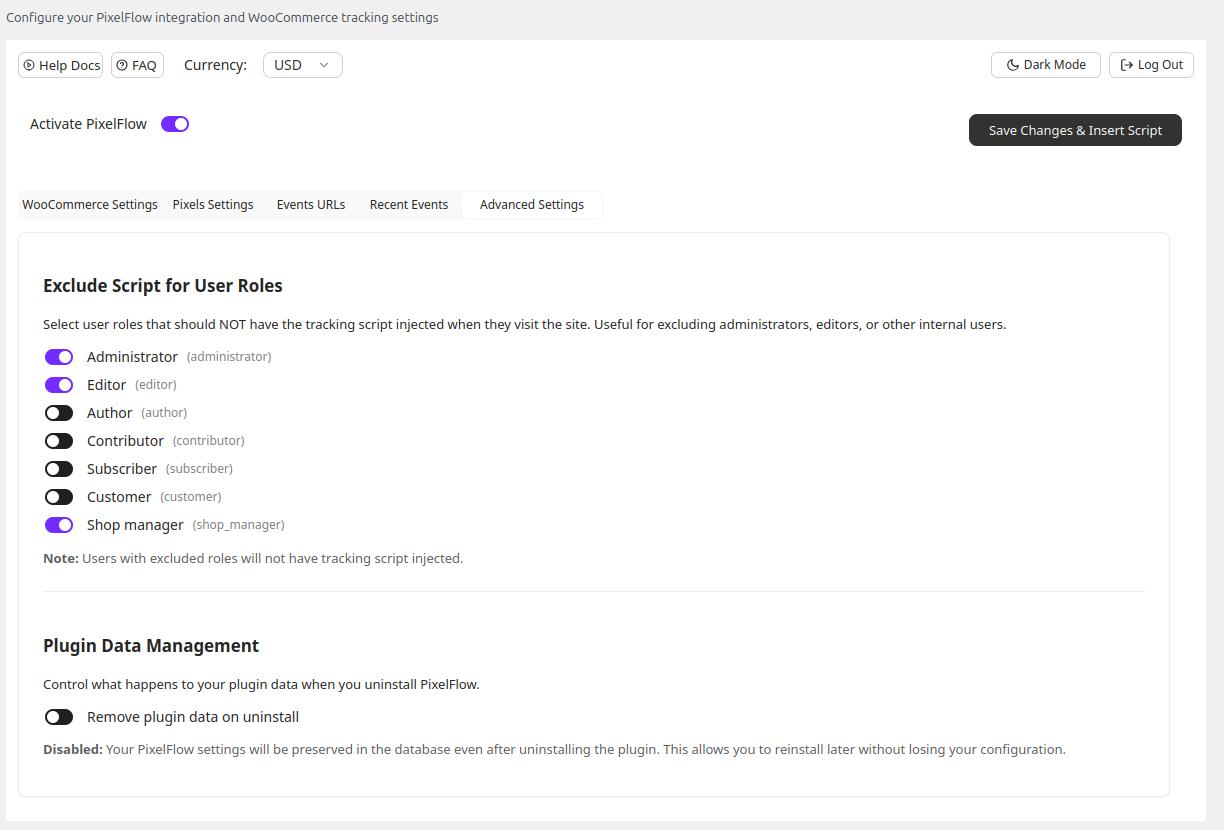
Advanced Settings 
Events in the Pixelflow dashboard
Installation
Automatic Installation:
- Log in to your WordPress admin panel
- Go to Plugins > Add New
- Search for “PixelFlow”
- Click “Install Now” and then “Activate”
- Go to Settings > PixelFlow Settings to configure
Manual Installation:
- Download the plugin zip file
- Go to Plugins > Add New > Upload Plugin
- Choose the downloaded file and click “Install Now”
- Activate the plugin
- Go to Settings > PixelFlow Settings to configure
Configuration:
Please follow this guide to set up your PixelFlow tracking code: PixelFlow Setup Guide
FAQ
-
What is PixelFlow?
-
PixelFlow is a WooCommerce plugin that implements Meta’s Conversions API (CAPI) on your store without any coding. It sends your conversion data directly from your server to Meta, bypassing the iOS restrictions and ad blockers that cause the standard Meta Pixel to miss 30-50% of your sales.
-
How is PixelFlow different from the standard Meta Pixel?
-
The Meta Pixel runs in your visitor’s browser, which means it gets blocked by iOS privacy settings, ad blockers, and cookie restrictions. PixelFlow sends data server-to-server, so Meta receives your conversion data regardless of what’s happening in the browser. You get more accurate tracking and better ad performance.
-
How is PixelFlow different from competitors?
-
Other implementations are either too complex or have “proprietary” systems to make up for their higher pricing. PixelFlow just simplifies all of this – we offer perfect server side tracking for WooCommerce at an affordable price for our users. We’re a small team and always available for support and video calls!
-
What WooCommerce events does PixelFlow track?
-
PixelFlow automatically tracks all the key e-commerce events: Add to Cart (with product details and quantity), Initiate Checkout (with cart totals), and Purchase (with full order data including revenue). No manual setup required.
-
How long does setup take?
-
About 2 minutes. Install the plugin, connect your Meta account, and click enable. PixelFlow handles everything else automatically.
-
Will PixelFlow slow down my website?
-
No. PixelFlow sends data from your server after the page has loaded, so it has zero impact on your storefront speed or customer experience.
-
Do I need to remove my existing Meta Pixel?
-
No. PixelFlow works alongside your existing Pixel and automatically handles deduplication so Meta doesn’t count events twice. Running both gives you maximum coverage.
-
Can I try PixelFlow for free?
-
PixelFlow offers a 7-day free trial with no credit card required. You can test everything and see events flowing before you commit.
-
How do I know if events are tracking correctly?
-
PixelFlow includes a real-time event log in your dashboard. You can see every event sent to Meta, including the data payload, delivery status, and any errors. You can also verify in Meta Events Manager.
-
What if I’m not using WooCommerce?
-
PixelFlow also works on regular WordPress sites and other platforms like Webflow, Framer, and Squarespace using a simple tracking script. Visit pixelflow.so to learn more.
-
Is PixelFlow GDPR compliant?
-
PixelFlow is a data processor that sends conversion data to Meta on your behalf. You are responsible for obtaining appropriate user consent where required by law (GDPR, CCPA, etc.). PixelFlow works with popular consent plugins and can be configured to only fire events after consent is given.
-
What support is available if I need help?
-
We offer documentation, video tutorials, and email support on all plans. Most users complete setup without any assistance, but we’re here if you get stuck. You can ask your questions right here or visit PixelFlow documentation or Contact Support.
ವಿಮರ್ಶೆಗಳು
ಈ ಪ್ಲಗಿನ್ಗೆ ಯಾವುದೇ ವಿಮರ್ಶೆಗಳಿಲ್ಲ.
Contributors & Developers
“PixelFlow” is open source software. The following people have contributed to this plugin.
ಕೊಡುಗೆದಾರರು
Translate “PixelFlow” into your language.
Interested in development?
Browse the code, check out the SVN repository, or subscribe to the development log by RSS.
Changelog
1.1.4
Track WooCommerce events, such as Add to Cart, Initiate Checkout, Purchase, using Woo hooks, so this is now working out of the box
1.1.3
Error handling and auth handling improved
1.1.2
Making e-mail field optional for register
1.1.1
Made the main plugin options available after setup even if not auth in PixelFlow
1.1.0
Simplified the analytics script, excluded dynamically loaded parameters, WordPress support up to 6.9
0.1.21
Replaced ob_ usage with javascript to add classes
0.1.20
Updated the way how the script is injected
0.1.19
Added button to quickly copy site ID (on the login screen)
Fixed Woo settings global variable name
Updated UI components
0.1.18
Main developer changed
Option name changed from pixelflow_script_code to pixelflow_code
0.1.17
Improved pixel id form field validation to prevent invalid values from submitting
0.1.16
- Added links to docs and PixelFlow Dashboard
- UX improved
0.1.15
- Initial public release
- Automatic PixelFlow tracking code insertion
- WooCommerce integration with auto-class assignment
- Settings page for configuration
- User role exclusion feature
- Debug mode for testing
- Support for all major PixelFlow event classes