

Description
Koalendar is a WordPress booking and appointment scheduling plugin that lets visitors book meetings, services, and appointments directly from your website. It removes the back and forth emails and manual coordination by syncing bookings automatically with your calendar.
Built for WordPress users, Koalendar is easy to install, simple to configure, and works out of the box for individuals and small teams. It keeps availability up to date, prevents double bookings, and helps you turn any WordPress site into a complete online booking system in just minutes, with a Free Forever plan to get started.
See Koalendar in action
Watch how easy it is to set up and start accepting bookings on your WordPress website:
Top Features
- WordPress booking and appointment scheduling plugin
- Unlimited booking pages and appointments
- Calendar sync with Google Calendar, Outlook, and iCloud
- Accept online payments for services and appointments
- Personalized booking pages that match your website design
- Multiple appointment types with custom durations
- Group bookings and classes with attendee limits
- Smart availability rules, buffers, and time off
- Team scheduling with shared and round robin availability
- Automated booking confirmations and reminders
- Easy embedding using WordPress blocks, shortcodes, or widgets
Perfect for
Koalendar is designed for small businesses, professionals, and teams who need a reliable scheduling system:
- Consultants and freelancers
- Coaches, tutors, and educators
- Agencies and remote teams
- Service based businesses
- Sales teams booking meetings and demos
- Anyone who needs an online scheduling calendar on their WordPress website
Integrations
Koalendar integrates seamlessly with the tools you already use, so your online booking system, calendar, and business workflows stay perfectly aligned. This allows you to manage appointments, meetings, and services without manual updates or double bookings.
- Calendar integrations with Google Calendar, Outlook, and iCloud to keep availability accurate in real time
- Video meeting integrations with Google Meet and Microsoft Teams, automatically generating meeting links for online appointments
- Payment integrations with Stripe, allowing clients to pay when they book an appointment or service
- Automation platforms such as Zapier, Make, n8n, and Pabbly to connect Koalendar with hundreds of apps and automate follow ups or internal workflows
- WordPress friendly setup, plus productivity tools like a Chrome extension for quickly sharing booking links
Personalized Booking Pages
Create clean, professional booking pages that match your brand and website design. Your visitors can make an appointment without leaving your website.
- Customize colors and layout
- Share a direct booking link or embed on any page
- Works with WordPress blocks, shortcodes, or widgets
- Optimized for desktop and mobile users
Smart Availability and Calendar Sync
Koalendar connects to all your existing calendars to keep your schedule accurate at all times.
- Sync with Google Calendar, Outlook, and iCloud
- Prevent double bookings automatically
- Set working hours, buffers, and time off
- Control availability per meeting or service
Team Collaboration
Built for teams that need shared scheduling.
- Schedule meetings with multiple team members
- Round robin and collective availability options
- Each team member connects their own calendar
- Perfect for agencies and growing small businesses
Multiple Services and Appointment Types
Koalendar lets you create multiple services and appointment types within a single booking system, each with its own duration, availability, and rules. This makes it easy to offer different kinds of meetings or services on your WordPress website without juggling multiple calendars or tools. Visitors simply choose the service they need and book an appointment online that fits your schedule.
For example, a service based business such as a wellness studio, repair service, or local professional can create appointment types like initial visits, recurring services, or premium sessions, each with its own time length and booking rules, making it easy for customers to schedule the right service directly from the website.
Group Bookings and Classes
Koalendar makes it easy to manage group bookings and classes directly from your WordPress website. You can allow multiple attendees to book the same session, set participant limits, and keep everything organized in one scheduling system.
This is ideal for workshops, coaching programs, fitness or wellness classes, and training sessions, where multiple people need to book the same time slot while you stay in control of capacity and availability.
Custom Automations and Reminders (included in PRO plan)
Send personalized confirmation and reminder emails before each appointment or meeting. This helps keep clients informed, reduces no shows, and saves time spent on manual follow ups.
Custom Booking Forms (included in PRO plan)
Collect additional information at the time of booking, such as contact details, service preferences, or special requests. This is especially useful for service businesses that need context before an appointment.
Payments (included in PRO plan)
Accept online payments for appointments and services directly through your booking system. Charge for consultations, classes, or sessions in advance to simplify billing and secure bookings before they happen.
Backlog updates
Here are some recent product updates:
- Appointment types (services): list multiple services directly on your booking page, each with its own price and duration
- Multiple and recurring bookings: invitees can book multiple dates, or set up recurring bookings, in a single flow
- Booking durations in hours or days: configure event durations using hours or days
- New booking page editor: redesigned editor for faster page creation and updates
- Koalendar available in Spanish and French
- File upload: collect files with the Google Drive integration
- Stripe Checkout: offer more payment methods and collect taxes
- Gmail integration: send booking emails from your own address
- New integrations: Zapier and Telegram
- Apple Pay and Google Pay supported automatically on supported devices and browsers
Screenshots

Save hours every week with your new Koalendar booking pages 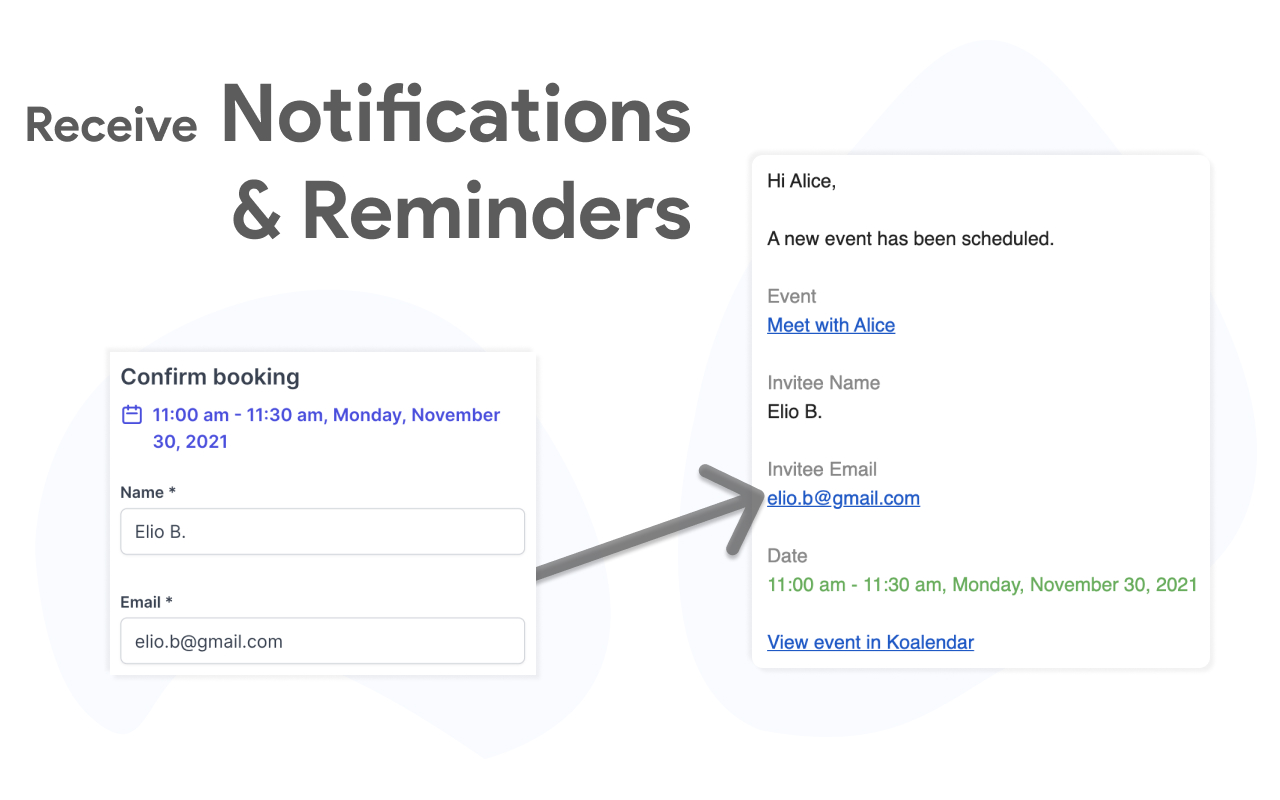
Reduce no-shows by up to 90% with email reminders 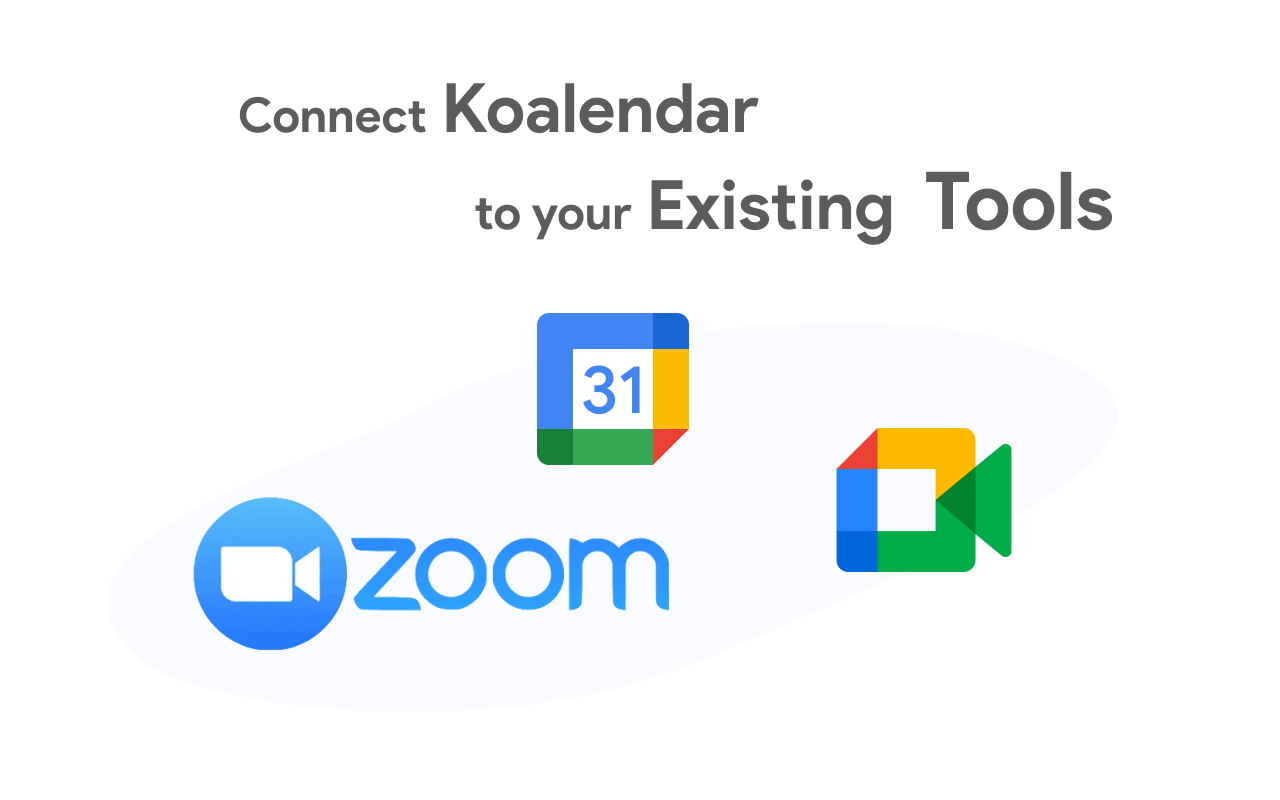
Connect Koalendar to your existing tools: Zoom, Google Calendar, Google Meet, Zapier, Stripe 
Koalendar is loved by thousands of business owners, non profit organizations, and schools
Installation
The plugin is simple to install from wordpress.org:
- Visit https://wordpress.org/plugins/ and search for ‘Koalendar’
- Install the plugin
- Go to the plugin management page and enable it
This creates the [koalendar] tag to embed Koalendar into the page. Usage:
[koalendar link=”YOUR-BOOKING-PAGE-LINK”]
- Create a free account at Koalendar.com
- Create a booking page.
- Get your booking page link to paste into the [koalendar] tag by clicking “Share” next to the booking page, and “Copy link”.
Options:
link: your booking page (required)
width: defaults to 100% (optional)
height: defaults to 660px (optional)
We recommend adding the tag in text mode instead of visual to prevent other formatting of the URL being inadvertently added. Support is available at https://help.koalendar.com/
FAQ
-
Is Koalendar really free forever?
-
Yes. Koalendar’s free plan includes unlimited bookings, scheduling pages, and calendar sync (no credit card required). Use it forever, and upgrade only if you want advanced features like branding, group meetings, payments, reminders, or extra integrations.
-
What do I get if I upgrade to Pro?
-
Pro helps you look even more professional and saves more time. You’ll unlock custom branding, payments, group meetings, automated reminders, advanced integrations, and more.
-
Which integrations are included in Free vs. Pro?
-
Free includes calendar sync (Google, Outlook, iCloud), Google Meet, and basic notifications. Pro adds automated reminders, payment collection via Stripe, custom forms, branding, and advanced team scheduling.
-
Can I schedule video call meetings online with Zoom, Google Meet, or Microsoft Teams?
-
Yes. Koalendar can automatically create Zoom, Google Meet, or Microsoft Teams links and add them to the calendar event and booking emails.
-
Does the plugin require a paid subscription?
-
No. The Koalendar plugin is free, and the free plan includes unlimited bookings and scheduling pages. Premium features are optional for teams that need advanced customization and additional integrations.
-
Will Koalendar work with my existing calendar?
-
Absolutely. Koalendar syncs with Google Calendar, Microsoft Outlook, and Apple Calendar. Your availability stays up to date across all platforms and helps prevent scheduling conflicts.
-
Can I customize the appearance of the booking widget?
-
Yes. Customize colors, fonts, button styles, and layout to match your WordPress theme. Add your logo, adjust spacing, and create a seamless brand experience for your visitors.
-
Can invitees choose how we meet (online, phone, or in person)?
-
Yes. You can offer multiple meeting locations on the same booking page, including online meetings, phone calls, or in person meetings.
Reviews


Contributors & Developers
“Koalendar – Easy Appointment Scheduling & Booking Plugin” is open source software. The following people have contributed to this plugin.
Contributors
Translate “Koalendar – Easy Appointment Scheduling & Booking Plugin” into your language.
Interested in development?
Browse the code, check out the SVN repository, or subscribe to the development log by RSS.
Changelog
1.0.4
- Update plugin readme content, including demo video, FAQ, and backlog updates.
- Appointment types (services): list multiple services directly on your booking page, each with its own price and duration (from https://changelog.koalendar.com/)
- Multiple and recurring bookings: invitees can book multiple dates, or set up recurring bookings, in a single flow
- Booking durations in hours or days: configure event durations using hours or days
- New booking page editor: redesigned editor for faster page creation and updates
- Koalendar available in Spanish and French
- File upload: collect files with the Google Drive integration
- Stripe Checkout: offer more payment methods and collect taxes
- Gmail integration: send booking emails from your own address
- New integrations: Zapier and Telegram
- Apple Pay and Google Pay supported automatically on supported devices and browsers
1.0.3
- Improve shortcode attribute sanitization and escaping.
1.0.2
- Compatibility updates.
1.0.1
- Compatibility updates.
1.0.0
- Initial release