

Description
Important Note
This plugin is a fork of a Velvet Blues Update URLS. Since, Velvet Blues Update URLS plugin is not actively maintained and not tested with the latest version of WordPress, We decided to maintain and continue to improve.
So, if you are already using Velvet Blues Update URLS plugin, simply download this plugin and start using it.
If you move your WordPress website to a new domain name, you will find that internal links to pages and references to images are not updated. Instead, these links and references will point to your old domain name. This plugin fixes that problem by helping you change old urls and links in your website.
Features
- 👉 Users can choose to update links embedded in content, excerpts, or custom fields
- 👉 Users can choose whether to update links for attachments
- 👉 View how many items were updated
🚀 Time-Saving Features in Update URLs PRO
Upgrade to PRO and unlock powerful tools designed to give you complete control, safety, and efficiency while performing database search & replace operations.
👉 Select Specific Tables for Search/Replace
Choose exactly which WordPress database tables you want to update. No unnecessary changes — only modify what truly matters.👉 Perform a Safe Dry Run
Preview the changes before applying them. The Dry Run feature shows exactly what will be updated, helping you avoid costly mistakes.👉 Choose Which Results to Apply
After running a Dry Run, you can either apply all changes or selectively execute specific search/replace results. Full precision. Full control.👉 One-Click Database Export & Import
Always backup before making database changes — and now you can do it instantly. PRO includes a built-in one-click database backup and restore feature, so you’re always protected.👉 Complete Search/Replace History
Keep track of every operation performed. View detailed history logs to monitor changes and maintain accountability.👉 One-Click Undo (Rollback)
Made a mistake? No problem. Instantly undo or roll back a search/replace operation with a single click.👉 Save & Load Custom Profiles
Frequently repeat the same search/replace tasks? Save custom profiles and reload them anytime to streamline recurring workflows.👉 Priority Email Support and updates
Your success matters to us. PRO users receive priority support and ongoing updates to ensure a smooth and reliable experience.
Update URLs PRO is built for developers, agencies, and site owners who want speed, safety, and total confidence while managing their WordPress database.
Spread The Love ❤️
If you like Update URLs, please leave a five stars ⭐⭐⭐⭐⭐ and also spread the word about it via Facebook and Twitter. That helps fellow website owners assess Update URLs easily and benefit from it!
What’s Next
If you like this plugin then consider checking out our other solutions:
URL Shortify – Simple, Powerful and Easy URL Shortener Plugin For WordPress.
URL Shortify helps you beautify, manage, and share any URL on or off of your WordPress website. Create links that look how you want using your domain name! It’s a Simple, Easy & Elegant self hosted alternative to Bitly, TinyURL, Cuttly, Pretty Links, URL Shortener By My Theme Shop, Rebrandly, BL.Link, Short.io, and many other SaaS URL Shortener services.
Social Linkz – Lightweight and fast social media sharing plugin
Easily place social share icon on your posts, pages etc..
Utilitify – Supercharge Your WordPress Site With Power Pack WordPress Utilities
It’s a simple & neat plugin which helps you to customize your WordPress setup in a very elegant way.
Logify is a comprehensive logging and monitoring plugin for WordPress that helps you keep track of various activities and events on your website. It provides detailed logs of user actions, system events, and errors, allowing you to monitor and troubleshoot your site effectively.
Magic Link is a passwordless authentication plugin for WordPress that allows users to log in securely via email links. It eliminates the need for traditional passwords, enhancing both security and user convenience.
With Magic Link, users simply enter their email address, receive a unique login link, and gain instant access to their accounts. This plugin is perfect for improving user experience while maintaining strong security standards.
Screenshots

The Admin screen for the plugin. 
Select table to search/replace. [PRO] 
Additional Settings – Dry Run. [PRO] 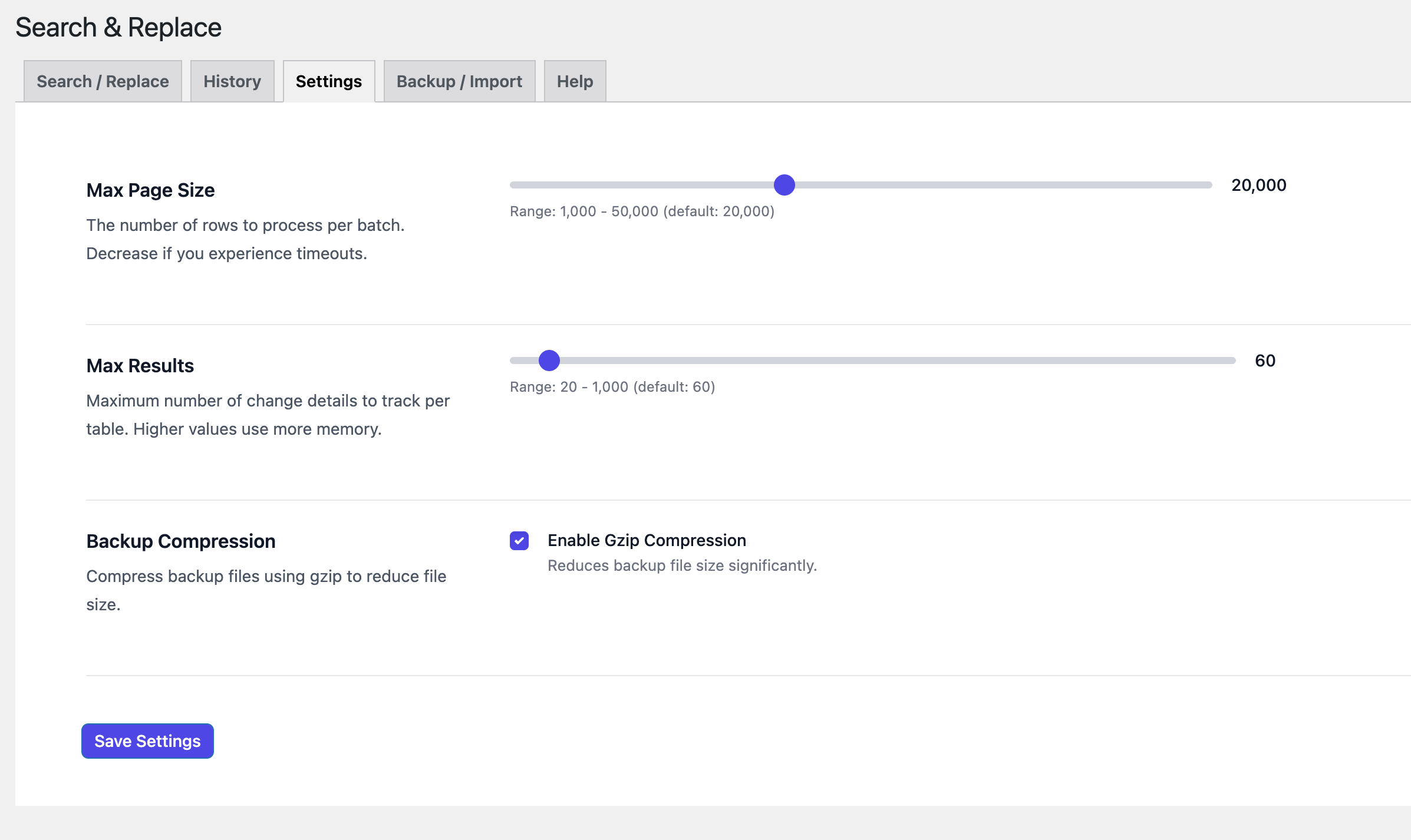
Setting. [PRO] 
Search & Replace History. [PRO] 
Details Of Specific Search/Replace. [PRO] 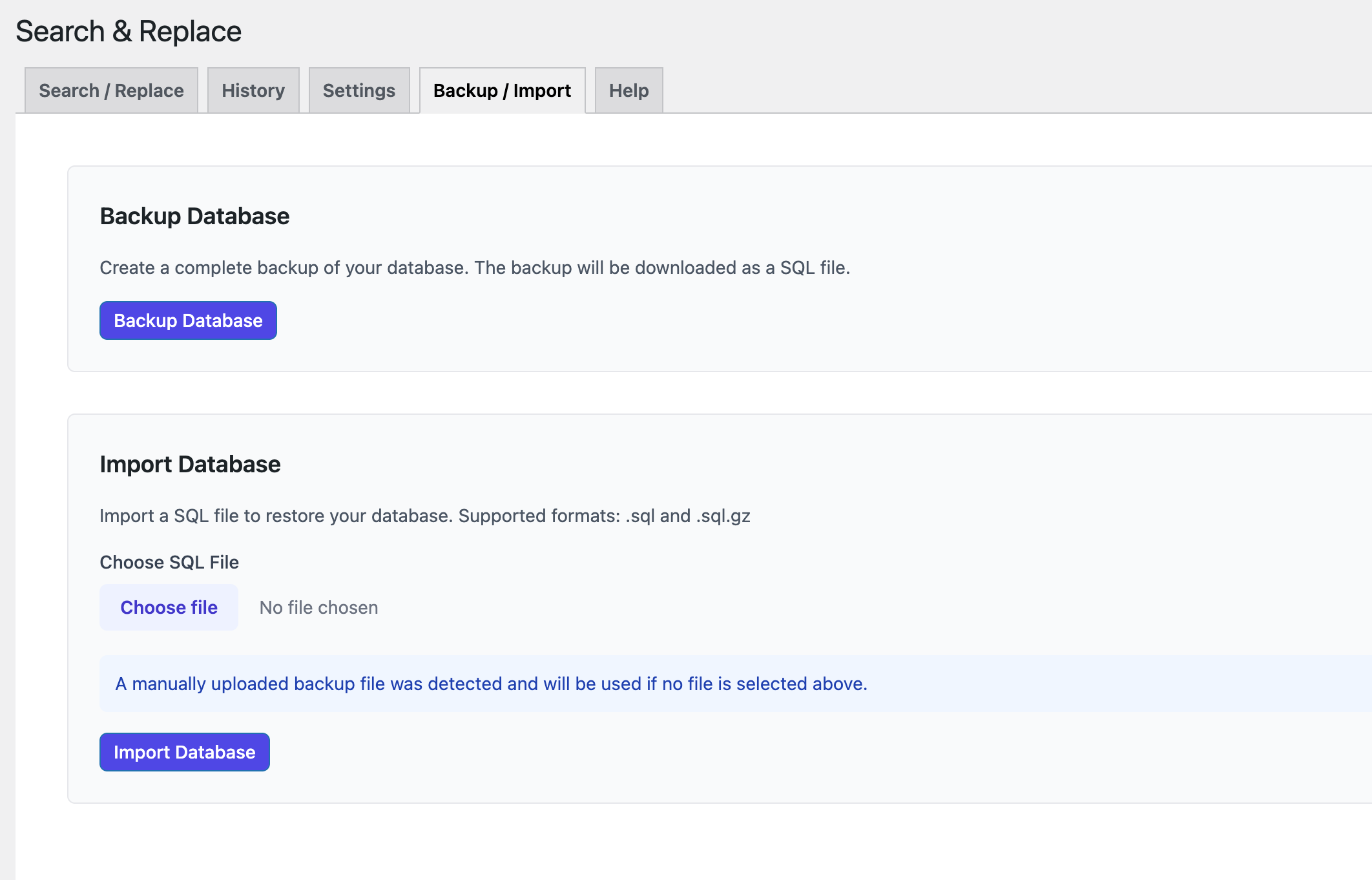
One-Click Database Backup/Import. [PRO]
Installation
The easy way..
- Go to WordPress Dashboard. Locate Plugins -> Add New
- Search Update URLS plugin using the search option
- Find the plugin and click Install Now button
- After installation, click on Activate Plugin link to activate the plugin.
The hard way..
- Download the plugin update-urls.zip
- Go to WordPress Dashboard. Locate Plugins -> Add New
- Click on the Upload Plugin link from the top
- Upload the downloaded update-urls.zip file and click on Install Now
- After installation, click on Activate Plugin link to activate the plugin.
Usage:
Using this plugin is very simple. Once it has been activated, navigate to Update URLS and follow the instructions. Please Note: Changes are irreversible. If you haven’t used this plugin before, please backup your website before proceeding.
FAQ
-
Why are my URLS not updated?
-
URLs are only replaced when an exact match is found. Be sure that you have entered the correct url and hit submit. (Note: Matching is case-sensitive.)
-
Why do I see the message “You do not have sufficient permissions to access this page”?
-
Make sure that the plugin is activated and that you are an administrator level user.
Reviews


Contributors & Developers
“Search & Replace Everything – Quick and Easy Way to Find and Replace Text, Links” is open source software. The following people have contributed to this plugin.
Contributors

“Search & Replace Everything – Quick and Easy Way to Find and Replace Text, Links” has been translated into 5 locales. Thank you to the translators for their contributions.
Interested in development?
Browse the code, check out the SVN repository, or subscribe to the development log by RSS.
Changelog
1.4.0
- New: Added support to select tables to do search/replace. PRO
- New: Added support to do dry run before actually perform search/replace. PRO
- New: Added support to select which search/replace to perform after doing dry-run. PRO
- New: Added support to do one-click database Export/Import. PRO
- New: Added support to store a complete history of performed search/replace. PRO
- New: Added support to do one-click undo of performed search/replace.
- Update: WordPress 6.9.1 compatibility check.
- Translation: Update .POT file
1.3.0
- Update: UX Improvements
- Translation: Update .POT file
1.2.15
- Update: UX Improvements
- Translation: Update .POT file
1.2.14
- Update: WordPress 6.8.2 compatibility check.
1.2.13
- Update: WordPress 6.8.1 compatibility check.
1.2.12
- Update: WordPress 6.7.2 compatibility check.
1.2.11
- Fix: Undefined constant error.
1.2.10
- Update: WordPress 6.6.2 compatibility check.
- Update: Improve UI / UX.
1.2.9
- Fix: UI / UX Improvements.
1.2.8
- Update: WordPress 6.6.1 compatibility check.
- Update: Improve UI / UX.
- Update: .POT file
1.2.7.1
- Update: Small bug fix.
- Update: WordPress 6.5.2 compatibility check.
1.2.6
- Fix: Remove unused JS & CSS files.
1.2.5
- Update: WordPress 6.4.2 compatibility check.
- Fix: Deprecated: Creation of dynamic property is deprecated issue.
1.2.4
- Update: WordPress 6.3 compatibility check.
1.2.3
- Fix: Checkbox enable/ disable issue.
1.2.2
- New: Improve UI/ UX of admin screen.
- Update: WordPress 6.2.2 compatibility check.
- Update: Minor bug fixes.
- Update: Update .POT file.
1.2.1
- Update: Minor bug fixes.
1.2
- New: UI/ UX enhancements.
1.1
- Update: WordPress 6.2 compatibility check.
1.0.4.1
- Update: WordPress 6.1.1 Compatibility check.
1.0.4
- Update: Fixed link.
- Update: Icon & Banner update.
1.0.3
- Update: Compatibility check with WordPress 6.0
1.0.2
- Fix: Minor bug fix.
1.0.1
- Update readme.txt
1.0.0
- Initial Release
- This release is a fork of Velvet Blues Update URLS.