

Description
ACS Agenda Manager provides an easy way to create and manage an event agenda on your WordPress site. Display upcoming events with dates, locations, images, and descriptions in a clean, responsive layout.
Features
- Multi-date support: Events can span multiple days with visual multi-date calendar picker
- Media integration: Upload and display event images via WordPress Media Library
- Image lightbox: Click images to view full-size in a popup overlay
- Location display: Show event locations prominently
- Linked pages: Connect events to detailed WordPress pages
- Automatic expiration: Past events are automatically hidden
- Modern responsive design: CSS Grid layout with glass-morphism effects
- Easy administration: Intuitive admin interface with card-based form sections
- Real-time validation: In-dialog error messages and success notifications
Supported Languages
- English (en_US) – Default
- French (fr_FR)
- German (de_DE, de_CH)
- Italian (it_IT)
- Japanese (ja)
Usage
Display the agenda on any page or post using the shortcode:
[acsagma_agenda]
The plugin automatically creates an “Agenda” page upon activation with the shortcode included.
Integration
This plugin integrates with the ACScontactform plugin to provide event registration forms.
External Services
This plugin uses external services as follows:
Google Maps API
When a Google Maps API key is configured in the plugin settings, the plugin loads the Google Maps JavaScript API to display location maps for events.
- What data is sent: Event location addresses (only when viewing events with locations)
- When: The API is loaded when viewing pages that display the agenda with events containing location information
- Service provider: Google LLC
- Terms of Service: https://developers.google.com/maps/terms
- Privacy Policy: https://policies.google.com/privacy
Note: Google Maps integration is optional. The plugin works without an API key, but maps will not be displayed.
Credits
- jQuery UI Multi Dates Picker v1.6.6: https://github.com/dubrox/Multiple-Dates-Picker-for-jQuery-UI
- Loaded as minified version (js/jquery-ui-multidatespicker.min.js)
- Source code available at: https://github.com/dubrox/Multiple-Dates-Picker-for-jQuery-UI
- Licensed under MIT License
- Icons: WordPress Dashicons
Screenshots
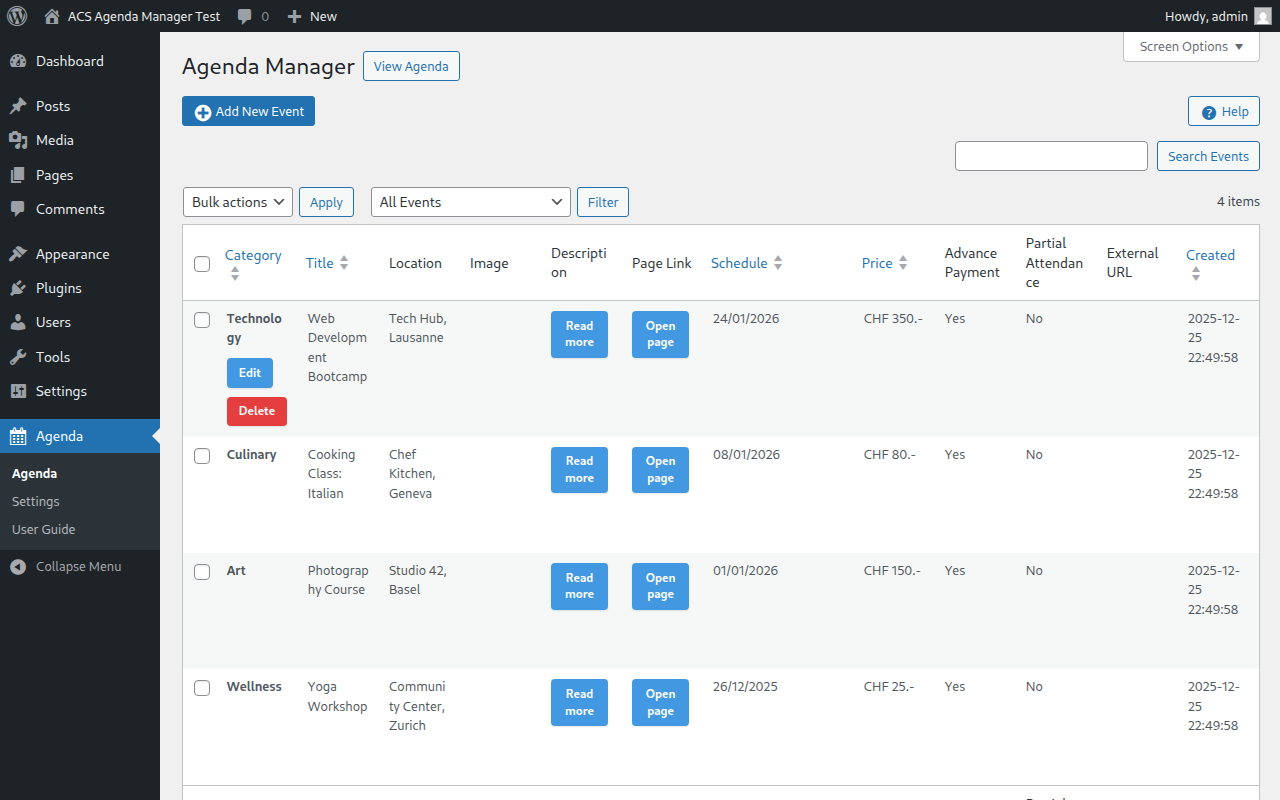
Main admin dashboard showing the event list with search and bulk actions 
Event editor dialog with form fields for title, location, and description 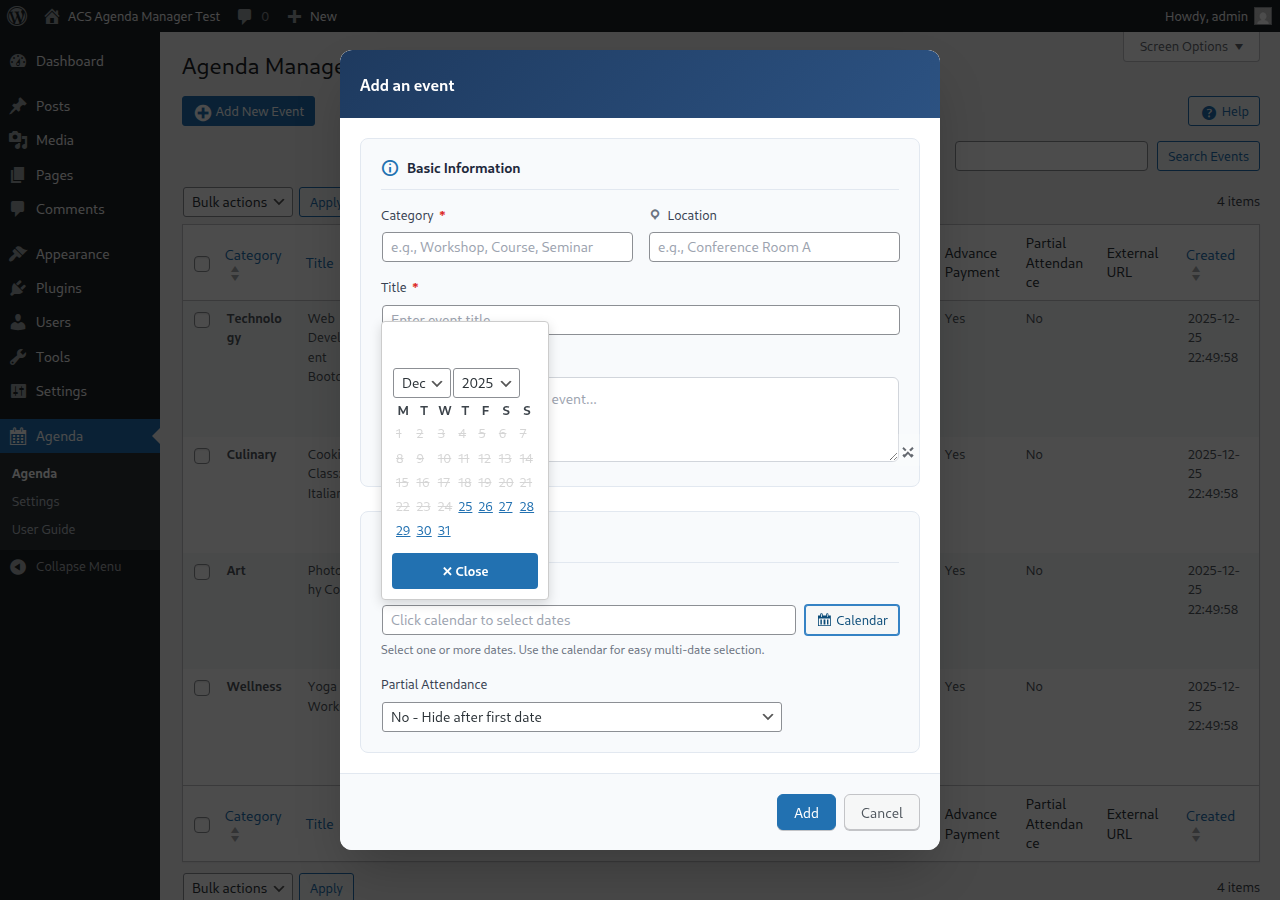
Multi-date calendar picker for selecting event dates 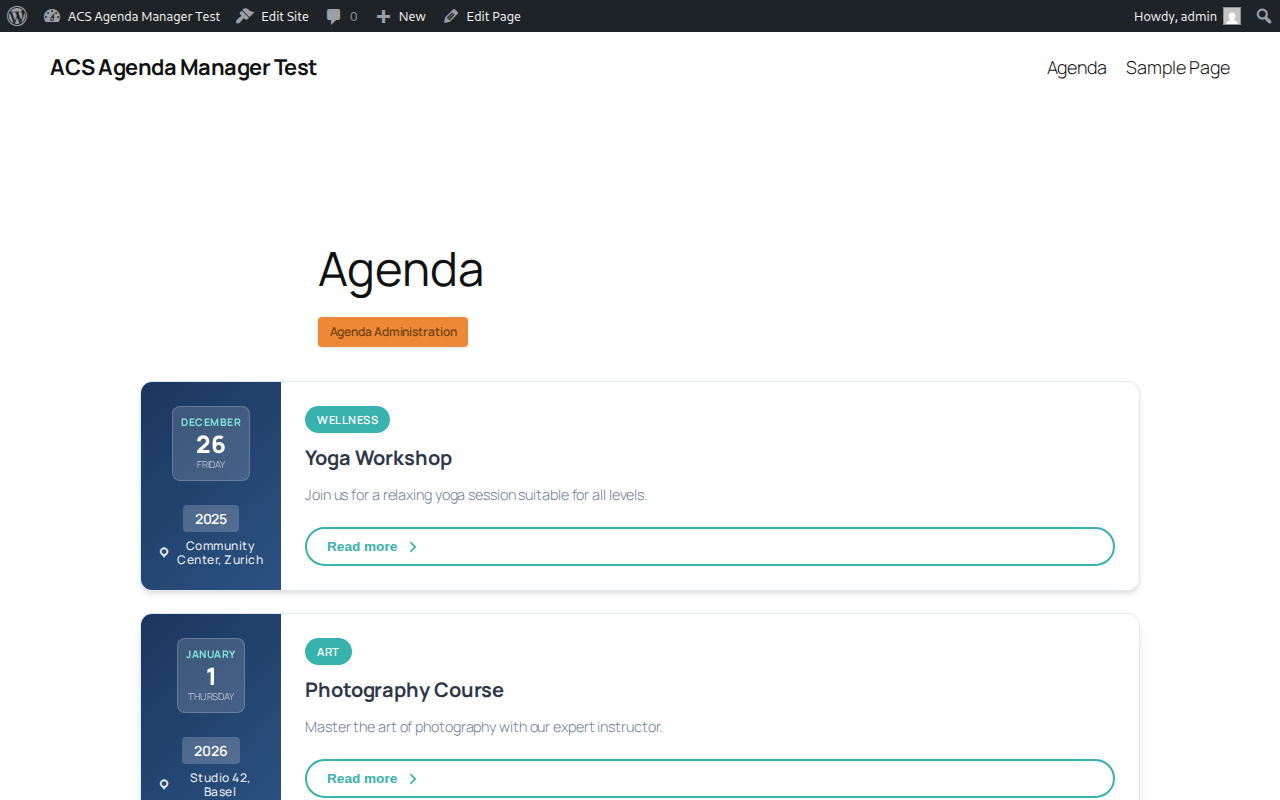
Frontend agenda display with modern responsive layout 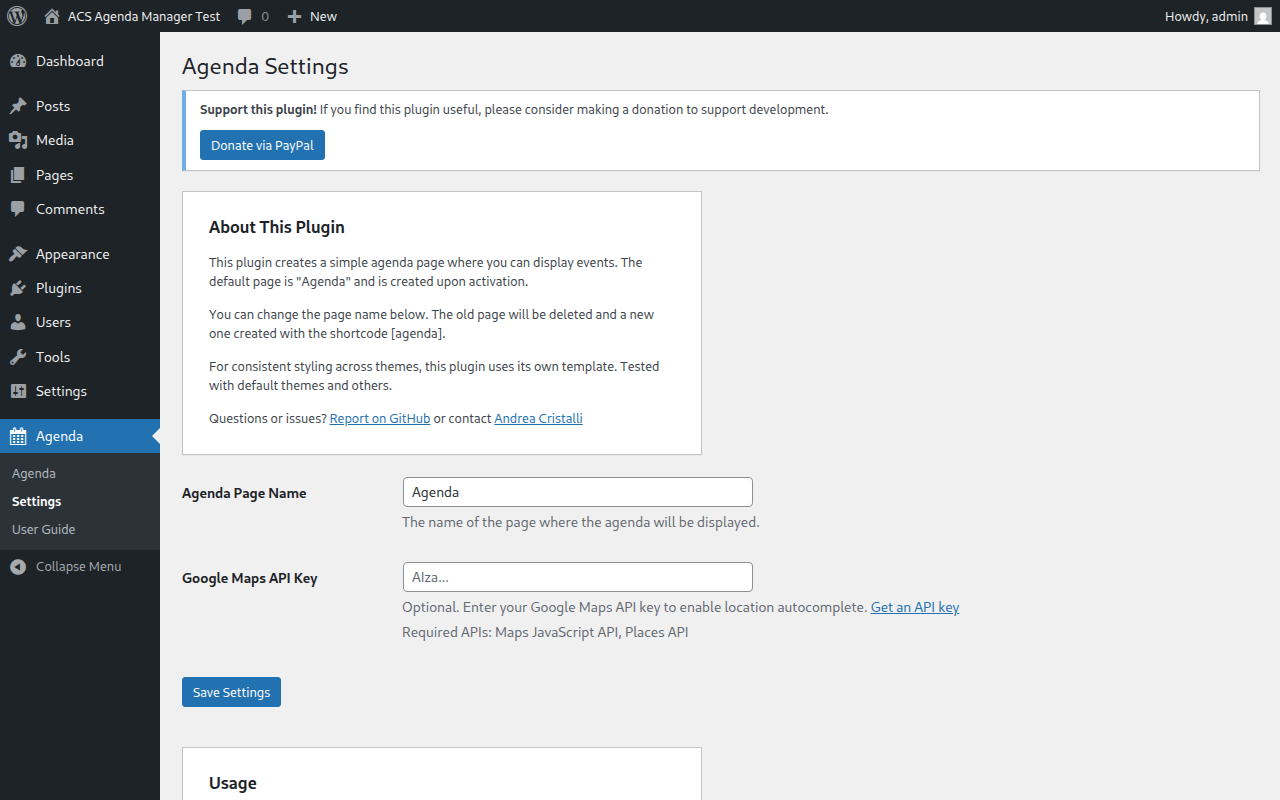
Plugin settings and configuration options
Installation
- Upload the
acs-agenda-managerfolder to the/wp-content/plugins/directory - Activate the plugin through the ‘Plugins’ menu in WordPress
- Navigate to Agenda in the admin menu to start adding events
FAQ
-
How do I display the agenda?
-
Use the
[acsagma_agenda]shortcode on any page or post. -
Can events have multiple dates?
-
Yes, events can have multiple dates. Use the calendar in the event editor to select multiple dates.
-
What happens when an event expires?
-
By default, events are hidden after their last date passes. You can control this behavior with the “Partial Attendance” setting.
-
Can I customize the appearance?
-
Yes, you can override the CSS in your theme or copy the template file to your theme for full customization.
Reviews
There are no reviews for this plugin.
Contributors & Developers
“ACS Agenda Manager” is open source software. The following people have contributed to this plugin.
Contributors
Translate “ACS Agenda Manager” into your language.
Interested in development?
Browse the code, check out the SVN repository, or subscribe to the development log by RSS.
Changelog
3.4.0
- Added “Delete Data on Uninstall” option in Settings to optionally remove all plugin data when uninstalling
- Added proper uninstall cleanup with uninstall.php
- Translations are now automatically installed to WordPress languages directory on activation
- Removed Swiss French (fr_CH) and Swiss Italian (it_CH) translations (not supported by WordPress core)
- Fixed SQL injection prevention in uninstall script
3.3.4
- Fixed shortcode naming for WordPress.org compliance
- Improved admin menu branding: renamed “Agenda” to “ACS Agenda” for better identification
- Complete Japanese translation now available
- Updated all translation files with correct shortcode references
- Added comprehensive E2E test coverage for advanced fields, help page, image management, settings, and form validation
3.3.3
- Fixed global variable naming in help-page.php template to use proper acsagma prefix
- Updated test environment to exclude development files for Plugin Check compliance
- Added Plugin Check integration to Docker test setup
3.3.2
- Fixed all WordPress.org plugin review compliance issues
- Updated all prefixes from ‘acs’ (3 chars) to ‘acsagma’ (7 chars) for uniqueness
- Fixed AJAX action names to use proper acsagma_ prefix
- Fixed menu slugs after prefix rename
- Fixed E2E tests: calendar navigation, frontend event display, and filter functionality
- Updated calendar tests to read dropdown values correctly
- Fixed event creation date to use future dates for frontend visibility
3.3.1
- Added automated screenshot generation for WordPress.org
- Added GitHub Actions workflow for WordPress.org deployment
- Fixed Docker test environment SELinux compatibility
- Fixed MySQL 8.4 authentication compatibility with WP-CLI
3.3.0
- Added Japanese language support
- Added success notifications for event operations
- Added in-dialog validation error messages
- Improved form with card-based sections (Basic Info, Schedule, Media, Links & Pricing)
- Fixed date field validation and dialog button styling
- Split CSS into modular files for better organization
3.2.0
- Added image lightbox for full-size image viewing
- Added close button for calendar date picker
- Modern frontend redesign with CSS Grid and glass-morphism effects
- Improved mobile responsive design
- Fixed calendar to properly disable past dates
3.1.0
- Added E2E test suite using Playwright
- Fixed “Headers already sent” error when deleting events
3.0.0
- Complete rewrite with modern PHP 7.4+ code
- New class-based architecture
- Improved security and performance
- Better admin UI with template files
- User guide integrated in admin
- Added German translations (de_DE, de_CH)
2.1.1
- Added French and Italian translations
- Various bug fixes
2.0.0
- Initial public release