

Description
Yuga Login Form adds a modern, customizable login/registration form via shortcode and Gutenberg block. It supports reCAPTCHA v2/v3, custom redirects, standalone WordPress login replacement (with its own logo/background), Coming Soon/Maintenance mode, and an admin list of registered users with CSV/XLS export.
External services
- Google reCAPTCHA v2/v3: used to protect the login/registration/forgot forms when you enter site/secret keys. On form submit the token and visitor IP are sent to Google’s
siteverifyendpoint to validate the challenge. reCAPTCHA is optional; if you don’t enter keys, no data is sent. Terms: https://policies.google.com/terms — Privacy: https://policies.google.com/privacy. - PayPal Donate SDK (admin “Support” tab, optional): loads PayPal’s donate widget to render the donation button. When you open that tab, the browser downloads the SDK from PayPal and, if you click the button, you are redirected to PayPal with the hosted button ID. No site/user data is sent from the plugin to PayPal until you interact with the button. Terms: https://www.paypal.com/webapps/mpp/ua/useragreement-full — Privacy: https://www.paypal.com/webapps/mpp/ua/privacy-full.
Privacy / tracking
- The plugin does not track users or set analytics cookies.
- When reCAPTCHA is enabled, Google may set its own cookies per their policy (see above).
- User data stored is limited to standard WordPress user fields plus optional first/last name and your configured redirects/settings; exports are of existing WP users only.
Key features
- Customizable login & registration form via
[yuga-login-form]and Gutenberg block (Login/Register/Forgot tabs, AJAX submit). - Redirects after login/logout/registration; dedicated redirects and styling when replacing WordPress login.
- WordPress login replacement: hides
wp-login.php,/login, andwp-admin(for guests) with 404; requires a custom login page containing[yuga-login-form]. - Language selection: Auto (WP locale) or EN/IT/FR/ES/DE for the form.
- Styling/graphics: colors, shapes (square/soft/rounded), alignment, shadow, hover inversion; logo upload/alignment/size with live preview; custom background image/color/size for WP-login page.
- reCAPTCHA v2/v3 with key masking (badge only where needed).
- Coming Soon / Maintenance mode: redirect visitors to a chosen page; optional exclusion of the login page.
- Registered users list: name/surname/email/roles/date with CSV/XLS export (site-based filename); optional role filter.
- Admin controls: limit wp-admin to selected roles with custom redirect; toggle registration tab for WP-login replacement; inline reset per tab; single-save UI with client-side tabs.
Screenshots

Tab Settings (logo, registration, redirects, language). 
Tab Style (colors, shapes, placeholder/text color, WP-login logo/background preview). 
Tab reCAPTCHA (v2/v3 keys, version selector). 
Tab WordPress Login (login replacement that hides wp-login/wp-admin, custom URL, dedicated background/logo, wp-admin access by role). 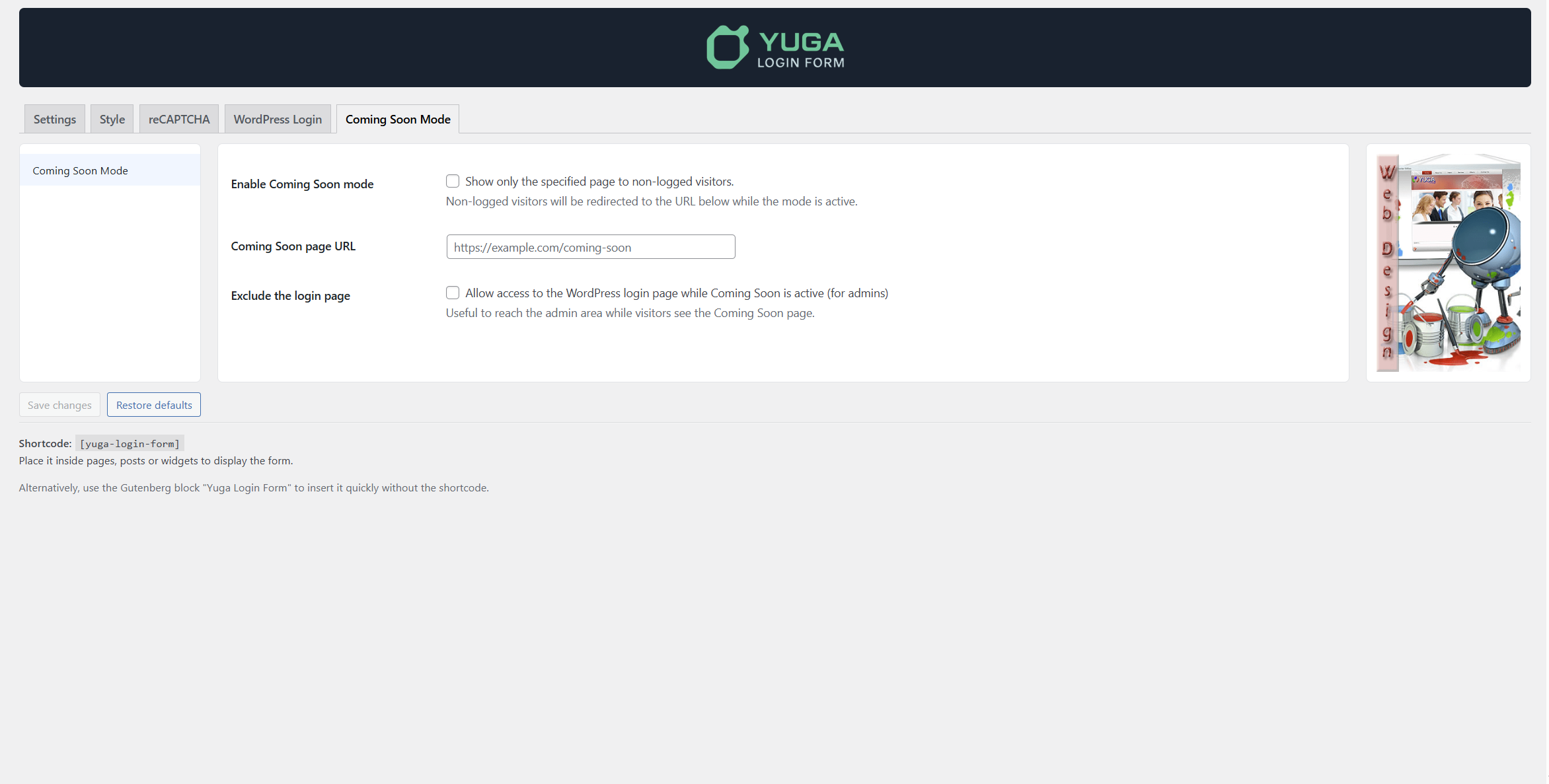
Tab Coming Soon (visitor redirect, login page exclusion). 
Registered users list with CSV/XLS export.
Blocks
This plugin provides 1 block.
- Yuga Login Form
Installation
- Upload the plugin folder to
/wp-content/plugins/yuga-login-form/or install via the Plugins screen. - Activate the plugin through the “Plugins” screen in WordPress.
- Create a page and add the shortcode
[yuga-login-form]or the Gutenberg block “Yuga Login Form”. - Configure options under Yuga Login Form > Settings (redirects, fields, language, reCAPTCHA, styling, WordPress Login, Coming Soon).
FAQ
-
How do I replace wp-login.php?
-
Enable “Use Yuga Login Form as default login” and set a valid custom login URL pointing to a page containing
[yuga-login-form]. When active,wp-login.php,/login, and guest access towp-adminreturn 404 to hide WordPress; all flows use the custom login URL. -
How do I enable reCAPTCHA?
-
Enter your site/secret keys in the reCAPTCHA tab and choose v2 or v3. The badge/script loads only on pages that contain the form or the custom login slug.
-
Can I export registered users?
-
Yes, under Yuga Login Form > Registered Users you can export to CSV or XLS (filename based on your site).
-
Does it follow the site language?
-
Set “Auto” to follow WordPress locale, or choose a specific language (EN/IT/FR/ES/DE) for the form interface.
-
What happens if I enable login replacement without a custom login URL?
-
The option is blocked until you set a custom login URL pointing to a page with
[yuga-login-form]to avoid lockouts. A validation message will guide you. -
How do I hide wp-login.php and wp-admin for guests?
-
Enable “Use Yuga Login Form as default login” and set a custom login URL. Guests hitting
wp-login.php,/login, orwp-adminwill get 404; only the custom URL serves the form. -
Can I restrict wp-admin to specific roles?
-
Yes. In WordPress Login, enable role restriction and select allowed roles. Others are redirected to your chosen URL.
-
How does Coming Soon mode work?
-
Enable it in the Coming Soon tab and set a target URL. Non-logged visitors are redirected there; you can allow the login page while it’s active.
-
Can I set a custom login background/logo?
-
Yes. In WordPress Login you can set a background color/image/size and a dedicated logo/size/alignment for the login replacement page.
-
Can I customize redirects after login/logout/register?
-
Yes, set them in Settings. When using the WordPress Login tab, you can also set dedicated redirects for that flow.
-
Can I export registered users by role?
-
Yes. The export list can be limited to the default new-user role when the “show only this role” option is enabled.
-
When does reCAPTCHA load?
-
Only on pages showing the form or the custom login slug, once keys are set. No keys, no badge/script.
-
Do my form fonts/colors follow the theme?
-
Yes. The form inherits your theme fonts and base colors; you can override button/container/text colors from the Style tab.
-
How do I reset settings?
-
Use “Restore defaults” in the admin page (bottom right). It resets all tabs to defaults.
-
GDPR / data stored
-
The plugin creates normal WordPress users (no extra PII beyond first/last name if you enable those fields). reCAPTCHA is provided by Google; include it in your site privacy policy and follow your local privacy rules.
Reviews
There are no reviews for this plugin.
Contributors & Developers
“Yuga Login Form” is open source software. The following people have contributed to this plugin.
Contributors
Translate “Yuga Login Form” into your language.
Interested in development?
Browse the code, check out the SVN repository, or subscribe to the development log by RSS.
Changelog
2.1.0
- Added live logo/background previews and sizing for default/WP login.
- Added Coming Soon exclusions and admin access restrictions by role.
- Added multilingual support (EN/IT/FR/ES/DE) with updated POT/PO/MO.
- Hardened login replacement: wp-login/wp-admin hidden for guests with required custom login URL; limited reCAPTCHA loading to needed pages.
- Improved admin UI layout (single save, client-side tabs) and export filename based on site.