

Description
QRcdr integrates a complete, intuitive QR code generator into your WordPress site’s frontend. It enables your visitors to create, customize, and download their own static QR codes without leaving your page, turning your website into a practical digital utility.
The plugin is designed for seamless configuration using a native Gutenberg block. From the editor, you can decide which services to offer (URL, Wi-Fi, vCard, etc.), set default colors, and manage the generator’s layout to match your site’s brand identity.
While the free version provides a powerful tool for generating high-quality static codes, QRcdr PRO unlocks advanced marketing features such as dynamic QR codes, scan analytics, and a full subscription system (SaaS).
👉 Try the online demo and see it in action!
✨ Key Features (Free Version)
- Frontend User Generator: A clean, interactive interface available to all your website visitors.
- Intuitive Gutenberg Block: Easily insert the generator into any page or post. Configure active services, default styles, and colors directly from the editor sidebar.
- Advanced Design Customization:
- Colors & Gradients: Choose solid colors or professional linear/radial gradients.
- Custom Patterns: Select from various body shapes, including dots and different geometric patterns.
- Custom Eyes: Personalize the corner “eye” styles (both frame and eyeball) for a unique look.
- Designer Frames: Add frames with customizable “Scan Me” text labels to increase engagement.
- Logo Upload: Allow users to center their own brand logo within the QR code.
- 14+ Supported Data Types:
- Websites (URL), Plain Text, Email Addresses.
- Location (Google Maps), Phone Numbers, SMS, WhatsApp, Skype.
- Zoom Meetings, Wi-Fi Network Credentials.
- vCard (Digital Business Card), Events (iCalendar).
- PayPal Checkout and Bitcoin addresses.
- High-Resolution Downloads: Immediate export in PNG, SVG, and PDF formats, ready for digital use or professional printing.
🚀 Scale Your Business with QRcdr PRO
The PRO version transforms the generator into a data-driven marketing platform:
- Dynamic QR Codes: Change the destination URL or content at any time, even after the code has been printed.
- Advanced Analytics: Track performance with detailed statistics on scans, geographic location, and device types.
- Professional Templates: Access exclusive business types such as Digital Menus, Coupons, Feedback forms, and vCard Plus.
- SaaS & Monetization: Build your own business by offering paid plans. Manage subscriptions, recurring payments, and generation limits directly from your WordPress dashboard.
- User Dashboard: A private area where registered users can save, edit, and monitor their dynamic QR codes over time.
Learn more at qrcdr.pro
External Services
This plugin uses OpenStreetMap services to display maps and locate coordinates.
OpenStreetMap (Map Tiles)
* Service: Provides the graphical map tiles used in the “Location” tab.
* Used for: Displaying the map so users can pick a location.
* Data sent: When the map loads, the user’s browser makes requests to OpenStreetMap servers. This transmits standard request data (IP address, User Agent) to retrieve the map images.
* Privacy Policy – Terms
Nominatim (Address Search)
* Service: OpenStreetMap’s geocoding service.
* Used for: Converting the text address entered by the user into geographic coordinates (Latitude/Longitude).
* Data sent: The address string typed by the user is sent to Nominatim servers via an API request.
* Privacy Policy – Usage Policy
Copyright
- Default maps data provided by: OpenStreetMap under ODbL.
Screenshots

The clean and modern generator interface on the frontend. 
Advanced customization example with gradients, logos, and custom eyes. 
The QRcdr block within the Gutenberg editor showing configuration options. 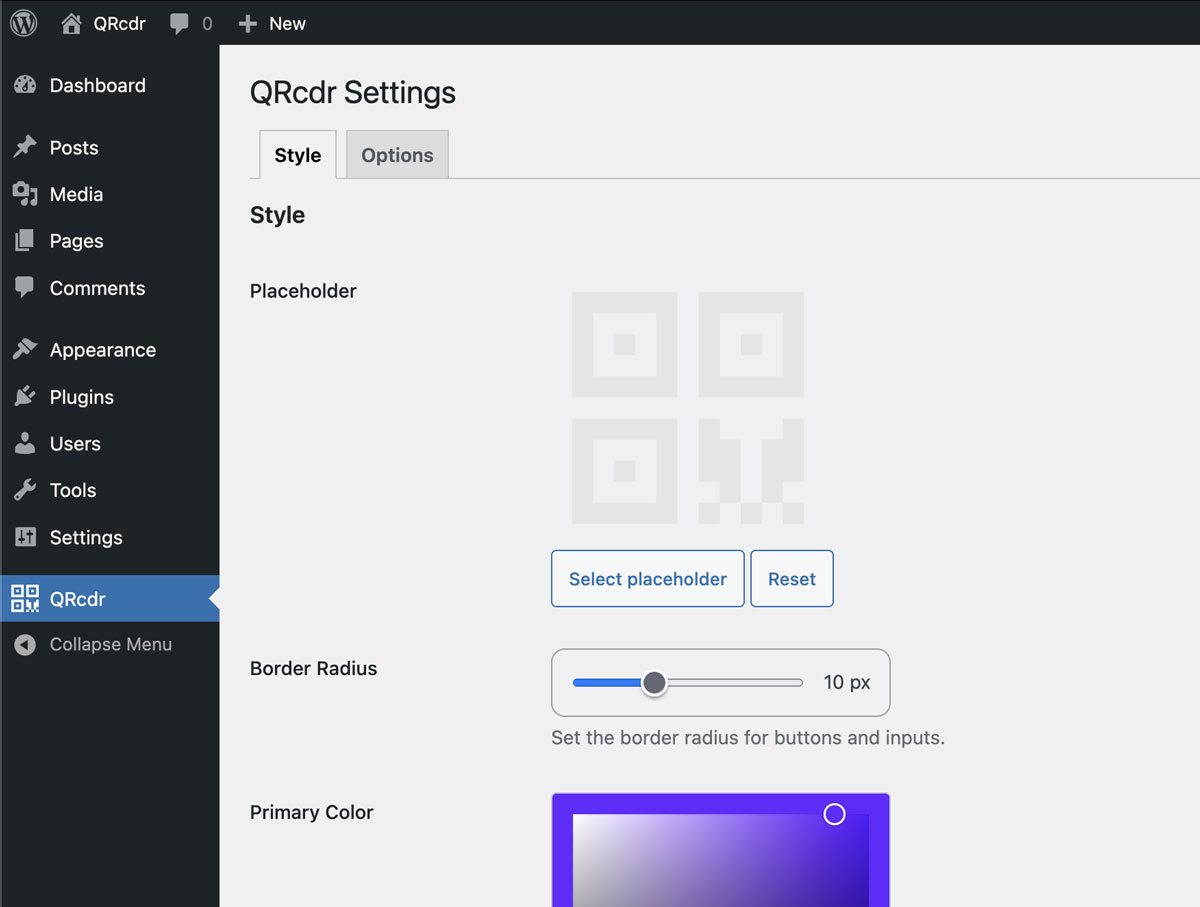
General settings panel in the WordPress backend.
Blocks
This plugin provides 1 block.
- QRcdr
Installation
- Upload the
qrcdrfolder to the/wp-content/plugins/directory. - Activate the plugin through the ‘Plugins’ menu in WordPress.
- Insert the ‘QRcdr’ block into any page or post using the Gutenberg editor.
- Use the block settings sidebar to configure the appearance and active features for the frontend user.
FAQ
-
Why should I add a QR code generator to my site?
-
Providing a free, useful tool like a QRcdr increases your site’s value, encourages repeat visits, and boosts user engagement. It is ideal for marketing agencies, service providers, or tech blogs.
-
What is a static QR Code?
-
A static QR code encodes information directly into the graphic pattern. Once generated, the content cannot be changed. These codes are permanent, reliable, and perfect for information that does not require future updates.
-
Can I create dynamic or trackable QR Codes?
-
Yes, but this requires QRcdr PRO. The PRO version allows you to edit destination links in real-time and track scan statistics, turning every code into a measurable marketing asset.
-
Is the generator user-friendly for my visitors?
-
Absolutely. The QRcdr interface is clean, responsive, and guides users step-by-step through the customization and download process in seconds.
-
Do visitors need an account to download a QR code?
-
No. In the free version, the generator is accessible to anyone visiting the page where you placed the block. No login or registration is required.
-
What download formats are supported?
-
Users can download codes in PNG (web), SVG (vector format for designers), and PDF (best for printing), ensuring maximum clarity at any size. Note: The PDF format does not support gradient colors.
-
How can I use the generator in the Classic Editor or a Page Builder (like Elementor)?
-
While optimized for Gutenberg, you can use the generator anywhere via shortcode. To get the exact configuration you want:
1. Create a draft page using the Block Editor (Gutenberg).
2. Insert the QRcdr block and configure the styles/settings.
3. Click the three dots (options) on the block and select “Edit as HTML”.
4. Copy the generated shortcode (e.g.,[qrcdr color="#000000" ... ]) and paste it into the Classic Editor, Elementor, or a widget. -
Can I limit the available services?
-
Yes. Within the Gutenberg block settings, you can individually toggle which QR code types (services) are visible to the end-user on the frontend.
Reviews

Contributors & Developers
“QRcdr – Advanced QR Code Generator” is open source software. The following people have contributed to this plugin.
Contributors
Translate “QRcdr – Advanced QR Code Generator” into your language.
Interested in development?
Browse the code, check out the SVN repository, or subscribe to the development log by RSS.
Changelog
1.0.6
- Update: Block option draggable items improved
- Update: translations update
1.0.5
- Update: update scroll navigation icons
1.0.4
- Update: replace Spectrum Vanilla with Coloris.
- Fix: options feature icon
- Update remove background feature
1.0.3
- Update: replace tempusdominus with flatpickr.
- Update: export qrcdr_plugin()->utils
- Fix: update block features when new ones are added to the plugin
- Fix: keep openlayers css
1.0.2
- Update: Draggable and sortable Services from block settings
- Update: Border radius preview with range slider in general settings
- Update: qrcdrlib
1.0.1
- Update: Tested up to: 6.9
- Update: WP Blocks v3
- Update: block UI improvements
1.0.0
- Initial release of the plugin.
- Provides a frontend static QR code generator for site visitors.
- Seamless integration via a dedicated Gutenberg block.
- Full visual customization: colors, gradients, logos, frames, and patterns.
- Support for multiple data types (URL, Text, E-mail, Wi-Fi, etc.).
- Fallback support with a flexible shortcode
[qrcdr].