

Description
LogMate provides a modern interface for managing and exporting WordPress error and PHP/JS logs. Monitor, filter, purge, and export your logs efficiently.
Key Features
- Modern admin interface
- Real-time log viewing with auto-refresh
- Advanced filtering and search capabilities
- Group duplicate errors with occurrence counts
- Identify error sources (Core/Plugin/Theme)
- Log purging by date or keep last N days/weeks/months
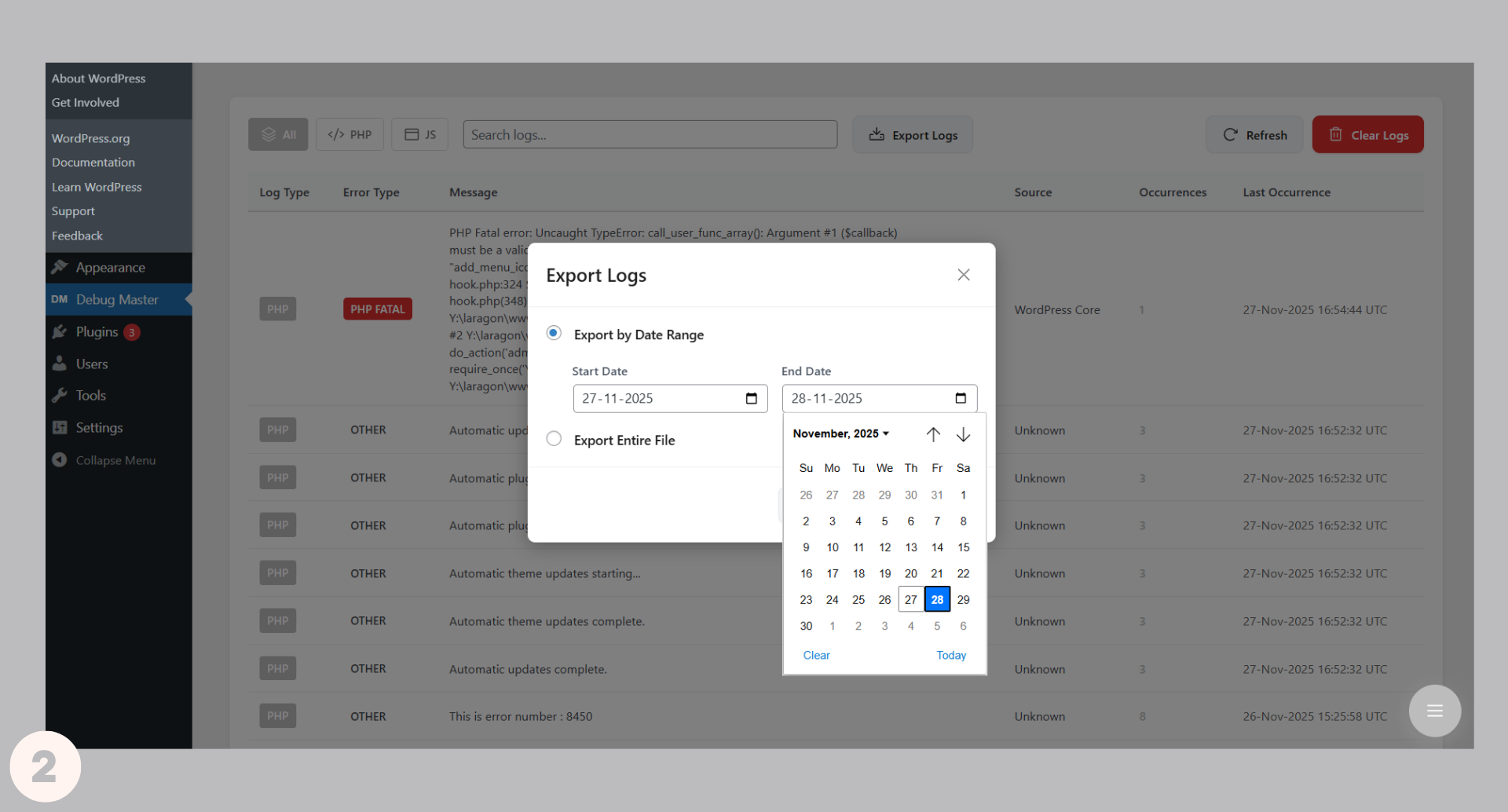
- Export logs with date range filtering
- Toggle debug logging with one click
- JavaScript error logging support
- Secure log file location
Screenshots



Installation
- Upload the plugin files to the
/wp-content/plugins/logmatedirectory, or install it via the WordPress plugin screen. - Activate through the ‘Plugins’ menu.
- Configure via LogMate menu in WordPress admin.
FAQ
-
Will this work with managed WordPress hosting?
-
It should work with most managed hosts. If you encounter issues, please report them.
Reviews
There are no reviews for this plugin.
Contributors & Developers
“LogMate” is open source software. The following people have contributed to this plugin.
Contributors
Translate “LogMate” into your language.
Interested in development?
Browse the code, check out the SVN repository, or subscribe to the development log by RSS.
Changelog
1.0.0
- Initial release