

Description
BtW Importer is a powerful yet simple migration tool that helps you seamlessly transfer your content from Blogger (Blogspot) to WordPress with minimal effort. Whether you’re a casual blogger or managing a large archive, this plugin handles the complex parts so you don’t have to.
With just 3 steps, BtW Importer lets you upload your .atom file from Google Takeout and automatically imports your posts—images, links, formatting, and more. It also enhances your content by downloading embedded images, replacing Blogger URLs with WordPress-friendly links, and setting featured images based on the first image in each post. Plus, you’ll get real-time progress feedback so you can watch the migration unfold with confidence.
Designed to be fast, reliable, and compatible with WordPress 6.9+, this plugin streamlines the process and saves you hours of manual work.
Notice: Nginx-based server maybe slower when importing content than Apache or Litespeed. If you’re using Nginx-based server, it’s recommended to import blogspot content in wordpress localhost, then upload to hosting or server.
Features
- Scans and downloads embedded images
- Replaces outdated Blogger URLs with WordPress-friendly links
- Sets featured images using the first image in each post
- Displays real-time progress during import
- Supports image formats:
jpg, jpeg, png, gif, webp, bmp, svg, tiff, avif, ico. Undownloaded images and videos still embedded, but with external files. - Support legacy image download (for content older than 2008)
- Import content based on post type
- Keep external embedded content
- Posts or Pages date sync as date in the .atom file (e.g. your Blogspot post published on 2022/02/02, then the post in WordPress also 2022/02/02)
- Categories added or use existing category based on .atom file
- Only Blogspot/Google images downloaded, others external (saving your hosting storage, especially if you use external CDN)
- Only download original size images (avoid duplicated)
- Automatically add 301 redirect from Blogspot permalink to new WordPress URL to keep your SEO (only for post with
/YYYY/MM/slug.htmlformat) - Redirect log page to check list of redirection has been made, also option to clear redirection logs
Note
Make sure to check your content after you import contents. Also, this plugin doesn’t overwrite current post or pages, so if you’ve imported posts or pages and want to import again, kindly delete the previous imported posts, pages, and images.
Usage
- Download your
.atomfile:
Blogger Settings Back Up Download redirects to Google Takeout - Open the BtW Importer menu in WordPress
- Read and check the agreement
- Upload the
.atomfile from your local storage - Extract the atom file in second step
- Start the migration
- Monitor the live progress
- Done! Your Blogger content is now in WordPress
Requirements
- PHP 8.1 or later
- cURL PHP Extension
SimpleXMLPHP Extensionallow_url_fopenenabled- Writable
wp-content/uploadsfolder (default setting already meets this)
Screenshots

Importer Page 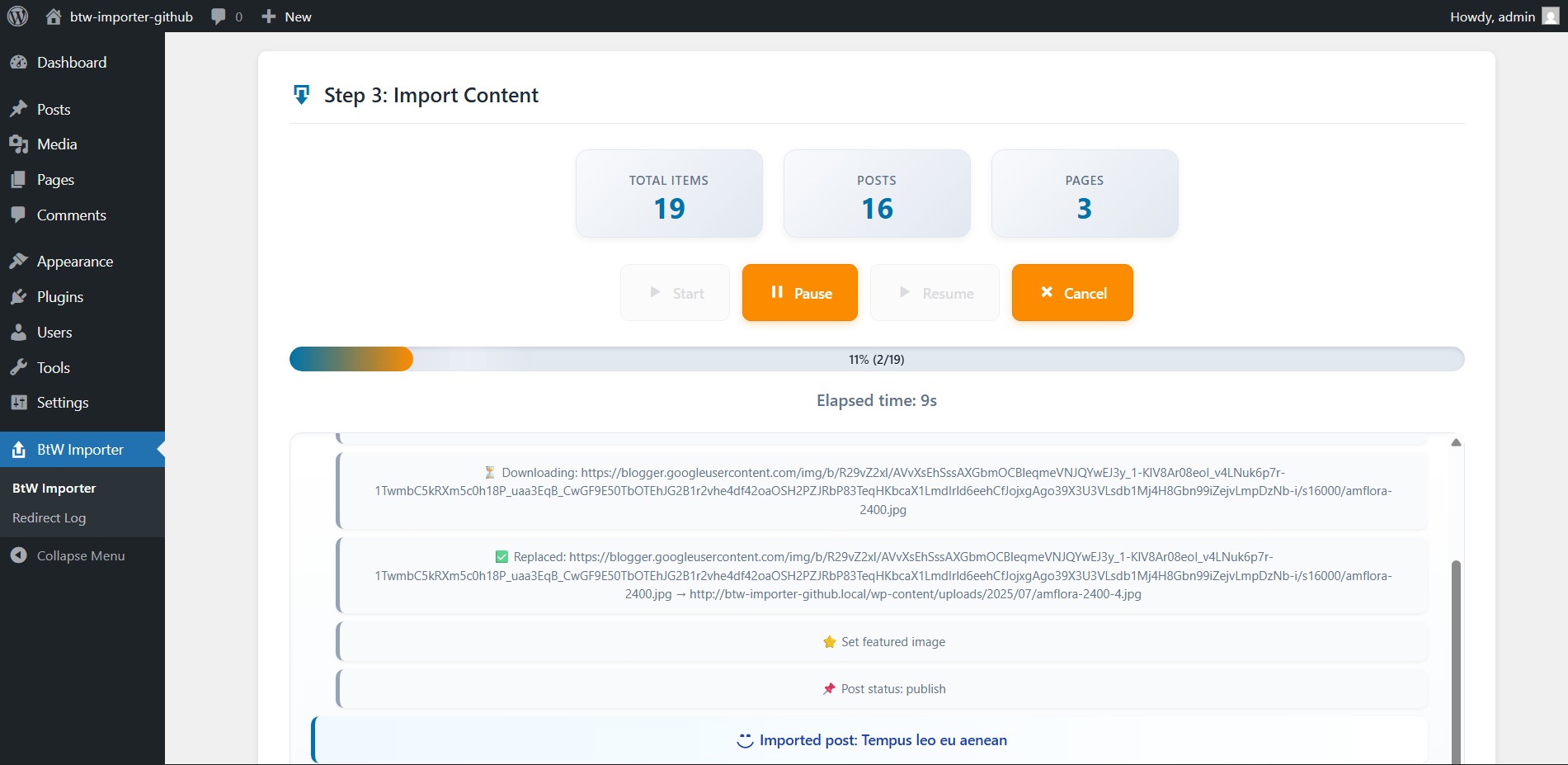
Import Process 
Done Importing 
Redirect Log
Installation
- Upload the plugin files to
/wp-content/plugins/btw-importer, or install via the WordPress plugin screen directly. - Activate the plugin via the Plugins screen in WordPress.
- Open the BtW Importer menu from your dashboard.
Reviews


Contributors & Developers
“BtW Importer – Free Blogger/Blogspot Migration” is open source software. The following people have contributed to this plugin.
Contributors
“BtW Importer – Free Blogger/Blogspot Migration” has been translated into 1 locale. Thank you to the translators for their contributions.
Translate “BtW Importer – Free Blogger/Blogspot Migration” into your language.
Interested in development?
Browse the code, check out the SVN repository, or subscribe to the development log by RSS.
Changelog
4.0.0
🔥 Major Update 🔥
* Added multi-step import UI with visual step indicator (Upload Extract Import)
* Added batch processing with 4 speed options
* Added support for modern Blogger image URLs without file extensions
* Added automatic image format detection using MIME type
* Added image format preservation (PNG, GIF, WEBP, BMP keep original format)
* Added import statistics display (Total Items, Posts, Pages)
* Added modern import controls (Start, Pause, Resume, Cancel)
* Added scrollable import log with auto-scroll
* Added pause and resume timer (elapsed time pauses when import is paused)
* Added batch delay system to improve Nginx-based server performance
* Added temporary .atom file storage in wp-content/uploads/btw-importer-temp/ (auto deleted after import)
- Fixed image URLs in posts not being replaced with local WordPress URLs
- Fixed images without file extensions not downloading
- Fixed long filename handling (100+ characters now use a short hash)
- Fixed TIFF images by auto-converting to JPG for browser compatibility
-
Fixed error handling for expired Blogger image URLs
-
Improved caching system to prevent re-downloading the same images
- Improved step pagination behavior during import
- Improved button state handling based on import status
- Improved default batch delay to 50ms for more stable and faster imports
- Improved overall UI and styling
-
Removed import overlay completely
-
Note: Batch size “Fastest” is only recommended for VPS or dedicated servers
3.0.0
- Compability test with WordPress 6.9
- Add styling on Importer and Redirect Log page
- Add legacy image URL (now support more image format and URL type)
- Add
wp_safe_redirectin redirect for better security - Security update based on WordPress 6.9 and PCP 1.7.0
2.2.0
- Fix HTML content on pages not imported
2.1.4
- Fix post type:
pageredirect not working properly - Auto hide overlay on fail, error, or stopped import
2.1.3
- Security improvement to comply with wordpress standard
- Performance optimization
2.1.2
- Skip comment so the comment not imported instead imported as post
2.1.1
- Fix updater not working when your plugin folder isn’t using
btw-importer. Usually when you download the plugin from github, the folder will bebtw-updater-x.x
2.1.0
- Fix draft and deleted content on .atom imported as published in WordPress
2.0.0
🔥 Major Update 🔥
- Add notice before you start importing (required)
- Add warning on leaving, reloading, or closing page during import to avoid accidentally stopping the process
- Add redirect log page to check list of redirection has been made, also option to clear redirection logs
- Add 301 redirect from Blogspot permalink to new WordPress URL to keep your SEO (only for post with
/YYYY/MM/slug.htmlformat). Only works if your previous Blogspot used the same Domain Name - Posts or Pages date now sync as date in the .atom file (e.g. your Blogspot post published on 2022/02/02, then the post in WordPress also 2022/02/02)
- Categories added or use existing category based on .atom file
- Only Blogspot/Google images downloaded, others external (saving your hosting storage, especially if you use external CDN)
- Only download original size images (avoid duplicated)
1.1.1
- Add Updater, so you won’t miss an update
- Fix embed content or iframe not imported
1.1.0
- Fix Pages imported as Posts. Should now correctly import pages as WordPress Pages
1.0.0
- Initial release
- Replaced
parse_url()withwp_parse_url() - Used
wp_delete_file()instead ofunlink() - Sanitized input using
wp_unslash() - Sanitized content with
wp_kses_post()