

აღწერა
Welcomify allows you to replace the default WordPress welcome panel with any page you create using your favorite page builder – Elementor, Gutenberg, Classic Editor, or any other.
Key Features
- Role-Based Dashboards – Assign different welcome pages for each user role (Administrator, Editor, Author, Contributor, Subscriber)
- Page Builder Compatible – Works with Elementor, Gutenberg, Bricks Builder, Divi Builder, and more
- Dismissible Option – Allow users to dismiss the welcome panel if desired
- Clean Embed – Pages are displayed cleanly without headers, footers, or sidebars
- Multisite Support – Full support for WordPress multisite networks
- Lightweight – No bloat, just the features you need
- Translation Ready – Fully internationalized and ready for translation
Use Cases
- Create a branded onboarding experience for new users
- Display important announcements to specific user roles
- Show quick-start guides for content creators
- Present analytics dashboards to administrators
- Welcome clients with custom messages
How It Works
- Create any WordPress page using your preferred page builder
- Click on Welcomify in the admin menu
- Assign pages to each user role
- Done! Users will see your custom page on their dashboard
ეკრანული სურათები
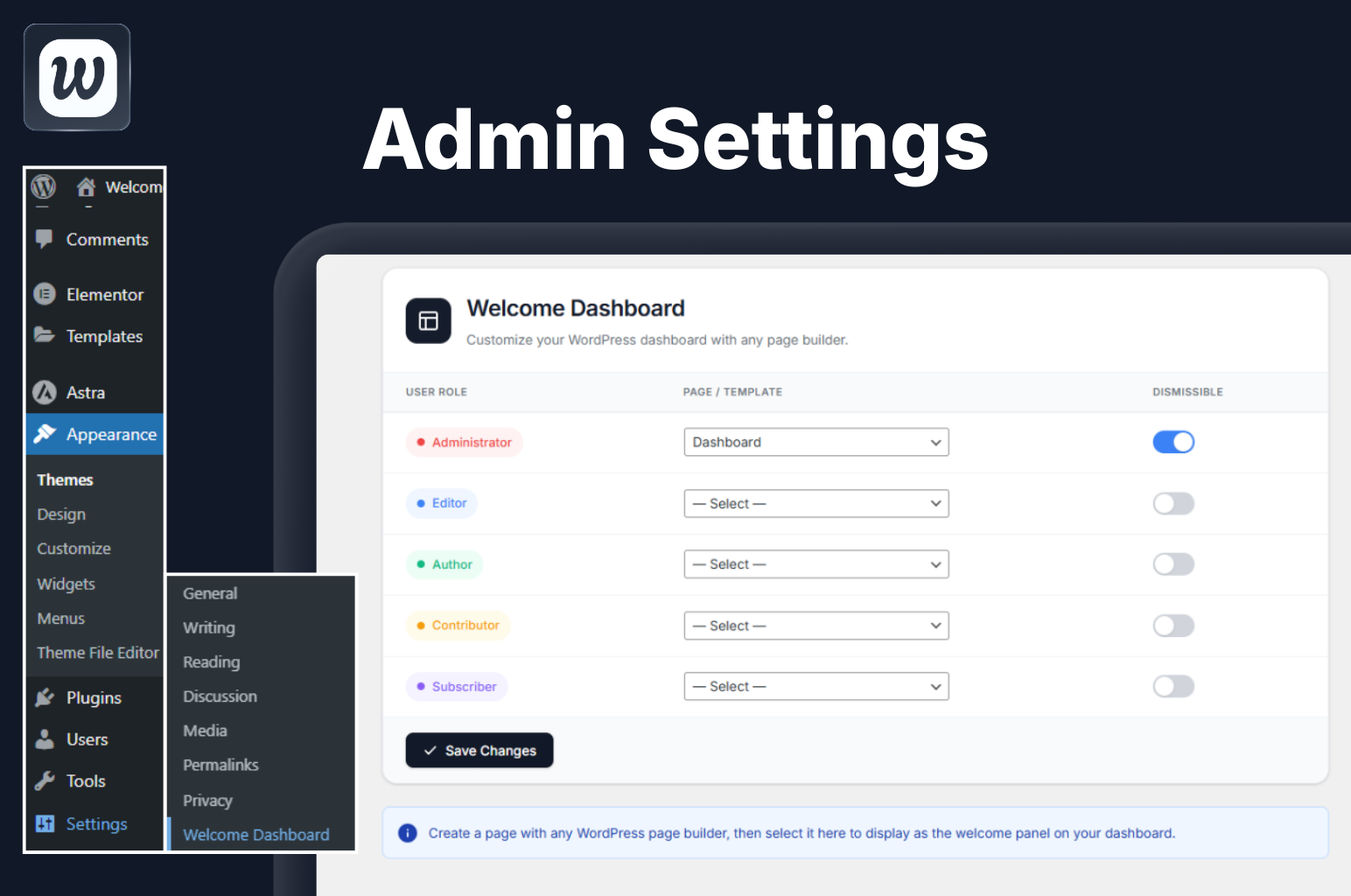
Admin Settings Panel – Easily configure which page to show for each user role from a clean, modern interface. 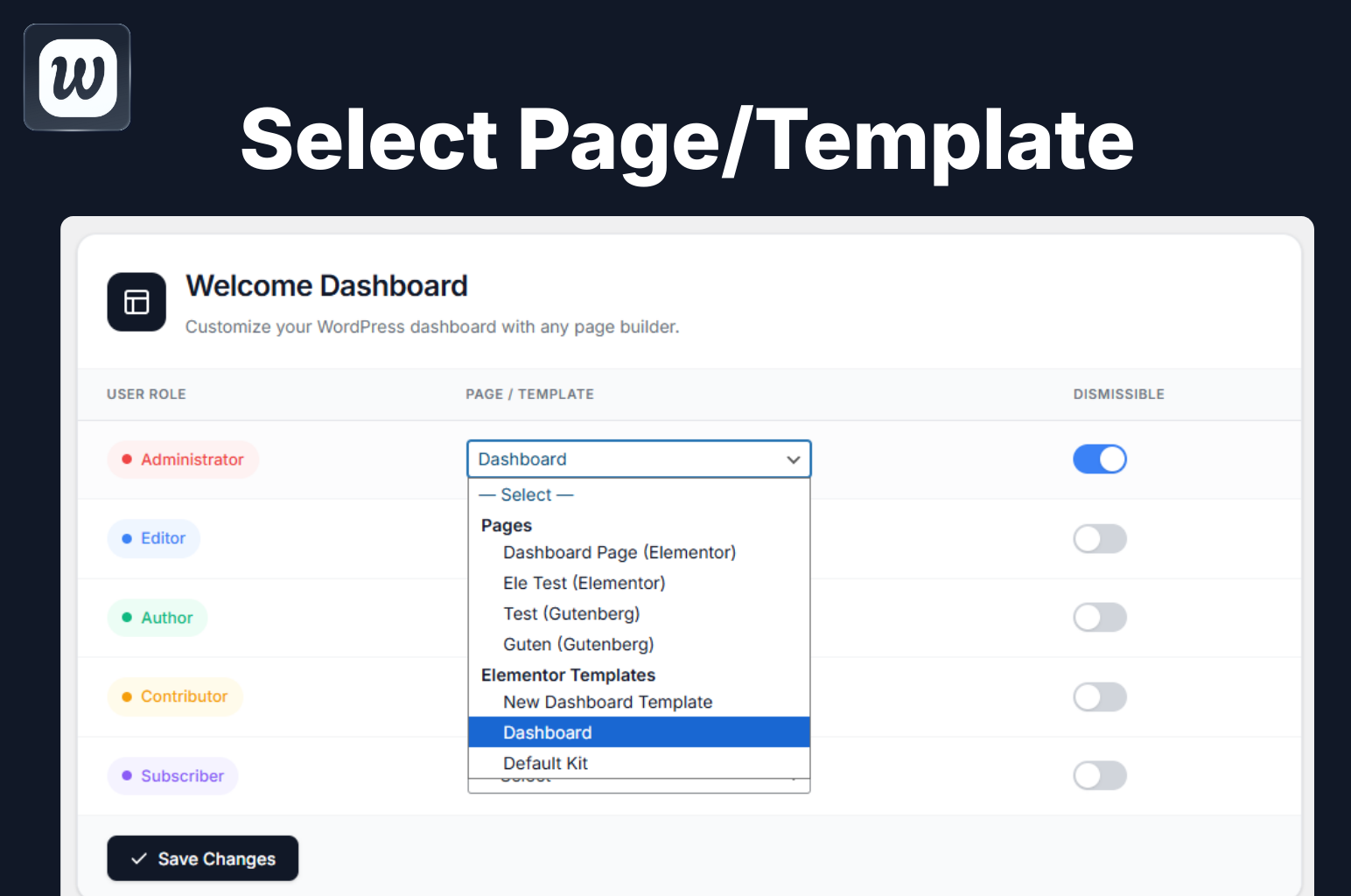
Page & Template Selection – Support for Elementor templates, Gutenberg pages, and standard WordPress pages. 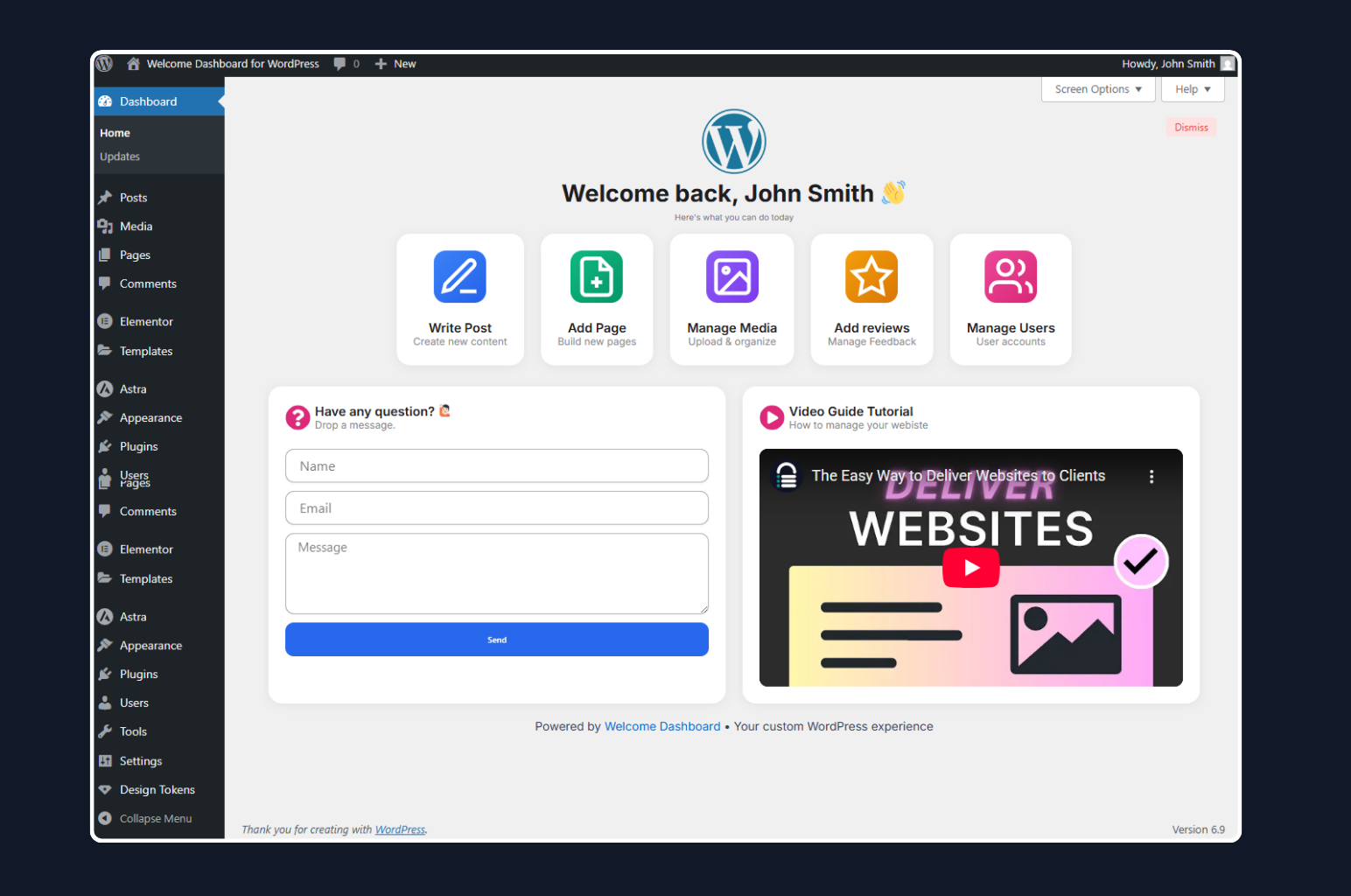
Custom Welcome Dashboard – A completely transformed dashboard experience for your users with key actions and resources.
დაყენება
- Upload the plugin folder to
/wp-content/plugins/directory - Activate the plugin through the Plugins menu in WordPress
- Go to Welcomify main menu to configure
- Select a page created with any page builder and assign it to user roles
ხდკ
-
Does this plugin require Elementor?
-
No! While Elementor is fully supported, you can use any page builder or the default WordPress editor (Gutenberg or Classic Editor).
-
Can I show different pages to different user roles?
-
Yes! This is the core feature. You can assign a unique page to each user role.
-
Will this work with my theme?
-
Yes, the plugin embeds your page content in an iframe, so it works independently of your theme.
-
Is multisite supported?
-
Yes, full multisite support is included. You can even hide settings from subsites if needed.
-
Can users dismiss the welcome panel?
-
Yes, you can enable/disable the dismissible option for each user role individually.
მიმოხილვები
There are no reviews for this plugin.
მონაწილეები & დეველოპერები
“Welcomify – Custom Welcome Dashboard” ღია პროგრამული უზრუნველყოფაა. შემდეგმა ადამიანებმა წვილი შეიტანეს მის განვითარებაში.
მონაწილეები
გადათარგმნეთ Welcomify – Custom Welcome Dashboard თქვენს ენაზე.
დაინტერესებული ხართ დეველოპმენტით?
დაათვალიერეთ კოდი, შეამოწმეთ SVN რეპო, ან გამოიწერეთ შექმნის ჟურნალი : RSS.
ცვლილებები
1.3.3
- Added PRO addon compatibility hooks
- Added filter ‘umy_wdw_settings_title’ for title override
- Added action ‘umy_wdw_pro_template_library’ for PRO template handling
- Added PRO badge to Template Library submenu
- Template Library now shows as PRO feature
1.3.2
- Fixed menu icon not displaying
- Fixed template library page blank issue (images not loading on WP.org)
- Renamed image files to use hyphens instead of spaces for better URL compatibility
1.3.1
- Fixed missing menu icon issue on some admin themes
- Fixed blank template library page issue
1.3.0
- Moved plugin settings to a top-level admin menu for better accessibility
- Added Template Library page with Upgrade to Pro option
- Added compatibility detection for Bricks, Divi, Beaver Builder, Oxygen, and Breakdance
- Improved admin UI with modern design elements
1.2.0
- Fixed white space flickering when closing accordions or dynamic content in the embedded page
- Improved iframe height detection using requestAnimationFrame for smoother updates
- Added direct file access protection to uninstall.php
1.1.0
- Fixed links opening inside the embedded iframe instead of navigating the main window
- Links now correctly open in the parent window for proper navigation
1.0.0
- Initial release
- Role-based dashboard pages
- Elementor, Gutenberg, Divi, Bricks Builder and Classic Editor support
- Multisite support
- Dismissible option per role
- Translation ready